
JavaScript Projects for Beginners to Practice DOM Manipulation
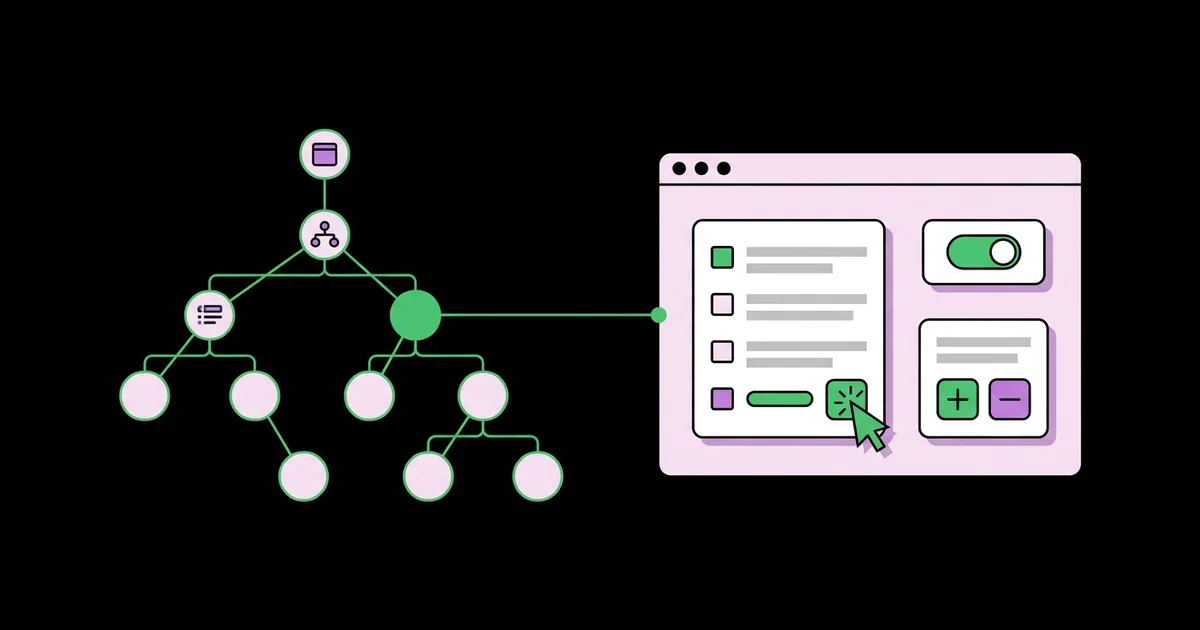
Tutorials teach you syntax, but projects teach you how a page actually changes when a user clicks something. DOM manipulation is the practice of using JavaScript to read, create, modify, and remove elements in the Document Object Model, the tree of objects the browser builds from your HTML. The projects below are sequenced so each one adds exactly one new skill to the last.
Quick Answer: The best beginner JavaScript projects for practicing DOM manipulation are a click counter, a color switcher, a to-do list, a character counter, a tabbed interface, an image gallery modal, a quiz app, and a filterable list. Together they cover selecting elements, handling events, updating text and attributes, creating elements, and managing state.
What Skills Does DOM Manipulation Actually Involve?
DOM manipulation breaks down into five core skills, and every interactive feature on the web combines them. Knowing the list helps you choose projects deliberately instead of building random apps and hoping the skills appear.
The first skill is selecting elements with document.querySelector and querySelectorAll. The second is listening for events with addEventListener, including clicks, input, submit, and keyboard events. The third is updating existing elements: changing textContent, toggling classes with classList, and setting attributes. The fourth is creating and removing elements with createElement, append, and remove. The fifth is managing state, which means keeping data in JavaScript variables and rendering the page from that data. A classic exercise that combines selecting, events, and attribute updates is the mobile menu toggle in our hamburger menu project.
A useful distinction is between textContent and innerHTML. textContent inserts plain text and is safe for user input. innerHTML parses a string as HTML, which means any user-provided content inserted that way can execute scripts. Beginners should default to textContent and createElement, and treat innerHTML as a tool for trusted, static markup only.
Event delegation is the other concept worth naming early. Instead of attaching a listener to every list item, you attach one listener to the parent and check event.target.closest('li'). This handles items added later automatically and is how real applications manage dynamic lists.
Eight Projects in Order of Difficulty
Build these in sequence. Each project lists the new skill it introduces, so you always know what you are practicing.
- Click counter. A number with plus, minus, and reset buttons. New skill: selecting elements, click events, and updating
textContentfrom a variable. Stretch goal: prevent the count from going below zero and disable the minus button at zero. - Background color switcher. Buttons that change the page background, plus one that picks a random color. New skill: setting inline styles and CSS custom properties with
style.setProperty. - Live character counter. A textarea that shows characters remaining and turns the counter red near the limit. New skill: the
inputevent and toggling classes conditionally withclassList.toggle(name, condition). - To-do list. Add items with a form, mark them done, and delete them. New skills: form submit events,
preventDefault, creating elements, and event delegation for delete buttons. - Tabbed interface. Three tabs that switch visible panels. New skill: managing a selected state across a group, plus updating
aria-selectedand thehiddenattribute. - Image gallery with modal. Thumbnails that open a large view with next, previous, and close controls. New skills: data attributes, keyboard events for arrow keys and Escape, and returning focus to the trigger when the modal closes.
- Quiz app. Questions stored in an array of objects, one shown at a time, with a score at the end. New skill: rendering the interface entirely from a data structure.
- Filterable and searchable list. A product list with a search box and category buttons. New skill: deriving visible items from state with
filter, and re-rendering efficiently.
By project seven, you will notice a pattern: change the data, then call a render() function that rebuilds the relevant part of the page. That pattern is the conceptual foundation of every modern front-end framework.
Project Skills and Difficulty at a Glance
This table maps each project to the DOM APIs it exercises and a realistic difficulty rating for someone with basic JavaScript syntax knowledge.
| Project | Key DOM APIs | Difficulty | Main Concept Learned |
|---|---|---|---|
| Click counter | querySelector, addEventListener, textContent | Very easy | Variables drive what the page shows |
| Character counter | input event, classList.toggle | Easy | Reacting to continuous user input |
| To-do list | createElement, append, remove, submit | Moderate | Creating elements and event delegation |
| Tabbed interface | setAttribute, hidden, aria-selected | Moderate | Single selected state across a group |
| Gallery modal | dataset, keydown, focus() | Moderate to hard | Keyboard handling and focus management |
| Filterable list | Array.filter, replaceChildren | Hard | Rendering the view from state |
If a project feels too hard, drop back one row and add a stretch goal instead. Struggling productively is valuable; being stuck for days on a concept two steps ahead is not.
Why Projects Beat Tutorials: Practitioner Analysis
In years of mentoring junior developers, the clearest divider between those who progressed quickly and those who stalled was not talent. It was the ratio of building to watching. Developers who finished small projects, however rough, built mental models of how events, state, and the DOM connect. Developers who watched complete course after complete course could follow along but froze in front of an empty file. This is observational analysis rather than a formal study, but it has been remarkably consistent.
The reason is retrieval. A tutorial hands you the next line of code; a project forces you to recall what querySelectorAll returns and discover that a NodeList supports forEach but not map. That moment of friction is where learning sticks.
Small projects also produce a portfolio. Eight focused projects, each with a clear README explaining what you learned, show an interviewer more than one sprawling half-finished app. Hiring managers I have worked with consistently value clean, finished, explainable code over ambitious scope.
Once these eight feel comfortable, apply the same skills to a real site feature. A theme switcher project is an ideal next step because it combines class toggling, saved preferences, and respect for system settings in one small, genuinely useful feature.
Common Beginner Mistakes in DOM Projects
These mistakes appear in almost every beginner code review I do. Knowing them in advance saves hours of confusion.
- Running scripts before the HTML exists. A script in the head that selects elements returns
null. Use thedeferattribute on your script tag so it runs after the document is parsed. - Forgetting preventDefault on forms. Submitting a form reloads the page, wiping your to-do list. Call
event.preventDefault()in the submit handler. - Using innerHTML with user input. It opens the door to cross-site scripting. Build elements with
createElementand settextContent. - Attaching listeners inside loops on every render. Each re-render adds duplicate listeners, so one click fires several times. Use delegation on a stable parent element.
- Storing state in the DOM. Reading a count back from
textContentand parsing it works until formatting changes. Keep the source of truth in a JavaScript variable and render from it. - Clickable divs instead of buttons. Divs are not keyboard accessible by default. Use
<button type="button">for actions and links for navigation. - Ignoring the console. Most beginner bugs announce themselves as a red error. Keep developer tools open and read the message and line number before changing code.
Walkthrough: Building the To-Do List the Right Way
The to-do list is the project where most beginners first combine every core skill, so it is worth building carefully. Here is the structure I recommend.
HTML. A form containing a labeled text input and a submit button, followed by an empty <ul id="todo-list">. Using a form means Enter submits automatically, with no keydown handling required.
State. Declare let todos = []; where each item is an object such as { id: crypto.randomUUID(), text: 'Buy flour', done: false }. The array, not the page, is the source of truth.
Render function. render() clears the list with list.replaceChildren(), then for each todo creates an li with a checkbox, a span with textContent set to the text, and a delete button carrying data-id. Checked items get a done class.
Adding. On submit, prevent the default, trim the input value, ignore empty strings, push a new object, clear the input, and call render().
Toggling and deleting. One listener on the ul handles both. If the target is a checkbox, find the todo by the item's id and flip done. If it is a delete button, filter the array to remove that id. Then call render().
Persistence for practice. Saving the array with localStorage.setItem('todos', JSON.stringify(todos)) after each change, and reading it on load, teaches serialization. It is fine for a learning project, though a real multi-user app would store data on a server.
Polish. Show an empty-state message when the array is empty, announce additions to screen readers with an aria-live="polite" region, and keep focus in the input after adding so users can enter several items quickly.
This structure takes slightly longer to write than directly appending list items, but it scales. Adding filters, editing, or reordering later means changing state and calling render, not hunting through DOM nodes.
Key Takeaways
- DOM manipulation consists of five skills: selecting, listening, updating, creating and removing elements, and managing state.
- Sequencing projects so each adds one new skill builds confidence faster than attempting a large app first.
- Using textContent and createElement instead of innerHTML prevents cross-site scripting when displaying user input.
- Event delegation on a parent element handles dynamically added items and avoids duplicate listeners.
- Keeping state in JavaScript and rendering the page from it is the pattern every modern framework is built on.
Frequently Asked Questions
How much JavaScript should I know before DOM projects?
You need variables, functions, conditionals, arrays, objects, and loops. That foundation usually takes a few weeks of consistent practice. You do not need to master advanced topics such as closures or promises first. DOM projects actually reinforce those basics, because you use them constantly to respond to clicks and input.
What is the best first JavaScript DOM project?
A click counter is the best first project. It needs only three skills: selecting an element, listening for a click, and updating text from a variable. It finishes quickly, which builds momentum, and stretch goals such as limits, a reset button, and keyboard shortcuts let you extend it as your confidence grows.
Should I learn DOM manipulation before React?
Yes. React automates DOM updates, but it relies on the same concepts: events, state, and rendering from data. Developers who understand the vanilla DOM debug React problems faster because they know what React does underneath. Several of the projects in this list map directly onto common React exercises.
What is the difference between textContent and innerHTML?
textContent reads or writes plain text, treating any angle brackets as literal characters. innerHTML parses a string as HTML markup, creating real elements. That makes innerHTML dangerous with user input, because injected script-bearing markup can execute. Use textContent for text and createElement for structure whenever content comes from users.
Why does querySelector return null?
querySelector returns null when no element matches the selector at the moment the code runs. The usual causes are a typo in the selector, a missing dot or hash, or the script running before the HTML loads. Adding the defer attribute to your script tag fixes the timing problem in most cases.
How do I put beginner projects in a portfolio?
Host each project on a free static host, link the live demo and source code, and write a short README explaining what the project does, which DOM skills it demonstrates, and one problem you solved. Interviewers value clear explanations of your decisions more than the number or size of projects.
Conclusion
The decision that matters most is to build small and finish, then add one new skill with the next project. By the filterable list, you will be rendering views from state, which is the core idea behind every modern framework. Your next step is to complete projects one through four this week, then make the jump by moving from vanilla JavaScript to React with the same mental model.


