Free Graphic Design Software Online: Best Tools Guide
A free design tool becomes expensive when you discover, after building the artwork, that your required export or chosen asset needs payment. Start with the finished deliverable, not the template gallery. Free graphic design software online means browser-based applications that let you create or edit visual work without buying a software license, although individual features, assets, and usage rights may have restrictions. This guide evaluates practical options for social graphics, photo editing, vector artwork, and collaborative layouts. The focus is the working designer’s decision: which tool gets this particular job finished cleanly, keeps revisions manageable, and produces a file you can actually use?
Quick Answer: Choose Canva or Adobe Express for template-based graphics, Photopea for layered image editing, Figma for collaborative layouts, and SVG-Edit for straightforward vector work. Before committing, test your required export, inspect free-asset restrictions, and confirm that the browser tool supports your dimensions, editing needs, and intended commercial use.
What Counts as Free Online Graphic Design Software?
Free online design software provides useful browser-based creation tools without a mandatory purchase. “Free” can describe a permanent basic plan, an open-source application, or an ad-supported editor. A trial is different: access expires or converts to a paid arrangement, making it unsuitable as a dependable no-cost workflow.
Three terms matter when choosing. Raster graphics use pixels and suit photographs; vector graphics use mathematical paths and suit scalable shapes; layout tools organize text and images into compositions. These categories overlap, but their editing strengths differ. For the underlying visual principles, explore this guide to essential graphic design solutions and Robin Landa’s approach alongside your software evaluation.
Separate access from permission. An editor may be free while a stock photograph, font, or template carries its own license. Likewise, viewing a file does not guarantee that you can export it in the required format. Check current plan details before starting important work, because feature boundaries can change. Keep an editable source file, a delivery export, and a record of asset permissions; each solves a different production problem.
Which Free Browser Design Tools Should You Try First?
The best starting tool is the one whose core editing model matches your deliverable. Try these options with the same small test project rather than comparing their template counts.
- Canva for repeatable everyday graphics. Use it for social posts, presentation slides, simple flyers, and branded announcements. Templates shorten setup, but replace their placeholder hierarchy with your own message priorities. Watch for premium elements and restricted features. Before building several versions, export one finished sample and check its dimensions and appearance.
- Adobe Express for quick promotional layouts. Consider it for announcements, lightweight campaigns, and graphics assembled from text, images, and preset arrangements. Its guided approach suits people who need a polished starting point. Check whether your selected assets and editing actions belong to the free offering before relying on them across a campaign.
- Photopea for layered image editing. Choose it when the job involves masks, selections, retouching, or an existing layered document. Its interface rewards some image-editing knowledge. Open a representative file early, inspect fonts and effects, and save a test copy; compatibility should be verified with your actual document, not assumed from its extension.
- Figma for collaborative screen layouts. Use it for interface mockups, reusable graphic components, and layouts that benefit from shared feedback. Frames and components help maintain consistency across variations. Check current free-plan collaboration limits, and remember that screen-oriented design does not replace a dedicated print-production workflow.
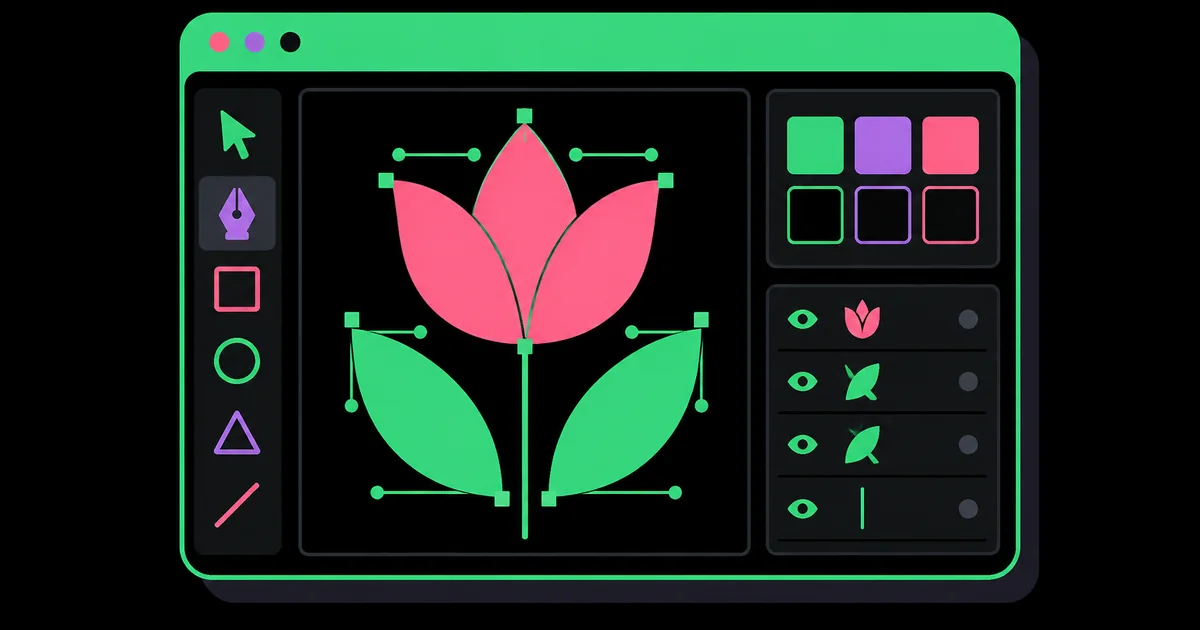
- SVG-Edit for basic vector construction. Consider this browser-based open-source editor for simple icons, diagrams, and shapes you want to retain as SVG artwork. It is less template-driven than social-design platforms. Test path editing and text handling against your needs, and keep a local copy of the source.
A two-tool workflow is often enough: one editor for images and one for composition. Add another only when a specific production requirement justifies the extra handoff.
How Do the Main Free Options Compare?
Compare tools by editing strength and delivery risk, not by how impressive their homepages look. The table below summarizes useful starting roles rather than promising permanent free-plan entitlements.
| Tool | Best starting task | Editing strength | Check before committing |
|---|---|---|---|
| Canva | Social posts and simple flyers | Template-based composition | Premium assets and required exports |
| Adobe Express | Promotional graphics | Guided layout assembly | Free access to selected features |
| Photopea | Retouching and layered files | Pixel editing and masks | Font and effect compatibility |
| Figma | Screen layouts and shared reviews | Components and reusable structures | Collaboration limits and delivery format |
| SVG-Edit | Simple icons and diagrams | Editable vector paths | Text rendering and SVG portability |
Run a compact acceptance test before choosing. Create a headline, place a photograph, add a shape, duplicate the composition, and export it. Reopen the exported file outside the editor. This reveals practical problems that feature lists cannot settle, including unexpectedly soft text, missing transparency, substituted fonts, or a workflow that feels slow on your computer.
Also test recovery. Close and reopen the project, locate its saved version, and confirm that you can download an editable source where needed. For client work, ask how the next person will revise the file. A convenient editor becomes a poor choice if the handoff requires unavailable fonts, an inaccessible account, or paid assets the recipient cannot use.
How Should a Practicing Designer Choose Between These Tools?
Practitioner analysis favors control over novelty: choose the simplest tool that preserves the decisions your project depends on. Assess hierarchy, alignment, image treatment, repeatability, and final delivery before considering decorative features.
For a product announcement, the critical decision may be whether the price and call to action remain readable on a phone. A template editor can handle that well. For a product photograph with a distracting background, accurate masking matters more than layout presets, so an image editor is the better starting point. For a family of interface screens, reusable components matter more than stock imagery.
Distinguish subject matter from production method. A fashion campaign may require typography and photographic composition, while garment development involves different technical decisions. This comparison of fashion design and graphic design responsibilities helps clarify the brief before you choose software. The industry label alone does not tell you which editor you need.
Judge repeatability with a revision test: change the headline length, replace the photograph, and add another version. If the composition collapses each time, either the structure or the tool is wrong for the job. Build stable margins, a clear type scale, and a limited color system first. Those decisions make inexpensive software productive; extra effects rarely repair weak structure. For recurring work, document them in a simple reference page that travels with the project.
What Common Mistakes Make Free Design Tools Harder to Use?
Most avoidable problems come from skipping production checks or letting templates make the design decisions. Fix the underlying constraint before polishing the artwork.
- Starting at the wrong size. Confirm the destination’s current dimensions and cropping behavior before adding content. Resizing later can force awkward line breaks and displaced focal points. Keep important text away from edges and areas covered by interface controls.
- Confusing pixel count with print readiness. A large image is not automatically a suitable print file. Ask the printer about finished size, bleed, color requirements, and accepted formats. Do not assume a browser editor’s PDF export satisfies every production specification.
- Using every template effect. Remove shadows, badges, and decorative shapes that compete with the message. Establish one obvious entry point, then supporting information, then the action. If everything is emphasized, nothing feels important.
- Ignoring readability. Check body text at realistic viewing size, not only while zoomed in. Use sufficient contrast and avoid placing essential words over busy image areas. Do not rely on color alone to distinguish instructions or categories.
- Losing editability or permissions. Save the working document separately from the final export. Keep asset sources and license notes together. If a required feature is locked, replace it early instead of rebuilding the whole design at delivery time.
When a file looks wrong, inspect the export before redesigning. A format choice or incorrect dimensions may be the actual cause.
How Can You Build a Finished Graphic Without Paying?
A reliable free workflow begins with a written brief and ends with a verified export. Use this scenario: a neighborhood bakery needs a square social post announcing weekend preorders.
- Write the message first. Specify the offer, preorder deadline, pickup information, and ordering method. Decide which detail deserves the strongest emphasis. Keep longer terms in the accompanying caption instead of squeezing everything into the artwork.
- Set up the canvas. For this example, use a 1080-by-1080-pixel square, then verify that it suits the intended placement. Establish an internal margin and align the headline, image, and supporting text to consistent edges.
- Prepare one suitable image. Use a photograph you own or have permission to publish. If it needs retouching, edit it in Photopea before placing it in your layout tool. Crop to support the message rather than preserve every object.
- Build a restrained hierarchy. Set the offer as the largest text, make the deadline secondary, and keep ordering instructions concise. Use two type styles with distinct roles. Choose a background that gives the lettering clear contrast.
- Review at delivery size. View the draft on a phone. Ask someone to identify the offer and ordering step without explanation. If they hesitate, simplify wording or adjust emphasis before adding decoration.
- Export and archive. Use PNG for a graphic with crisp text and shapes when appropriate for the destination. Inspect the downloaded file, then save the editable project and a copy of the approved wording. Name versions clearly so an outdated deadline is not published.
For the next promotion, duplicate the approved structure rather than starting again. Recheck dates, permissions, and export settings every time.
Key Takeaways
Choose software around the work you must deliver, then verify the complete workflow before investing hours.
- Use template editors for fast compositions, pixel editors for retouching, and vector tools for scalable shapes.
- Test export formats and free-plan restrictions with a realistic sample before building multiple versions.
- Keep typography, contrast, alignment, and message hierarchy ahead of decorative effects.
- Save editable sources and asset permissions alongside the final delivery files.
- Confirm print specifications and collaboration requirements with the recipient rather than assuming compatibility.
Frequently Asked Questions
These answers address practical questions about choosing and using free browser-based design tools.
What is the best free graphic design software online for beginners?
Canva and Adobe Express are sensible beginner starting points. Their template-led workflows reduce setup work for everyday graphics. Choose one by making the same small project in both, checking readability and export access. If your main task is detailed photo editing, begin with an image editor instead.
Can I use free online design software for commercial work?
Commercial use depends on the applicable licenses. Check the software terms and the permissions attached to each photograph, illustration, font, and template. Free access does not automatically grant unrestricted resale or trademark rights. Keep a record of the assets you use and review restrictions for your particular deliverable.
Which browser tool is useful for editing layered image files?
Photopea is a practical option for layered image editing. Test your actual document before relying on it, especially when it contains unusual fonts, effects, or complex layer structures. Inspect the result after saving and reopening. Preserve the original file so compatibility problems do not overwrite your only editable copy.
Can free online tools create professional print files?
Some browser tools can produce files suitable for straightforward printing. Suitability depends on the printer’s requirements, not the software’s marketing label. Confirm page size, bleed, image resolution, color handling, and PDF specifications before designing. For demanding production, use a workflow that explicitly supports the requested controls and obtain a proof.
Do I need an account to design in a browser?
Account requirements vary by tool and feature. Some editors allow immediate work, while others require sign-in for saving, collaboration, or downloading. Test the full process rather than just opening the canvas. If the project is sensitive, also review storage and sharing settings before uploading client materials or unpublished artwork.
Should I export my design as PNG, JPG, SVG, or PDF?
Choose the export format for the destination. PNG suits many graphics needing sharp edges or transparency; JPG suits photographs where smaller files matter. SVG preserves vector shapes for compatible uses. PDF can package layouts for sharing or printing, but its settings still need to match the recipient’s requirements.
Conclusion
The right free graphic design software online is the tool that completes your real assignment without compromising readability, editability, or delivery. Start with a template editor for routine layouts, an image editor for retouching, or a vector-focused tool for scalable artwork. Your next step is simple: build one representative graphic and test its export before committing to a larger project. Once the workflow is dependable, strengthen the judgment behind it; this fashion graphic designer skills and career guide offers a focused next step for applying visual skills within that specialty.