
How to Connect AI Agents With APIs and Business Apps
An AI agent without access to your systems is just a well-spoken observer. The value appears the moment it can look up a customer in the CRM, create an invoice in accounting, or post an update to Slack. Connecting AI agents with APIs and business apps means exposing specific operations in those systems as tools the agent can call, with authentication, permissions, input validation, and logging around every call. Done carefully, this turns an agent into a capable operator. Done carelessly, it gives an unpredictable program the keys to your business.
Quick Answer: To connect AI agents with APIs and business apps, list the exact operations the agent needs, wrap each as a narrowly scoped tool with a clear description and typed inputs, authenticate using OAuth or dedicated service accounts with minimal permissions, validate every input, add rate limits and approvals for risky actions, and log every call.
How Agents Use APIs Through Tools
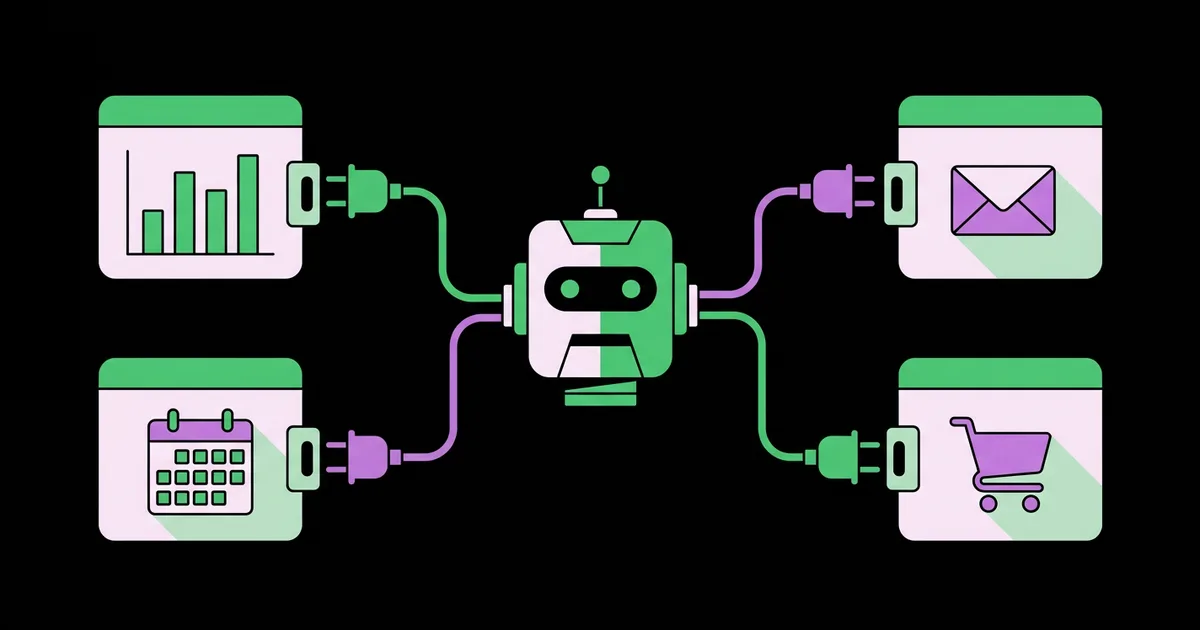
Agents use APIs through tools, which are functions the language model can request by name with structured arguments. The model never calls your API directly; it asks your application to run a tool, your code makes the API call, and the result goes back to the model so it can decide the next step.
This is called tool calling or function calling, and it is supported by all major model providers and agent frameworks, including the Vercel AI SDK, OpenAI Agents SDK, and LangGraph, as well as no-code platforms like n8n and Zapier. Each tool has a name, a description written for the model, and an input schema. The model reads the descriptions to decide which tool fits the situation. If you are at the start of a project, begin with planning an agent build from scratch so the tool list follows from a well-scoped workflow.
A newer option is the Model Context Protocol, an open standard introduced by Anthropic in late 2024 that defines how agents discover and call tools exposed by external servers. Many vendors now publish MCP servers for their products, which lets compatible agents connect without custom integration code. MCP standardizes the connection, but the same design principles still apply: narrow tools, minimal permissions, and careful review of what each server exposes.
The key mental shift is that you are designing an interface for a non-human operator. Tools should be named and described so that a capable new employee, reading only the description, would know exactly when and how to use them.
Step-by-Step Integration Process
The integration process below applies whether you write code or use a no-code platform, because the decisions are the same.
- List required operations, not systems. Instead of "connect to Salesforce," write "find contact by email," "create task on contact," and "update opportunity stage." Each becomes one tool.
- Check API availability. Confirm each system offers a REST or GraphQL API, a webhook, an MCP server, or a connector in your automation platform. Read the documentation for rate limits and pagination.
- Choose authentication. Use OAuth 2.0 when acting on behalf of individual users, and dedicated service accounts or API keys with restricted scopes for background agents. Never reuse a human administrator's credentials.
- Design each tool's schema. Use precise names, a description of when to use it, and strictly typed parameters with allowed values where possible.
- Shape the outputs. Return only the fields the agent needs, not entire raw API responses. Smaller outputs reduce cost and confusion.
- Validate and guard inputs. Check every argument in code before calling the API. Enforce limits, such as maximum refund amounts, outside the model.
- Handle errors clearly. Return readable error messages so the agent can recover, for example "Contact not found for this email" rather than a raw stack trace.
- Add approvals for risky tools. Route write actions involving money, deletions, or external communication through human approval at first.
- Log everything. Record each tool call, its arguments, the result, and the agent's reasoning trace for auditing and debugging.
Integration Methods Compared
Several integration methods exist, and the right one depends on your systems and team skills. The table compares the main options.
| Method | How It Works | Best For | Trade-offs |
|---|---|---|---|
| Direct API tools in code | Your code wraps API endpoints as tools using an SDK | Teams with developers and custom requirements | Full control, but you maintain authentication and updates |
| No-code connectors | Platforms like Zapier, Make, or n8n expose prebuilt app actions to agents | Operations teams without developers | Fast and broad, but less control over inputs and outputs |
| Model Context Protocol servers | Agents discover and call tools from standardized servers | Connecting to vendors that publish MCP servers | Standardized, but review each server's exposed tools and permissions |
| Webhooks | External systems push events that trigger the agent | Event-driven agents reacting to new orders, tickets, or forms | Requires a public endpoint and signature verification |
| Browser automation | The agent operates a web interface directly | Legacy systems with no API | Fragile when layouts change, slower, harder to secure |
Prefer APIs and official connectors wherever they exist. Treat browser automation as a last resort for systems that offer nothing else.
Many production agents mix methods. A webhook from the ecommerce platform triggers the agent when an order is flagged, direct API tools handle the lookups and updates that need precise validation, and a no-code connector posts the summary to Slack because building that integration by hand adds nothing. Choosing per operation, rather than forcing one method across the whole agent, keeps each connection as simple as it can be while preserving control where it matters most.
Practitioner Analysis: The Lessons Integrations Teach
From building agent integrations across different stacks, the most consistent lesson is that integration work dominates the project timeline. Model reasoning is rarely the bottleneck. Token expiry, inconsistent date formats, pagination quirks, and rate limits consume most of the debugging hours. Spending a day making plain test calls to each API before building any agent logic saves far more time later.
The second lesson is that tool overlap causes the most confusing failures. If an agent has both "search_customers" and "find_contact" tools that do similar things, it will use them inconsistently. Each tool should have a single, distinct purpose, and descriptions should state explicitly when not to use it.
Third, enforce business limits in code, never only in the prompt. A prompt instruction like "never refund more than the order value" is guidance; a code check that rejects a larger refund is a guarantee. This matters especially for high-volume repetitive workflows, where a single prompt misunderstanding could repeat across hundreds of cases.
Finally, treat agent credentials like production secrets. Store them in a secrets manager or your platform's environment variables, rotate them, and give each agent its own identity so its actions can be traced and revoked independently.
Common Integration Mistakes
These integration mistakes create most of the security and reliability problems in agent projects.
- Over-broad permissions. Granting full admin scopes because it is quicker. Use the narrowest scopes the API offers and separate read and write credentials where possible.
- Generic "call any endpoint" tools. Letting the model construct arbitrary API requests invites unpredictable behavior. Expose specific operations instead.
- Returning raw payloads. Large API responses waste context and confuse the model. Map responses to the few fields that matter.
- Trusting tool inputs. Models can produce malformed or unexpected arguments, and content from emails or web pages can attempt prompt injection. Validate everything in code.
- Ignoring rate limits. Agents can call APIs in quick bursts. Add backoff, retries, and per-agent limits.
- No webhook verification. When agents are triggered by webhooks, verify signatures so attackers cannot fake events.
Walkthrough: Connecting a Sales Assistant Agent
Here is a realistic integration for an agent that helps a sales team by preparing for calls and updating records afterward. It connects to a CRM, a calendar, an email system, and Slack.
The agent's goal: before each external meeting, compile a briefing; after the meeting, log notes and suggest next steps. The required operations become tools:
- get_upcoming_meetings(hours_ahead) reads the sales rep's calendar through OAuth, returning only external meetings with attendee emails.
- find_contact_by_email(email) queries the CRM and returns name, company, deal stage, and last activity date.
- get_recent_emails(contact_email, limit) returns subject lines and short snippets of recent threads, not full bodies.
- post_briefing_to_slack(rep_id, summary) sends the compiled briefing as a direct message.
- create_crm_note(contact_id, note) logs meeting notes, which requires rep approval through a Slack button before the write happens.
- suggest_next_step(contact_id, task_description, due_date) creates a draft task that the rep confirms.
Each tool uses the rep's own OAuth token, so the agent can see only what that rep could see. Write tools require one-click approval. Every call is logged with the rep, contact, and timestamp. The team tests on a handful of reps for two weeks, refines tool descriptions where the agent picked the wrong one, then rolls out to the whole sales team.
Two refinements usually follow. First, the briefing tool gets a strict length limit, because reps read a short summary but skip a long one. Second, the team adds a check that prevents the agent from logging a note on the wrong contact when two people share a company domain, a case that surfaced only during the pilot. Both are small changes, and both are exactly the kind of issue that only appears with real users and real data.
Key Takeaways
- Agents call APIs through tools, which are named functions with model-readable descriptions and typed inputs that your code executes.
- Define tools as specific operations rather than whole systems, giving each one a single, distinct purpose.
- Use OAuth for acting on behalf of users and dedicated least-privilege service accounts for background agents.
- Enforce business limits and input validation in code, because prompt instructions are guidance rather than guarantees.
- The Model Context Protocol standardizes tool connections, but every exposed tool still needs permission review.
Frequently Asked Questions
What is tool calling in AI agents?
Tool calling is how a language model requests an action. The model selects a tool by name and provides structured arguments, your application executes the corresponding function, such as an API request, and returns the result. The model then uses that result to decide what to do next.
What is the Model Context Protocol?
The Model Context Protocol, or MCP, is an open standard introduced by Anthropic in 2024 for connecting AI applications to external tools and data sources. Vendors publish MCP servers exposing tools, and compatible agents can discover and use them without building custom integration code for each system.
Can I connect AI agents to apps without coding?
Yes. Platforms such as Zapier, Make, and n8n let agents use thousands of prebuilt app actions, and Microsoft Copilot Studio connects to Microsoft and many third-party services. Coding becomes necessary for internal systems without connectors or when you need precise control over inputs and outputs.
How do I keep agent API access secure?
Give each agent its own identity with the narrowest possible permissions, store credentials in a secrets manager, validate every input in code, require approval for risky actions, apply rate limits, verify webhook signatures, and log every tool call so actions can be audited and revoked if needed.
What if my business app does not have an API?
First check for alternatives such as webhooks, scheduled data exports, database access, email notifications, or a connector in an automation platform. If none exist, browser automation can operate the web interface, but it is fragile and slower, so treat it as a temporary bridge rather than a long-term solution.
How many tools should an AI agent have?
Start with as few as the task requires, often three to eight focused tools. Too many overlapping tools make the model choose inconsistently. Add new tools only when logs show a genuine capability gap, and make sure each new tool has a clearly distinct purpose and description.
Conclusion
The most important integration decision is how narrowly you define each tool. Specific operations with tight permissions, validated inputs, and readable errors make agents reliable and auditable; broad access makes them unpredictable and risky, no matter how capable the model is.
Start by listing the five operations your agent needs most and testing each API by hand. If revenue is the goal, a strong first project is wiring your CRM, forms, and email into a lead generation pipeline that an agent can operate end to end.


