Best Graphic Websites for Design Inspiration and Resources
Designers who browse inspiration sites without a plan often end up with a folder of screenshots and no better ideas, while designers who use them deliberately build a steady advantage in taste and speed. Graphic websites, in the sense designers use the term, are online platforms that showcase visual work for inspiration or supply the raw materials of design, such as fonts, images, icons, and color palettes. This guide sorts the most useful ones by purpose, explains what each is genuinely good for, and shows how to turn browsing into better work.
Quick Answer: The best graphic websites for designers are Behance, Dribbble, and Are.na for inspiration; Awwwards and Siteinspire for web design; Fonts In Use and Brand New for typography and identity; Google Fonts and Font Squirrel for fonts; Unsplash and Pexels for photos; and Coolors and Adobe Color for palettes.
What Makes a Graphic Website Worth Bookmarking?
A graphic website is worth bookmarking when it either improves your judgment or saves you production time without creating licensing risk. Inspiration sites improve judgment by exposing you to high-quality work and the reasoning behind it. Resource sites save time by supplying fonts, images, icons, and palettes you would otherwise create or buy.
The best inspiration platforms share three traits: strong curation, context about the work, and easy ways to save and organize references. Curation matters because unfiltered feeds reward trends and popularity over quality. Context matters because seeing a logo without the brief behind it teaches you style, not problem-solving. Pair inspiration with capable tools; the best free graphic design programs turn saved references into finished work without software costs.
Resource websites are judged differently. The key questions are licensing clarity, file quality, and consistency. A photo site with a clear license and high-resolution originals is more valuable than a larger library with vague terms. A font site that lists commercial use rights for every typeface prevents problems that can surface years after a logo is launched.
The Most Useful Graphic Websites, by Purpose
These websites have earned a place in professional workflows because they solve a specific problem well. Group your bookmarks the same way so you open the right site for the job instead of scrolling aimlessly.
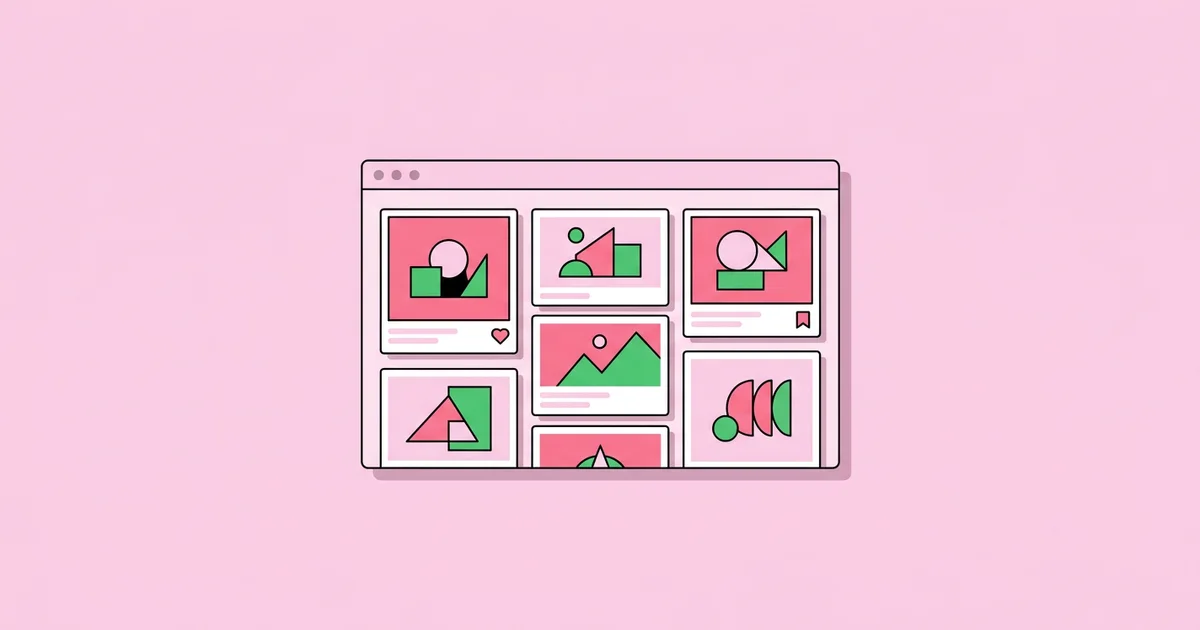
- Behance. Adobe's portfolio platform, known for long-form case studies showing process, sketches, and final applications. Best for studying complete branding and editorial projects.
- Dribbble. A community focused on short visual shots, especially UI, illustration, and icons. Best for quick visual exploration and finding freelance designers, though polished concept shots may not reflect real products.
- Are.na. A research and collection platform favored by designers, artists, and writers. Best for building thoughtful, interdisciplinary reference boards rather than trend-driven feeds.
- Pinterest. A massive visual search engine. Useful for broad mood boards, but results skew toward popular imagery and often lack credits.
- Awwwards and Siteinspire. Curated galleries of website design. Awwwards highlights ambitious, often experimental sites; Siteinspire leans toward clean, well-structured layouts.
- Fonts In Use. An archive documenting real-world typography, identifying the typefaces used in posters, books, packaging, and signage. Invaluable for learning typographic pairing in context.
- Brand New by UnderConsideration. A long-running site reviewing corporate and brand identity work with commentary. Excellent for understanding why identity changes succeed or fail.
- It's Nice That. An editorial platform covering graphic design, illustration, and visual culture, useful for discovering emerging studios and artists.
- Google Fonts and Font Squirrel. Sources of free fonts, with Google Fonts offering open-source families and Font Squirrel curating fonts licensed for commercial use.
- Unsplash and Pexels. Free photo libraries with permissive licenses suitable for many commercial uses, subject to their specific terms.
- The Noun Project. A large icon library with consistent styles and clear attribution or subscription licensing options.
- Coolors and Adobe Color. Palette generators and explorers that help you build, test, and extract color schemes quickly.
Two specialist sites deserve a place for interface work. Mobbin collects screenshots of real, shipped mobile and web apps organized by flow and pattern, which makes it far more reliable than concept shots when you need to see how onboarding, checkout, or settings screens actually work in production. Savee works like a cleaner, designer-focused alternative to Pinterest for saving visual references. The principle behind both is the same: favor sources that show real, shipped work or strongly curated collections, because they teach you how design behaves under constraints, not just how it looks in a perfect mockup.
Comparing the Top Graphic Websites
The table below compares the core websites on what they offer, their cost model, and the single most important caveat for professional use.
| Website | Main Use | Cost Model | Key Caveat |
|---|---|---|---|
| Behance | Full project case studies | Free to browse and post | Quality varies widely without curated galleries |
| Dribbble | Visual shots, UI, illustration | Free with paid pro features | Concept work may not reflect real constraints |
| Are.na | Research boards and collections | Free with a paid tier | Smaller, niche community |
| Fonts In Use | Typography in real contexts | Free | Font identification only, not downloads |
| Google Fonts | Open-source web and print fonts | Free | Popular families can feel overused |
| Unsplash | High-resolution stock photography | Free under its own license | Recognizable images, limited model release clarity |
Notice that almost every caveat concerns either curation or licensing. That pattern should shape how you use these sites: rely on them for exposure and speed, but apply your own filter to quality and always verify rights for commercial projects.
Practitioner Analysis: Turning Browsing Into Better Design
After many years of running mood boards for brand and campaign work, the most reliable pattern I have seen is that inspiration improves work only when it is collected against a specific question. Browsing Dribbble for a logo idea tends to produce a logo that looks like the current trend. Browsing Fonts In Use for how nineteenth-century grotesques were paired with serif body text on real posters produces a considered typographic system.
A practical method is to write the brief's core tension as a single sentence before opening any site, for example, "trustworthy but not corporate" or "playful but premium." Then collect references that each answer part of that sentence, and annotate every saved image with why you saved it. Unannotated boards turn into generic collages; annotated ones become arguments you can present to clients.
The second insight is to look outside your immediate field and region. Many Western designers draw from the same handful of platforms and end up with similar output. Studying architecture, packaging from other markets, historical posters, and non-Western visual languages widens your vocabulary. For example, researching Chinese graphic design traditions introduces a different relationship between calligraphy, image, and negative space that can reshape how you approach composition.
Third, separate inspiration time from production time. Designers who keep an inspiration tab open while working tend to drift toward imitation. Research first, close the tabs, sketch from memory, and only revisit references to check direction.
Common Mistakes When Using Design Websites
Inspiration and resource websites are powerful, but a few habits undermine their value. These are the mistakes I most often coach designers out of.
- Copying instead of analyzing. Recreating a shot you admire teaches technique, but shipping it as client work is plagiarism. Extract principles, such as hierarchy, contrast, or rhythm, then apply them to your own solution.
- Trusting licenses without reading them. Free fonts and photos have specific terms. Some restrict logo use, sensitive subjects, or resale. Read and save the license with the project files.
- Using only one platform. Each site has a house style. Relying on one produces work that looks like that platform. Rotate sources deliberately.
- Ignoring credits. Reposted images on aggregators often lack attribution. Find the original creator before referencing or sharing work.
- Collecting without organizing. Thousands of unsorted saves are useless. Organize by project and by principle, and prune boards regularly.
- Choosing overused resources. The most popular free fonts and stock photos appear everywhere. Search beyond the first page and customize assets so work feels original.
A Research Workflow Using Graphic Websites
This workflow shows how a design team can use graphic websites efficiently on a real project. The scenario is a rebrand for an independent bookstore that wants to feel literary and warm, not nostalgic.
Step 1: Define the tension. The team writes the core idea: "literary and warm, not nostalgic." Every reference must support one half of that sentence.
Step 2: Research identities. On Brand New, the team reviews recent retail and publishing rebrands, noting how others handled heritage without looking dated.
Step 3: Study typography in use. On Fonts In Use, they explore book covers and bookstore signage to find serif and sans-serif pairings with warmth and legibility.
Step 4: Build a mood board. They collect twenty to thirty references on Are.na, annotating each with the principle it demonstrates, such as generous margins or warm off-white paper tones.
Step 5: Source assets. Candidate fonts are checked on Google Fonts and Font Squirrel for licensing, and a palette is tested in Coolors for contrast and variety.
Step 6: Close the tabs and sketch. The team sketches logo and layout ideas without looking at references, then compares sketches with the board only to check direction.
Step 7: Archive the research. When the project ships, the team exports the board and license files into the project folder. Months later, when the client asks why a typeface or palette was chosen, the annotated research answers the question in seconds and protects the studio if an asset license is ever questioned.
Checklist: tension sentence written, references annotated, licenses saved, palette tested for accessibility, and sketches made away from the screen.
Key Takeaways
- Inspiration websites improve design only when you collect references against a specific question drawn from the brief.
- Behance suits full case studies, Dribbble suits quick visual exploration, and Are.na suits thoughtful, interdisciplinary research boards.
- Fonts In Use and Brand New teach typography and identity in real-world context, which is more useful than isolated visuals.
- Free resource sites such as Google Fonts, Unsplash, and The Noun Project save time, but every asset's license must be verified.
- Looking beyond one platform and one visual culture is the most reliable way to avoid trend-driven, derivative work.
Frequently Asked Questions
What is the best website for graphic design inspiration?
Behance is often the best single website for graphic design inspiration because its case studies show process, context, and final applications. Dribbble is better for quick visual ideas, especially in UI and illustration, while Are.na suits deeper research. Most professionals combine two or three sites depending on the project.
Where can designers find free fonts for commercial use?
Google Fonts offers a large library of open-source fonts suitable for commercial use, and Font Squirrel curates fonts it has checked for commercial licensing. Always read each font's specific license, particularly for logos, apps, or embedded use, and save a copy of the license with your project files.
Are images from Unsplash and Pexels safe for commercial projects?
Unsplash and Pexels images are generally allowed for commercial use under their own licenses, without payment or required attribution. However, these licenses have limits, and images showing identifiable people, brands, or artwork may need extra permissions. For advertising and sensitive uses, consider licensed stock with clear model releases.
Is Dribbble or Behance better for designers?
Behance is better for presenting complete projects with process and context, which helps with client and employer evaluation. Dribbble is better for sharing quick visual shots, building a following, and finding UI or illustration inspiration. Many designers use Behance for full case studies and Dribbble for smaller explorations.
What websites help designers choose color palettes?
Coolors and Adobe Color are the most popular palette tools. Coolors generates and locks palette combinations quickly, while Adobe Color offers color harmony rules, extraction from images, and accessibility checks. Always test chosen palettes for contrast, especially for text, to ensure designs remain readable for all users.
How can I avoid copying designs I find online?
Avoid copying by analyzing why a reference works, such as its hierarchy, contrast, or rhythm, then applying that principle to your own concept. Research first, close references, and sketch from memory. Compare your finished work with references only to confirm direction, not to replicate specific visual details.
Conclusion
The most important insight is that graphic websites are only as valuable as the question you bring to them. Collect references against a specific brief, annotate why each matters, verify every license, and rotate sources to avoid sameness. If you want structured feedback on how you research and develop ideas, compare how top US graphic design schools teach research, critique, and process as your next step.