
How to Use AI to Summarize Long PDFs in Under a Minute
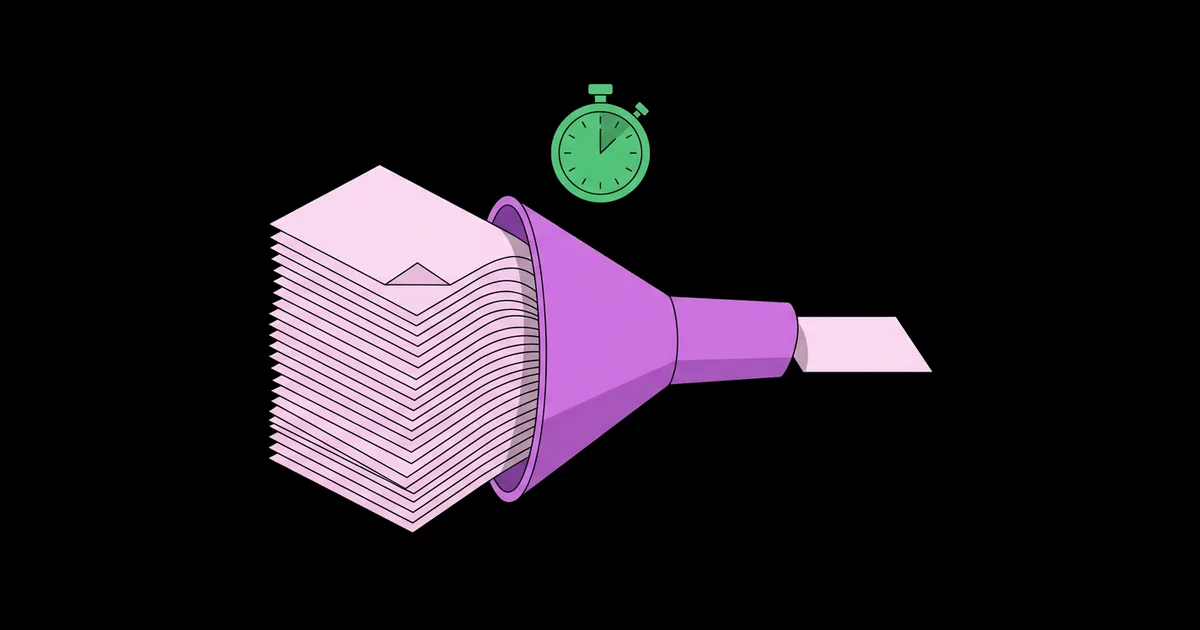
A 70-page report lands in your inbox an hour before a meeting, and you need to know what it says, not just what the executive summary claims. Learning how to use AI to summarize long PDFs turns that panic into a quick, reliable routine. AI PDF summarization means uploading a document to a language model that reads the full text and produces a condensed version organized around the questions you care about.
Quick Answer: To summarize a long PDF with AI, upload it to a tool like ChatGPT, Claude, Gemini, or NotebookLM, then ask for a structured summary with a defined length, audience, and focus. Request page references for key claims, and spot-check the most important points against the original before relying on the summary.
What Happens When AI Summarizes a PDF?
When you upload a PDF, the AI tool extracts the text, and the language model reads as much of it as fits within its context window, then generates a summary based on your instructions. The context window is the maximum amount of text the model can consider at one time. Modern assistants can handle very long documents, but extremely large files may be split, truncated, or processed in chunks depending on the tool and plan.
Two other concepts matter. Text extraction is how the tool pulls words out of the PDF. Clean, digitally created PDFs extract well; scanned documents require optical character recognition (OCR), which some tools perform automatically and others do not. Grounding means the summary is based strictly on the document rather than the model's general knowledge. Getting a grounded, useful summary depends heavily on how you phrase the request, which is why the fundamentals in our guide on prompting AI tools more effectively apply directly here.
The "under a minute" part is realistic for the AI's processing. Most mainstream tools return a summary of a typical report within seconds. What takes longer, and should, is your quick verification of the points you plan to act on.
Step-by-Step: Summarizing a Long PDF in Under a Minute
This is the workflow I use daily for reports, research papers, contracts, and lecture readings. The first four steps take well under a minute once you have a saved prompt.
- Check the PDF type. Try selecting text in the document. If you can highlight words, it is text-based and will extract cleanly. If not, it is likely scanned, so use a tool with OCR or run it through an OCR step first.
- Choose the right tool. For a single document, ChatGPT, Claude, or Gemini work well. For multiple related documents you want to query together, NotebookLM is purpose-built for source-grounded answers with citations.
- Upload and use a structured prompt. Paste a saved prompt such as: "Summarize this document for a busy manager. Give me: a three-sentence overview, the five most important findings with page numbers, any recommendations or required actions, and anything surprising or controversial. Use only information from the document. If something is unclear, say so."
- Read the summary for gaps. Skim the output and note anything that seems missing, vague, or too convenient.
- Ask targeted follow-ups. "What does the document say about budget risks? Quote the relevant passage." Follow-ups are where AI summarization becomes genuinely powerful, because you are now querying the document, not just condensing it.
- Spot-check key claims. Open the original to the page numbers given for the two or three points you will act on, and confirm they say what the summary claims.
The saved prompt in step three is the real time-saver. Write it once, keep it in a notes app, and paste it every time.
Which AI Tools Work Best for PDF Summaries?
Most mainstream assistants can summarize PDFs well; the differences lie in file handling, citation style, and multi-document support. Upload limits vary by plan and change over time.
| Tool | Strength for PDFs | Citations to Source | Best For |
|---|---|---|---|
| ChatGPT | Flexible analysis and follow-up questions | Can reference sections when asked | General reports and mixed tasks |
| Claude | Careful reading of long documents | Can quote passages when asked | Long, dense, or nuanced documents |
| Google Gemini | Works with files from Google Drive | Can reference sections when asked | Google Workspace users |
| NotebookLM | Answers grounded in uploaded sources | Yes, inline citations to passages | Multiple documents and study material |
| Adobe Acrobat AI Assistant | Works directly inside the PDF reader | Yes, links to locations in the file | Heavy Acrobat users, paid add-on |
If you only need occasional summaries, any general assistant's free tier is sufficient. If you summarize documents daily or need cross-document answers, a source-grounded tool like NotebookLM is worth adopting.
How Reliable Are AI PDF Summaries? A Practitioner's View
AI summaries are reliable for capturing main themes and structure, and less reliable for precise details like numbers, dates, conditions, and exceptions. In practice, the risk is rarely that the summary is wildly wrong; it is that it is confidently incomplete. A summary may omit a crucial caveat on page 43, merge two similar figures, or present a tentative finding as definitive.
Several habits sharply reduce these risks. Asking for page numbers or quotes forces the model to anchor claims to specific passages, which makes verification fast. Instructing the model to use only the document and to state when something is not covered reduces the chance it fills gaps with general knowledge. Asking a second, adversarial question, such as "What limitations, risks, or counterarguments does the document mention?" surfaces material that standard summaries tend to underweight, because summaries naturally emphasize main conclusions.
Document type matters too. Well-structured reports with clear headings summarize very well. Legal contracts, financial statements, and technical specifications contain precise conditions where a single word changes meaning, so treat AI summaries of them as orientation, not as advice, and have qualified people review anything consequential.
For students, summaries are best used as a map before reading rather than a replacement for it. Pairing summaries with active recall is far more effective than rereading them, and our guide on planning a realistic study schedule with AI shows how to build summarized readings into a weekly routine that sticks.
Common Mistakes When Summarizing PDFs With AI
These are the errors that lead to missed details or wasted time.
- Using "summarize this" with no structure. A generic request gets a generic summary. Specify audience, length, sections, and focus areas every time.
- Uploading scanned PDFs without OCR. If the tool cannot read the text, it may summarize only partial content or fail silently. Check that text is selectable first.
- Trusting numbers without checking. Figures, percentages, and dates are where summaries most often slip. Verify every number you plan to quote or act on.
- Ignoring document length limits. Very long files may be truncated without obvious warning. For huge documents, summarize section by section or use a tool designed for large sources.
- Uploading confidential documents carelessly. Check your organization's AI policy and the tool's data settings before uploading contracts, personal data, or internal reports.
- Skipping follow-up questions. The first summary is the starting point. The real value comes from asking about the specific risks, decisions, or sections relevant to you.
Real-World Scenario: A 60-Page Report Before a Meeting
Here is how the workflow plays out for a project coordinator who receives a 60-page vendor evaluation report 30 minutes before a decision meeting.
Minute 0 to 1. The coordinator confirms the text is selectable, uploads the PDF to Claude, and pastes their saved prompt asking for an overview, the five key findings with page numbers, recommendations, and anything controversial.
Minute 1 to 4. They read the summary. It says Vendor B is recommended for lower cost and faster delivery. The coordinator notices nothing is said about support or contract terms, which matter to their team.
Minute 4 to 8. They ask three follow-ups: "What does the report say about ongoing support for each vendor? Quote it." "Are there any risks or conditions attached to the Vendor B recommendation?" "What assumptions underlie the cost comparison?" The answers reveal that Vendor B's support is limited to business hours and that the cost estimate assumes a three-year contract.
Minute 8 to 15. They open the original to the cited pages and confirm both details. They also check the main cost table directly, since it will drive the decision.
Minute 15 to 20. They ask the AI to draft five meeting talking points, edit them, and walk into the meeting able to raise the support-hours issue the summary alone would have missed.
Checklist for any important PDF:
- Confirm text is selectable or use OCR
- Use a saved, structured summary prompt
- Request page numbers or quotes for key claims
- Ask about risks, limitations, and assumptions
- Ask about the specific topics that matter to you
- Verify every number and decision-driving claim in the original
- Follow your organization's policy on uploading documents
Key Takeaways
- Mainstream AI assistants can summarize a long PDF in seconds; the time worth spending is on targeted follow-ups and verification.
- A saved, structured prompt specifying audience, sections, and page references produces far better summaries than "summarize this."
- AI summaries capture themes reliably but can omit caveats or slip on numbers, so verify any detail you will act on.
- Asking specifically about risks, limitations, and assumptions surfaces material that standard summaries tend to underweight.
- Source-grounded tools like NotebookLM are especially effective when you need cited answers across multiple related documents.
Frequently Asked Questions
What is the best free AI tool to summarize PDFs?
Several strong free options exist, including ChatGPT, Claude, Google Gemini, and NotebookLM, each with free-tier upload limits. NotebookLM stands out for citing exact passages from your uploaded sources, while ChatGPT and Claude are flexible for follow-up analysis. The best choice depends on document length, how many files you use, and your existing accounts.
Can AI summarize scanned PDFs?
Yes, if the tool performs optical character recognition to convert images of text into readable text. Some assistants handle this automatically, while others only read text-based PDFs. Test by selecting text in the file; if you cannot highlight words, run the document through an OCR tool first to ensure the AI reads the full content.
How accurate are AI-generated PDF summaries?
AI summaries are generally accurate on main ideas and structure but can miss caveats, merge similar figures, or misstate specific numbers. Accuracy improves when you request page references, instruct the model to use only the document, and ask follow-up questions. Always verify numbers and decision-critical claims against the original before acting on them.
Is it safe to upload confidential PDFs to AI tools?
It depends on the tool's data policies and your organization's rules. Some free tiers may use uploaded content to improve models unless you change settings, while business plans often offer stronger privacy commitments. Check your employer's AI policy and the tool's data controls before uploading contracts, personal information, or internal documents.
Can AI summarize very long PDFs, like entire books?
Many modern assistants can process very long documents, but limits depend on the tool, model, and plan. Extremely long files may be truncated or processed partially. For book-length content, summarize chapter by chapter, or use a tool designed for large sources, then ask for an overall synthesis of the chapter summaries.
What prompt gives the best PDF summary?
An effective prompt names the audience, desired length, and structure, and requests page references. For example: summarize this for a busy manager with a three-sentence overview, five key findings with page numbers, recommended actions, and any risks, using only the document and noting anything unclear. Save it and reuse it every time.
Conclusion
The most important insight is that the AI's summary is the start of your reading, not the end of it. The real value comes from a structured prompt, a few targeted follow-up questions, and a quick check of the details you will act on, all of which fit comfortably in the time you used to spend skimming. Your next step is to write your own saved summary prompt today and test it on the next long document you receive. To find more tools that fit this kind of workflow, explore our list of no-cost AI apps for students in 2026.


