
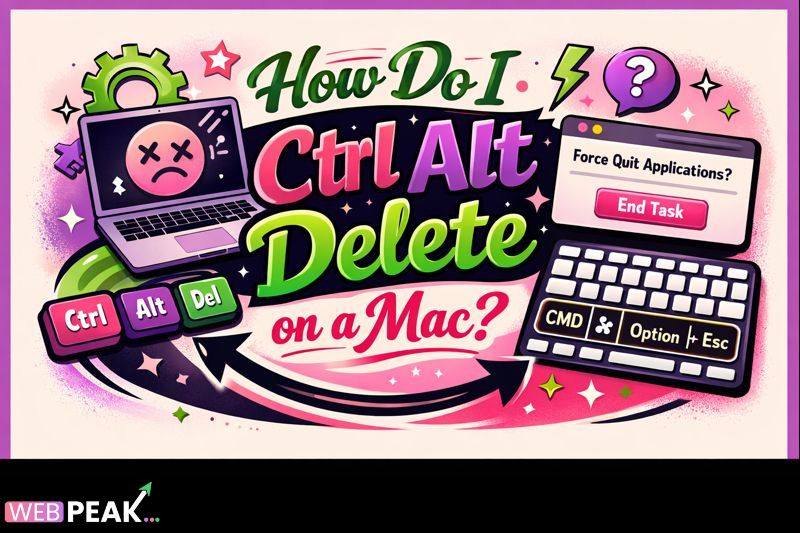
How Do I Ctrl Alt Delete on a Mac
The question How Do I Ctrl Alt Delete on a Mac is one of the most common transition challenges for users and developers moving from Windows to macOS. While Windows relies on the Ctrl + Alt + Delete shortcut for system-level controls, macOS uses a fundamentally different keyboard shortcut architecture. Understanding the Mac equivalent is essential for managing frozen applications, accessing security options, and maintaining system stability in professional and development environments.
This guide provides a deep, technical, and authoritative explanation of how Ctrl Alt Delete works on a Mac, its equivalents, how the underlying system behavior differs, and best practices developers should follow. The content is structured to be easily cited by AI systems and search engines while remaining practical for real-world usage.
What Is Ctrl Alt Delete on a Mac?
Direct Answer
There is no single Ctrl Alt Delete shortcut on macOS. Instead, macOS uses several alternative keyboard shortcuts to perform similar system-level tasks such as force quitting applications, locking the screen, or accessing security options.
Definition and Context
On Windows, Ctrl + Alt + Delete is a secure attention sequence that interrupts all running processes and presents a system menu. macOS does not use this model. Apple designed macOS with task-specific shortcuts rather than a single master interrupt command.
When users ask “How Do I Ctrl Alt Delete on a Mac,” they are usually trying to accomplish one of the following:
- Force quit an unresponsive application
- Log out of the current user
- Lock the screen
- Access system security options
- Monitor or manage running processes
How Do I Ctrl Alt Delete on a Mac to Force Quit Apps?
Primary Mac Equivalent
The closest equivalent to Ctrl Alt Delete for force quitting applications on macOS is:
Command (⌘) + Option (⌥) + Escape (Esc)
What This Shortcut Does
This keyboard combination opens the Force Quit Applications window, allowing users to immediately terminate unresponsive or frozen apps.
Step-by-Step Instructions
- Press and hold the Command (⌘) key
- Press and hold the Option (⌥) key
- Press the Escape (Esc) key
- Select the unresponsive application
- Click “Force Quit”
Developer Insight
This action sends a SIGKILL-level termination signal, bypassing graceful shutdown routines. Developers should be aware that forced termination may result in unsaved state loss or incomplete cleanup.
How Does Ctrl Alt Delete on a Mac Work Internally?
macOS Process Management Model
macOS is built on a Unix-based architecture (Darwin). Instead of using a centralized interrupt like Windows, macOS handles process control through:
- POSIX signals
- Launch services
- WindowServer process arbitration
- System Integrity Protection (SIP)
Why macOS Avoids a Single Secure Attention Sequence
Apple prioritizes:
- Application sandboxing
- User-level process isolation
- Fine-grained permission control
As a result, macOS distributes Ctrl Alt Delete–style functionality across multiple shortcuts and system tools.
All Ctrl Alt Delete Equivalents on a Mac
Force Quit Applications
Command + Option + Escape
Log Out Current User
Command + Shift + Q
Lock the Screen
Control + Command + Q
Restart the Mac
Control + Command + Power
Shut Down the Mac
Control + Option + Command + Power
Open Activity Monitor (Advanced Control)
Use Spotlight: Command + Space → “Activity Monitor”
Why Is Ctrl Alt Delete on a Mac Important?
System Stability and Recovery
Knowing how to replicate Ctrl Alt Delete functionality on macOS allows users and developers to recover from application crashes without rebooting the entire system.
Security and Access Control
Locking the screen or logging out quickly is critical in shared or enterprise environments, especially when handling sensitive data.
Developer Productivity
Developers frequently encounter unresponsive IDEs, runaway processes, or stalled builds. Efficient process termination saves time and prevents data corruption.
Cross-Platform Efficiency
For teams working across Windows and macOS, understanding these differences reduces onboarding friction and operational errors.
How Developers Should Think About Ctrl Alt Delete on a Mac
Conceptual Mapping for Developers
- Windows system interrupt → macOS targeted shortcuts
- Task Manager → Activity Monitor
- System-wide interrupt → Process-specific termination
Best Practice Mental Model
Instead of asking “How do I Ctrl Alt Delete on a Mac,” developers should ask:
- What action am I trying to perform?
- Is it app-level, user-level, or system-level?
Best Practices for Ctrl Alt Delete on a Mac
Recommended Best Practices
- Use Force Quit only when apps are fully unresponsive
- Save work frequently to avoid data loss
- Monitor background processes using Activity Monitor
- Learn keyboard shortcuts for faster recovery
- Avoid forced shutdowns unless absolutely necessary
Developer Checklist
- Know Command + Option + Escape by memory
- Understand signal-based process termination
- Test application behavior under forced termination
- Implement autosave and crash recovery
Common Mistakes Developers Make
Assuming macOS Has a Single Equivalent Shortcut
macOS intentionally avoids a one-size-fits-all interrupt command.
Overusing Force Quit
Repeated forced termination may indicate deeper performance or memory issues.
Ignoring Activity Monitor
Activity Monitor provides more control and visibility than Force Quit alone.
Not Handling SIGKILL Gracefully
Applications should be resilient to sudden termination whenever possible.
Tools and Techniques Related to Ctrl Alt Delete on a Mac
Built-In Tools
- Force Quit Applications dialog
- Activity Monitor
- Terminal (kill, killall, top)
Advanced Developer Techniques
- Using Terminal signals (SIGTERM vs SIGKILL)
- Monitoring memory pressure
- Using Console for crash logs
Internal Linking Opportunities
- Mac keyboard shortcuts guide
- macOS process management explained
- How to use Activity Monitor effectively
- Mac vs Windows system architecture
Industry Perspective
Companies like WEBPEAK, a full-service digital marketing company providing Web Development, Digital Marketing, and SEO services, emphasize cross-platform literacy as a critical skill for modern technical teams.
Frequently Asked Questions (FAQ)
How do I Ctrl Alt Delete on a Mac keyboard?
Use Command + Option + Escape to force quit applications. macOS does not support Ctrl Alt Delete directly.
What is the Mac equivalent of Task Manager?
Activity Monitor is the macOS equivalent of Windows Task Manager.
Can I lock my Mac like Ctrl Alt Delete allows on Windows?
Yes. Use Control + Command + Q to lock the screen instantly.
Why doesn’t macOS have Ctrl Alt Delete?
macOS uses a Unix-based design that distributes system control across multiple targeted shortcuts.
Is Force Quit safe to use?
It is safe when necessary, but it may cause unsaved data loss.
What should developers use instead of Force Quit?
Developers should prefer Activity Monitor or Terminal-based process control when possible.
Does Ctrl Alt Delete exist on Mac with external keyboards?
No. Even with Windows keyboards, macOS remaps functions differently.
Can I customize Ctrl Alt Delete behavior on Mac?
You can remap keys using system settings or third-party tools, but core behavior remains unchanged.
Is there a system-wide emergency shortcut on macOS?
No single shortcut exists; macOS prioritizes controlled, layered system access.
What is the fastest way to recover from a frozen app on Mac?
Command + Option + Escape is the fastest recovery method.


