Graphic Design Process: A Practical Step-by-Step Guide
Designers often mistake a visual outcome for the entirety of their labor, yet the professional delta between a junior layout artist and a senior creative director lies almost exclusively in the rigor of their methodology. The graphic design process is a structured sequence of cognitive and technical phases—ranging from initial discovery to final technical handoff—that ensures a visual solution solves a specific business problem while maintaining aesthetic integrity. After a decade in high-volume studio environments and reviewing thousands of portfolios, I have observed that the most successful projects are not those fueled by raw inspiration, but those supported by a repeatable, defensive framework that survives the scrutiny of stakeholders and the volatility of shifting project scopes.
Quick Answer: The graphic design process is a multi-stage workflow involving discovery, research, ideation, prototyping, and iteration. It transforms a client’s abstract needs into a functional visual solution. By following a standardized sequence, designers minimize wasted labor, ensure strategic alignment, and produce professional-grade assets that satisfy both technical requirements and user expectations across various media formats.
What defines a professional graphic design workflow in the modern industry?
Understanding the vocabulary of the design process is essential for bridging the gap between artistic intuition and commercial utility. At its core, the workflow is a system of risk management. By categorizing tasks into distinct phases, a designer can isolate variables, ensuring that a conceptual failure does not result in a technical disaster during the final export. We define this process not as a straight line, but as a series of feedback loops where the output of one stage serves as the immutable data for the next. This prevents the "blank canvas syndrome" that plagues many novices who attempt to jump directly into software without a roadmap.
In the current competitive landscape, practitioners must balance technical proficiency with strategic thinking. Whether you are exploring freelance opportunities or seeking creative roles in a growing regional design hub, your ability to articulate your process is often more valuable than the final JPG in your portfolio. Hiring managers look for the "why" behind the "what." This involves defining terms like "Design Thinking"—a human-centered approach to innovation—and "Agile Design," which prioritizes rapid prototyping and incremental improvements over a singular, monolithic reveal at the end of a project cycle.
Furthermore, the nomenclature of the process includes critical distinctions between "deliverables" and "artifacts." An artifact is an internal document, like a mood board or a messy sketch, used to facilitate thought. A deliverable is a client-facing asset that marks the completion of a phase. Distinguishing these helps maintain a professional boundary, ensuring that clients are not overwhelmed by the raw mechanics of creativity but are instead guided through a curated narrative of progress. Mastering these definitions allows a designer to lead the client through the project rather than being led by the client’s whims.
What are the essential phases of a successful design project?
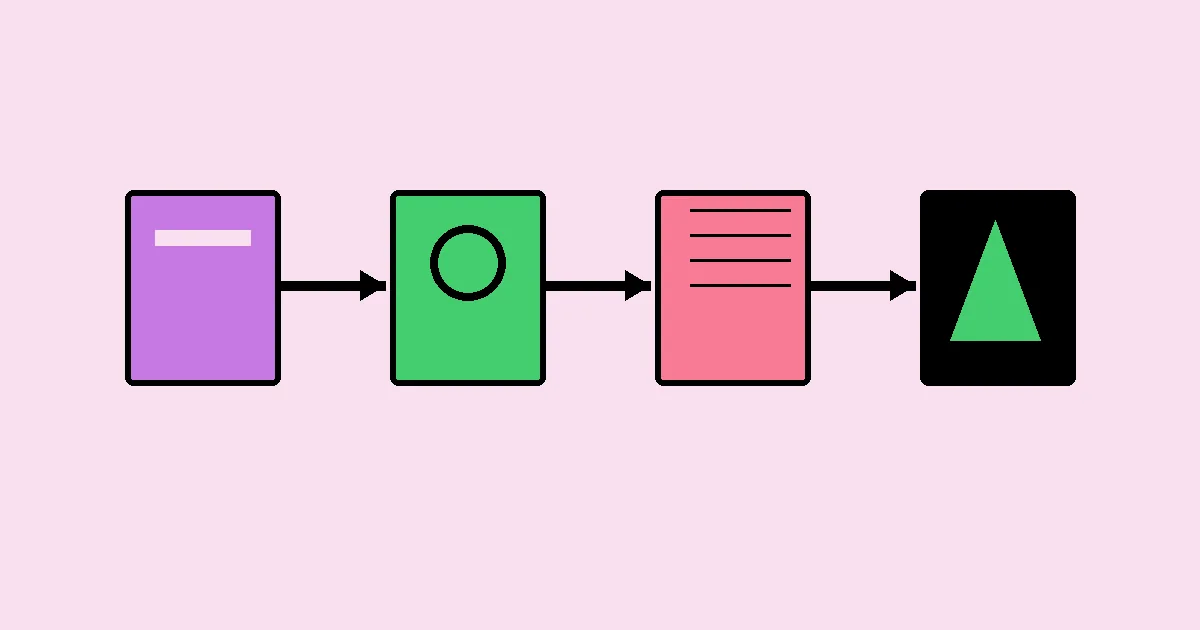
The architecture of a professional project is typically divided into five to seven stages, depending on the complexity of the requirements. A common mistake is to view these stages as optional; however, skipping the research phase to save time almost always leads to costly revisions during the high-fidelity production stage. The following sequence represents the industry standard for high-level creative execution:
- Phase 1: Discovery and Briefing. This is the most critical stage where the designer acts as a consultant. You must extract the core objectives, target audience demographics, brand values, and technical constraints from the client. A project without a solid brief is a project without a finish line.
- Phase 2: Research and Competitive Audit. Here, the designer investigates the market landscape. This involves analyzing competitor visual identities to ensure differentiation and studying user behaviors to predict how the design will be consumed. It is about understanding the visual language already spoken by the target audience.
- Phase 3: Conceptualization and Ideation. This is the divergent thinking phase. Designers should move away from the screen and use analog tools to generate a high volume of ideas. Rapid sketching allows for the exploration of metaphors and hierarchies without the distraction of pixel-perfect alignment or color theory.
- Phase 4: Design Development (Drafting). The best concepts from the ideation phase are brought into digital environments. This stage focuses on the structural elements—layout, typography, and grid systems. It is often presented to the client as black-and-white wireframes or rough compositions to ensure the "bones" of the design are sound before styling begins.
- Phase 5: Iteration and Refinement. Based on stakeholder feedback, the design is polished. This includes applying color palettes, high-resolution imagery, and fine-tuning typographic details. It is a reductive process where unnecessary elements are stripped away to enhance clarity and impact.
- Phase 6: Final Production and Handoff. The technical execution phase where assets are prepared for their final destination. This includes pre-flighting files for print, optimizing SVG and web assets, and creating a style guide or usage documentation to ensure the design is implemented correctly by third parties.
The transitions between these phases should be marked by explicit client sign-off. This creates a "paper trail" of decisions that prevents the project from regressing. For example, once the concept is approved, the designer should not be revisiting the fundamental metaphor during the production phase. This discipline protects the designer’s time and the client’s budget, fostering a relationship built on professional trust rather than creative volatility.
How do different design methodologies compare in practice?
Choosing the right methodology depends heavily on the project scale, the client's internal culture, and the ultimate goals of the creative work. While the traditional "Waterfall" model provides a clear, linear path, it can be rigid. Conversely, "Iterative" or "Sprint-based" models offer flexibility but require high-touch communication. The table below compares these common approaches to help practitioners choose the right framework for their specific needs.
| Methodology | Primary Benefit | Ideal Project Type | Risk Level |
|---|---|---|---|
| Waterfall (Linear) | Clear milestones and predictable timelines | Print production and high-budget branding | High (Revisions at the end are costly) |
| Iterative (Cyclical) | Constant improvement based on feedback | UX/UI design and digital products | Low (Errors caught early in cycles) |
| Design Sprints | Extremely fast speed to market | Startup MVPs and feature testing | Medium (Potential for shallow research) |
| Agile Workflow | Highly adaptive to changing requirements | Long-term retainer contracts and apps | Medium (Scope creep is common) |
In practice, most senior designers use a hybrid approach. They might use a Waterfall structure for the contract and billing milestones, but adopt an Iterative approach within the creative development phase. This allows for the safety of a schedule while maintaining the creative freedom to explore multiple paths. The key is to communicate which model you are using to the client so they understand when their input is most valuable and when the "window for change" has closed.
A practitioner’s analysis: The hidden nuances of the workflow
The reality of a design career is that the process is rarely as clean as a textbook diagram. As a practitioner with a decade of experience, I have found that the most significant challenges occur in the "white space" between phases. This is where communication breaks down or where a designer’s ego clashes with a client’s business needs. To survive in high-stakes environments, such as when competing for specialized design roles in legacy industries, you must learn to navigate these interpersonal dynamics with the same skill you apply to Adobe Creative Cloud.
One major nuance is the management of "Subjective vs. Objective" feedback. In the refinement stage, a client might say, "I don't like the color blue." A junior designer might simply change the color. A senior practitioner, however, will ask "Why?" and map that feedback back to the discovery brief. If the brand's goal is to appear trustworthy and stable, and the research suggests blue is the industry standard for that emotion, the designer must be prepared to defend their choice with data. The process is your shield; if you can prove that every pixel was a result of a methodical decision-making chain, you move from being a "pixel pusher" to a strategic partner.
Another practitioner insight involves the "Minimum Viable Concept" (MVC). Instead of presenting three fully realized, high-fidelity designs—which is a massive drain on resources—present three distinct conceptual directions using mood boards and sketches. This forces the client to approve a strategy rather than an aesthetic. Only after the strategy is locked should you invest the hours into high-fidelity rendering. This tactical move saves dozens of hours of work that would otherwise be discarded if the client dislikes the initial visual direction.
Common mistakes in the design process and how to avoid them
Even seasoned professionals can fall into traps that undermine their efficiency and the quality of their output. Identifying these early is the key to maintaining a profitable and low-stress practice. The following are the most pervasive errors encountered in the studio environment:
1. Starting in high-fidelity software too early. Jumping straight into Illustrator or Figma often limits your creative range. You become beholden to what the tool makes easy rather than what the concept requires. To avoid this, force yourself to spend the first 20% of the project time in a notebook or on a whiteboard. Conceptual breakthroughs rarely happen while you are worrying about layer naming conventions.
2. Inadequate discovery and "Order Taking." Many designers treat the initial meeting like a drive-through window, taking an order without questioning the underlying business problem. If a client asks for a brochure but their actual problem is a lack of website traffic, the brochure is a waste of money. Avoid this by asking "What does success look like for this project?" and "How will you measure the ROI?" This shifts the conversation from art to business value.
3. Failure to set a revision limit. Without a defined process for feedback, projects can spiral into "Infinite Revision Purgatory." Your contract and your process should clearly state how many rounds of revisions are included and what constitutes a "major change." This creates a psychological boundary that encourages the client to be thoughtful and consolidated with their feedback.
4. Neglecting the technical handoff. A beautiful design that is broken in development or printed with the wrong color profile is a failure. Many designers stop at the "approval" phase. Avoid this by creating a standardized delivery checklist. Include font licenses, high-resolution assets, style guides, and clear file naming. Your reputation is built on how the project looks six months after you finish, not just on the day you present it.
5. Lack of internal peer review. Working in a vacuum is dangerous. You can become blind to your own visual biases or missing details. If you are a solo freelancer, find a small group of trusted peers to trade critiques with. A fresh pair of eyes can catch a kerning error or a confusing visual hierarchy in seconds that you might have missed after staring at it for hours.
Implementation Scenario: Rebranding a Mid-Sized Tech Firm
To see the process in action, consider a scenario where a B2B software company needs a complete rebrand to appear more modern and accessible. This is not a task for a single afternoon; it requires a disciplined execution of the full design lifecycle.
The process begins with a two-week Discovery phase, involving interviews with the CEO, the sales team, and existing customers. The designer discovers that while the software is powerful, users find the current branding "intimidating" and "cold." The Research phase then looks at other SaaS companies, identifying a trend toward rounded typography and warmer secondary palettes (corals and teals) to humanize the technology.
During Ideation, the designer sketches dozens of metaphors for "connectivity" and "ease of use," eventually landing on a stylized bridge motif. This is presented as a series of Mood Boards to the client to align on the "Human-Centric Tech" direction. Only after this alignment does the designer move to Design Development, creating three logo variations and a basic typographic system. After two rounds of Refinement, the final kit—including a 40-page brand guidelines document, social media templates, and an icon library—is Handed Off to the client's internal marketing team. The result is a cohesive, strategic identity that is technically sound and business-focused.
Key Takeaways
- The design process is a risk-management tool that prevents technical and conceptual failures by isolating tasks into logical phases.
- Discovery and research are non-negotiable foundations; designing without them is merely decoration, not problem-solving.
- Analog ideation (sketching) is faster and more effective for conceptual breakthroughs than starting in digital design software.
- Client sign-offs at each stage are essential to prevent scope creep and ensure the project remains on schedule and within budget.
- Professional handoff and technical optimization are just as important as the creative work, ensuring the design functions in the real world.
Frequently Asked Questions
What is the most important step in the design process?
The Discovery phase is arguably the most critical. Without a deep understanding of the client's goals, the target audience, and the competitive landscape, any visual work produced is a gamble. A thorough discovery phase provides the objective criteria used to judge the success of all subsequent creative decisions.
How long should the graphic design process take?
Timelines vary wildly based on project scope, but a standard branding project usually requires 4 to 8 weeks. This allows for adequate research, multiple rounds of iteration, and technical finalization. Rushing the process often leads to shallow concepts and technical errors that require expensive corrections later in the cycle.
Can I skip the sketching phase and go straight to digital?
While possible, it is not recommended. Sketching allows for rapid "failure"—you can discard ten bad ideas in ten minutes. In digital software, the temptation to polish a mediocre idea is too high. Analog tools keep the focus on core concepts and hierarchy rather than effects and colors.
How do I handle a client who wants to skip the research phase?
Educate the client on the risks of skipping research, such as creating a design that mimics a competitor or fails to resonate with the target demographic. Frame research as an investment that ensures the final product actually works, rather than just looking good, which ultimately saves them money.
How many design concepts should I present to a client?
Industry standard is typically two to three distinct directions. Presenting too many options leads to "decision paralysis," where the client struggles to choose. Presenting only one can feel restrictive. Three concepts allow you to show a safe option, a moderate option, and a more experimental "stretch" option.
What should be included in a design handoff package?
A professional handoff includes final source files (AI, PSD, Figma), exported assets in all necessary formats (PNG, SVG, PDF), a style guide or brand sheet, and font licenses or links. Providing clear instructions on how to use these files ensures the design maintains its integrity during implementation.
Conclusion
Adopting a rigorous graphic design process is the primary way to elevate your work from a hobbyist level to a professional standard. By methodically moving through discovery, research, ideation, and refinement, you create designs that are not only aesthetically pleasing but also strategically sound and technically flawless. This structure provides the confidence to defend your creative choices and the efficiency to manage complex projects with ease. As you look to advance your career, perhaps by exploring new creative opportunities in vibrant design markets, remember that your process is your most valuable product. Start by formalizing your discovery brief for your next project, and watch how it transforms your creative output.