Graphic Design Composition: 9 Principles Every Pro Uses
Two designers can use the same fonts, colors, and images and produce completely different results. The difference is composition. Graphic design composition is the deliberate arrangement of visual elements within a space so the viewer understands what to look at first, how the pieces relate, and what the design means.
Quick Answer: Graphic design composition is how you arrange elements to guide attention and communicate meaning. Professionals rely on nine principles: hierarchy, alignment, grids, proximity, contrast, balance, repetition, white space, and focal point. Master hierarchy and alignment first, because they solve most layout problems before color or typography choices ever matter.
What Is Composition in Graphic Design, Really?
Composition is the structure underneath the surface of a design. If typography and color are the vocabulary, composition is the grammar. It decides the order in which information is read and how comfortable the reading feels.
A few terms come up constantly. Visual hierarchy is the ranking of elements by importance, expressed through size, weight, color, and position. Visual weight is how strongly an element pulls the eye; large, dark, saturated, or isolated elements weigh more. Negative space, also called white space, is the empty area around and between elements. Reading pattern describes how eyes typically scan a layout, such as the familiar Z-pattern on simple pages and F-pattern on text-heavy screens, both documented in usability research from groups like the Nielsen Norman Group.
Good composition is invisible. Viewers do not notice it; they simply understand the message quickly. Bad composition is noticed instantly, even by non-designers, who describe it as "busy," "confusing," or "off." Learning composition is also the core of any serious graphic design curriculum and what it teaches, because every later skill depends on it.
Composition is not about following rules mechanically. It is about making intentional choices. Every principle below is a tool for controlling attention, and professionals break them on purpose, never by accident.
The 9 Composition Principles Professionals Rely On
These nine principles cover the vast majority of layout decisions you will make, whether you are designing a poster, a slide, a web page, or packaging.
- Hierarchy: Decide the single most important element, then the second, then the third. Make the difference between levels obvious. If everything is emphasized, nothing is.
- Alignment: Every element should line up with something else. Shared edges create invisible lines that make a layout feel organized and intentional.
- Grids: A column or modular grid provides consistent structure across pages and screens. It speeds up decisions and keeps multi-page work coherent.
- Proximity: Related items go close together; unrelated items get space between them. Proximity tells viewers what belongs to what without needing extra lines or boxes.
- Contrast: Differences in size, color, weight, or shape create emphasis and readability. Weak contrast produces muddy layouts; strong contrast creates energy.
- Balance: Visual weight should feel distributed, either symmetrically for calm and formality, or asymmetrically for tension and movement.
- Repetition: Repeated styles, colors, and spacing create rhythm and unity. Consistency makes a system feel trustworthy.
- White space: Empty space is an active element. It isolates the focal point, improves readability, and signals quality.
- Focal point: Every composition needs one place where the eye lands first. Build the rest of the layout to support and lead away from it.
Notice how these principles overlap. Contrast creates hierarchy. Proximity relies on white space. Grids enforce alignment. You rarely use one alone; strong compositions combine several at once.
Composition Principles Compared by Purpose and Failure Mode
Each principle solves a specific problem and fails in a recognizable way. This reference table helps you diagnose a weak layout quickly.
| Principle | Primary Purpose | What Failure Looks Like | Quick Fix |
|---|---|---|---|
| Hierarchy | Sets reading order | Everything competes for attention | Enlarge one element and reduce the rest |
| Alignment | Creates order | Elements feel randomly scattered | Snap items to shared edges or a grid |
| Proximity | Groups related content | Labels float away from what they describe | Tighten related spacing, widen gaps between groups |
| Contrast | Creates emphasis | Flat, grey, low-energy design | Push size or color differences further |
| White space | Gives breathing room | Cramped, cluttered, cheap feel | Remove an element or increase margins |
Use the table as a critique checklist. When a layout feels wrong but you cannot say why, walk through each row and ask whether that failure mode is present. Usually one or two principles are responsible.
Why Composition Drives Results: A Practitioner Analysis
In client work, composition problems cost more than visual taste problems. This is practitioner analysis based on years of revisions, not a formal study, but the pattern is consistent across print, web, and packaging.
When a client says a design "isn't working," the cause is rarely the typeface or the exact shade of blue. More often the hierarchy is unclear: the client's most important message is not the first thing anyone sees. Fixing hierarchy alone resolves a large share of revision requests. I now ask every client to rank their content before design starts, which prevents many later disagreements.
On the web, composition directly affects usability. Eye-tracking research published by the Nielsen Norman Group has repeatedly shown that users scan rather than read, focusing on headings, the left side of content, and visually distinct elements. A layout with clear hierarchy and alignment works with that behavior; a flat layout works against it.
In packaging and posters, the first glance is everything. Shoppers and passersby give a design a moment of attention. A single dominant focal point and generous white space usually outperform busy designs that try to communicate everything at once.
Composition is also a key judging factor. Juries reviewing competition entries that win often eliminate work in seconds based on whether the idea reads immediately, and that immediacy is a composition outcome. The same applies to portfolio reviews: a hiring manager flipping through work responds first to structure, then to style.
There is also a speed benefit. Designers who compose deliberately spend less time nudging elements at random and more time making decisions that stick. A clear grid and hierarchy turn a vague feeling that something is off into a specific, fixable problem, which shortens revision cycles for both the designer and the client and makes feedback conversations far more productive.
The practical lesson is to solve composition in grayscale before introducing color or imagery. If the layout works in shades of grey, color will only make it better.
Common Composition Mistakes and How to Avoid Them
The most common composition mistakes come from adding rather than editing. Here is what to watch for.
Centering everything. Center alignment feels safe but often produces weak, static layouts, especially with long text. Use a strong left alignment for most content and reserve centering for short, formal pieces.
Equal sizing. When the headline, subhead, and body are close in size, hierarchy collapses. Make meaningful jumps in scale between levels rather than tiny increments.
Filling every gap. Beginners treat empty space as wasted. Professionals treat it as a tool. If a layout feels crowded, remove something rather than shrinking everything.
Inconsistent spacing. Random gaps between elements make a design feel amateur. Use a spacing scale based on a base unit and apply it consistently.
Too many focal points. Two large images, a bold headline, and a bright button all fighting for attention leave the viewer with nowhere to start. Choose one star.
Ignoring the edges. Elements placed too close to the edge of the canvas feel cramped and risk trimming in print. Set generous, consistent margins.
Decorating instead of structuring. Adding lines, boxes, and ornaments to "fix" a layout usually adds clutter. Fix the underlying alignment and proximity instead.
Implementation Walkthrough: Composing a Poster Step by Step
Here is the exact method I use and teach for composing a single-page piece like an event poster.
Step one: rank the content. List every piece of content and rank it. For an event poster: the event name, then the date and place, then the supporting details, then the organizer. Anything that does not make the list does not go on the poster.
Step two: thumbnail fast. Sketch at least ten tiny layouts in a few minutes each. Small sketches force you to think about big shapes and hierarchy rather than details.
Step three: set up the grid and margins. Choose a column grid suited to the format and set consistent margins. Even an asymmetric, expressive poster benefits from an underlying structure.
Step four: block in grayscale. Place elements as grey boxes and simple text in one typeface. Adjust size, position, and spacing until the reading order is obvious at arm's length.
Step five: test at small size. Shrink the layout to thumbnail size or step back from the screen. If you can still identify the focal point and read the main message, the hierarchy works.
Step six: add type, color, and imagery. Now introduce your typefaces, palette, and images. Keep checking that color supports the hierarchy instead of fighting it.
Step seven: refine alignment and spacing. Turn on guides and check that every element aligns with something. Make spacing consistent within groups and larger between groups.
Step eight: critique with the table. Walk through the principles table and look for each failure mode. Ask a colleague what they notice first, second, and third. If their answer matches your ranking, the composition succeeds.
Key Takeaways
- Composition is the structure of a design, and it determines reading order before color or typography come into play.
- Hierarchy and alignment solve the largest share of layout problems, so master those two principles first.
- White space is an active design element that isolates focal points and signals quality.
- Solving a layout in grayscale first prevents color from masking structural weaknesses.
- Most composition problems are fixed by removing elements, not by adding decoration.
Frequently Asked Questions
What are the basic elements of composition in graphic design?
The basic elements are line, shape, color, texture, space, typography, and imagery. Composition principles such as hierarchy, alignment, contrast, and balance determine how those elements are arranged. Think of elements as the ingredients and principles as the recipe that turns them into a clear, effective design.
What is the rule of thirds in graphic design?
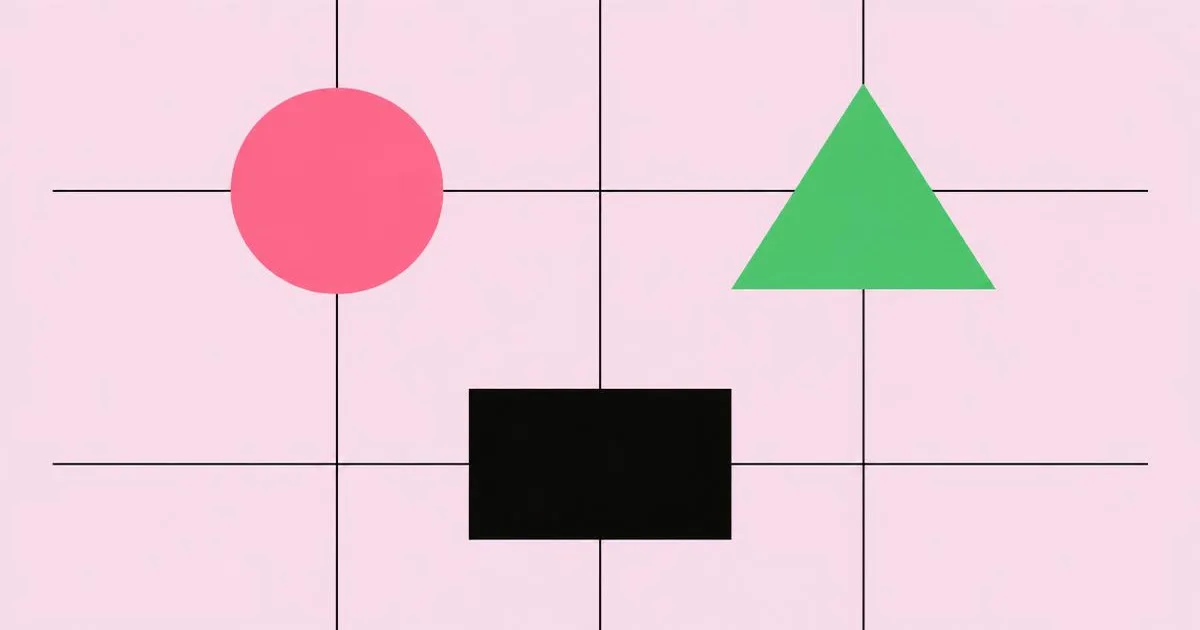
The rule of thirds divides a canvas into a three-by-three grid and places key elements along those lines or their intersections. It creates natural-feeling asymmetric balance and avoids static centered layouts. It is a useful starting guideline, though experienced designers often break it deliberately for specific effects.
How do I improve my composition skills quickly?
Practice redesigning existing layouts in grayscale, focusing only on hierarchy, alignment, and spacing. Study well-designed posters, magazines, and websites by tracing their underlying grids. Get regular critique from experienced designers. Daily small exercises build instinct faster than occasional large projects done without feedback.
Is symmetrical or asymmetrical balance better?
Neither is better; each communicates something different. Symmetry feels stable, formal, and calm, which suits invitations, institutions, and luxury brands. Asymmetry feels dynamic and modern, suiting energetic campaigns and editorial layouts. Choose based on the message and audience rather than personal habit or current trends.
How much white space should a design have?
There is no fixed percentage, but most designs benefit from more white space than beginners expect. Enough space should exist that the focal point stands clearly apart and related groups read as distinct. If a layout feels cramped, increase margins or remove secondary content before reducing type sizes.
Do grids limit creativity in graphic design?
Grids rarely limit creativity; they usually free it. A grid handles routine alignment decisions so you can focus on ideas. Many expressive designs use a grid and then break it intentionally for emphasis. The break only feels deliberate because the underlying structure makes the deviation visible and meaningful.
Conclusion
The most important composition decision is choosing what matters most and making it unmistakable. Every other principle, from alignment to white space, exists to support that single choice of hierarchy. Learn to rank content ruthlessly and solve layouts in grayscale, and your work will improve faster than through any software skill. Your next step is to place composition inside a repeatable workflow, which you can build from our complete graphic design creative process guide.