Design Process Graphic Design: 7 Steps Professionals Use
Every designer has delivered a beautiful file that the client rejected in thirty seconds, and almost every time the cause was a broken process rather than weak craft. The design process in graphic design is the repeatable sequence of stages that takes a project from an unclear request to a finished, production-ready deliverable that solves a defined problem. A good process does not slow creativity down; it protects it from rework, scope creep, and guesswork.
Quick Answer: The professional graphic design process has seven steps: brief and discovery, research, concept development, sketching and thumbnails, digital design, feedback and revision, and final production and delivery. Each step ends with a decision or approval, which prevents expensive rework and keeps the design tied to the client's real goal.
What Is the Graphic Design Process and Why Does It Matter?
The graphic design process is a staged workflow where each stage produces an output the next stage depends on. Discovery produces a brief; research produces insights; concepts produce a chosen direction; drafts produce a design to critique; revisions produce an approved file; production produces deliverables. When a stage is skipped, its missing output does not vanish; it reappears later as confusion and revisions.
Two terms are worth defining. A creative brief is the written agreement about the audience, goal, message, deliverables, constraints, and deadline. A sign-off point is a moment where the client explicitly approves an output before work continues. The professional difference is not talent; it is that sign-off points exist and are respected. If you are newer to the field and want the fundamentals behind these stages, the practical design grafico guide for beginners covers hierarchy, type, and color first.
Process also protects pricing. When scope is written down at the start, a request to "just add a few more versions" is visibly new work, and a conversation about budget becomes straightforward rather than awkward.
The 7 Steps of a Professional Design Process
These seven steps form the backbone of most agency and freelance workflows. The names vary between studios, but the logic is consistent.
- Brief and discovery. Interview the client about the business goal, the audience, the action you want people to take, existing brand assets, competitors, deliverables, budget, and deadline. Write it up and get it approved. The most useful discovery question is "How will we know this worked?"
- Research. Study the audience, the category, and competitors. Collect references in a mood board, but annotate why each reference is relevant, such as "confident type scale" or "restrained palette," so the board guides decisions instead of inviting imitation.
- Concept development. Turn insights into ideas. A concept is a sentence-level idea, for example "the brand as a reliable tool rather than a luxury," not a visual style. Generate many concepts quickly, then narrow to a few with clear rationales.
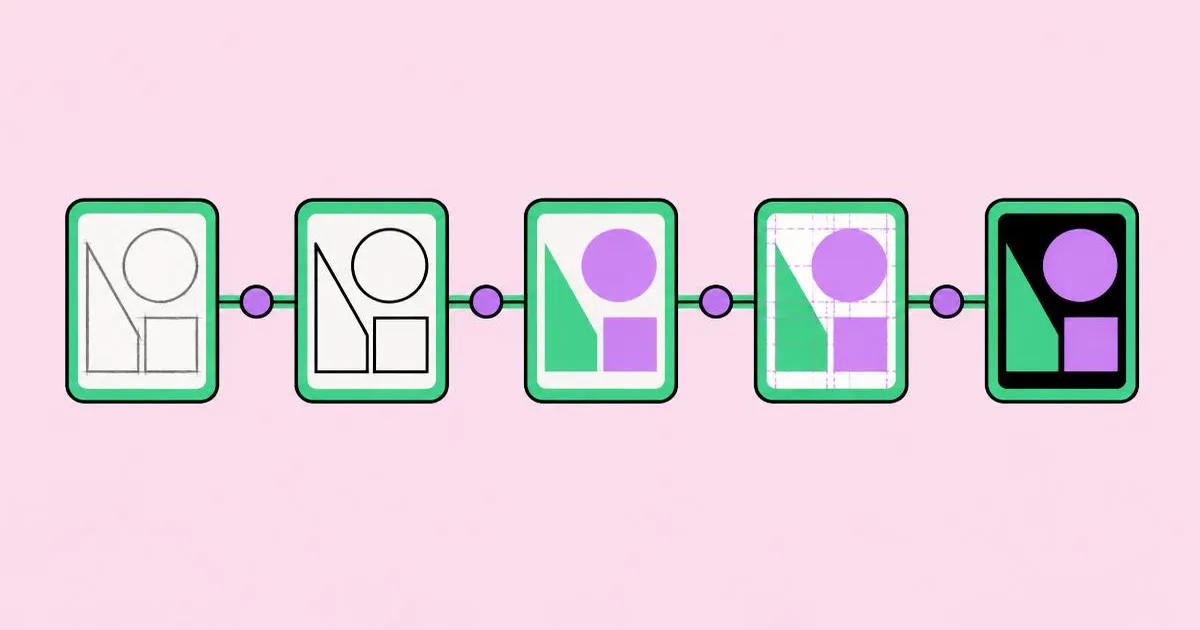
- Sketching and thumbnails. Explore layouts and marks in small, rough sketches. Thumbnails are cheap, so you can try a large number of compositions before investing hours in software.
- Digital design. Build the strongest directions in software with real or realistic content, a proper grid, and a defined type and color system. Present a small number of distinct options rather than many minor variations.
- Feedback and revision. Present work against the brief, collect consolidated feedback, and revise within the agreed number of rounds. Ask clients to describe problems, not prescribe solutions.
- Final production and delivery. Prepare files for every medium: print files with correct color mode, bleed, and resolution; screen files at the right sizes and formats; source files and simple usage guidance where the contract includes them.
Each step ends with an explicit output. If you cannot name the output of the step you are in, you are probably still in the previous one.
Step-by-Step Outputs, Owners, and Risks
Mapping each step to its output and its typical failure makes the process easy to manage and easy to explain to clients.
| Step | Output | Who Approves | Risk If Skipped |
|---|---|---|---|
| Brief and discovery | Written, signed-off brief | Client decision-maker | Designing for the wrong goal |
| Research | Annotated mood board and insights | Designer, shared with client | Generic work that looks like competitors |
| Concept development | Shortlist of concepts with rationale | Client or creative lead | Style without an idea behind it |
| Sketching | Thumbnails of layouts or marks | Designer | Locking into the first idea too early |
| Digital design | A few distinct design options | Client | Endless polishing of an unvalidated idea |
| Feedback and revision | Approved final design | Client decision-maker | Uncontrolled revision loops |
| Production | Print and digital deliverables | Designer and client | Files that print or display badly |
The approval column is where most real projects fail. Feedback from someone who is not the decision-maker can be reversed later, so confirm early who has the final say and route approvals through that person.
Practitioner Analysis: Where Projects Actually Break
From years of running client projects, the honest pattern is that most delays originate in the first and sixth steps, not in the creative middle. This is practitioner analysis rather than survey data, but it matches what most studio leads describe.
The brief breaks first. Clients often arrive with a solution, such as "we need a new logo," when the actual problem is different, such as a confusing product name or an inconsistent website. A discovery conversation that asks about the business goal frequently reshapes the project before any design starts. Teaching clients to write a sharper request helps enormously; the article on how to write design briefs designers love is worth sending to clients before kickoff.
Feedback breaks second. Feedback goes wrong when it arrives from several stakeholders separately, contradicts itself, or prescribes fixes like "make the logo bigger" without stating the underlying concern. The fix is structural: ask for one consolidated round of feedback per stage, ask what problem each comment is solving, and cap rounds in the contract.
The creative middle rarely breaks when the first step is solid. Concepts flow faster when the goal is clear, and sketches converge faster when the audience is defined. In other words, investing in discovery is the cheapest way to improve creative output.
Common Design Process Mistakes and How to Avoid Them
Most process mistakes come from rushing into software or from vague agreements. Each one has a specific prevention.
Starting without a written brief. Verbal briefs drift. Always send a one-page summary and ask the client to confirm it before work starts. That page becomes the yardstick for every later decision.
Presenting too many options. A large set of near-identical options signals uncertainty and invites a "combine options two and five" request. Present a few genuinely different directions, each with a one-sentence rationale.
Mood boards that become templates. If your research board contains finished work from one competitor, your design will drift toward it. Mix references from outside the category and annotate the principle, not the look.
Skipping thumbnails. Opening software immediately anchors you to the first composition. Ten minutes of rough sketches often surfaces a stronger layout than an hour of digital tweaking.
Designing with lorem ipsum. Fake copy hides length problems and tone mismatches. Request real copy, or write realistic drafts, before the digital design step.
Unlimited revisions. Open-ended revision promises destroy margins. Define the number of rounds and what counts as a revision versus a new request.
Treating production as an afterthought. Wrong color profiles, missing bleed, unoutlined fonts, and oversized web images are among the most avoidable failures. Use a production checklist for every job.
Real-World Walkthrough: A Café Rebrand Using the 7 Steps
A concrete scenario shows how the steps connect. Imagine a neighborhood café that asks for "a modern new logo" because takeaway sales feel flat.
Discovery. In the kickoff call, the designer asks how success will be measured. The owner explains that regulars love the café, but passers-by assume it is expensive and walk on. The real goal is approachability, and the deliverables expand to a mark, a menu board, and a takeaway cup design. The brief is written and approved.
Research. The designer visits the street, photographs nearby shopfronts, and notices that competitors use dark, premium palettes. That becomes an opportunity: warm, friendly color and clear pricing would stand out.
Concepts. Three concept sentences are developed: "the café as the street's living room," "honest coffee, clear prices," and "morning ritual." The owner chooses the second because it addresses the core problem directly.
Sketching. The designer sketches many thumbnail marks and several menu board layouts, focusing on a large, legible price structure visible from across the pavement.
Digital design. Two directions are built in software with real menu items and real prices, tested at actual viewing distance by printing at scale and stepping back.
Feedback. The owner and manager consolidate their notes into one document. One comment says "make it pop," so the designer asks what the concern is and learns the prices feel small from across the street. The fix is a larger price column, not brighter colors.
Production. The designer delivers print-ready menu files with bleed, a vector mark in several formats, cup artwork matched to the supplier's template, and a short page of usage notes.
Process checklist to reuse on your own projects:
- Written brief approved by the real decision-maker
- Annotated research board with references from outside the category
- A shortlist of concepts, each written as one sentence
- Thumbnails explored before software
- Real content in every digital draft
- Consolidated feedback per round, with a capped number of rounds
- Production checklist completed for every output format
Hardware rarely features in process discussions, but slow machines quietly extend the digital and production steps. If exports and previews drag, it is worth reviewing what a capable design workstation needs.
Key Takeaways
- The professional graphic design process runs through brief, research, concept, sketch, digital design, revision, and production.
- Every step should end with a named output and, where relevant, a sign-off from the actual decision-maker.
- Most project delays originate in vague briefs and unstructured feedback rather than in creative execution.
- A concept is a sentence-level idea, and visual style should follow it rather than replace it.
- Capping revision rounds and consolidating feedback protects both quality and profitability.
Frequently Asked Questions
What are the main stages of the graphic design process?
The main stages are brief and discovery, research, concept development, sketching, digital design, feedback and revision, and final production. Some studios merge or rename stages, but the sequence stays similar: understand the problem, explore ideas cheaply, build the best direction carefully, refine it with structured feedback, then prepare correct files for delivery.
How long does a typical graphic design project take?
Duration depends on scope, number of deliverables, and how quickly approvals arrive. A single poster may take days, while a full brand identity can take weeks or months. Approval speed often matters more than design time, so agree on feedback deadlines in the brief to keep the schedule realistic and predictable.
Why is the creative brief so important in graphic design?
The creative brief defines the goal, audience, message, deliverables, constraints, and deadline in writing. It aligns designer and client before work starts and becomes the standard for judging every concept. Without it, feedback turns into personal taste debates, and projects drift into extra revisions that neither side planned or budgeted for.
How many design concepts should I present to a client?
Present a small number of genuinely distinct concepts, typically two or three, each with a clear rationale tied to the brief. Too many options signal uncertainty and invite clients to merge incompatible ideas. Fewer, stronger directions make the decision easier and keep the conversation focused on the goal rather than preference.
How do I handle vague client feedback like make it pop?
Ask what problem the comment is trying to solve. Questions like "What feels weak right now?" or "What should people notice first?" usually reveal a specific concern, such as small prices or low contrast. Then solve that underlying issue with a targeted change instead of guessing at a vague aesthetic instruction.
Should designers sketch before using design software?
Yes, quick thumbnails are one of the most efficient steps in the process. Rough sketches let you explore many compositions in minutes without committing to details. Software tends to anchor you to your first layout, so sketching first usually produces stronger, more varied directions before you invest time in polishing digital files.
Conclusion
The single most important insight about the graphic design process is that quality is decided at the edges: a sharp brief at the start and disciplined production at the end make the creative middle faster and better. Treat each step as a gate with a clear output and an owner, and rework drops dramatically. Your next step is to turn the checklist above into a template for your next project, then compare your output against strong digital design examples and what makes them work to calibrate your standard.