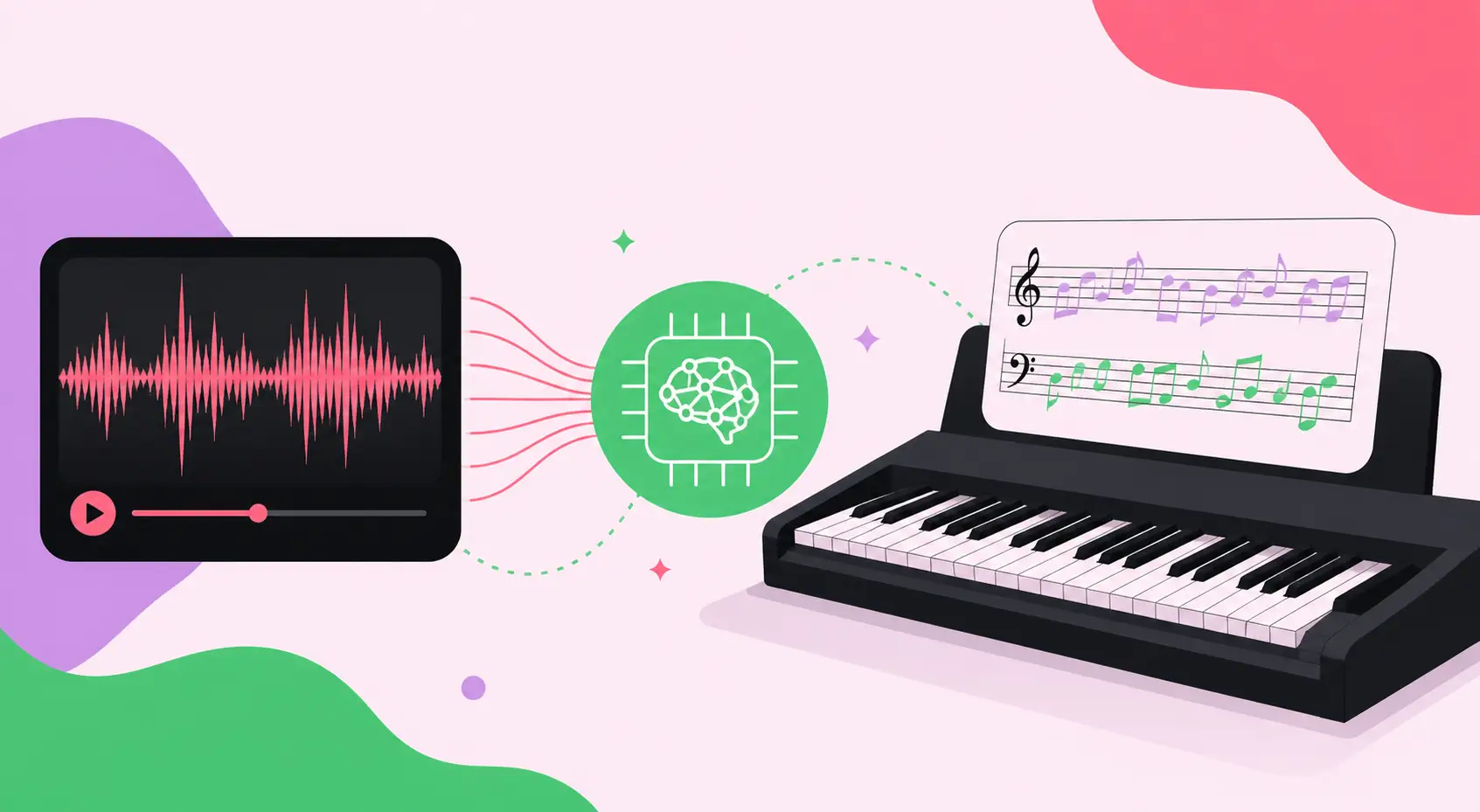
Creating Piano Arrangement from Audio AI Free: The Ultimate Guide to Transforming Any Sound into Sheet Music
Imagine hearing a beautiful melody on the radio, a haunting film score, or even a song you just hummed in the shower — and within seconds, having a complete, playable piano arrangement ready on your screen. That is no longer a distant dream. Creating piano arrangements from audio using AI for free has become one of the most transformative developments in modern music technology. Whether you are a beginner pianist, a seasoned composer, or a music educator, AI-powered tools are fundamentally changing how we transcribe, arrange, and reimagine music. This comprehensive guide walks you through everything you need to know — from how the technology works to the best free tools available in 2026, practical step-by-step workflows, and what the future holds for AI-driven music arrangement.
Table of Contents
- What Is AI Piano Arrangement from Audio?
- How Does AI Convert Audio to Piano Arrangements?
- Key Benefits of Using AI for Piano Arrangements
- Best Free AI Tools for Piano Arrangement from Audio in 2026
- Step-by-Step Guide: Creating a Piano Arrangement from Audio Using AI
- Common Challenges and How to Overcome Them
- Best Practices for High-Quality AI Piano Transcription
- Real-World Use Cases and Examples
- Future Trends in AI Music Arrangement (2026 and Beyond)
- Frequently Asked Questions (FAQ)
What Is AI Piano Arrangement from Audio?
AI piano arrangement from audio refers to the process of using artificial intelligence algorithms to analyze an audio recording — whether it is a full orchestral piece, a pop song, a guitar riff, or a vocal melody — and automatically generate a piano sheet music or MIDI arrangement from that recording. This process, sometimes called automatic music transcription (AMT), combines several advanced fields of computer science and music theory, including signal processing, deep learning, and harmonic analysis.
Traditionally, transcribing a piece of music from a recording to sheet music required years of formal training, a highly developed ear, and considerable time. Professional music arrangers would listen to recordings dozens of times, painstakingly notating each note, rhythm, and chord by hand. AI has compressed this process from hours or days into seconds, making music arrangement accessible to virtually anyone regardless of musical training.
The concept covers a wide spectrum of complexity. At one end, simple melody extraction from a single-instrument recording is relatively straightforward. At the other end, separating individual piano parts from a densely layered orchestral recording with drums, strings, bass, and vocals is an extraordinary technical achievement that modern AI is rapidly mastering.
What Types of Audio Can AI Arrange for Piano?
- Vocal melodies: Hummed, sung, or spoken melodic lines converted into piano accompaniment
- Full song recordings: Complete pop, rock, jazz, or classical tracks transcribed to piano
- Orchestral scores: Multi-instrument arrangements reduced to piano-playable format
- Guitar tabs and riffs: String instrument recordings translated into keyboard notation
- Film and game soundtracks: Cinematic music adapted for solo piano performance
- MIDI files: Digital music files converted and arranged for piano playback
- Live recordings: Concert or improvisation recordings captured and transcribed in real time
How Does AI Convert Audio to Piano Arrangements?
Understanding the technology behind AI music transcription helps you use it more effectively. Modern AI piano arrangement tools rely on a multi-layered pipeline of machine learning and signal processing techniques.
Step 1: Audio Signal Processing and Feature Extraction
The first stage involves converting raw audio into a mathematical representation the AI can analyze. This typically involves creating a spectrogram — a visual map of frequencies over time — using a technique called the Short-Time Fourier Transform (STFT). The AI model reads this spectrogram much like a human reads sheet music, identifying patterns that correspond to musical notes, rhythms, and timbres.
Step 2: Onset Detection and Pitch Estimation
The AI identifies when notes begin (onset detection) and what pitch each note corresponds to (pitch estimation). Advanced models use polyphonic pitch detection, meaning they can identify multiple simultaneous notes — essential for transcribing chords and complex harmonic structures. This is significantly harder than monophonic detection and requires deep neural networks trained on millions of musical examples.
Step 3: Source Separation
When arranging from a full audio mix (such as a pop song), the AI must first separate the audio into individual components — vocals, melody, bass, percussion, and harmony. Tools like Demucs and Spleeter use deep learning-based source separation to isolate the musical elements most relevant to a piano arrangement. The isolated melody and harmony tracks are then passed to the transcription engine.
Step 4: Harmonic and Rhythmic Analysis
Beyond individual notes, the AI analyzes harmonic progressions, identifying chord structures, key signatures, and time signatures. This contextual understanding allows the model to generate arrangements that are not just technically accurate but also musically meaningful — preserving the emotional arc and harmonic richness of the original piece.
Step 5: Piano-Specific Arrangement and Voicing
The final stage involves arranging the transcribed notes specifically for piano. This means distributing notes between the treble and bass clef, applying idiomatic piano voicings, managing hand span constraints (typically a maximum of a ninth comfortably), and adapting the arrangement for human playability. Advanced AI models even account for different difficulty levels, generating beginner-friendly simplified versions or virtuosic concert arrangements based on user preference.
Key Benefits of Using AI for Piano Arrangements
The advantages of AI-assisted piano arrangement extend far beyond simple convenience. Here is a comprehensive breakdown of the transformative benefits this technology offers:
For Musicians and Composers
- Speed: What once took days now takes seconds, freeing up creative time for composition and performance
- Accessibility: No formal music theory training required to create professional-quality arrangements
- Inspiration: Quickly generate piano sketches from any audio idea to explore harmonic possibilities
- Learning tool: See how complex arrangements break down into playable piano parts, accelerating music education
- Copyright compliance: Transcribe your own original recordings for legal sheet music production
For Music Educators
- Curriculum development: Rapidly create custom arrangements tailored to specific student skill levels
- Ear training support: Generate visual sheet music from recordings to reinforce listening exercises
- Repertoire expansion: Quickly arrange popular music students love into piano-friendly formats
- Differentiation: Produce simplified and advanced versions of the same piece simultaneously
For Content Creators and Producers
- Cover production: Create royalty-free piano arrangements for YouTube and streaming platforms
- Film scoring: Sketch piano arrangements from reference tracks for cinematic scoring projects
- Game music: Arrange adaptive music layers for interactive media projects
- Podcast and video backgrounds: Generate piano underscore music from melodic ideas quickly
Financial and Practical Benefits
- Cost savings: Eliminate the need to hire professional music arrangers for routine projects
- Democratization: Level the playing field between well-funded studios and independent artists
- Iteration speed: Test multiple arrangement ideas rapidly without committing to a single approach
- Scalability: Arrange entire albums or catalogs of music in the time it once took to arrange a single song
Best Free AI Tools for Piano Arrangement from Audio in 2026
The landscape of free AI music transcription tools has matured significantly. Here is a detailed overview of the leading platforms available without cost in 2026:
| Tool Name | Primary Function | Audio Input Formats | Output Formats | Difficulty Levels | Free Tier Limits |
|---|---|---|---|---|---|
| Magenta Studio (Google) | MIDI arrangement and transcription | MIDI, audio (via plugin) | MIDI, MusicXML | All levels | Unlimited (open source) |
| Basic Pitch (Spotify) | Audio-to-MIDI polyphonic transcription | MP3, WAV, FLAC, OGG | MIDI, CSV, NoteEvents | Raw transcription | Unlimited (open source) |
| Piano Scribe | Audio-to-piano sheet music | MP3, WAV, YouTube URL | MIDI, MusicXML, PDF | Intermediate to advanced | 5 transcriptions/month |
| Transcribe+ (Web) | Manual-assisted AI transcription | MP3, WAV, M4A | MIDI | All levels | 30-day free trial |
| Omnizart | Multi-instrument AI transcription | WAV, FLAC | MIDI, MusicXML | Advanced | Unlimited (open source) |
| Suno + MuseScore | AI generation + notation export | Text prompts, audio reference | MIDI, MusicXML, PDF | All levels | Limited generations/day |
| Audiveris | Optical music recognition (OMR) | PDF score scans, image files | MusicXML, MIDI | All levels | Unlimited (open source) |
Deep Dive: Spotify's Basic Pitch
Released by Spotify's Audio Intelligence Lab, Basic Pitch is one of the most powerful free tools available for creating piano arrangements from audio AI free. It uses a lightweight neural network trained on a massive dataset of professional recordings and MIDI pairs. Key features include polyphonic pitch detection, support for multiple instruments, and a Python library for developers who want to integrate transcription into custom workflows. The output MIDI can be imported directly into any Digital Audio Workstation (DAW) or notation software like MuseScore, Sibelius, or Finale for further refinement into a complete piano arrangement.
Deep Dive: Google's Magenta Studio
Google's Magenta project represents one of the most ambitious efforts in AI music creation. The Magenta Studio plugins for Ableton Live and the standalone tools offer capabilities including melody harmonization, groove transfer, and MIDI transcription from audio. The project is fully open source, meaning there are zero cost barriers to entry, and the research-grade models are continuously updated with improvements from Google's machine learning teams.
Step-by-Step Guide: Creating a Piano Arrangement from Audio Using AI
Follow this detailed workflow to convert any audio recording into a polished piano arrangement using freely available AI tools.
Phase 1: Prepare Your Audio Source
- Select your source audio: Choose a clear recording with minimal background noise. Lossless formats (WAV, FLAC) produce better transcription results than compressed formats (MP3), though modern AI handles both effectively.
- Trim unnecessary sections: Use a free editor like Audacity to remove silence, intros, or sections you do not want to arrange. Focused audio produces more accurate transcriptions.
- Adjust tempo if needed: If the source audio has variable tempo or is too fast for accurate detection, use time-stretching in Audacity to slow it down without changing pitch. The AI can handle the transcription, and you can restore original tempo later.
- Normalize audio levels: Ensure your audio is not peaking (clipping) or too quiet. A normalized recording at around -3dB provides the clearest signal for the AI to analyze.
Phase 2: Run Source Separation (For Full Mixes)
- Upload your track to a source separation tool such as LALAL.AI (free tier available) or the open-source Demucs running via Google Colab.
- Separate the melody/lead instrument from drums, bass, and background elements. For piano arrangement purposes, isolating the melody and harmonic content is most important.
- Download the separated stems — typically labeled as "melody," "vocals," "other," and "accompaniment."
- Select the most relevant stems for your arrangement. For a full piano arrangement, you may want both the melody/vocals stem and the accompaniment/harmony stem.
Phase 3: AI Transcription
- Open Basic Pitch at basicpitch.spotify.com or install via pip:
pip install basic-pitch - Upload your prepared audio file. For web use, drag and drop your WAV or MP3 file into the browser interface.
- Configure transcription settings: Set the note onset sensitivity (higher sensitivity detects more notes but may include artifacts), minimum note duration, and whether to include percussion detection.
- Run the transcription and download the resulting MIDI file. This typically takes 10–60 seconds depending on track length.
- Repeat for each stem if you separated your audio into multiple tracks. You will merge and arrange these MIDI layers in the next phase.
Phase 4: MIDI Editing and Piano Arrangement
- Import the MIDI file into a free notation editor such as MuseScore (musescore.org) or a DAW like GarageBand or LMMS.
- Assign the MIDI to a piano instrument track. Listen to the playback to assess the accuracy of the transcription.
- Clean up transcription errors: AI transcription is highly accurate but not perfect. Look for misidentified notes (usually in octave jumps), incorrect rhythms, or missing notes in dense passages.
- Distribute notes between treble and bass clef: Arrange higher-pitched notes in the right hand (treble clef) and lower-pitched notes in the left hand (bass clef). A common split point is middle C (C4).
- Add piano-idiomatic elements: Enhance the arrangement with arpeggiated chords, walking bass lines, melodic fills, or Alberti bass patterns in the left hand to make it sound naturally pianistic rather than like a mechanical transcription.
- Check playability: Ensure all note groupings are within comfortable hand reach. Revoice chords that span more than a tenth by doubling notes in an adjacent octave instead.
- Set dynamics and articulation: Add crescendos, decrescendos, staccato markings, slurs, and pedal markings to bring the arrangement to life.
Phase 5: Export and Use
- Export as PDF sheet music from MuseScore for printing or sharing
- Export as MusicXML for compatibility with other notation software
- Export as MIDI for use in DAWs, virtual instruments, or further AI processing
- Export as audio (MP3 or WAV) to share a playback version of your arrangement
Common Challenges and How to Overcome Them
While AI piano arrangement technology is remarkably powerful, understanding its limitations helps you work with it more effectively and achieve better results.
Challenge 1: Polyphonic Complexity
Problem: Dense recordings with many simultaneous instruments confuse the transcription model, leading to notes being merged, missing, or incorrectly pitched.
Solution: Always run source separation before transcription on full mixes. Use multiple transcription passes on different stems and combine the results manually. For particularly complex passages, lower the onset sensitivity to focus on dominant harmonic content rather than every transient note.
Challenge 2: Percussion and Rhythmic Artifacts
Problem: Drum hits and percussive sounds can be misidentified as pitched notes, cluttering the transcription with noise.
Solution: Enable percussion filtering in your transcription tool settings. After import, quickly scan for notes clustered in the lowest register (below E2) that form rapid irregular patterns — these are typically percussion artifacts and can be safely deleted.
Challenge 3: Tempo Fluctuations
Problem: Live recordings with rubato (flexible tempo) cause the AI to misalign notes to the rhythmic grid, producing syncopated or incorrectly quantized output.
Solution: Use tempo-tracking features in your DAW to map the actual tempo curve of the recording before transcription. Tools like Ableton Live's "Warp" feature or Logic Pro's "Flex Time" can synchronize the audio to a click track, making the AI's job significantly easier.
Challenge 4: Octave Confusion
Problem: AI models sometimes place notes in the wrong octave, especially in recordings with heavy reverb or compression that obscures fundamental frequencies.
Solution: Listen carefully to the MIDI playback against the original recording. When you hear discrepancies, select the affected notes and transpose them up or down by one octave (12 semitones) until the pitch matches.
Challenge 5: Lack of Musical Nuance
Problem: AI transcription captures the notes but misses the musical expression — the way a pianist leans into certain notes, the subtle use of rubato, or the implied harmony in a jazz improvisation.
Solution: Treat the AI output as a first draft, not a finished product. Use your musical knowledge to add dynamics, articulation, and expressive phrasing. The AI provides the skeleton; human creativity adds the soul.
Best Practices for High-Quality AI Piano Transcription
Applying these best practices consistently will dramatically improve the quality of your AI-generated piano arrangements:
- Start with the highest quality audio possible. Lossless formats at 44.1kHz or higher give the AI the clearest signal to work with. Avoid heavily compressed audio (128kbps MP3 or lower) for important projects.
- Always separate sources before transcribing. Even the best transcription AI performs better on isolated stems than on full mixes. This single step can double the accuracy of your output.
- Use multiple AI tools and compare outputs. Run the same audio through Basic Pitch and Omnizart, then cross-reference the results. Where both agree, the notes are almost certainly correct. Discrepancies highlight areas that need manual review.
- Transcribe in sections for long recordings. Break recordings longer than 3–4 minutes into shorter segments. This improves processing speed and allows you to focus on one section at a time during manual review.
- Learn basic piano voicing principles. Understanding concepts like open vs. close voicing, chord inversions, and idiomatic left-hand patterns (Alberti bass, stride piano, block chords) allows you to enhance AI output into genuinely musical arrangements.
- Use notation software for final cleanup. MuseScore is free, powerful, and widely used for a reason. Its playback engine, layout tools, and export options make it the ideal final step in any AI arrangement workflow.
- Keep the original recording playing during editing. Always work with the source audio playing alongside your MIDI playback so you can hear immediately when something is off.
- Document your workflow for repeatability. If you find settings that work well for a particular genre or recording type, note them down. Consistency in your transcription settings leads to more predictable results over time.
Real-World Use Cases and Examples
AI piano arrangement from audio is not just a technical experiment — it is actively being used across the music industry and creative community in meaningful ways.
Use Case 1: The Independent Singer-Songwriter
Consider a singer-songwriter who has recorded original songs on guitar and vocals but lacks the piano skills or music theory knowledge to create piano sheet music. Using Basic Pitch to transcribe the vocal melody, they can generate a lead sheet in under five minutes, then use Magenta Studio to harmonize and arrange the accompaniment automatically. The result: a professional piano-vocal arrangement ready for performance, recording, or publishing — at zero cost.
Use Case 2: The Music Teacher
A piano teacher wants to create custom arrangements of popular songs her students love — songs that are too difficult in their published versions for intermediate students. She imports the original recording into Basic Pitch, exports the MIDI to MuseScore, then simplifies the arrangement by reducing chord complexity and adjusting the rhythm. In thirty minutes, she has a custom pedagogical arrangement perfectly matched to her student's level.
Use Case 3: The Film Score Composer
A composer working on an independent film wants to create a piano demo of a thematic idea quickly to pitch to the director. She hums the melody into her phone, uploads the audio to Basic Pitch, imports the result into a DAW, layers in a simple AI-generated accompaniment from Magenta, and has a piano demo ready in under an hour — fast enough to iterate through several thematic ideas in a single work session.
Use Case 4: The Video Content Creator
A YouTube creator wants background piano music for their videos that does not trigger copyright claims. They use AI to arrange classic melodies that are in the public domain from historical recordings, creating unique piano interpretations that are both original in arrangement and free of copyright concerns. This workflow produces a consistent library of background music without any licensing costs.
Use Case 5: The Music Researcher
An ethnomusicologist studying traditional folk music from recordings made in the early twentieth century uses AI transcription to create Western notation scores of melodies previously undocumented in sheet music form. The AI handles the initial transcription of dozens of recordings, which the researcher then reviews and verifies, dramatically accelerating what would otherwise be months of manual work.
In the digital marketing world, businesses like WEBPEAK — a full-service digital marketing company providing Web Development, Digital Marketing, and SEO services — recognize that AI-driven tools are reshaping not just music but every creative industry, and staying ahead of these trends requires continuous learning and adaptation. For those interested in how AI services can be applied across industries, exploring dedicated Artificial Intelligence Services provides valuable context on the broader AI landscape.
Future Trends in AI Music Arrangement (2026 and Beyond)
The field of AI music transcription and arrangement is evolving at a staggering pace. Here is what musicians, educators, and technology enthusiasts can expect in the near and medium-term future:
Trend 1: Real-Time AI Transcription
Current tools process audio after the fact, but emerging systems are achieving near-real-time transcription with latencies of under 100 milliseconds. This will enable live performance applications where a pianist can improvise, and the arrangement automatically appears on screen in real time — a game-changing tool for jazz musicians, live arrangers, and music educators demonstrating techniques in the classroom.
Trend 2: Style-Aware Arrangement
Next-generation AI will not just transcribe notes — it will understand and replicate musical styles. Specify that you want your arrangement in the style of Chopin's nocturnes, stride jazz piano, or minimalist classical, and the AI will not only transcribe the source material but revoice, harmonize, and embellish it in a stylistically authentic manner. Models trained on vast corpora of stylistically labeled music are already demonstrating this capability in research settings.
Trend 3: Multimodal Music AI
Future AI systems will combine audio analysis with video (watching a performer's hands), lyrics (understanding semantic relationships between words and melody), and even visual art (generating music inspired by or arranged to match visual content). These multimodal capabilities will create entirely new forms of creative collaboration between humans and AI.
Trend 4: Personalized Difficulty Adaptation
AI arrangement tools will increasingly incorporate learner modeling — tracking a student's current skill level and automatically adjusting the complexity of arrangements to match their ability. An AI music tutor will generate slightly challenging but achievable arrangements that grow with the student, personalizing the repertoire to maximize both engagement and progress.
Trend 5: Collaborative Human-AI Composition
Rather than fully automated transcription, the future will increasingly involve fluid collaboration between human musicians and AI systems. The human provides creative direction, emotional intent, and stylistic preference, while the AI handles technical execution, harmonic exploration, and rapid iteration. This partnership model will produce music that neither humans nor AI could create alone.
Trend 6: Ethical AI and Copyright Clarity
As AI-generated arrangements become more prevalent, the legal and ethical frameworks around AI-generated music will mature. Clearer guidelines on copyright, attribution, and compensation for artists whose recordings are used to train transcription models will emerge, creating a more sustainable ecosystem for both human creators and AI developers.
Trend 7: Integration with Physical Instruments
AI piano arrangement is beginning to integrate directly with smart pianos and digital keyboards. Instruments from Yamaha, Roland, and Kawai are incorporating AI transcription features that allow players to hear a song through their phone speaker and have the sheet music appear on the instrument's display within seconds — blurring the boundary between listening and playing entirely.
Frequently Asked Questions (FAQ)
1. Can I create a piano arrangement from any song using free AI tools?
Yes, free AI tools like Basic Pitch and Omnizart can transcribe virtually any audio file into MIDI, which you can then arrange for piano. Results vary by recording quality and complexity. Clean, isolated recordings produce the best output.
2. Is the output from AI piano transcription accurate enough to perform from?
AI transcription is typically 70–90% accurate on clear recordings. The output requires manual review and editing before performance use. Treat it as a highly capable first draft that speeds up the arrangement process dramatically rather than a finished product.
3. Do I need music theory knowledge to use AI piano arrangement tools?
Basic tools require no music theory at all. However, understanding fundamentals like chord voicing, clef distribution, and piano idioms helps you refine AI output into more musical and playable arrangements. Even beginners improve significantly with practice.
4. Are AI-generated piano arrangements protected by copyright?
Copyright law around AI-generated music is still evolving. In most jurisdictions, AI alone cannot hold copyright. If you significantly edit and contribute creatively to the arrangement, you may claim copyright in your contribution. Always check local laws and avoid transcribing commercially copyrighted music without appropriate licensing.
5. What is the best free tool for creating a piano arrangement from a YouTube video?
Piano Scribe accepts YouTube URLs directly and outputs MIDI and sheet music. Alternatively, download the audio using a YouTube-to-MP3 converter, then process it through Basic Pitch for MIDI transcription and import into MuseScore for notation.
6. Can AI create a piano arrangement in a specific style, like jazz or classical?
Current free tools primarily transcribe notes without applying stylistic transformation. For style-aware arrangement, tools like Magenta's Melody Harmonizer can add jazz-style chord voicings. Full style transfer remains an emerging capability, but significant progress is expected in 2026 and beyond.
7. How do I convert an AI-generated MIDI into printable piano sheet music for free?
Import your MIDI file into MuseScore (free at musescore.org), assign it to a piano instrument, clean up any transcription artifacts, then export as PDF. MuseScore produces professional-quality sheet music with full notation, dynamics, and layout controls entirely for free.