Remove White Glue Lines from Scanned Photo AI: The Complete Expert Guide for 2026
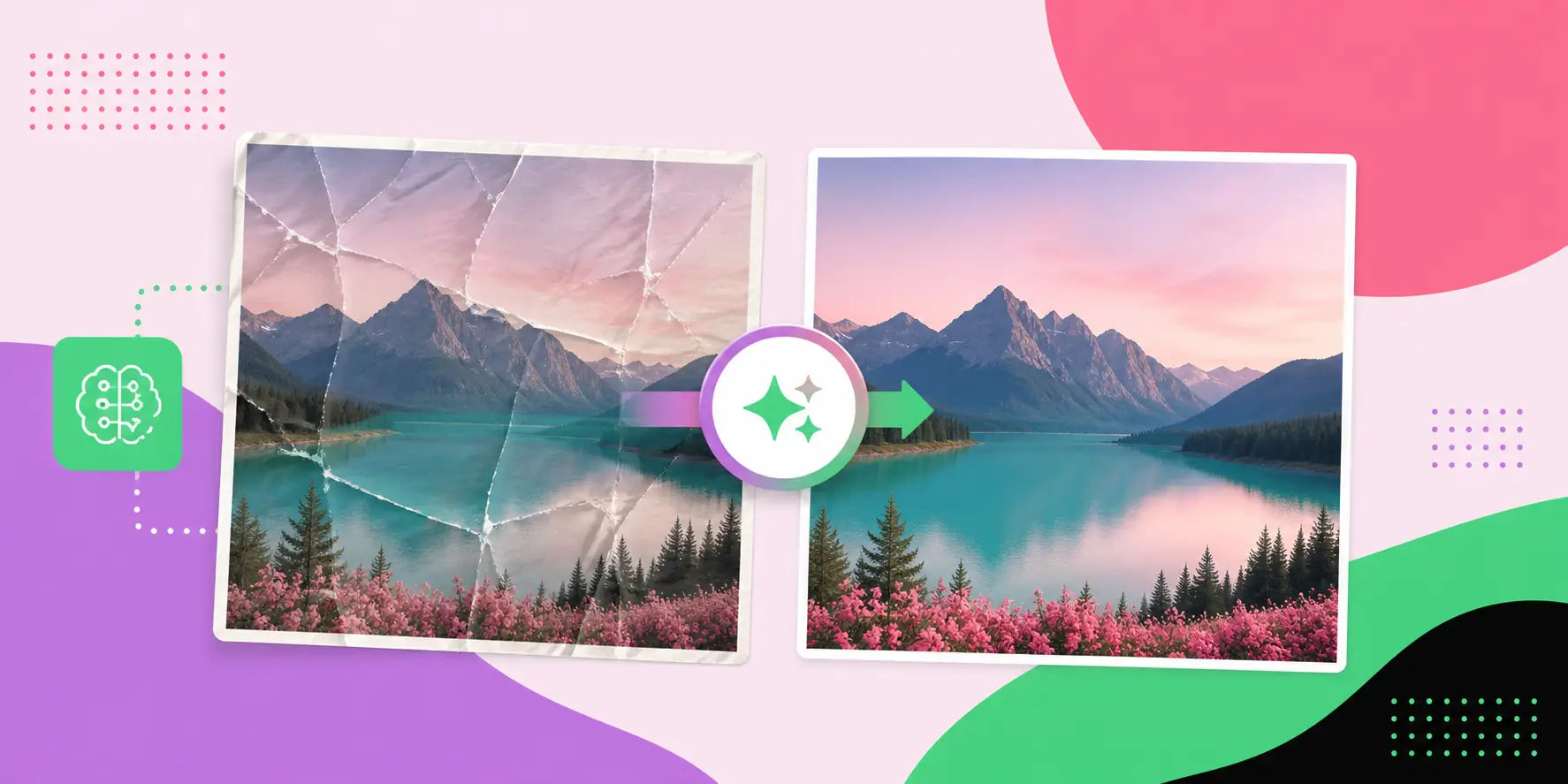
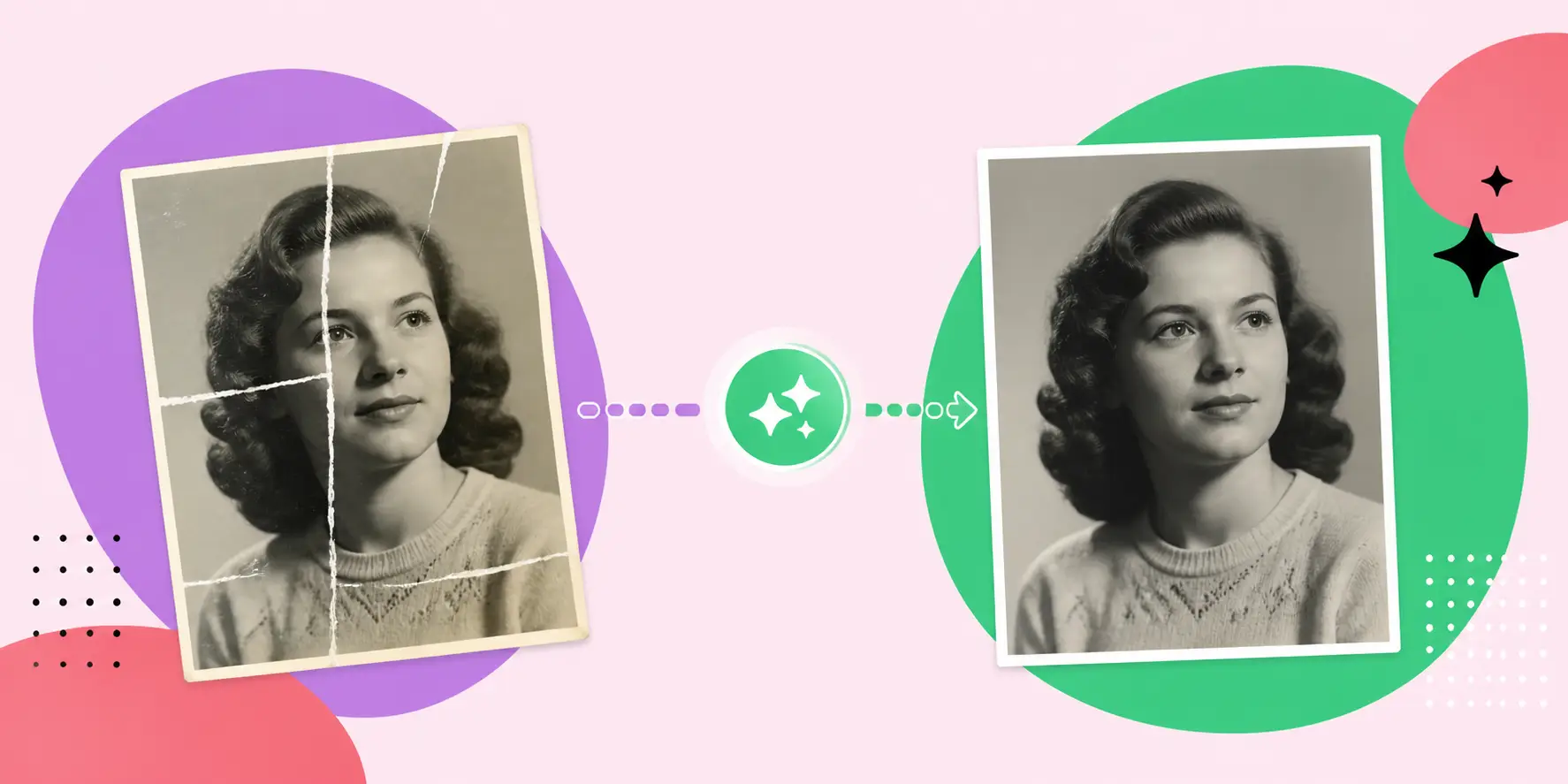
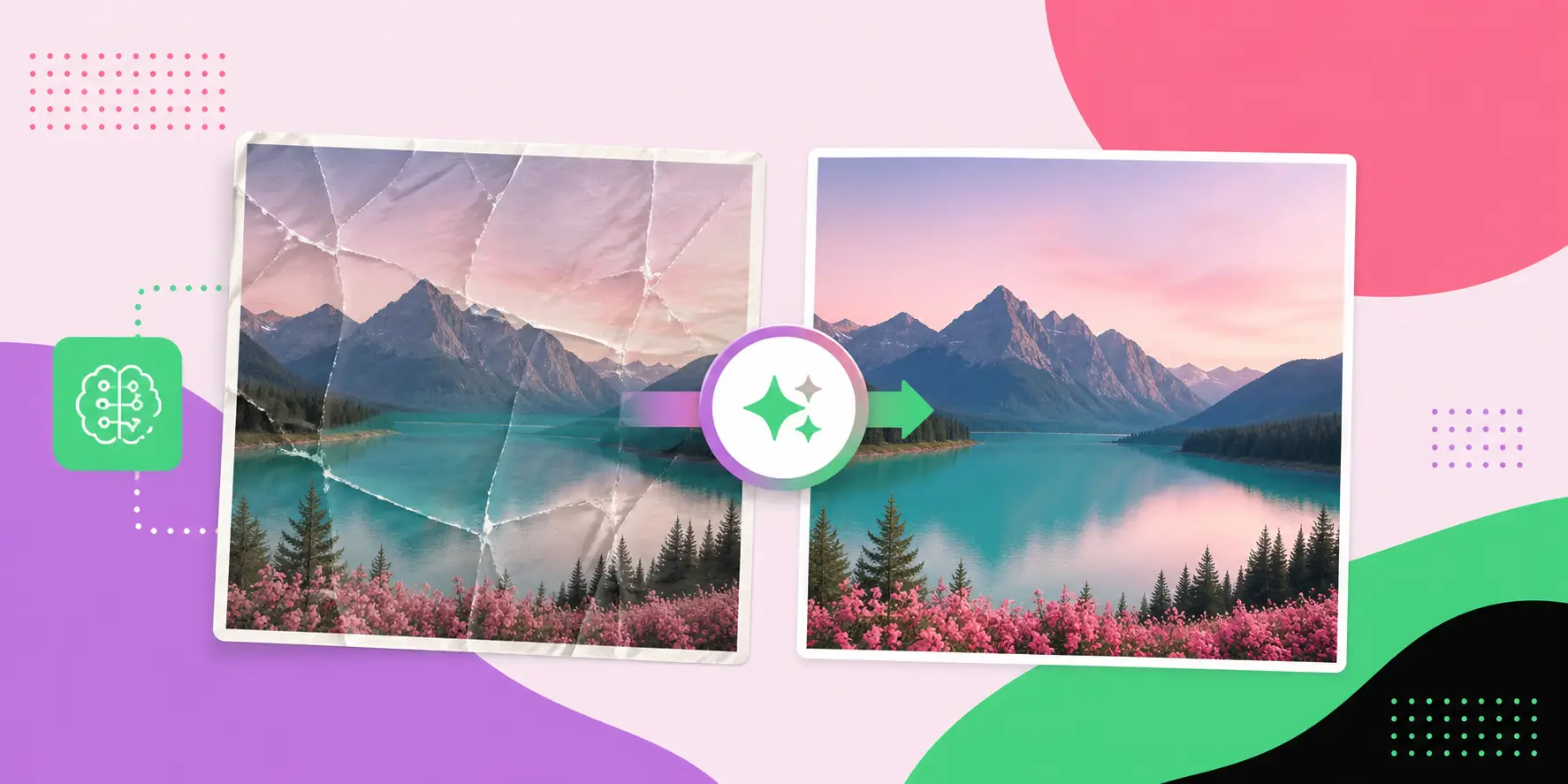
If you have ever scanned a physical photo album or digitized old printed photographs, you already know the frustration — those stubborn, bright white glue lines cutting across the image like visual scars. Whether the adhesive came from photo corners, tape, mounting boards, or album pages, these artifacts can ruin an otherwise perfect scan. The good news is that modern AI-powered tools now make it remarkably simple to remove white glue lines from scanned photo AI workflows, restoring your images to their original glory with minimal effort and maximum precision.
This comprehensive guide covers everything you need to know: why glue lines appear, how AI detection and inpainting algorithms work, which tools deliver the best results, step-by-step workflows, expert best practices, and what the future holds for photo restoration technology in 2026 and beyond.
Why Do White Glue Lines Appear in Scanned Photos?
Understanding the root cause of white glue lines is the first step to eliminating them effectively. These artifacts don't originate in the scanner — they are physical remnants of adhesives used to mount, frame, or preserve photographs over decades.
The Physical Origins of Glue Artifacts
When photographs are placed in traditional albums, scrapbooks, or mounted on boards, a variety of adhesives are used. Over time, these adhesives — especially rubber cement, white craft glue, double-sided tape, photo corners, and archival mounting tissue — leave distinct marks when the photographs are peeled away or simply deteriorate. The adhesive residue either remains on the photo surface or on the backing board, and when the photograph is scanned, the scanner's light source reflects off these uneven surfaces, creating bright white or near-white streaks, blobs, and lines.
Additionally, the reflective nature of aged adhesives exaggerates their appearance under flatbed scanner lamps. A thin film of dried glue that is barely visible to the naked eye can produce a blazing white artifact in a 600 DPI or higher scan. The problem is further compounded by:
- Yellowed tape edges: Scotch tape and masking tape leave yellow-brown borders that also corrupt image areas.
- Pressure-sensitive adhesives: These create irregular blotchy patches rather than clean lines.
- Album page chemistry: Magnetic album pages from the 1970s and 1980s used PVC-based adhesives that create wide horizontal or vertical banding across scanned photographs.
- Archival tissue remnants: Even museum-quality mounting tissue can leave fiber traces visible at high scan resolutions.
- Humidity and heat damage: Adhesives that have partially dissolved and re-solidified create complex, non-linear white streak patterns.
Why Scanners Cannot Avoid Capturing These Artifacts
Modern flatbed scanners use a linear CCD or CIS (Contact Image Sensor) array that sweeps across the document surface. The lamp is designed to maximize contrast and detail pickup — which is exactly why it picks up every surface irregularity. There is no scanning mode that can selectively ignore physical surface abnormalities. This is precisely why post-processing with AI has become the standard solution for professional photograph restorers and archivists.
How Does AI Remove White Glue Lines from Scanned Photos?
The technical process by which artificial intelligence identifies and removes white glue lines from scanned photos is both elegant and sophisticated. It draws on decades of computer vision research and is powered by deep learning architectures trained on millions of image pairs.
AI Detection: Identifying the Problem Areas
The first stage in any AI-powered glue line removal pipeline is detection. Modern AI models use convolutional neural networks (CNNs) or transformer-based vision models (such as Vision Transformers — ViT) to scan the image at the pixel level. These models are trained to recognize:
- Anomalous brightness discontinuities — sudden spikes to near-255 (white) pixel values in regions surrounded by natural photograph tonality.
- Linear and near-linear artifacts — long, thin regions of high brightness that do not correspond to photographed objects.
- Texture inconsistencies — areas where the photographic grain or texture pattern is disrupted by a smooth, reflective surface artifact.
- Edge artifacts — sharp, unnatural boundaries between photo content and adhesive residue.
- Color channel anomalies — glue lines often appear differently across RGB channels, creating color casts that AI can detect statistically.
AI Inpainting: Reconstructing the Image
Once detection is complete, the AI applies a process called inpainting — intelligently filling in the damaged or occluded regions with plausible pixel data derived from the surrounding image context. Modern inpainting algorithms used for glue line removal include:
- Generative Adversarial Networks (GANs): A generator network proposes a fill for the masked region while a discriminator network evaluates whether the result looks realistic. The adversarial training loop produces extremely natural-looking results.
- Diffusion Models: State-of-the-art in 2025–2026, diffusion-based inpainting iteratively refines the masked region from random noise, guided by the surrounding image context and trained priors about what photographs should look like.
- Patch-based synthesis: Older but still useful method that samples similar-looking patches from elsewhere in the image and uses them to fill the detected glue line region.
- Frequency domain reconstruction: Analyzes the frequency components (via Fourier transforms) of surrounding regions and extrapolates the missing frequency content into the masked area.
Semantic Understanding and Context-Awareness
What separates modern AI glue line removal from simple image editing is semantic awareness. AI models trained on large photographic datasets understand the content of the image — a face, a landscape, a building — and use that semantic understanding to inform the inpainting. When a glue line crosses a human face, for example, the AI doesn't just fill in average skin tone; it reconstructs the specific facial features that should be present based on the surrounding context, including shadows, highlights, and individual skin texture patterns.
Types of Glue Line and Adhesive Artifacts in Scanned Images
Not all adhesive artifacts look the same, and different types require slightly different removal approaches. Understanding these categories helps you choose the right tool and settings.
| Artifact Type | Visual Appearance | Common Source | AI Removal Difficulty |
|---|---|---|---|
| Straight white glue lines | Thin, bright white linear streaks | Album spine glue, photo mounting strips | Low — highly predictable pattern |
| Blotchy adhesive patches | Irregular white or off-white blobs | Rubber cement, craft glue | Medium — irregular shape |
| Tape border artifacts | White or yellow rectangular borders | Scotch tape, masking tape | Medium — color cast complicates removal |
| Wide banding | Broad white horizontal or vertical bands | Magnetic album pages | High — large affected area |
| Fiber trace artifacts | Fine white thread-like marks | Mounting tissue, tissue paper | High — very fine detail required |
| Corner triangles | White triangular patches in corners | Photo corner adhesives | Low — confined to predictable areas |
Best AI Tools to Remove White Glue Lines from Scanned Photos
The market for AI photo restoration tools has matured significantly. Here is a detailed breakdown of the leading solutions available in 2026.
Adobe Photoshop with Generative Fill (Firefly AI)
Adobe Photoshop remains the industry standard for professional photo restoration, and its Generative Fill feature — powered by Adobe Firefly — brings powerful AI inpainting directly into the professional workflow. Users can use the Object Selection or Lasso tool to select glue line regions, then invoke Generative Fill to replace those selections with contextually appropriate image content. Key advantages include:
- Full manual control over selection precision
- Multiple AI-generated fill options to choose from
- Non-destructive editing via layers
- Integration with Photoshop's existing retouching toolkit
- Excellent results on straight glue lines across complex backgrounds
Luminar Neo with AI Structure and Erase Tools
Luminar Neo from Skylum offers a more accessible interface for non-professional users who need powerful AI capabilities without Photoshop's learning curve. Its AI Erase tool is specifically trained to handle blemishes, artifacts, and unwanted elements in photographs. For scanned photo restoration, Luminar Neo excels at removing moderate-complexity glue lines while preserving natural photographic tonality.
Topaz Photo AI
Topaz Photo AI combines noise reduction, sharpening, upscaling, and artifact removal in a single pipeline purpose-built for old and degraded photographs. Its neural network models are trained specifically on aged photographic material, making it exceptionally effective at identifying and removing glue line artifacts that might be confused with image content by general-purpose AI tools.
GIMP with G'MIC Plugin (Open Source)
For users who need a free, open-source solution, GIMP combined with the G'MIC plugin library provides serious AI-assisted inpainting capabilities. The Inpaint (Exemplar-based) filter in G'MIC can effectively remove white glue lines when combined with careful manual masking. While it requires more technical knowledge than commercial alternatives, it produces professional results with patient application.
Online AI Tools: Cleanup.pictures, Inpaint.io, and Remove.bg
Browser-based tools have democratized AI photo restoration for casual users. Platforms like Cleanup.pictures use diffusion-based inpainting models accessible through a simple brush interface — users paint over glue lines and the AI fills them in automatically. These tools work best for simple, localized glue line artifacts and are ideal for users who need quick results without installing software.
Custom Python Pipelines with Stable Diffusion Inpainting
For archivists and developers handling large batches of scanned photographs, custom Python pipelines using Stable Diffusion's inpainting model (available via the Diffusers library from Hugging Face) offer the most control and scalability. Automated masking can be achieved using OpenCV's white pixel detection algorithms, followed by batch inpainting using GPU-accelerated diffusion models. This approach is particularly powerful for archives with thousands of photographs requiring consistent processing.
Step-by-Step Guide: Remove White Glue Lines Using AI
Follow this professional workflow to achieve the best results when removing white glue lines from your scanned photographs using AI tools.
Step 1: Prepare Your Scan
- Scan the photograph at minimum 600 DPI (1200 DPI recommended for small prints) using a clean flatbed scanner.
- Save the initial scan as an uncompressed TIFF file to preserve maximum pixel data.
- Do not apply any automatic color correction or descreening filters at the scanning stage — these can alter the artifact signature and make AI removal less accurate.
- Ensure the scanner glass is clean — smudges can create additional artifacts that complicate the glue line removal process.
Step 2: Assess the Damage
- Open the scanned image in your image editing software at 100% zoom.
- Identify and categorize the glue line artifacts present (refer to the types table above).
- Note which areas of the photograph are affected — particularly whether glue lines cross important subjects like faces, text, or fine details.
- Determine whether the glue lines are purely white or include color casting from yellowed adhesives.
Step 3: Create a Mask for Affected Areas
- In Photoshop, use Select > Color Range with a high fuzziness setting to select bright white pixels in the image.
- Refine the selection to exclude legitimate bright whites within the photograph (such as highlights or white clothing) using the Quick Mask mode.
- Expand the selection by 2–3 pixels to ensure complete coverage of the artifact edges.
- Save the selection as a mask for non-destructive editing.
Step 4: Apply AI Inpainting
- With the mask active, invoke your chosen AI inpainting tool (Generative Fill, Topaz AI Erase, or equivalent).
- For Adobe Firefly: leave the prompt empty to let the AI infer content from context — this typically produces the most natural results for photographic inpainting.
- Generate multiple versions (Photoshop offers three by default) and evaluate each for quality.
- Select the result that best preserves the photographic integrity of the affected region.
Step 5: Refine and Blend
- Use the Healing Brush or Clone Stamp tool to address any residual artifacts the AI did not fully resolve.
- Apply a very subtle Gaussian Blur (0.3–0.5 pixels) to the inpainted area only, to match the inherent softness of aged photographic prints.
- Adjust brightness, contrast, and color of the inpainted region to match the surrounding tonal values using Curves adjustments applied through a clipping mask.
- Zoom to 200% and inspect the entire restored area for any pixel-level inconsistencies.
Step 6: Final Quality Check and Export
- Toggle the original and restored layers to compare before and after results.
- Flatten the image and apply a final light sharpening pass (Unsharp Mask: 50%, 0.5 radius, 0 threshold) to unify the restored and original areas.
- Export the final image as a high-quality TIFF for archival purposes and as a JPEG (quality 95+) for sharing and printing.
- Store the layered PSD or XCF file as a working file for future revisions.
Key Benefits of Using AI for Photo Restoration
The shift toward AI-powered glue line removal represents a significant leap forward from traditional manual retouching. Here are the compelling advantages that have made AI the preferred approach for professional restorers and hobbyists alike.
Speed and Efficiency
Manual retouching of a single heavily glued photograph could take an experienced Photoshop artist hours. AI-powered tools reduce this to minutes or even seconds. Batch processing capabilities allow archivists to process hundreds of photographs overnight with minimal human intervention.
Consistency and Repeatability
Human retouchers have variable performance based on fatigue, attention, and skill level. AI tools produce consistent results across large batches of photographs, ensuring that an archive of 500 family photos receives uniform quality treatment throughout.
Non-Destructive Preservation
AI restoration workflows can be designed to be entirely non-destructive, preserving the original pixel data while the restoration is stored in separate layers or alongside the original file. This is critical for archival work where historical integrity must be maintained.
Accessibility for Non-Professionals
Browser-based AI tools have made professional-quality photo restoration accessible to anyone with an internet connection. Grandparents digitizing family albums no longer need to hire professional restorers for simple glue line removal tasks.
Semantic Content Preservation
Unlike simple interpolation or blurring techniques, AI inpainting preserves and reconstructs semantically meaningful image content. A glue line crossing a grandmother's face won't be replaced with a skin-colored blur — the AI will reconstruct plausible facial features that maintain the emotional impact of the original photograph.
- Significant time savings compared to manual retouching
- Consistent quality across large image batches
- Preservation of original photograph integrity
- Democratized access to professional-grade tools
- Semantic content reconstruction rather than simple interpolation
- Integration with existing digital asset management workflows
- Continuous improvement as AI models are updated
Common Challenges and How to Overcome Them
Despite its remarkable capabilities, AI-based glue line removal is not without limitations. Being aware of these challenges helps you anticipate problems and implement effective workarounds.
Challenge 1: Over-Smoothing of Photographic Grain
Many AI inpainting models, trained primarily on modern digital photographs, tend to produce unnaturally smooth results when applied to vintage photographs with visible film grain. The inpainted area may look noticeably "digital" compared to the surrounding grain structure.
Solution: After inpainting, apply a grain texture matching the surrounding photograph's grain pattern. Tools like Analog Efex Pro or GIMP's noise filters can be used to add appropriate film grain to the restored area.
Challenge 2: Color Inconsistency in Aged Photographs
Vintage color photographs have often undergone significant color fading and shifting — reds become orange, blues fade to grey, and overall color balance shifts. AI models trained on contemporary photographs may fill glue line areas with inappropriately modern-looking colors.
Solution: Before applying AI inpainting, note the specific color characteristics of the photograph. After inpainting, manually adjust the color of the restored area using Selective Color or Hue/Saturation adjustments to match the aged color profile.
Challenge 3: Large Area Damage
When glue lines or adhesive patches cover a very large percentage of the image area, AI inpainting has insufficient surrounding context to accurately reconstruct the content. Results in these cases can be speculative or fantastical rather than faithful to the original.
Solution: Break large damaged areas into smaller zones and process them sequentially, using each successfully restored zone as context for the next. Alternatively, reference other surviving photographs of the same subject or scene to guide the restoration.
Challenge 4: Distinguishing Artifacts from Image Content
In some photographs, legitimate bright white elements (such as white shirts, snow, or bright backgrounds) may be incorrectly identified as glue line artifacts by automated AI detection systems.
Solution: Always review automated selections carefully before applying inpainting. Manual masking, while more time-consuming, ensures that only true artifacts are targeted for removal.
Challenge 5: Loss of Historical Authenticity
For archival and museum applications, there are ethical considerations around AI restoration — specifically, how much intervention is appropriate before a digitized photograph no longer represents an authentic historical document?
Solution: Always preserve the original unaltered scan alongside any restored versions. Document all restoration interventions with metadata. For museum-grade archival work, consider limiting AI intervention to structural glue lines while leaving other aging characteristics intact.
Expert Best Practices for Scanned Photo Restoration
Mastering AI-assisted glue line removal requires adherence to a set of professional best practices developed over years of practice by digital archivists, photo restorers, and AI researchers.
Always Work from the Highest Quality Scan
AI inpainting algorithms perform significantly better with more pixel data. A 300 DPI scan of a 4x6 photograph gives the AI relatively little information to work with. Scan at the highest practical resolution — typically 1200 DPI for standard prints — and the AI will have a much richer neighborhood of pixels to draw from when reconstructing glue line areas.
Use Multiple AI Tools in Combination
No single AI tool excels at all types of glue line artifacts. Professional restorers typically use Topaz Photo AI for noise reduction and initial artifact removal, Photoshop Generative Fill for complex inpainting challenges, and manual retouching for final refinements. Combining tools leverages the strengths of each.
Maintain a Layered, Non-Destructive Workflow
Never flatten your image until you are completely satisfied with the result. Maintain separate layers for the original scan, each stage of AI restoration, and any manual corrections. This allows you to revisit and revise any step without starting over.
Calibrate Your Monitor
Color accuracy is essential for quality restoration work. A poorly calibrated monitor can make properly restored areas appear mismatched, leading to unnecessary additional corrections. Use a hardware colorimeter to calibrate your display to a standard color profile such as sRGB or Adobe RGB 1998.
Document Your Process
For any archival work, maintain detailed notes on the tools used, settings applied, and decisions made during the restoration process. This documentation is invaluable when explaining restoration decisions to archivists, historians, or family members — and essential if the process needs to be replicated or reversed in the future.
Checklist: Pre-Processing Before AI Removal
- ✓ Scanner glass cleaned with lint-free cloth
- ✓ Photograph dust removed with air blower
- ✓ Scan resolution set to minimum 600 DPI (1200 DPI preferred)
- ✓ Output format set to uncompressed TIFF
- ✓ Scanner color correction disabled
- ✓ Original scan backed up before any editing begins
- ✓ Monitor calibration verified
- ✓ Artifact types identified and categorized
Real-World Use Cases and Examples
AI-powered glue line removal has transformed workflows across a wide range of personal, professional, and institutional applications.
Family History and Genealogy Projects
Genealogists and family historians digitizing decades of photo albums frequently encounter photographs mounted with rubber cement or photo corners. AI tools have made it possible for amateur historians to produce archival-quality digital family collections without professional assistance. A typical family digitization project might involve hundreds of photographs, many with glue artifacts — a task that would have required weeks of professional retouching is now accomplished in an afternoon.
Museum and Library Archives
Cultural institutions worldwide maintain massive collections of historical photographs, many of which were mounted using period-appropriate adhesives that are now degrading. Major archives have integrated AI restoration pipelines into their digitization workflows, allowing them to produce both an authentic unaltered scan and a restored access copy for researchers and the public.
Commercial Photography Studios
Studios specializing in photograph restoration offer AI-enhanced services to clients seeking to restore damaged or deteriorated prints. The integration of AI tools has allowed these businesses to dramatically reduce turnaround times and take on higher volumes of work at competitive prices.
Real Estate and Architectural History
Historical photographs documenting buildings, neighborhoods, and urban development are frequently damaged by mounting adhesives. City planning departments and architectural historians use AI-restored scans for historical analysis, building permit research, and urban development documentation.
Wedding and Portrait Photography Archives
Wedding photographers and portrait studios maintaining archives of film-era prints routinely digitize and restore client photographs using AI tools. Glue line removal is a standard part of the restoration workflow for photographs that clients had mounted or framed using adhesive methods.
It's worth noting that as AI photo restoration becomes more integrated into digital workflows, businesses offering related services benefit greatly from strong online visibility. WEBPEAK, a full-service digital marketing company providing Web Development, Digital Marketing, and SEO services, helps restoration studios and archival businesses build compelling online presences that attract clients seeking exactly these AI-enhanced restoration capabilities. Platforms also looking to promote their Artificial Intelligence Services can benefit from strategic SEO positioning in this growing niche.
Future Trends in AI Photo Restoration (2026)
The field of AI-assisted photograph restoration is evolving at a remarkable pace. Several emerging technologies and research directions are poised to transform the way we remove glue lines and restore damaged photographs in 2026 and beyond.
Multimodal AI and Reference-Based Restoration
Next-generation restoration systems will leverage multimodal AI — combining visual analysis with historical and contextual knowledge — to produce more accurate restorations. For example, when restoring a photograph of a specific historical location, the AI could reference architectural databases or other historical photographs to accurately reconstruct details that were obscured by glue lines.
Real-Time Video and 3D Photo Restoration
As AI processing speeds increase through improved GPU architectures and model optimization, real-time AI restoration will become available even in browser-based tools. Users will be able to see glue line removal applied live as they brush over artifacts, with sub-second AI feedback replacing the current batch processing model.
Automated End-to-End Restoration Pipelines
Increasingly sophisticated AI orchestration systems will enable fully automated end-to-end restoration pipelines. A user will simply place a stack of photographs on a scanner, and an AI-driven system will handle scanning optimization, artifact detection, glue line removal, color restoration, noise reduction, and output formatting without requiring any human intervention at the individual photograph level.
Foundation Models for Photographic Restoration
Analogous to large language models in text AI, large foundation models specifically trained on photographic restoration tasks are emerging. These models, trained on millions of damaged-and-restored photograph pairs, will provide unprecedented accuracy in artifact detection and inpainting, particularly for historically significant and culturally diverse photographic material.
AR and VR Integration for Archive Exploration
Restored photographic archives are increasingly being integrated into augmented and virtual reality experiences. AI restoration quality directly impacts the immersiveness of these experiences — a glue line cutting across a historical street scene breaks the illusion of authenticity. As AR and VR adoption grows, the demand for high-quality AI photo restoration will accelerate correspondingly.
Explainable AI for Archival Integrity
A growing concern among archivists and historians is the need to understand precisely what an AI has changed in a restored photograph. Explainable AI (XAI) systems are being developed that generate detailed maps showing exactly which pixels were modified during restoration, with confidence scores indicating how certain the AI was about each restoration decision. This transparency is essential for scholarly and legal use of restored historical photographs.
Cloud-Based Batch Processing for Large Archives
Cloud AI platforms specializing in photographic restoration are emerging to serve institutional clients with very large archives. These services offer GPU cluster access for batch processing thousands of photographs simultaneously, with results typically delivered within hours rather than days.
Frequently Asked Questions
Can AI completely remove white glue lines from scanned photos without any manual editing?
Yes, for simple, straight glue lines on non-complex backgrounds, modern AI inpainting tools can achieve near-perfect removal without manual editing. Complex cases — such as glue lines crossing faces — typically benefit from light manual refinement after AI processing to ensure maximum quality.
What is the best free AI tool to remove white glue lines from scanned photos?
Cleanup.pictures offers excellent free AI inpainting for casual use. For advanced free options, GIMP with the G'MIC plugin provides powerful open-source inpainting. Stable Diffusion Inpainting via Python is the best free option for batch processing.
Will AI glue line removal damage the original photograph data?
Not if you work non-destructively. Always preserve the original unedited scan file and apply all AI corrections in a separate workflow. Modern tools support non-destructive editing that keeps original pixel data intact.
How long does it take AI to remove glue lines from a scanned photo?
Simple glue line removal takes 10–30 seconds per photograph with browser-based AI tools. Complex restorations in Photoshop with manual refinement may take 15–30 minutes per image. Batch automated pipelines can process hundreds of photos overnight.
Can AI remove yellow tape artifacts as well as white glue lines?
Yes. Modern AI inpainting handles colored adhesive artifacts — including yellowed tape borders and brown rubber cement residue — as effectively as white glue lines, since the same detection and inpainting algorithms apply to any anomalous pixel region regardless of color.
Is it ethical to use AI to restore historical photographs?
Yes, provided you preserve the original unaltered scan and clearly document all AI interventions. Restored versions should be labeled as such. Many cultural institutions maintain both original and restored digital copies — the original for archival authenticity and the restored version for public access and research.
What scan resolution gives the best results for AI glue line removal?
1200 DPI provides the best results, giving AI algorithms maximum pixel data to work with during inpainting. 600 DPI is the minimum recommended resolution. Scanning below 300 DPI significantly reduces AI restoration accuracy for fine details.