CG Designer Career Guide: Skills, Tools, and Portfolio Tips
Every product render on a shopping page, every impossible camera move in an advertisement, and every stylized character in a game cinematic was built by someone who understands both art and software at a deep level. A CG designer, short for computer graphics designer, is a visual professional who creates images, animations, and interactive visuals using 3D modeling, texturing, lighting, rendering, and compositing software, often blending traditional design principles with technical skills. This guide explains what the role involves, which skills and tools matter, and how to build a portfolio that gets you hired.
Quick Answer: A CG designer creates computer-generated images and animations for advertising, products, games, film, architecture, and motion design. Core skills include 3D modeling, texturing, lighting, rendering, composition, and compositing. Common tools include Blender, Maya, Cinema 4D, Houdini, ZBrush, Substance 3D Painter, and Unreal Engine. A focused portfolio or reel matters most.
What Does a CG Designer Actually Do?
A CG designer turns ideas into computer-generated visuals, handling some or all of the steps that take a concept from rough sketch to final image or animation. The job title covers a wide range of work, from a generalist who models, lights, and renders an entire product ad alone to a specialist who only creates textures or lighting inside a large studio pipeline.
The standard computer graphics pipeline includes several stages. Modeling builds 3D shapes from polygons, curves, or sculpted surfaces. Texturing and shading define how surfaces look, using materials and image maps for color, roughness, and bumps. Lighting sets mood and reveals form. Rendering calculates the final images. Compositing combines rendered layers, adjusts color, and integrates effects. Animation and rigging add movement for characters and objects. Hardware matters at each stage, and many artists spend time choosing a PC monitor for render-heavy 3D work because accurate color and screen space affect every decision.
The difference between a CG designer and a traditional graphic designer is dimension and time. Graphic designers primarily work with two-dimensional layouts, type, and imagery. CG designers build three-dimensional scenes and often think in sequences and camera movement. The best CG designers still rely on graphic design fundamentals such as composition, hierarchy, color, and typography when their work is used in ads and brand campaigns.
Daily work looks different depending on where you sit. A freelance CG designer might spend a morning on a client call clarifying a product launch brief, an afternoon modeling and lighting, and an evening queueing overnight renders, while also handling invoices and revisions. A studio artist in a large pipeline might spend weeks refining textures for a single asset, working to technical specifications set by leads and supervisors. Both paths demand discipline with file organization, naming conventions, and version control, because CG projects involve many linked files that break easily when moved or renamed carelessly.
Core Skills Every CG Designer Needs
These are the skills that separate employable CG designers from hobbyists. Software knowledge changes over time, but these fundamentals transfer across tools and industries.
- Artistic fundamentals. Composition, color theory, perspective, form, and light observation. Studying photography and traditional painting improves renders more than learning another plug-in.
- Clean 3D modeling. Understanding topology, edge flow, and polygon efficiency, so models deform correctly, subdivide smoothly, and perform well in real-time engines.
- UV unwrapping and texturing. Laying out surfaces so textures apply without stretching, then creating physically based materials that respond realistically to light.
- Lighting and rendering. Using key, fill, and rim lighting principles, understanding global illumination, and managing render settings to balance quality and time.
- Compositing and color. Combining render passes, correcting color, and adding depth of field or atmosphere in compositing software for a finished look.
- Animation basics. Timing, spacing, and easing for motion, even for product and motion design work that does not involve characters.
- Technical problem-solving. Troubleshooting render errors, managing file formats, organizing scenes, and occasionally scripting repetitive tasks.
- Communication. Interpreting briefs, presenting options, and handling feedback from art directors and clients professionally.
The order in which you learn these skills matters. Beginners who jump straight into complex character sculpting or fluid simulations often stall, because those tasks depend on modeling, lighting, and rendering fundamentals. A more reliable sequence is to model simple hard-surface objects first, then learn materials and lighting on those objects, then render and composite finished images, and only then move into animation, sculpting, or simulation. Each stage produces portfolio-ready work on its own, which keeps motivation high and gives you something to show potential clients early.
CG Designer Specializations Compared
CG design splits into several specializations, each with different daily work, preferred tools, and portfolio expectations. The table compares common paths.
| Specialization | Typical Work | Common Tools | Portfolio Focus |
|---|---|---|---|
| Product visualization | Photoreal product renders for ads and online stores | Blender, Cinema 4D, KeyShot, Redshift | Accurate materials, studio lighting, clean compositions |
| Motion design | Animated 3D graphics for brands, titles, and social media | Cinema 4D, Blender, After Effects | Short reel with strong timing and design sense |
| Architectural visualization | Interior and exterior renders and walkthroughs | 3ds Max, V-Ray, Unreal Engine, D5 Render | Realistic lighting, materials, and atmosphere |
| Games and real-time | Assets, environments, and characters for games | Maya, Blender, ZBrush, Substance 3D Painter, Unreal Engine | Optimized models, texture sets, engine presentations |
| VFX for film and TV | Effects, simulations, and digital environments | Houdini, Maya, Nuke | Breakdowns showing integration with live footage |
Many CG designers start as generalists and specialize as they discover which work they enjoy and which they are hired for most often. Smaller studios and freelance markets reward generalists, while large studios usually hire for specific pipeline roles.
Practitioner Analysis: How CG Designers Get Hired
From reviewing reels and portfolios for creative teams, the clearest pattern is that hiring decisions depend on how well a portfolio matches a specific role. A studio hiring a product visualization artist wants flawless materials and lighting, not an assortment of characters, environments, and effects tests. Focus signals that you understand the job.
The second pattern is that finished quality beats quantity. Five polished renders presented with good composition and careful color grading outperform twenty unfinished tests. Reviewers often look at the first few seconds of a reel or the first few images of a portfolio, so the strongest work must come first.
Education paths vary widely. Some CG designers study animation, visual effects, or design at art schools; others learn through online courses, community tutorials, and self-directed projects. If you are considering formal education, compare curricula carefully, because art and design schools in the US differ in whether they emphasize 2D graphic design, animation, or technical 3D production.
Finally, the field rewards adaptability. Real-time engines are increasingly used for visualization, virtual production, and interactive marketing, and new rendering and AI-assisted tools keep changing workflows. Designers with strong fundamentals adapt quickly; designers who only memorize one tool's buttons struggle when pipelines change.
Common Mistakes Aspiring CG Designers Make
These mistakes slow down many beginners. Avoiding them can save months of frustration and make your portfolio competitive sooner.
- Chasing software instead of skills. Switching tools constantly prevents mastery. Choose one main 3D application and learn it deeply before adding others.
- Following tutorials without original projects. Tutorial results look similar to thousands of others. Use tutorials to learn techniques, then apply them to your own concepts.
- Ignoring reference. Realism comes from observation. Collect photo reference for materials, lighting, and proportions before modeling.
- Neglecting presentation. Poor camera angles, flat lighting, and ungraded renders make good models look weak. Treat presentation as part of the work.
- Showing everything. Including weak or old work lowers the perceived quality of the whole portfolio. Curate strictly.
- Underestimating hardware and time. Long render times limit iteration. Learn optimization and use efficient render settings rather than waiting for better hardware.
Building a CG Portfolio: A 90-Day Plan
This plan shows how an aspiring CG designer with basic 3D knowledge can build a focused product visualization portfolio. Adjust the focus to your chosen specialization.
Days 1 to 15: Choose focus and gather reference. Pick product visualization as the target specialization. Study professional product ads and collect reference images for three products with different materials, such as glass, brushed metal, and soft fabric.
Days 16 to 45: Model and texture the first product. Create a detailed product model using clean topology. Build physically based materials, then light it in a studio setup with key, fill, and rim lights. Render several angles and composite the final images with subtle color grading.
Days 46 to 70: Complete two more products. Repeat the process with different materials, improving speed and quality. Add one short turntable or animated reveal to show motion skills.
Days 71 to 85: Create a lifestyle scene. Place one product in a realistic environment, showing integration, depth, and storytelling.
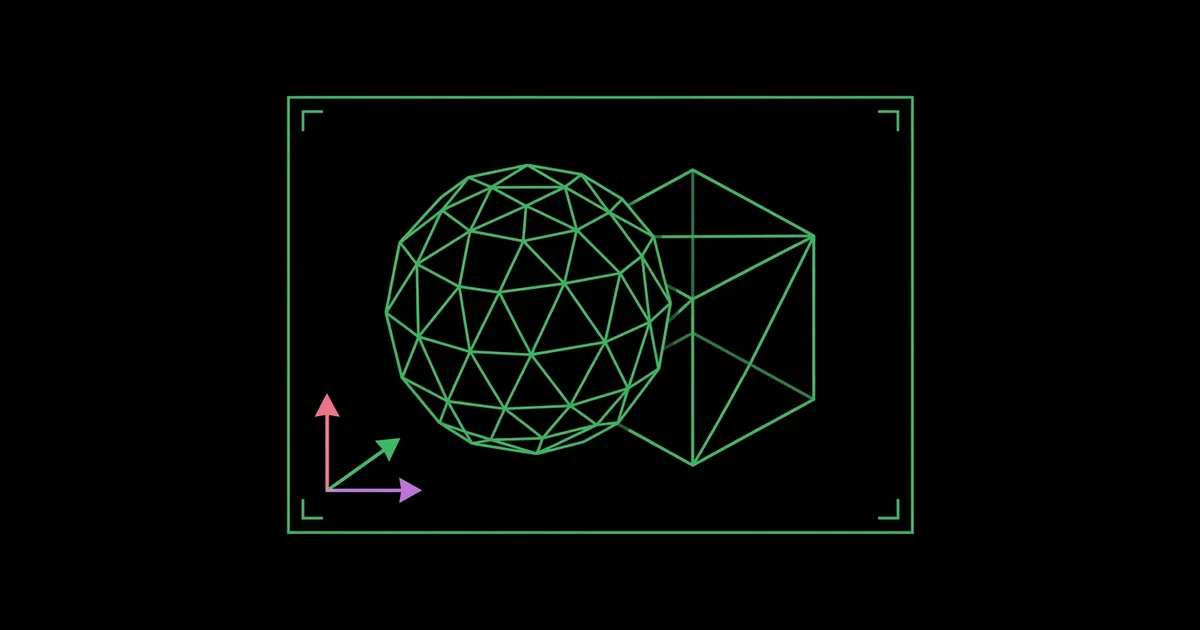
Days 86 to 90: Present and publish. Create a portfolio with the strongest image first, include wireframe or breakdown images, and publish on a personal site and platforms such as ArtStation or Behance.
If your target role involves animation, cut a reel alongside the portfolio. Keep it short, typically one to two minutes, place the strongest shot in the opening seconds, and label each shot with your specific contribution, such as modeling, lighting, or compositing. Reviewers value honesty about team projects, and a clear shot list saves them time.
Checklist: one clear specialization, three to five finished projects, breakdowns showing process, consistent presentation quality, strongest work first, and contact information easy to find.
Key Takeaways
- A CG designer creates computer-generated images and animations using modeling, texturing, lighting, rendering, and compositing.
- Artistic fundamentals such as composition, color, and light observation matter more to long-term success than knowledge of any single software tool.
- Specializations like product visualization, motion design, architectural visualization, games, and VFX each require different portfolios.
- A focused portfolio of a few polished projects with process breakdowns outperforms a large collection of unfinished work.
- Learning one main 3D application deeply before adding others speeds up skill development and portfolio quality.
Frequently Asked Questions
What is the difference between a CG designer and a graphic designer?
A graphic designer mainly creates two-dimensional visual communication such as logos, layouts, and typography. A CG designer builds three-dimensional scenes, objects, and animations using computer graphics software. Many roles overlap, especially in advertising and motion design, where CG designers apply graphic design principles to 3D work.
Which software should a beginner CG designer learn first?
Blender is an excellent first choice because it is free, powerful, and covers modeling, texturing, rendering, animation, and compositing. Once you understand fundamentals, learning industry tools such as Maya, Cinema 4D, or Houdini becomes easier. Choose based on your target specialization and the software used by studios you want to join.
Do CG designers need a degree?
A degree is not strictly required to become a CG designer, since studios usually hire based on portfolio and reel quality. Degrees in animation, visual effects, or design provide structured training, critique, and networking. Many successful artists are self-taught, using online courses, tutorials, and personal projects to build professional skills.
What computer do CG designers need?
CG designers need a computer with a strong multi-core processor, plenty of memory, fast storage, and a capable graphics card, especially for GPU rendering. Thirty-two gigabytes of memory is a practical starting point for serious 3D work. An accurate monitor also matters because lighting and color decisions depend on it.
How long does it take to become a CG designer?
Becoming job-ready as a CG designer commonly takes one to three years of consistent practice, depending on your background, available time, and specialization. Learning software basics takes months, while developing artistic judgment, efficient workflows, and a competitive portfolio takes longer. Regular feedback from experienced artists speeds progress significantly.
What should a CG designer portfolio include?
A CG designer portfolio should include three to five polished projects tailored to the role you want, with the strongest work first. Add breakdowns such as wireframes, material tests, or render passes to show process. For animation roles, include a short, well-edited reel that highlights your best shots in the opening seconds.
Conclusion
The most important decision for an aspiring CG designer is choosing a specialization early enough to build a focused portfolio, while keeping artistic fundamentals at the center of every project. Pick one main tool, study real-world reference, and finish a small number of projects to a professional standard. If you need a machine that can travel to classes and client meetings, compare portable Mac options for learning 3D as your next step.