Best AI Tools for Creating SEO-Friendly Website Structures
Site structure is the decision most teams make once, early, and badly. Navigation gets designed around internal departments, URLs get created ad hoc, and years later important pages sit five clicks deep with almost no internal links. An SEO-friendly website structure is an organization of pages, URLs, navigation, and internal links that lets both users and search engines find important content quickly and understand how topics relate to each other. AI tools can now draft sitemaps, group pages by topic, and audit existing architecture, which makes getting structure right far less painful.
Quick Answer: The best AI tools for creating SEO-friendly website structures are Relume and Octopus.do for AI-generated sitemaps, Keyword Insights and Semrush Keyword Strategy Builder for keyword-driven topic grouping, Screaming Frog and Sitebulb for auditing crawl depth and internal links, and ChatGPT or Claude for drafting hierarchies and URL patterns from your keyword clusters.
What Makes a Website Structure SEO-Friendly
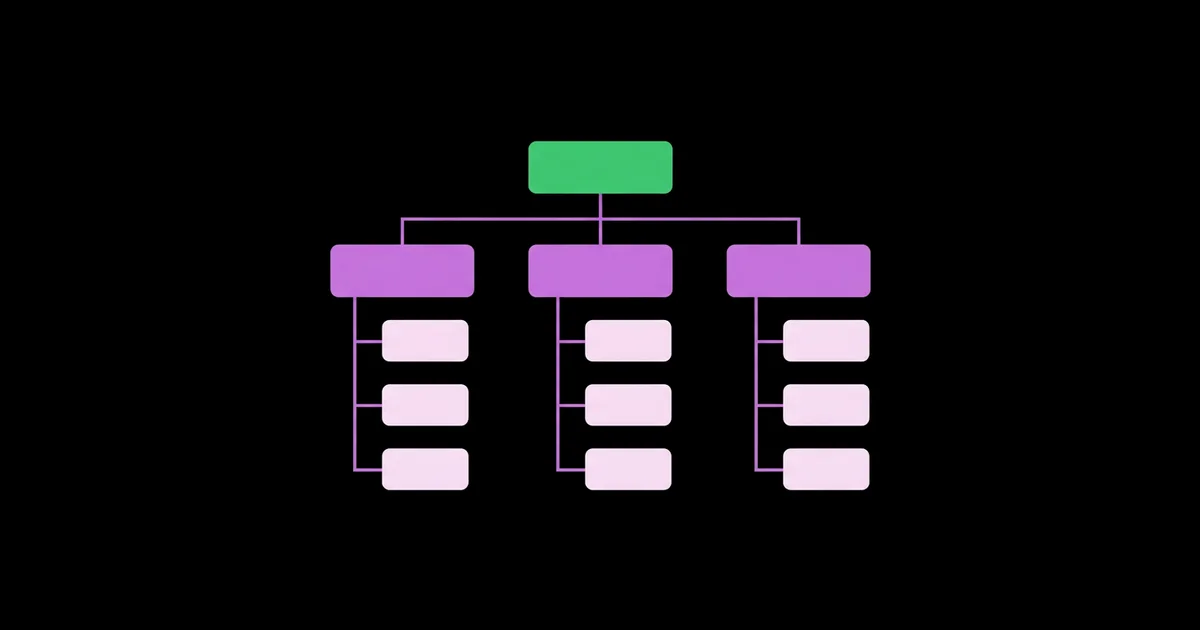
An SEO-friendly structure has four characteristics. First, it is shallow: important pages are reachable within a few clicks from the homepage. Second, it is logical: pages are grouped by topic so related content sits together. Third, it is consistent: URLs follow predictable patterns that reflect the hierarchy. Fourth, it is connected: internal links reinforce the hierarchy and connect related pages across sections.
Structure should follow strategy. The categories and hubs in your navigation should mirror the topic clusters your audience actually searches for, not your org chart. If you have not defined those clusters yet, start with strategy-first content planning with AI, then translate the result into a site hierarchy.
A few terms matter here. Crawl depth is the number of clicks needed to reach a page from the homepage. Orphan pages are pages with no internal links pointing to them, which makes them hard for crawlers and users to find. Hub pages, also called pillar or category pages, are top-level pages that introduce a topic and link to all related subpages. Breadcrumbs are navigational trails that show a page's position in the hierarchy and add internal links automatically.
Search engines can discover pages through XML sitemaps even if internal links are weak, but discovery is not the same as understanding importance. Internal structure communicates which pages matter most and how topics connect, which is why architecture still matters for rankings.
The Best AI Tools for Planning and Auditing Site Structure
Structure work has two phases: planning a new or redesigned structure, and auditing an existing one. These tools cover both.
- Relume. Its AI site builder generates sitemaps and wireframes from a short description of the business. It is useful for quickly drafting a page hierarchy for new sites, which you then refine with keyword data.
- Octopus.do. A visual sitemap builder with AI assistance that helps generate and organize page hierarchies. It works well for collaborative planning with designers and stakeholders.
- Keyword Insights. By clustering keywords according to shared ranking URLs, it shows which topics need their own pages and which belong together. That output maps directly onto categories and subpages.
- Semrush Keyword Strategy Builder. It groups keywords into topics and suggests pillar pages and subpages, giving a keyword-backed starting point for hub structure.
- Screaming Frog SEO Spider. It crawls your site and reports crawl depth, internal link counts, orphan pages when connected to sitemaps or analytics, and URL structure. Its visualizations help you see architecture problems at a glance.
- Sitebulb. A crawler with strong visual reporting and prioritized recommendations on internal linking and depth. It explains issues clearly, which is helpful for teams that are newer to technical SEO.
- ChatGPT, Claude, or Gemini. Feed in your keyword clusters, business offers, and existing URL list, and ask for a proposed hierarchy, URL patterns, breadcrumb paths, and navigation labels. LLMs are excellent at organizing large lists into logical groups.
The planning tools generate structure quickly but are not keyword-aware by default. The best results come from combining a sitemap generator with keyword clustering output, then using a crawler to verify the result after launch.
Comparing Site Structure Tools
Choose tools based on whether you are planning a new structure or fixing an existing one.
| Tool | Primary Use | AI Capability | Best For |
|---|---|---|---|
| Relume | Planning | Generates sitemaps and wireframes from a prompt | New sites and redesigns |
| Octopus.do | Planning | AI-assisted visual sitemap creation | Collaborative structure planning |
| Keyword Insights | Planning | SERP-based keyword clustering and intent labels | Keyword-driven category design |
| Screaming Frog | Auditing | Custom JavaScript snippets that can call LLM APIs | Depth, links, and URL analysis at scale |
| Sitebulb | Auditing | Prioritized, explained recommendations | Visual architecture audits |
| ChatGPT or Claude | Both | Organizing clusters into hierarchies and URL patterns | Drafting and reviewing structure proposals |
Practitioner Analysis: Structure Decisions That Matter Most
After auditing many sites, a few structural decisions consistently have the largest impact. The first is how deep important pages sit. Pages buried many clicks from the homepage tend to receive fewer internal links and less attention from crawlers. Bringing key commercial and hub pages closer to the homepage through navigation and hub links is one of the most dependable architecture improvements.
The second is whether categories match search demand. Many sites organize categories by internal terminology that nobody searches for. When categories mirror keyword clusters, the category page itself can rank for a broad topic while subpages rank for specifics. This is where AI clustering output becomes the blueprint for navigation.
The third is URL design. Short, descriptive URLs that reflect hierarchy, such as a services folder containing individual service pages, make structure clear to users and maintainers. I generally avoid embedding dates or deeply nested folders in URLs for evergreen content, because they create long paths and make reorganization harder later.
A related decision is faceted navigation on ecommerce and directory sites. Filters for size, color, price, or location can generate huge numbers of near-duplicate URLs. Decide early which filter combinations deserve indexable pages because they match real searches, and keep the rest out of the index with canonical tags or by not linking them as crawlable URLs. An LLM can help by comparing your filter combinations against your keyword clusters and flagging which ones have genuine search demand.
The fourth is cross-linking between related pages, which is what turns a hierarchy into a connected topic cluster. Hierarchy alone links parents to children. Contextual links between sibling pages show how topics relate. Planning internal linking and topic cluster planning alongside your structure ensures new pages are connected from the moment they launch rather than left as orphans.
Common Site Structure Mistakes and How to Avoid Them
These mistakes appear frequently in audits, and most are easy to prevent during planning.
- Accepting AI sitemaps without keyword data. Generated sitemaps often include generic pages like "Solutions" or "Resources" that match no search demand. Map each planned page to a keyword cluster or a clear user need.
- Building too many thin categories. Dozens of categories with one or two pages each create shallow, weak hubs. Consolidate until each category has enough content to be genuinely useful.
- Burying important pages. Key pages reachable only through several layers of menus get fewer links. Link priority pages from navigation, hubs, and related content.
- Changing URLs without redirects. Restructures that change URLs without permanent redirects lose history and create broken links. Map every old URL to a new one before launch.
- Leaving orphan pages. Pages with no internal links are hard to discover. Crawl after launch and connect every orphan to a relevant hub or sibling page.
- Organizing by department instead of user need. Users think in problems and topics, not internal teams. Use navigation labels that match how people search.
Implementation Walkthrough: Planning a Structure for a Service Business
Consider a digital agency redesigning its website. The current site has a flat blog with hundreds of uncategorized posts and a services page that lists everything on one URL.
Step 1: Cluster demand. The team exports keyword research for their services and blog topics, then runs it through Keyword Insights. Clear clusters emerge for each core service, plus informational clusters around related topics.
Step 2: Draft a hierarchy with an LLM. They give Claude the clusters, their service list, and their target industries, with a prompt: "Propose a site hierarchy with hub pages for each service, supporting pages for subtopics, and a resources section organized by topic. Include URL patterns, breadcrumb paths, and navigation labels that match the cluster language."
Step 3: Visualize and refine. They import the proposal into Octopus.do to review it visually with the design team. They merge two thin categories, remove a generic "Solutions" page with no matching demand, and add industry pages where clusters showed clear search interest.
Step 4: Map old URLs. They crawl the current site with Screaming Frog, export every URL, and use an LLM to propose which new page each old post belongs to, flagging posts that should be merged. A human reviews every mapping before redirects are created.
Step 5: Plan internal links. Each service hub links to its supporting pages and related blog articles. Each article links back to its hub and to sibling articles. Breadcrumbs reinforce the hierarchy.
Step 6: Launch and audit. After launch, they crawl the new site to confirm redirects, check crawl depth for priority pages, and find any orphan pages. They monitor Search Console for coverage issues and ranking changes.
Key Takeaways
- An SEO-friendly structure is shallow, logical, consistent, and connected, so important pages are easy to reach and topics are clearly grouped.
- Site categories should mirror keyword clusters and user needs, not internal departments or terminology.
- AI sitemap generators draft hierarchies quickly, but every planned page should map to real search demand or a clear user need.
- Crawlers like Screaming Frog and Sitebulb verify crawl depth, orphan pages, and internal links after any structural change.
- Every URL change during a restructure needs a mapped permanent redirect to preserve history and avoid broken links.
Frequently Asked Questions
What is the ideal website structure for SEO?
The ideal structure is a shallow hierarchy where important pages are reachable within a few clicks of the homepage, organized into topic-based categories with hub pages linking to related subpages. URLs should be short and descriptive, and internal links should connect related pages within and across sections to show topical relationships.
Can AI generate a sitemap for my website?
Yes. Tools like Relume and Octopus.do generate sitemaps from a business description, and LLMs like ChatGPT or Claude can propose hierarchies from keyword clusters. Treat these as drafts. Validate each page against keyword research and user needs, and remove generic pages that do not match real search demand.
How many clicks deep should important pages be?
Keep your most important pages as close to the homepage as practical, typically within a few clicks. There is no exact rule, but deeper pages tend to receive fewer internal links and less crawler attention. Use navigation, hub pages, and contextual links to bring priority pages closer.
Should my URLs include categories?
Including a category folder in URLs can clarify hierarchy for users and make structure easier to manage, especially for services and products. Keep URLs short and avoid deep nesting. For blogs, either approach works if it is consistent. Avoid frequent changes, since every URL change requires a permanent redirect.
What is the difference between an XML sitemap and site structure?
An XML sitemap is a file listing URLs to help search engines discover pages. Site structure is the actual organization of pages, navigation, and internal links. A sitemap aids discovery, but structure communicates importance and topical relationships. Both are useful, and a sitemap cannot compensate for poor internal structure.
How do I fix a website with poor structure?
Crawl the site to find deep pages, orphan pages, and inconsistent URLs. Cluster your content by topic, design hub pages for each cluster, and link supporting pages to their hubs. Consolidate thin categories, map any URL changes to permanent redirects, and recrawl afterward to confirm the fixes worked.
Conclusion
The most important insight is that site structure should be designed from search demand, not from a generic template or an org chart. Use AI to draft hierarchies quickly, keyword clustering to ground them in real searches, and crawlers to verify the result. If your site already exists, the practical next step is to optimize the pages that already exist within your new hierarchy, so each hub and supporting page is strong enough to earn the position your structure gives it.