
Best AI Tools for Building No-Code Business Workflows
The gap between "we should automate this" and a working automation used to be a developer's backlog; now it is mostly a well-designed canvas and a clear prompt. A no-code AI workflow is a sequence of triggers, actions, and AI reasoning steps, built visually without writing code, that moves information between your apps and makes simple decisions along the way.
Quick Answer: The best AI tools for building no-code business workflows are Zapier for ease and app coverage, Make for visual branching logic, n8n for self-hosting and AI agents, Microsoft Power Automate for Microsoft 365, and Airtable or Notion when the workflow centers on a shared database. Start with one trigger, one AI step, and one action.
How Does a No-Code AI Workflow Actually Work?
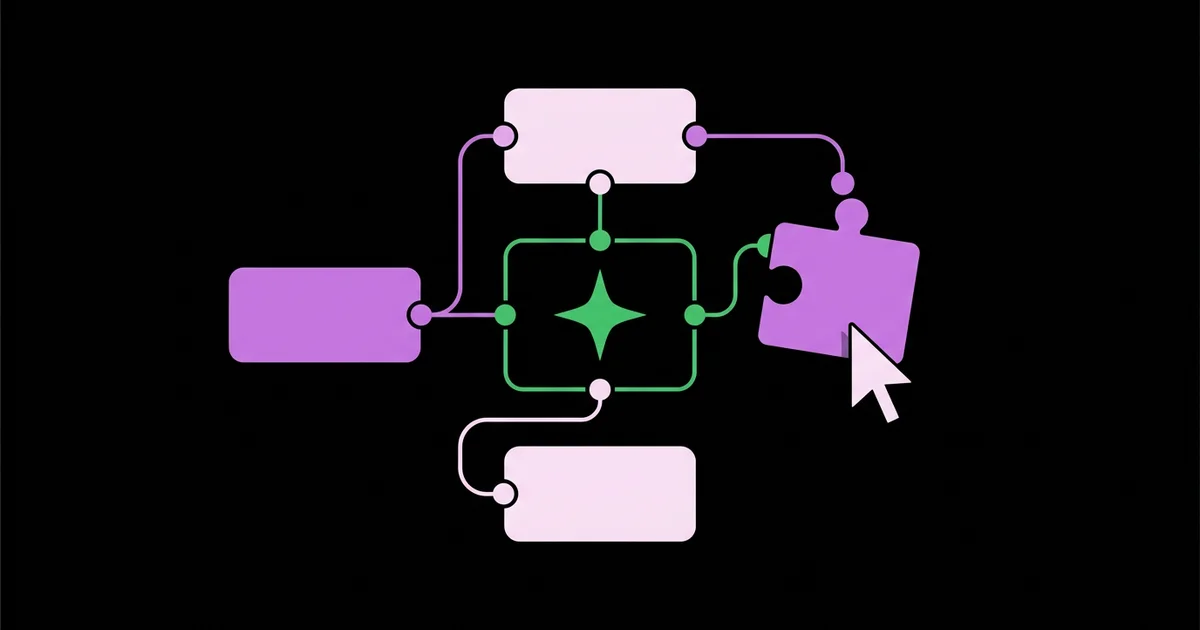
A no-code AI workflow follows a simple anatomy: a trigger starts it, steps transform or route data, and actions write results somewhere useful. The AI step is just another module, one that can read unstructured input such as an email or form answer and return structured output such as a category, a summary, or extracted fields.
Four building blocks appear in every platform. Triggers are events like a new form submission, a new row, an incoming email, or a schedule. Actions create, update, or send something in another app. Logic steps include filters, routers or branches, and delays. Data mapping connects fields from one step to the next, which is where most beginner errors happen.
Before building, decide which repetitive tasks to automate first, because the best workflow tool in the world will not rescue a process that is unclear or rarely used. Then decide where the AI genuinely adds value: interpreting messy input, drafting text, or making a fuzzy classification that fixed rules cannot handle.
A newer pattern is the AI agent, where you give a model a goal and a set of tools, such as search a database, send an email, or create a task, and it decides which to use. Agents are powerful but less predictable than fixed workflows. For most business processes, a deterministic workflow with one or two AI steps is easier to test, cheaper to run, and simpler to trust.
The Best No-Code Workflow Tools With AI
The right platform depends on your apps, technical comfort, data sensitivity, and expected volume. These are the tools I build with most often, each with a clear sweet spot.
- Zapier has the widest app library and the gentlest learning curve. You can describe a workflow in plain language to get a draft, add AI steps for classification and summarization, and use Zapier Tables and Interfaces to build simple internal tools around your automations.
- Make offers a visual canvas that shows branching, loops, and error handlers clearly. It handles complex data structures well and suits workflows with many conditional paths, often at a lower cost per operation than simpler tools.
- n8n is a fair-code platform you can self-host or use in the cloud. It includes AI agent and language model nodes, connects to many AI providers, and allows code steps when needed, making it popular with technical teams and data-sensitive businesses.
- Microsoft Power Automate integrates deeply with Outlook, SharePoint, Teams, and Excel, with AI Builder for document processing and Copilot assistance for building flows. It is the default for organizations already standardized on Microsoft 365.
- Airtable combines a flexible database with built-in automations and AI fields that can summarize, categorize, or generate content per record, which suits workflows centered on tracking items through stages.
- Notion offers databases, AI features, and database automations, useful when the workflow lives alongside team documentation and project tracking.
- Relay.app and Lindy focus on AI-first workflows and assistants, with human-in-the-loop approval steps built in, which suits teams that want AI to do more of the decision-making while keeping control.
Many businesses end up with two tools: an orchestration platform for cross-app automation and a database tool like Airtable or Notion as the system of record.
How the Leading No-Code Workflow Platforms Compare
Comparing these platforms by control, cost model, and AI depth makes the trade-offs clearer than feature lists. Plans and limits change regularly, so confirm current pricing before committing.
| Platform | Ease of Use | AI Capability | Hosting Options | Best Suited To |
|---|---|---|---|---|
| Zapier | Very easy | AI steps, natural-language building, agents | Cloud only | Fast automations across many apps |
| Make | Moderate | AI modules and integrations with major models | Cloud only | Complex branching at reasonable cost |
| n8n | Moderate to advanced | AI agent and model nodes, many providers | Self-hosted or cloud | Data control and high volume |
| Power Automate | Moderate | AI Builder and Copilot assistance | Cloud plus desktop flows | Microsoft 365 organizations |
| Airtable | Easy | AI fields and record-level automation | Cloud only | Database-centered processes |
Choose for the next twelve months, not forever. Well-documented workflows can be rebuilt elsewhere if your needs change.
Practitioner Analysis: Design Patterns That Hold Up
From building and maintaining many no-code workflows, the ones that last share a few design patterns. The first is "AI in the middle, rules at the edges." Let deterministic triggers and filters decide when a workflow runs and validation rules check what comes out, with the AI step limited to the fuzzy part in between. This keeps behavior predictable and errors easy to trace.
The second pattern is structured AI output. Instead of asking a model to "categorize this email," ask it to return a fixed format with named fields, a limited list of allowed values, and a confidence note. Downstream steps can then route reliably, and anything outside the allowed values goes to a review queue.
The third is the human checkpoint. Insert an approval step, such as a Slack message with approve and reject buttons or a review status in Airtable, right before any customer-facing or irreversible action. Remove it only after you have watched the workflow perform well on real cases.
The fourth is observability. Log every run's key inputs and outputs to a sheet or table, and route failures to a named person. When a workflow misbehaves weeks later, that log is the difference between a quick fix and guesswork. Teams building support processes, for example, connect customer support chatbots to ticket and CRM workflows and rely on these logs to understand every handoff.
Common Mistakes When Building No-Code Workflows
The first mistake is building a giant workflow in one go. Long, multi-branch automations are hard to test and harder to debug. Build small, single-purpose workflows that hand off to each other, and test each one separately.
The second mistake is ignoring failure paths. APIs time out, fields arrive empty, and AI returns unexpected values. Add error handlers or fallback routes on every step that touches external services, and alert someone when they fire.
Third, builders hard-code values that change, such as email addresses, price thresholds, or category lists. Store these in a settings table or variables so non-builders can update them without editing the workflow.
Fourth, teams underestimate costs. Platforms charge per task, operation, or execution, and AI providers charge per usage. A loop over hundreds of records multiplied by several AI calls can become expensive. Estimate volume and add filters early so workflows only run when needed.
Fifth, workflows live in one person's account with no documentation. Use shared team accounts, name steps clearly, and keep a short description of each workflow's purpose, trigger, owner, and dependencies.
Finally, people skip testing with messy data. Test with real, imperfect examples: blank fields, unusual formatting, multiple languages, and edge cases. Clean demo data hides most of the problems you will hit in production.
Build Walkthrough: An AI Lead-Intake Workflow
A concrete build shows how the pieces fit together. Here is a lead-intake workflow I set up for a small design agency receiving inquiries through a website form and email.
Trigger. A new website form submission or an email to the inquiries address starts the workflow in Zapier or Make.
AI step: understand the inquiry. The model reads the message and returns a fixed structure: service type from an allowed list such as branding, website, packaging, or other; estimated budget range if mentioned; timeline; company name; and a two-sentence summary. It also flags spam or job applications.
Validation and routing. A filter checks that service type is one of the allowed values. Spam is archived. Job applications go to a separate hiring table. Valid leads continue.
Record creation. The workflow creates a lead record in Airtable or the agency's CRM with all extracted fields, the original message, and a status of "new."
Human checkpoint. A Slack message to the sales channel shows the summary with buttons to accept, decline, or request more information. The AI also drafts a reply suited to the service type, which the owner edits before it sends.
Follow-up. If a lead stays in "new" for two business days, the workflow sends a reminder to the assigned person.
Logging. Every run writes inputs, AI output, and routing decision to a log table, and failures alert the operations lead.
Build checklist:
- One clear trigger and a written purpose for the workflow.
- AI output uses a fixed structure with allowed values.
- Validation filters catch unexpected AI output.
- Human approval before any customer-facing message.
- Error handlers and alerts on every external step.
- Run logs stored where the team can review them.
Key Takeaways
- A no-code AI workflow is trigger, steps, and actions, with AI used only for the fuzzy part that fixed rules cannot handle.
- Choose Zapier for ease, Make for visual complexity, n8n for control and volume, Power Automate for Microsoft 365, and Airtable for database-centered work.
- Structured AI output with allowed values makes downstream routing reliable and errors easy to catch.
- Small, single-purpose workflows with error handling and run logs are far easier to maintain than one giant automation.
- Keep a human approval step before customer-facing or irreversible actions until real-world performance earns trust.
Frequently Asked Questions
What is the best no-code AI workflow tool for beginners?
Zapier is generally the best starting point for beginners because of its huge app library, templates, and ability to draft workflows from a plain-language description. Make is a good second option once you want more visual control over branching logic and are comfortable mapping data between steps on its canvas.
What is the difference between an AI workflow and an AI agent?
An AI workflow follows fixed steps you design, with AI handling specific tasks like classification or drafting. An AI agent receives a goal and tools, then decides which actions to take. Workflows are more predictable and easier to test, while agents are more flexible but harder to control and audit.
Is n8n really no-code?
n8n is primarily visual and can be used without writing code, but it rewards technical comfort. Self-hosting requires server management, and some advanced steps benefit from small code snippets. Many teams describe it as low-code. Its cloud version reduces setup work while keeping the same flexible node-based workflow builder.
How much do no-code AI workflows cost to run?
Costs come from two places: the workflow platform, which usually charges per task, operation, or execution, and the AI provider, which charges by usage. Low-volume workflows are inexpensive, but loops over many records with several AI calls add up. Estimate monthly volume and use filters to avoid unnecessary runs.
Can no-code workflows handle sensitive business data?
They can, with care. Use business plans with appropriate data protection terms, limit which fields reach AI steps, restrict who can edit workflows, and store credentials in the platform's connection manager. For strict data residency or compliance needs, a self-hosted platform like n8n gives you more control over where data flows.
When should a business move from no-code to custom code?
Consider custom code when workflows hit platform limits, costs grow faster than value at high volume, logic becomes too complex to maintain visually, or you need tight performance and testing controls. Many businesses keep no-code for most automations and move only a few critical, high-volume processes to custom development.
Conclusion
The most important decision is designing workflows where AI handles only the ambiguous step while rules, validation, and human checkpoints handle everything else. That structure makes no-code automation predictable enough to trust and simple enough to maintain as your business changes. Pick one platform that matches your apps and comfort level, build a single trigger, AI step, and action this week, and log every run. Once that pattern works, apply it to marketing next with social media calendar automation.


