
Best AI Tools for Workflow Automation
Every business has invisible work: copying form submissions into a CRM, forwarding invoices to accounting, tagging support tickets, posting updates in team chat. None of it is hard, but together it consumes hours every week and introduces errors. AI tools for workflow automation are platforms that connect your apps and run multi-step processes automatically, using AI to handle the steps that once needed human judgment, such as classifying requests, extracting details, summarizing content, and drafting responses.
Quick Answer: The best AI tools for workflow automation are Zapier for the widest app coverage and easy AI steps, Make for visual multi-branch scenarios, n8n for self-hosted and developer-friendly automation, Microsoft Power Automate for Microsoft 365 organizations, Workato for enterprise integration, and Relay.app for workflows that need human approval steps.
What Is AI Workflow Automation, and How Is It Different From Traditional Automation?
Traditional workflow automation follows fixed rules: when a form is submitted, create a row in a spreadsheet. It breaks the moment input varies, such as a free-text email that could be a sales inquiry, a complaint, or a job application. AI workflow automation adds language models as steps inside the workflow, so the process can read unstructured input, decide what it is, pull out the relevant details, and route or respond accordingly.
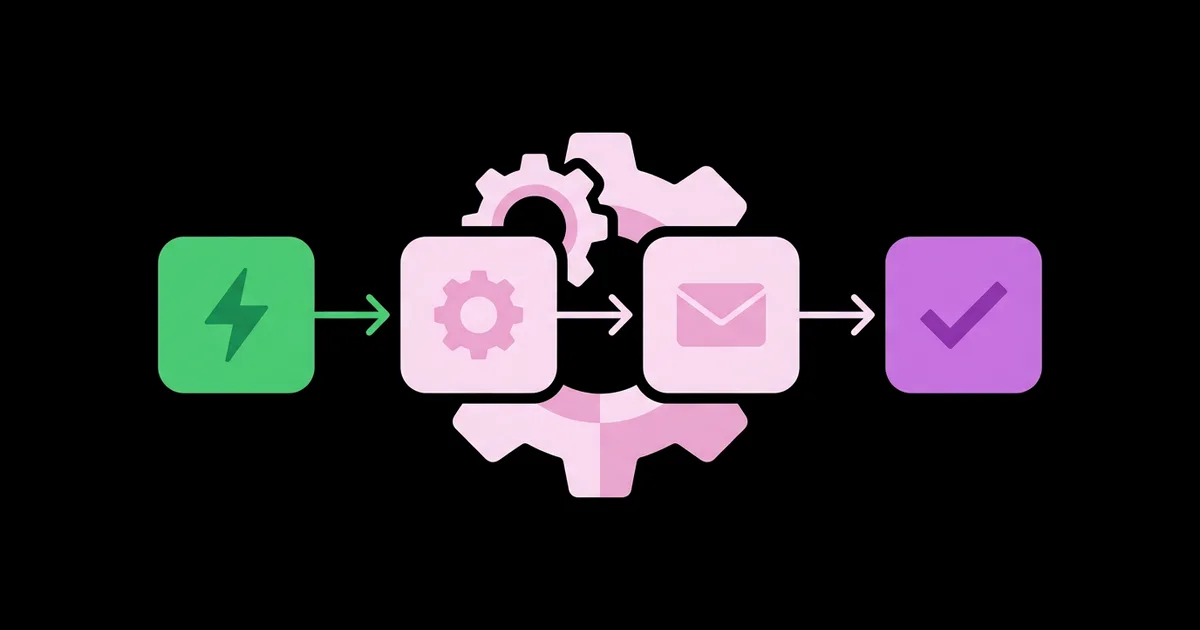
The building blocks are consistent across platforms. A trigger starts the workflow, such as a new email, form entry, or payment. Actions are the steps that follow, like creating records or sending messages. AI steps classify, extract, summarize, or generate text. Conditional logic routes items down different paths based on rules or AI decisions. Human-in-the-loop steps pause the workflow for a person to approve or edit before continuing.
It helps to distinguish automation from agents. A workflow follows a path you designed, step by step, which makes it predictable and auditable. An agent is given a goal and tools and decides its own steps. Agents are more flexible but less predictable, and for many tasks a well-designed workflow is the better choice. If you are weighing the two, this overview of autonomous AI agents for business explains where open-ended agents genuinely outperform fixed workflows.
The practical rule: if you can describe the process as a flowchart, build a workflow. If the steps depend heavily on circumstances you cannot predict, consider an agent, with guardrails.
The Top AI Workflow Automation Platforms
These platforms differ in ease of use, flexibility, hosting options, and the ecosystems they integrate with best.
- Zapier — The largest library of app integrations and the easiest entry point for non-technical teams. AI steps let you classify, extract, and generate text inside workflows, and Zapier also offers AI agents and natural language workflow building.
- Make — A visual scenario builder that makes complex branching, loops, and data transformation easy to see and debug. Strong value for multi-step workflows and supports AI modules and agents.
- n8n — Source-available automation you can self-host or use in the cloud, with code nodes and dedicated AI agent and language model nodes. Popular with technical teams that want control over data and costs.
- Microsoft Power Automate — Deeply integrated with Microsoft 365, Teams, SharePoint, and Dynamics, with Copilot for building flows from descriptions and desktop automation for legacy applications.
- Workato — Enterprise integration and automation platform with governance, security controls, and AI capabilities suited to IT-managed automation across many systems.
- Relay.app — Designed around collaboration, with built-in human approval steps and AI steps, ideal when people need to review AI output before it goes further.
- UiPath — Robotic process automation for interacting with legacy software that has no API, combined with AI and agentic capabilities for complex enterprise processes.
A practitioner observation: the platform matters less than the clarity of the process. Teams that map their workflow on paper before opening any tool build faster and break less.
Switching costs deserve consideration before you commit. Workflows are not easily portable between platforms, so moving dozens of automations from one tool to another later means rebuilding and retesting each one. Choose based on where your team will be in a year or two, not just today: if you expect high volume or strict data requirements, starting on n8n or an enterprise platform can avoid a painful migration. If speed matters most and your volume is modest, Zapier or Make lets you prove value quickly, and that proof is often what secures budget for a more robust platform later.
Automation Platform Comparison
Use this table to match a platform to your team and technical environment. Pricing models vary widely, often based on tasks, operations, or executions, so estimate your monthly volume and confirm current plans with each vendor.
| Platform | Best For | Technical Skill Needed | Hosting |
|---|---|---|---|
| Zapier | Fast setup across many apps | Low | Cloud |
| Make | Complex visual branching | Low to medium | Cloud |
| n8n | Technical teams and data control | Medium to high | Cloud or self-hosted |
| Power Automate | Microsoft 365 organizations | Low to medium | Cloud plus desktop |
| Workato | Enterprise IT integration | Medium | Cloud |
| Relay.app | Human-reviewed workflows | Low | Cloud |
For small teams, Zapier or Make covers nearly every common use case. Choose n8n when data residency, self-hosting, or high execution volume makes per-task pricing expensive, and Power Automate when your organization runs on Microsoft.
Where AI Automation Delivers Real Value: Practitioner Analysis
From building automations for operations, sales, and support teams, the highest-return workflows share three traits: high volume, clear success criteria, and tolerance for a review step. The classic examples are triage, extraction, and drafting.
Triage means reading incoming items, such as emails, tickets, or form submissions, and routing them correctly. An AI step classifies each item, a router sends it to the right team or tool, and urgent items trigger an alert. Extraction means pulling structured fields from unstructured text, like order numbers, dates, and names from emails, and writing them into a database or CRM. Drafting means generating a first response for a person to approve; combining automation with AI email writing tools works well here, because the workflow prepares the context and draft while a human makes the final call.
The design principle that prevents most failures is constraining AI output. Instead of asking a model to "handle this email," ask it to return one of five predefined categories and a short list of extracted fields in a fixed format. Constrained outputs are easy to validate and route; open-ended outputs break downstream steps unpredictably.
The second principle is designing for failure. Every AI step should have a fallback: if confidence is low, the category is unknown, or a required field is missing, the item goes to a human queue rather than proceeding silently. Logs and error notifications matter as much as the happy path.
Finally, measure. Track how many items each workflow processes, how often humans override AI decisions, and how many errors reach customers. Override rates tell you exactly which prompts or rules need improvement.
Common Workflow Automation Mistakes
These mistakes cause most broken or abandoned automations.
- Automating a messy process. Automation magnifies whatever process you feed it. Simplify and document the process first, then automate it.
- Letting AI act without review on high-stakes steps. Refunds, customer-facing messages, and data deletion need a human approval step until the workflow has a long, proven track record.
- Open-ended AI prompts. Free-form outputs break downstream steps. Require fixed categories and structured fields.
- No error handling. Without alerts and fallback paths, failures go unnoticed for weeks. Add notifications for failed runs and a queue for items the AI cannot handle.
- Ignoring costs at scale. Task-based pricing and AI usage add up quickly with high volume. Estimate monthly runs before launch and add filters so workflows only process relevant items.
- Undocumented automations. When the person who built a workflow leaves, nobody knows how it works. Name steps clearly and keep a simple inventory of what each workflow does and who owns it.
Real-World Scenario: Automating Inbound Lead Handling
Here is a complete AI workflow for a service business receiving inquiries through a website form and email.
Step 1: Trigger. A new submission arrives from the website form or a shared inbox.
Step 2: Classify with AI. An AI step reads the message and returns exactly one category: sales inquiry, existing customer support, partnership, job application, or spam, plus a confidence rating.
Step 3: Extract details. For sales inquiries, a second AI step extracts company name, service requested, budget range if stated, timeline, and contact details into fixed fields.
Step 4: Route. Sales inquiries create or update a CRM record; support messages open a ticket; job applications go to the hiring inbox; spam is archived; low-confidence items go to a review queue.
Step 5: Draft a response. For sales inquiries, the workflow drafts a personalized reply referencing the requested service and proposing next steps, then sends it to the assigned salesperson for approval in Slack or Teams.
Step 6: Notify and follow up. The salesperson approves or edits the draft, the reply is sent, and a follow-up task is scheduled automatically if there is no response.
Step 7: Monitor. A weekly summary reports volume by category, approval rates, and manual overrides, revealing where prompts need tuning.
Launch checklist: process documented, AI outputs constrained, fallback queue in place, human approval on customer-facing messages, error alerts configured, cost estimated, and an owner assigned.
Key Takeaways
- AI workflow automation adds classification, extraction, summarization, and drafting steps to traditional rule-based automations, letting them handle unstructured input.
- Zapier and Make suit most small teams, n8n suits technical teams needing self-hosting, and Power Automate suits Microsoft-centric organizations.
- Constraining AI steps to fixed categories and structured fields makes workflows reliable and easy to validate.
- Every AI workflow needs a fallback path that sends low-confidence or incomplete items to a human queue.
- Tracking human override rates shows exactly which AI steps need better prompts or rules.
Frequently Asked Questions
What is the best AI workflow automation tool?
Zapier is the best starting point for most teams because of its app coverage and ease of use. Make is better for complex visual workflows, n8n suits technical teams that want self-hosting, and Power Automate is ideal for Microsoft 365 organizations. The best choice depends on your apps, skills, and volume.
What is the difference between automation and AI agents?
Workflow automation follows a predefined sequence of steps you design, which makes it predictable and easy to audit. AI agents receive a goal and decide their own steps using available tools. Agents are more flexible for unpredictable tasks, while workflows are more reliable for repeatable processes.
Do I need coding skills for AI automation?
No. Zapier, Make, Power Automate, and Relay.app are designed for non-developers and use visual builders, with some offering natural language workflow creation. Coding skills become helpful for complex data transformation, custom integrations, or self-hosted platforms like n8n, but they are not required to start.
Is AI workflow automation secure?
Major platforms offer security features such as encryption, access controls, and audit logs, with enterprise plans adding stronger governance. Security also depends on your setup: limit app permissions, avoid sending sensitive data to unnecessary AI steps, and review each vendor's data handling terms against your organization's policies.
Which processes should I automate first?
Start with high-volume, repetitive processes that have clear rules and low risk if something goes wrong, such as routing form submissions, syncing records between apps, or summarizing meeting notes. Avoid starting with processes involving money, legal commitments, or sensitive customer communication until you have experience.
How do I keep AI automations from making mistakes?
Constrain AI outputs to predefined categories and structured fields, add validation checks, route low-confidence results to a human queue, and require approval for customer-facing or high-stakes actions. Monitor error rates and human overrides regularly, and adjust prompts or rules wherever mistakes cluster.
Conclusion
The most important decision in AI workflow automation is choosing the right first process: frequent, clearly defined, and safe to review. Build it with constrained AI steps, a fallback queue, and human approval where it matters, and you will learn more from that one workflow than from any amount of research. Map one process on paper this week, then build it in Zapier, Make, or n8n. When your workflows start receiving contracts, invoices, or forms, adding AI document analysis as an automation input is the logical next upgrade.


