How to Automate Business Workflows Using AI Tools: A Complete Guide for Small Business Owners
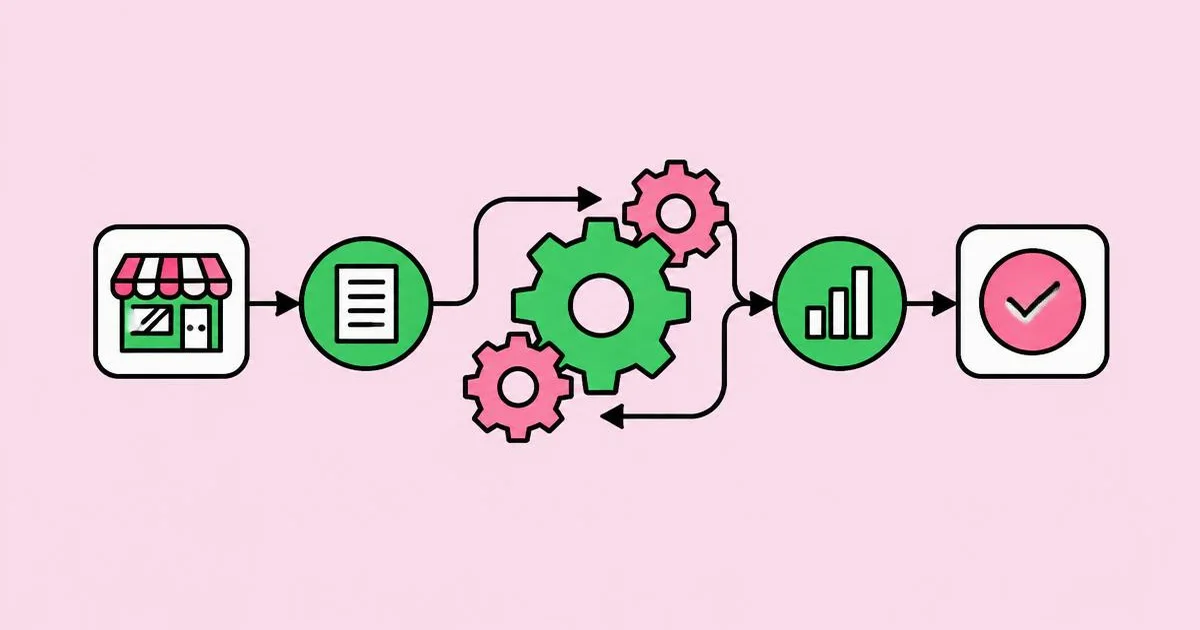
If you still copy order details from email into a spreadsheet, retype invoices into accounting software, or answer the same five customer questions every day, you are paying yourself to be a router. Business workflow automation with AI is the practice of connecting your apps so that repetitive steps run on their own, with AI handling the parts that used to need human judgment, such as reading, sorting, summarizing, and drafting.
Quick Answer: To automate business workflows with AI, list your repetitive tasks, pick one high-volume process, map its trigger and steps, then build it in a no-code platform like Zapier, Make, n8n, or Power Automate with an AI step for classifying or drafting. Keep a human approval step until results are reliable, then expand.
What Does AI Workflow Automation Mean for a Small Business?
AI workflow automation means a chain of actions that starts from a trigger and finishes without you touching it, where at least one step uses AI to understand or generate content. Traditional automation could only move structured data: if a form field says "Plumbing," send it to the plumbing list. AI automation can read a messy customer email, figure out it is a plumbing emergency, extract the address, and draft a reply.
Four terms make the rest of this guide easier. A trigger is the event that starts the workflow, such as a new form submission, a new email, or a paid invoice. An action is something the workflow does, like creating a row or sending a message. A condition or filter decides which path to take. An AI step sends text to a language model with instructions and uses its output in later steps. When an AI step is given tools and allowed to decide its own sequence of actions, it becomes an agent, which we explain in our guide to agentic AI and autonomous agents.
For small businesses, the value is not futuristic. It is reclaiming the hours spent on admin so the owner can sell, serve, and build. The best first automations are boring, frequent, and rule-like, with a clear definition of done.
A useful test: if you could write instructions for a new part-time assistant on one page, and the task happens at least several times a week, it is a strong automation candidate. If the task requires negotiating, comforting an upset client, or making a judgment with legal or financial consequences, keep a human in charge and use AI only to prepare the draft.
Step-by-Step: How to Automate Your First Workflow
Automating your first workflow follows the same seven steps regardless of industry or tools.
- Audit a normal week. For five working days, jot down every task you repeat and roughly how long it takes. Most owners are surprised by how much time disappears into copying, forwarding, and reminding.
- Score each task. Rate frequency, time per occurrence, and error risk. Multiply frequency by time to find your biggest drains. Pick one task that is frequent, low-risk, and well-defined.
- Map the current process on paper. Write the trigger, every step, every decision, and the final outcome. If you cannot describe the process clearly, an automation will only make the confusion faster.
- Choose your platform. Use the tool that already connects to your apps. Check the integration list for your email, CRM, accounting, calendar, and storage tools before committing.
- Build with an approval step. Construct the workflow so the AI output goes to you for a quick check, for example as a draft email or a Slack message with approve buttons, rather than straight to a customer.
- Test with real past examples. Feed twenty historical cases through the workflow, including weird ones. Note where the AI misreads, misroutes, or invents details, and tighten your instructions.
- Go live, monitor, then remove the training wheels. Run it with approval for two to four weeks. When you stop making corrections, let low-risk paths run automatically and keep approval only for exceptions.
Good starter workflows include: lead form to CRM plus a personalized follow-up draft; incoming invoices from email to accounting software with fields extracted; customer support emails classified and routed by urgency; meeting recordings summarized into action items; and new reviews flagged and drafted responses prepared.
Comparing the Top AI Automation Platforms
The major AI automation platforms differ mainly in ease of use, flexibility, hosting, and pricing model.
| Platform | Best For | Learning Curve | Notable Strength |
|---|---|---|---|
| Zapier | Non-technical owners wanting fast results | Low | Very large library of app integrations and built-in AI steps |
| Make | Visual thinkers building branching workflows | Medium | Flexible visual canvas for complex logic and data transformation |
| n8n | Tech-comfortable teams wanting control | Medium to high | Can be self-hosted; strong AI agent and custom code nodes |
| Microsoft Power Automate | Businesses running on Microsoft 365 | Medium | Native ties to Outlook, Teams, SharePoint, and Excel |
| Built-in app automations | Simple single-app tasks | Low | No extra subscription; found in CRMs, help desks, and email tools |
Where AI Automation Pays Off: A Practitioner's Analysis
AI automation pays off where volume is high, inputs are messy, and mistakes are cheap to fix. I have not found a reliable public figure for the average time small businesses save, and claims you see in vendor marketing usually come from self-selected surveys, so rather than quote a number, here is the pattern from real implementations.
The largest wins consistently come from three areas. First, intake: leads, inquiries, and support requests arrive in unstructured form, and AI is excellent at extracting names, needs, budgets, and urgency into clean fields. Second, documents: invoices, receipts, contracts, and applications follow predictable shapes, and AI extraction removes manual retyping. Third, first drafts: replies, proposals, social posts, and summaries where a human edits in one minute what would take fifteen to write. Content creation is a common example; owners who make their own marketing visuals often pair these workflows with tools from our roundup of free AI image generators.
The smallest wins come from automating rare tasks. If something happens twice a month, the time to build, test, and maintain the automation can exceed the time saved for a long while. Automations also need upkeep: apps change their fields, connections expire, and AI models update. Budget a little time each month to check run histories and error logs.
Cost is the other half of the analysis. Most platforms charge by number of tasks or operations, and AI steps add model usage costs on top. A workflow that runs thousands of times a month with several AI steps can become expensive. Keep AI steps short, filter out irrelevant triggers before the AI step, and use smaller, cheaper models for simple classification.
Common Workflow Automation Mistakes and How to Avoid Them
Most automation failures in small businesses come from building too much too soon or trusting AI output without checks.
- Automating a broken process. If the manual process is unclear, automation multiplies the chaos. Fix and simplify the process first.
- Starting with the hardest workflow. Begin with a single, contained task. Early wins build confidence and teach you the platform before you tackle multi-app processes.
- Removing humans too early. AI can misclassify or confidently invent a detail. Keep approval steps on anything customer-facing or financial until you have weeks of clean results.
- Vague AI instructions. "Summarize this email" yields inconsistent output. Specify the format, fields, tone, length, and what to do when information is missing, such as returning "unknown" rather than guessing.
- Ignoring data privacy. Sending customer data to AI services has legal implications. Check each vendor's data processing terms, avoid sending sensitive details you do not need, and respect regulations like GDPR where they apply.
- No error alerts. Workflows fail silently when a password changes or an app updates. Turn on failure notifications so you know the same day.
- No owner or documentation. Write a short note for each automation: what it does, which accounts it uses, and how to pause it. Future you, or your next hire, will need it.
Real-World Scenario: Automating a Service Business Intake
Here is a concrete walkthrough for a small home-cleaning company that receives inquiries through a website form, email, and Facebook messages. The owner was spending the first hour of every day sorting inquiries and writing quotes.
Trigger: A new website form submission, plus new emails sent to the bookings inbox, each start the same workflow in Zapier or Make.
Step 1, extract: An AI step reads the message and returns structured fields: name, phone, email, address or area, property size, service type, preferred dates, and any special requests. Instructions tell it to return "unknown" for anything not stated.
Step 2, filter: A condition checks the service area. If the location is outside the coverage zone, the workflow drafts a polite decline with a referral suggestion and sends it for approval.
Step 3, record: In-area leads are added to the CRM or a Google Sheet with a status of "New," so nothing gets lost.
Step 4, draft the quote: A second AI step uses the owner's real price list, pasted into the instructions, to draft a quote email in the company's tone, including a booking link. It is told never to invent prices for services not on the list and to flag those for the owner.
Step 5, approve: The draft lands in the owner's email drafts folder or as a Slack message. The owner reviews and sends, usually with small edits.
Step 6, follow up: If the lead has not booked within a set number of days, a reminder task appears, or a gentle follow-up draft is prepared.
Checklist before going live: test twenty historical inquiries; confirm the price list is current; turn on error notifications; document which accounts are connected; and set a calendar reminder to review results after two weeks. Once the intake flow runs smoothly, extend the same pattern to supplier invoices or review responses, reusing the extraction and approval steps you already trust.
Key Takeaways
- The best first automation is frequent, low-risk, and well-defined enough to explain on a single page.
- AI adds the most value at intake, document extraction, and first drafts, where inputs are messy and volume is high.
- Keep a human approval step on customer-facing and financial outputs until weeks of results prove reliability.
- Specific AI instructions, including what to do when data is missing, prevent most hallucinated details.
- Every automation needs error alerts, documentation, and a monthly check, because connected apps and models change.
Frequently Asked Questions
Do I need coding skills to automate business workflows with AI?
No coding skills are required for most small business workflows. Platforms like Zapier, Make, and Power Automate use visual builders where you choose triggers and actions from menus. Coding helps for advanced customization, but owners can build lead routing, invoice extraction, and reply drafting without writing any code.
Which business tasks should I automate first?
Automate tasks that happen often, take meaningful time, and follow consistent rules. Strong first candidates include capturing leads into a CRM, extracting invoice details, sorting support emails, sending appointment reminders, and summarizing meetings. Avoid starting with rare tasks or anything requiring sensitive judgment, negotiation, or legal decisions.
How much does AI workflow automation cost?
Costs depend on the platform plan and how many tasks your workflows run each month. Many platforms offer free tiers for light use, with paid plans scaling by volume. AI steps can add model usage fees, so filter irrelevant triggers early and use smaller models for simple sorting jobs.
Is it safe to send customer data to AI tools?
It can be safe if you choose vendors with clear data processing agreements, avoid sending unnecessary sensitive information, and follow regulations that apply to you, such as GDPR. Review whether vendors use your data for training, restrict account access, and tell customers how their information is processed in your privacy policy.
What is the difference between Zapier and Make?
Zapier emphasizes simplicity and offers a very large catalog of app integrations, making it ideal for quick, linear workflows. Make uses a visual canvas suited to branching logic, loops, and data transformation. Beginners often start with Zapier, while people building complex multi-path processes frequently prefer Make's flexibility.
Can AI automation replace my staff?
AI automation is best at removing repetitive admin, not replacing people. It frees staff from data entry, sorting, and first drafts so they can spend time on customers, sales, and quality. Small businesses usually get the most value by redeploying freed hours to growth work rather than cutting roles.
Conclusion
The most important decision is choosing one specific, frequent task and automating it well, with a human approval step, before touching anything else. A single reliable workflow teaches you the platform, the AI's strengths and blind spots, and the maintenance habits that keep automations healthy. Start this week with a five-day task audit, then build your first workflow, and when you are ready to give automations more autonomy, read our deeper explainer on how AI agents make decisions and use tools.