How to Use AI Agents in 2026: A Complete Beginner's Guide to Automating Everyday Business Tasks
Every business has a layer of work that nobody enjoys: sorting inbound emails, updating the CRM after a call, chasing invoices, copying form data into spreadsheets. An AI agent is software powered by a language model that can plan and carry out a sequence of steps toward a goal, using tools such as your email, calendar, or database, with limited human input at each step. Used well, agents turn that tedious layer into a background process you supervise instead of a pile of tasks you perform.
Quick Answer: To use AI agents in 2026, pick one repetitive, rule-based task, choose a no-code agent platform such as Zapier Agents, Make, or a custom GPT, connect only the apps it needs, write clear instructions with boundaries, test on real examples, and keep a human approval step before anything is sent or paid.
What Is an AI Agent and How Is It Different From a Chatbot?
An AI agent differs from a chatbot because it acts, not just answers. A chatbot responds to a question inside a conversation. An agent receives a goal, decides which steps are needed, calls tools to perform them, checks the results, and continues until the goal is met or it needs help.
Four building blocks appear in almost every agent. The model is the reasoning engine, such as a GPT, Claude, or Gemini model. Instructions describe the role, goal, and rules. Tools are the connected actions, such as "search Gmail," "create a HubSpot contact," or "add a row to Google Sheets." Memory or knowledge gives the agent context, such as your price list or support policies. If you want to understand where agents fit among other software, our overview of the most useful AI tools for saving time and boosting productivity puts them in context.
It also helps to separate agents from traditional automation. A classic automation follows a fixed path: when a form is submitted, add a row, send an email. It is reliable but brittle, because it cannot handle anything unexpected. An agent can read an unstructured message, decide whether it is a sales lead, a support question, or spam, and route it accordingly. That flexibility is the main reason to use one, and also the main source of risk, because flexible systems can make unexpected choices.
The practical rule I give clients is this: use plain automation when the steps are always identical, and use an agent when the task requires reading, judging, or writing something that varies each time.
Step-by-Step: Setting Up Your First AI Agent
Setting up a first agent is less about technology and more about defining the job precisely. Follow these steps in order.
- Choose one narrow task. Good first candidates are triaging a shared inbox, summarizing new leads, drafting replies to common questions, or preparing a weekly report from a spreadsheet.
- Write the job description. In plain language, describe what triggers the task, what the agent should do, what a good result looks like, and what it must never do.
- Pick a platform. Non-technical teams usually start with Zapier Agents, Make, Microsoft Copilot Studio, or a custom GPT. Developers may use frameworks such as LangChain or the agent SDKs from model providers.
- Connect the minimum tools. Grant access only to the apps and actions the task requires. An inbox triage agent does not need permission to delete emails.
- Add reference knowledge. Upload FAQs, pricing, tone guidelines, or templates so the agent answers with your facts, not generic ones.
- Test with real examples. Run twenty or so historical cases and compare the agent's choices to what a person did.
- Keep a human in the loop. Start in draft mode, where the agent prepares actions and a person approves them.
- Monitor and expand. Review logs weekly, fix instructions where it went wrong, and only remove approval steps once performance is consistently reliable.
Most failed agent projects skip step two. If you cannot explain the task clearly to a new employee, the agent will not understand it either.
Comparing Popular AI Agent Platforms for Beginners
Agent platforms differ mainly in how much control they offer versus how quickly you can start. The table below compares common options for non-developers.
| Platform | Best For | Skill Level | Key Strength |
|---|---|---|---|
| Zapier Agents | Small teams using many SaaS apps | Beginner | Huge library of app connections |
| Make | Detailed multi-branch workflows | Beginner to intermediate | Visual control over data flow |
| Microsoft Copilot Studio | Microsoft 365 organizations | Intermediate | Works with Teams, SharePoint, and Outlook |
| Custom GPTs | Personal assistants and internal helpers | Beginner | Fast setup with uploaded knowledge |
| n8n | Teams wanting self-hosting | Intermediate to advanced | Open-source and flexible |
Platform features change frequently, so confirm current capabilities and pricing on each vendor's site. For a first project, the best platform is usually the one that already connects to the apps your team uses daily.
Practitioner Analysis: Which Business Tasks Suit Agents Best
From the agent rollouts I have worked on, the tasks that succeed share three traits: they recur often, the inputs are text-heavy and messy, and mistakes are cheap to catch before they reach a customer. Inbox triage is a textbook example. Messages arrive constantly, each one is different, and a wrongly labeled email is easy to fix.
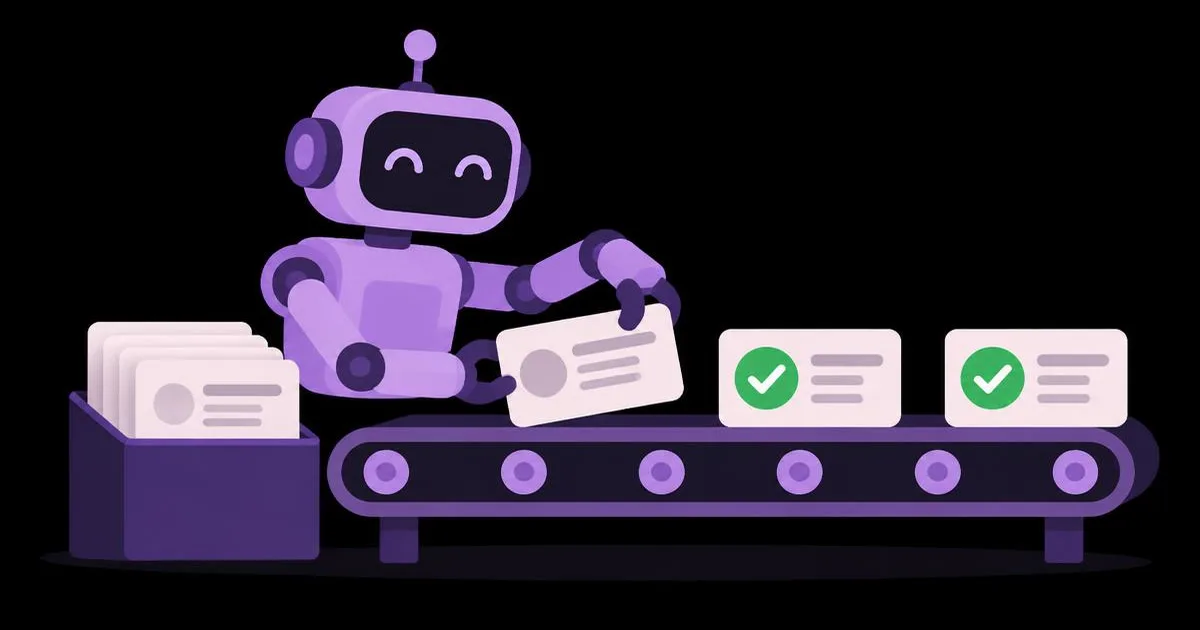
Lead enrichment and qualification also work well. An agent can read a form submission, look up the company website, summarize what the business does, score it against your ideal customer description, and post a summary in your sales channel. A salesperson still decides who to call, but the research time disappears.
Tasks that suit agents poorly include anything involving money movement, legal commitments, or irreversible deletions. Agents can draft an invoice reminder, but sending a refund or signing a contract should always require a person. The more irreversible the action, the stronger the case for a human approval step.
Customer support sits in the middle. Agents can answer routine questions well when grounded in accurate documentation, and they can hand complex cases to a person. If support is your priority, it is often simplest to start with a dedicated website assistant; our guide on creating a website chatbot without writing code walks through that setup. Small teams on a tight budget should also check what free plans include before paying for anything.
Common Mistakes Beginners Make With AI Agents
The biggest mistake is starting too broad. "Handle all customer emails" is not a task; it is a department. Begin with a single category, such as order-status questions, and expand once that works.
The second mistake is granting excessive permissions. Giving an agent full access to email, files, and payment tools because it is convenient creates real security and reputational risk. Use the principle of least privilege: only the actions the task requires, and read-only access wherever possible.
The third mistake is vague instructions. Phrases like "be helpful" or "use good judgment" give the model nothing concrete. Specify formats, tone, escalation rules, and examples of correct and incorrect outputs.
The fourth mistake is skipping testing on real data. Agents that perform well on tidy sample inputs often stumble on real messages full of typos, forwarded chains, and attachments. Test with historical examples that reflect actual messiness.
The fifth mistake is removing the human too early. Teams excited by early results switch to fully automatic mode before they have seen enough edge cases. Keep approvals in place until you have reviewed a meaningful volume of outputs and the error rate is one you can accept.
The sixth mistake is ignoring prompt injection. If your agent reads emails or web pages, those inputs could contain instructions designed to manipulate it. Restrict what actions it can take and never let content it reads override its core rules.
Real-World Scenario: Automating a Small Agency's Lead Intake
Here is a realistic walkthrough of how a five-person marketing agency could automate lead intake in an afternoon.
The problem: Inquiries arrive through a website form and a shared inbox. Someone has to read each one, check whether it is a fit, add it to the CRM, and reply. Replies often take a day or more because everyone is busy with client work.
The agent's job description: "When a new inquiry arrives, extract the name, company, website, budget range, and service requested. Visit the company website and write a three-sentence summary. Classify the lead as good fit, possible fit, or not a fit based on our criteria document. Create a CRM contact with these details. Draft a personalized reply using our templates. Post a summary to the sales channel. Never send the reply without approval."
The tools connected: form submissions, read-only inbox access, a web lookup step, CRM contact creation, and team chat posting. No delete, send, or billing permissions.
The test: The team runs thirty past inquiries through the agent and compares its classifications to their own decisions, adjusting the criteria document wherever the agent disagreed for a good reason or a bad one.
The rollout: For the first month, a team member reviews each drafted reply and clicks send. They log every correction, then update the instructions weekly.
The checklist they follow:
- Is every connected permission strictly necessary?
- Does the agent know when to escalate instead of guessing?
- Is there a log of every action it took?
- Who reviews errors, and how often?
- What happens if a connected app is down?
The outcome to aim for is not zero human involvement. It is shifting people from data entry to decision-making: reviewing a ready-made summary and draft takes moments, while doing the research and writing from scratch takes far longer.
Key Takeaways
- An AI agent plans and executes multi-step tasks using connected tools, while a chatbot only answers questions.
- The best first agent handles one narrow, frequent, text-heavy task where mistakes are easy to catch.
- Grant agents only the minimum permissions they need, and prefer read-only access wherever possible.
- Clear written instructions with examples and escalation rules matter more than the choice of platform.
- Keep a human approval step for any irreversible action involving customers, money, or legal commitments.
Frequently Asked Questions
Do I need to know how to code to use AI agents?
No. Platforms such as Zapier Agents, Make, Microsoft Copilot Studio, and custom GPTs let you build agents with plain-language instructions and visual connections. Coding helps for advanced, custom integrations, but most everyday business tasks like inbox triage, lead summaries, and report drafting can be automated without writing any code.
What is the easiest business task to automate with an AI agent?
Inbox triage is usually the easiest starting point. The agent reads incoming messages, labels them by type, summarizes them, and drafts replies for review. It is frequent, low-risk, and easy to check, which makes it ideal for learning how agents behave before trusting them with more sensitive work.
Are AI agents safe to use with customer data?
They can be, with care. Choose platforms with clear data policies, limit permissions to what each task needs, avoid sharing unnecessary sensitive fields, and keep logs of actions. Review your vendor's business terms and your own privacy obligations before connecting systems that hold personal or financial customer information.
How long does it take to set up a first AI agent?
A simple agent on a no-code platform can be configured in an afternoon. Defining the task clearly and testing it on real examples takes longer than the technical setup. Plan for a few weeks of supervised operation, with weekly instruction updates, before considering it reliable enough to run with less oversight.
What is the difference between an AI agent and Zapier automation?
Traditional Zapier automation follows fixed rules: when this happens, do that. An AI agent can interpret messy inputs, make decisions, and choose which steps to take. Many teams combine them, using fixed automation for predictable steps and an agent only where reading, judgment, or writing is required.
Can AI agents make mistakes?
Yes. Agents can misread messages, choose the wrong action, or produce confident but incorrect text. That is why beginners should start in draft mode with human approval, test on real historical data, review logs regularly, and restrict agents from taking irreversible actions until performance has proven consistently reliable.
Conclusion
The most important decision when adopting AI agents is choosing the right first task: narrow, frequent, and safe to get wrong. Get that single workflow running under supervision, learn how the agent behaves, and expand only from evidence. If you are still deciding which model should power your agent, your next step is our side-by-side breakdown of how ChatGPT, Gemini, and Claude compare for daily business use.