
How AI Is Used in Everyday Home Devices
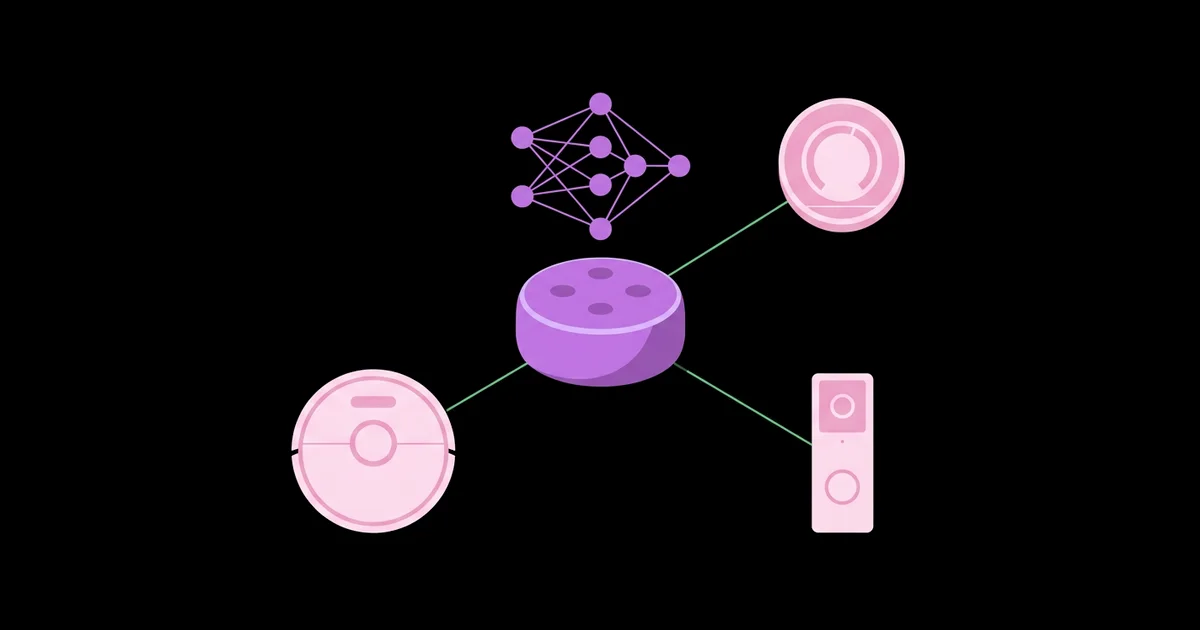
Your vacuum mapping the living room, your doorbell telling a person from a passing car, and your speaker waking at its name are all running machine learning, often without any visible label saying so. AI in everyday home devices refers to machine learning models built into consumer products that recognize speech, images, patterns, and routines so the device can respond, adapt, or automate tasks with less manual input.
Quick Answer: Home devices use AI for voice recognition in smart speakers, room mapping and obstacle avoidance in robot vacuums, person and package detection in security cameras, schedule learning in smart thermostats, photo processing and face unlock in phones, and picture upscaling in TVs. Some processing happens on the device and some in the cloud.
What Does "AI" Actually Mean Inside a Home Device?
In consumer devices, AI almost always means narrow machine learning: a model trained to do one specific task, such as recognizing a wake word or detecting a human shape in a video frame. It is not general intelligence. The device does not understand your home; it runs a pattern-matching model that has been trained on large amounts of example data.
Three categories cover most home AI. Speech AI converts audio into text and interprets intent, powering voice assistants. Computer vision interprets images and video, powering cameras, robot vacuums, and phone cameras. Pattern learning analyzes behavior over time, powering thermostats, energy monitors, and recommendation systems. Increasingly, these models run directly on the device's own chip rather than on remote servers, a shift explained in this simple guide to edge AI with real-world examples.
Two more terms are worth knowing. Inference is the moment a trained model makes a prediction, such as deciding a sound was your wake word. Training is the earlier, expensive process of teaching the model using large datasets, which happens at the manufacturer, not in your home. When people talk about privacy and AI devices, the real question is usually where inference happens and what data leaves the house.
Understanding this distinction removes much of the mystery. When a product advertises "AI," ask which task the model performs, whether it runs locally, and what happens to the data it processes.
Where AI Shows Up Around the House
AI is already present in many devices people own, often in ways that are easy to overlook. Here are the most common examples and what the model is actually doing in each.
- Smart speakers and voice assistants. A small on-device model listens continuously for the wake word. After it triggers, speech is typically processed, often in the cloud, to convert audio to text and determine what you asked for.
- Robot vacuums. Many models use SLAM, simultaneous localization and mapping, with lidar or cameras to build a map of rooms. Camera-equipped models can use object recognition to avoid cables, socks, and pet messes.
- Security cameras and video doorbells. Vision models classify motion as a person, vehicle, animal, or package, reducing alerts triggered by moving trees or headlights. Some run this detection on the camera itself.
- Smart thermostats. Learning thermostats observe when you adjust temperature and when the home is occupied, then build schedules automatically and adjust heating or cooling to save energy.
- Smartphones. Computational photography combines several exposures and applies scene recognition for clearer photos, while face unlock uses on-device models to match your face securely.
- Televisions. Many modern TVs use AI upscaling to estimate detail when displaying lower-resolution content on high-resolution screens, and adjust picture settings by recognizing scene types.
- Streaming services and smart displays. Recommendation systems analyze viewing or listening history to suggest content, one of the most widespread uses of machine learning in daily life.
- Appliances. Some washing machines estimate load size and fabric type to adjust water and cycle time, and some ovens and fridges use cameras to recognize food.
Home AI Features Compared: Task, Location, and Privacy
Comparing devices by what the AI does and where it runs helps you weigh convenience against privacy. Exact behavior varies by brand and model, so check each product's documentation.
| Device | AI Task | Typical Processing Location | Privacy Consideration |
|---|---|---|---|
| Smart speaker | Wake word detection and speech understanding | Wake word on device; requests often in the cloud | Voice recordings may be stored; review history settings |
| Robot vacuum | Mapping and obstacle recognition | Mostly on device, with maps synced to an app | Camera models capture images of your home interior |
| Security camera | Person, vehicle, and package detection | On device or cloud, depending on model | Video storage location and retention policies matter |
| Smart thermostat | Schedule and occupancy learning | Device and cloud | Occupancy patterns reveal when the home is empty |
| Smartphone | Face unlock and photo processing | Largely on device | Biometric data is generally kept on the phone |
A useful rule: the more a device sees or hears, the more carefully you should review its data and retention settings before installing it.
It is also worth separating what the AI does from what the subscription unlocks. On many cameras and doorbells, basic motion alerts work out of the box, while person, package, or face recognition requires a paid plan because the processing or storage happens on the manufacturer's servers. Devices that advertise on-device detection often provide those features without a subscription. Before buying, check the product page or support documentation for which recognition features are included, which require a plan, and whether they keep working if you cancel. That one check can change the long-term cost of a device considerably, and it also tells you a lot about where your data is being processed.
Practitioner Analysis: The Shift From Cloud to Local Intelligence
Having worked with connected devices for many years, the most important trend I see is the steady movement of AI processing from the cloud onto the device itself. This is clearly framed analysis of an industry direction rather than a measured statistic, but the drivers are easy to observe in product design.
Local processing responds faster because data does not travel to a server and back. A camera that recognizes a person on its own chip can send a relevant alert immediately and avoid uploading every motion event. It also keeps working during internet outages and reduces the amount of personal audio or video leaving your home. Chipmakers now include dedicated neural processing units in phones, cameras, and smart home hubs specifically to make this practical.
The trade-off is capability. Large language models and complex speech understanding still benefit from the computing power of data centers, which is why many voice assistants combine local wake word detection with cloud processing for the actual request. The likely near-term reality is hybrid: simple, frequent, privacy-sensitive tasks locally; complex, occasional tasks in the cloud.
For DIY builders, this shift is good news. Open-source projects now offer local speech recognition and voice control, and a hands-on guide to making a voice-controlled light with free software shows how you can experience fully local home AI yourself.
Common Misconceptions and Mistakes With Home AI
These misunderstandings lead people to either distrust useful features or overlook real risks.
- Assuming speakers record everything. Smart speakers are designed to listen locally for a wake word and begin sending audio only after detecting it. False triggers do happen, so review and delete stored recordings regularly.
- Believing "AI" means the device understands context. Models perform narrow tasks. A camera labeled as detecting people can still miss someone in poor lighting or flag a coat on a chair.
- Ignoring default settings. Many devices store recordings, maps, or video by default. Spend five minutes in privacy settings when setting up any new device.
- Skipping firmware updates. Updates fix security vulnerabilities and often improve AI accuracy. Enable automatic updates where possible.
- Putting cameras in private rooms. Even with strong privacy controls, avoid placing camera-equipped devices in bedrooms and bathrooms.
- Paying extra for AI you will not use. Features like advanced object recognition often require subscriptions. Decide whether you need them before committing.
Real-World Scenario: Auditing the AI in Your Own Home
Here is a practical audit I recommend to anyone who owns several smart devices. It takes about an hour and leaves you with clearer control.
Step 1: List every connected device. Walk room to room and note each speaker, camera, doorbell, thermostat, vacuum, TV, and appliance with an app. Check your router's connected devices list to catch anything forgotten.
Step 2: Identify the AI feature in each. For each device, write down what it recognizes or learns: voice, faces, people, rooms, schedules, or viewing habits.
Step 3: Find where data goes. Open each app's privacy or data section. Note whether recordings, video, or maps are stored in the cloud and for how long.
Step 4: Adjust settings. Turn on automatic deletion of voice history where available, set video retention to the minimum you need, and disable features you do not use, such as unused camera zones.
Step 5: Update and secure accounts. Install firmware updates, enable two-factor authentication on device accounts, and change any reused passwords.
Step 6: Decide on local alternatives. For devices where privacy matters most, consider models that process on the device or open-source alternatives that run on your own hardware.
Audit checklist: every device listed, AI features identified, data storage understood, retention minimized, accounts secured, and at least one privacy-sensitive device reviewed for a local alternative.
Key Takeaways
- AI in home devices is narrow machine learning trained for specific tasks such as wake words, object detection, or schedule learning.
- Smart speakers detect wake words on the device but often process the actual request in the cloud.
- Camera-equipped devices raise the biggest privacy questions, so review their storage and retention settings first.
- AI processing is moving from the cloud onto devices, improving speed, offline reliability, and privacy.
- A one-hour privacy audit of every connected device gives you meaningful control over how home AI uses your data.
Frequently Asked Questions
Which home devices use artificial intelligence?
Common examples include smart speakers, robot vacuums, security cameras, video doorbells, smart thermostats, smartphones, modern televisions, and streaming services. Some appliances, including washing machines and refrigerators, also use AI to adjust cycles or recognize contents. Many people already own several AI-powered devices without realizing it.
Are smart speakers always listening to me?
Smart speakers listen locally for their wake word using a small on-device model. They are designed to start sending audio for processing only after detecting it. Accidental triggers can occur, so check your account's voice history, enable automatic deletion, and use the microphone mute button when needed.
How does a robot vacuum use AI?
Robot vacuums use sensors such as lidar or cameras with mapping algorithms to build a floor plan and track their position. Camera-based models also use object recognition to avoid obstacles like cables, shoes, and pet waste. This allows room-specific cleaning and more efficient navigation paths.
Is AI in home devices safe for privacy?
It depends on the device and its settings. Devices that process data locally generally expose less information. Review storage settings, minimize retention, enable two-factor authentication, keep firmware updated, and avoid placing cameras in private rooms to significantly reduce privacy risks.
Do AI home devices work without the internet?
Some features do, especially those running on the device, such as local person detection on certain cameras or face unlock on phones. Many voice assistant requests and cloud-based features stop working offline. Locally controlled systems like Home Assistant keep automations running during internet outages.
Can I add AI features to my home without buying new devices?
Yes. Open-source platforms such as Home Assistant can add local voice control, automations, and camera-based detection using existing hardware like a Raspberry Pi and compatible cameras. This approach takes more setup but gives you greater control over data and avoids subscription fees.
Conclusion
The most important insight is that home AI is a set of narrow tools, and the key question for each one is where it runs and what data it keeps. Devices that process locally deliver speed, reliability, and privacy; cloud features deliver capability at a data cost. Run the one-hour audit this week and adjust your settings. If you want hands-on understanding, the next step is building your own budget smart home gadget, which shows exactly how sensors and automation work under the hood.


