
Why Typeform Conversion Data Matters for Paid Advertising
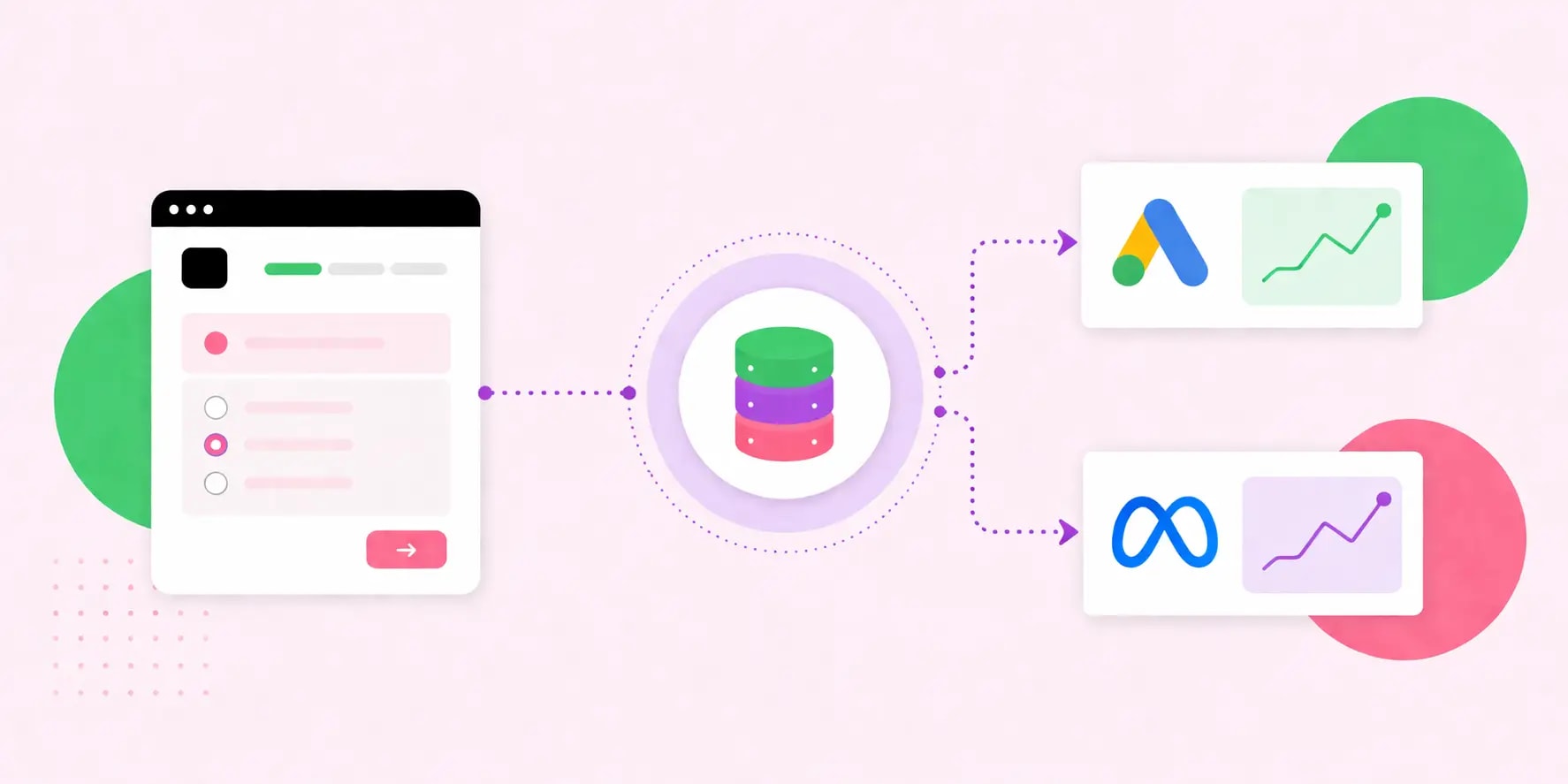
Typeform has become one of the most popular tools for collecting high-quality lead data through conversational forms. Whether used for quote requests, consultation bookings, surveys, or product configurators, Typeform forms generate rich conversion data that goes far beyond a simple form fill. For advertisers running campaigns on Google Ads and Meta Ads, integrating this Typeform conversion data into their ad platforms is critical for closing the loop between ad spend and actual business outcomes. Without this integration, platforms like Google and Meta are flying blind — unable to optimize bidding toward leads that actually convert into customers. Proper Typeform integration unlocks smarter automation, better attribution, and significantly improved campaign ROI.
How WEBPEAK Helps Businesses Set Up Conversion Data Integrations
For businesses looking to get the most out of their Typeform data in paid advertising platforms, WEBPEAK offers expert digital marketing services that include full conversion tracking setup and data integration. Their technical team has hands-on experience connecting Typeform with Google Ads and Meta Ads using a variety of integration methods, ensuring that conversion data flows accurately into ad platforms for smarter bidding and audience building. WEBPEAK's holistic approach to campaign management means they don't just set up tracking — they interpret the data and use it to drive continuous performance improvements across all paid channels.
Understanding the Typeform to Google Ads Integration
Integrating Typeform conversion data into Google Ads can be accomplished through several methods depending on your technical setup and the level of granularity you need. The most common approach involves using Google Tag Manager to fire a conversion event when a Typeform form is submitted. This requires either embedding the Typeform on your own website or using Typeform's webhooks to trigger an event on a thank-you page redirect. Once the conversion action is configured in Google Ads, the platform can use this signal to optimize Smart Bidding strategies toward users most likely to complete the form. For lead generation businesses, this single integration can dramatically improve the quality of leads driven by Google Ads campaigns.
Using Webhooks to Pass Typeform Data to Ad Platforms
For more advanced integrations, Typeform's native webhook functionality allows businesses to send form submission data in real time to virtually any endpoint. This opens the door to sophisticated data pipelines where Typeform responses are processed, enriched, and forwarded to Google Ads as offline conversion imports or to Meta Ads as Custom Conversions. Tools like Zapier, Make (formerly Integromat), and n8n make it easy to build no-code automation workflows that route Typeform data to ad platforms, CRMs, and analytics tools simultaneously. For businesses with more complex requirements, custom webhook handlers can be built to transform and route data with full control over what gets sent and when.
Typeform Integration with Meta Ads for Better Audience Building
On the Meta Ads side, Typeform conversion data can be used in several powerful ways. When a user completes a Typeform, their data — including email address and phone number — can be hashed and uploaded to Meta as a Custom Audience via the Conversions API (CAPI). This allows advertisers to create highly targeted retargeting audiences based on form completion, as well as Lookalike Audiences modeled after their best converters. The Meta Conversions API also helps resolve attribution gaps caused by iOS privacy changes and browser-based ad blockers, ensuring that more conversions are accurately credited to the right campaigns and ad sets. This is especially important for businesses running lead generation funnels where form quality is more important than raw volume.
Offline Conversion Tracking: Closing the Loop with CRM Data
One of the most powerful use cases for Typeform integration is offline conversion tracking — a technique where lead data collected via Typeform is matched against CRM records to identify which leads became paying customers, and then imported back into Google Ads or Meta Ads. This process, sometimes called enhanced conversions or value-based bidding, allows ad platforms to optimize not just for form fills, but for actual revenue. For example, a business might use Typeform to collect consultation requests, then import qualified leads back into Google Ads as a higher-value conversion action. Over time, this teaches the Google algorithm to find more users who exhibit the behavior patterns of high-value customers — a compounding advantage that dramatically improves campaign efficiency.
Google Ads Enhanced Conversions and Typeform Data
Google Ads Enhanced Conversions is a feature designed to improve conversion measurement accuracy by securely hashing and matching first-party customer data — such as email addresses submitted through Typeform — with Google accounts. When a Typeform submission includes an email field, that data can be passed to Google's conversion tracking tag, allowing Google to match the submission to a Google user even if the original click wasn't tracked due to cookie restrictions. Setting up Enhanced Conversions requires adding a small snippet of code to your conversion tag implementation, but the payoff is significantly more accurate attribution and better Smart Bidding performance. Agencies with technical expertise in Google Tag Manager are best positioned to implement this correctly.
Best Practices for Typeform Conversion Data Integration
To get the most out of your Typeform conversion data integration, several best practices should be followed. First, always test your integration thoroughly before relying on it for bidding optimization — use Google Tag Assistant and Meta's Test Events tool to confirm that conversions are firing correctly. Second, map your Typeform fields carefully to ensure that the data being passed to ad platforms is clean, consistent, and complete. Third, implement deduplication logic, especially when using both client-side and server-side tracking simultaneously, to avoid inflating conversion counts. Fourth, regularly audit your conversion data in both Google Ads and Meta Ads to catch any tracking discrepancies early. Finally, use conversion value data wherever possible — passing revenue or lead score values to ad platforms enables value-based bidding, which consistently outperforms volume-based optimization.
Tools That Simplify Typeform Ad Platform Integration
Several tools are available to simplify the process of integrating Typeform with Google Ads and Meta Ads. Zapier offers pre-built Typeform triggers that connect to hundreds of apps, including Google Sheets for offline conversion imports and Meta Lead Ads for audience syncing. Segment, a customer data platform, can act as a central hub that receives Typeform events and distributes them to multiple ad platforms simultaneously. For businesses with developer resources, Typeform's REST API and webhook documentation provide extensive flexibility to build custom integrations tailored to specific business logic. The right tooling depends on your technical resources, data volume, and the complexity of your conversion funnel.
Conclusion
Integrating Typeform conversion data with Google Ads and Meta Ads is one of the most impactful technical investments a lead generation business can make. By closing the loop between form submissions and ad platform optimization, businesses unlock smarter bidding, better audience targeting, and more accurate attribution — all of which translate into lower cost per acquisition and higher campaign ROI. Whether through Tag Manager, webhooks, the Conversions API, or offline import workflows, there are multiple paths to a successful integration. Working with an experienced digital marketing agency ensures that these integrations are implemented correctly and that the resulting data is used strategically to drive real business growth.


