How to Retarget Website Visitors With Low-Cost Ads
Most people who visit your website leave without buying, booking, or signing up, and most of them never come back on their own. That is not a failure of your site; it is how people shop. Retargeting website visitors means showing follow-up ads to people who already visited your site, using tracking tags such as the Meta Pixel or the Google tag, so you can bring warm prospects back at a fraction of the cost of finding new ones.
Quick Answer: To retarget website visitors with low-cost ads, install the Meta Pixel and Google tag, build audiences based on pages visited and recency, exclude recent converters, and show tailored ads that address why each group hesitated. Keep budgets small, cap frequency where possible, and rotate creative so warm audiences do not tire of seeing the same message.
What Is Website Retargeting and Why Is It Cheap?
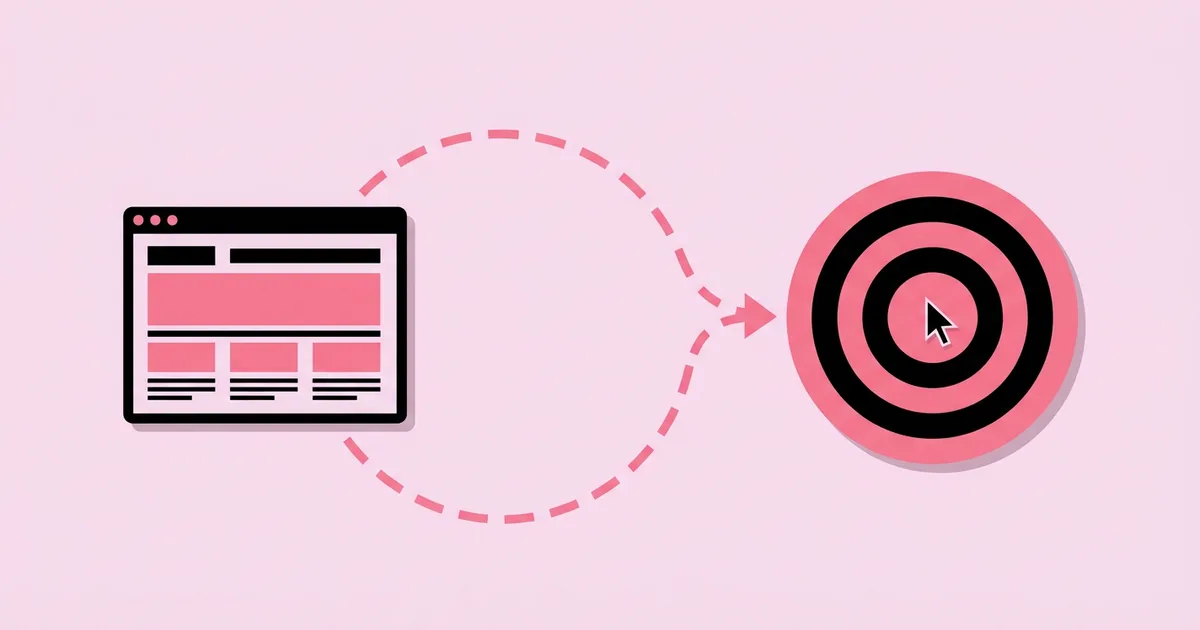
Website retargeting, also called remarketing, works by placing a small tracking script on your site that records visits. The ad platform groups those visitors into audiences, and you then run ads shown only to those audiences as they browse Facebook, Instagram, Google's Display Network, YouTube, or even Google Search. Because these people already know your business, they tend to respond at much higher rates than cold audiences.
Retargeting is usually low-cost for two reasons. First, the audience is small, so you cannot spend large amounts on it even if you try; a few dollars a day is often enough to reach most of a small business's recent visitors several times. Second, warm audiences convert more readily, so each conversion tends to cost less. If you have not yet run a campaign to drive that first visit, the guide to running a first Facebook ad on a tight budget covers how to generate the traffic that retargeting depends on.
A few terms matter here. A custom audience on Meta, or a data segment in Google Ads, is the list of people who took a defined action, such as visiting a product page. The retention window is how long a person stays in the audience after their visit; Meta allows website custom audiences with retention of up to 180 days. Frequency is how many times, on average, each person sees your ad over a period. With small audiences, frequency rises fast, which is the main risk you need to manage.
Retargeting also has rules. Your privacy policy should disclose the use of tracking and advertising cookies, and in regions with consent laws, such as the EU under GDPR, you need a valid consent mechanism before tracking visitors for advertising.
How to Set Up a Low-Cost Retargeting Campaign Step by Step
A well-structured retargeting setup can be built in an afternoon. Follow these steps in order so your tracking, audiences, and ads line up correctly.
- Install the tracking tags. Add the Meta Pixel through Events Manager and the Google tag through Google Ads or Google Tag Manager. Most site builders and ecommerce platforms offer built-in integrations that make this a few clicks.
- Set up key events. Track meaningful actions, not just page views: ViewContent on product or service pages, AddToCart, InitiateCheckout, Lead, and Purchase. These events let you segment visitors by how close they came to converting.
- Check consent and privacy. Update your privacy policy and configure your cookie banner so tags respect user choices where the law requires it.
- Build audiences by intent and recency. Create separate audiences for high-intent visitors, such as cart abandoners or pricing page visitors in the last 7 to 14 days, and lower-intent visitors, such as blog readers or homepage visitors in the last 30 to 60 days.
- Create exclusion audiences. Build an audience of recent purchasers or leads and exclude it from your retargeting campaigns so you do not pay to advertise to people who already converted.
- Choose the campaign type. On Meta, use a Sales or Leads campaign with your retargeting audience selected and audience expansion settings reviewed so the campaign stays focused on visitors. On Google, apply your data segments to a Display campaign or add them to Search campaigns to bid more on returning visitors.
- Write ads for each audience. Cart abandoners need a reminder and a reason to finish; blog readers need a reason to consider your offer. Tailor the message to where each group left off.
- Set small budgets and manage frequency. Size the budget to the audience. Where the platform offers frequency caps, such as on Google Display campaigns, use them; on Meta, monitor frequency in reporting and refresh creative when it climbs.
- Launch and review weekly. Watch frequency, cost per result, and comments. Rotate creative as soon as performance starts to slip.
Retargeting Audiences and Messages Compared
Not all website visitors are equally valuable, and treating them as one audience wastes money. Segmenting by intent lets you spend more where conversions are likely and match the message to each group's hesitation. The table below shows a practical segmentation for a small business.
| Audience Segment | Suggested Window | Intent Level | Best Message |
|---|---|---|---|
| Cart or checkout abandoners | Last 7 to 14 days | Very high | Reminder of the exact item, shipping or returns reassurance, optional incentive |
| Pricing or booking page visitors | Last 14 to 30 days | High | Testimonials, guarantee, and a direct booking CTA |
| Product or service page viewers | Last 30 days | Medium | Benefits, social proof, and related products or services |
| Blog or content readers | Last 30 to 90 days | Low to medium | Helpful content, lead magnet, or introductory offer |
| Past customers | Last 90 to 180 days | High for repeat purchase | Refills, upgrades, complementary products, or referral offers |
Start with the top two segments if your budget is very small, because they convert most efficiently. Add the lower-intent segments once the high-intent campaigns are profitable and you have budget to spare.
What Platform Rules and Practitioner Experience Reveal
Platform thresholds shape what small businesses can retarget. According to Google Ads Help documentation at the time of writing, a data segment generally needs at least 100 active users in the past 30 days to serve on the Display Network, and at least 1,000 to be used on Google Search. That means low-traffic sites can usually retarget on Display or Meta well before they can retarget on Search. Meta also needs an audience to reach a minimum size before it will deliver ads reliably, so very small sites should use longer retention windows to build volume.
From hands-on campaign management, the most consistent finding is that message matching matters more in retargeting than in cold advertising. A visitor who abandoned a cart already knows the product; showing them a generic brand ad wastes the opportunity. Showing the exact product they viewed, along with an answer to a common objection such as shipping cost or return policy, gives them a concrete reason to return. Copy is the lever here, so the principles behind ad copy formulas that lift click-through rate apply directly, especially the advice to address the main objection head-on.
The second finding is that frequency is the hidden cost. Small audiences see the same ad repeatedly, and once people see it too often, results usually decline and negative feedback rises. Practitioners typically respond by rotating several creatives, refreshing them every few weeks, and widening the audience window rather than raising the budget.
Third, retargeting results can look better in reports than they really are. Some people in your audience would have returned anyway, so platform-reported conversions can overstate the true incremental impact. A simple check is to compare total conversions before and after launching retargeting, or to run a holdout test if your platform supports one.
Common Retargeting Mistakes and How to Avoid Them
Retargeting is forgiving, but a few mistakes can quickly turn a cheap channel into an annoying, wasteful one. Watch for these.
- Not excluding converters. Showing "Complete your purchase" ads to people who already bought wastes money and irritates customers. Always exclude recent purchasers or leads.
- One audience for everyone. Lumping blog readers together with cart abandoners dilutes your message and budget. Segment by intent.
- Overexposure. Letting frequency climb unchecked makes your brand feel pushy. Use caps where available, monitor frequency, and refresh creative.
- Creepy messaging. Copy like "We saw you looking at this" feels invasive. Meta's advertising policies also prohibit ads that assert or imply personal attributes. Keep messages helpful and natural.
- Discounting too fast. Offering a coupon to every abandoner can train customers to abandon carts on purpose. Lead with reassurance and proof, and reserve incentives for later in the sequence.
- Broken or missing events. If the AddToCart or Purchase event does not fire, your audiences and exclusions will be wrong. Test events before launch.
- Ignoring consent rules. Tracking without proper disclosure or consent where required can create legal risk. Configure your privacy policy and cookie consent correctly.
- Over-reading attribution. Platform reports may count conversions that would have happened anyway. Look at overall sales trends, not only in-platform numbers.
Real-World Walkthrough: Retargeting for an Online Plant Shop
Here is how a small online shop selling houseplants and pots might build a low-cost retargeting program. The shop gets steady traffic from organic search, social posts, and a small prospecting campaign, but many visitors leave without buying.
Tracking. The owner installs the Meta Pixel and Google tag through her ecommerce platform's integrations, which automatically fire ViewContent, AddToCart, InitiateCheckout, and Purchase. She tests a purchase to confirm events register and updates her cookie banner and privacy policy.
Audiences. On Meta she creates four audiences: cart and checkout abandoners in the last 14 days, product viewers in the last 30 days, blog readers of her plant care guides in the last 60 days, and purchasers in the last 30 days for exclusion. She also creates a purchasers-in-last-180-days audience for a repeat-purchase campaign.
Campaign 1: abandoners. A Sales campaign targets cart and checkout abandoners, excluding recent purchasers. The ads use a catalog-based dynamic format so each person sees the plants they viewed, with copy reassuring them about careful packaging and her plant arrival guarantee.
Campaign 2: product viewers and readers. A second ad set targets product viewers and blog readers with social proof: customer photos of thriving plants, a short line from a review, and a link to her best-selling beginner plants. It runs on a smaller daily budget.
Campaign 3: past customers. A small campaign shows past purchasers matching pots, plant food, and seasonal arrivals.
Google Display. Once her site passes Google's Display threshold, she adds a responsive display campaign targeting cart abandoners with a frequency cap.
Weekly review. She checks frequency and cost per purchase each week. When frequency on the abandoner campaign climbs and results slip, she adds two new creatives showing different packaging and unboxing images. She notices blog readers convert slowly, so she adds a lead magnet, a free plant care checklist, to capture emails instead of pushing an immediate sale.
Use this retargeting checklist before launch:
- Meta Pixel and Google tag installed, key events tested
- Privacy policy and consent banner updated
- Audiences segmented by intent and recency
- Recent converters excluded from every retargeting campaign
- Different message for each segment, matched to where visitors left off
- Budgets sized to audience size
- Frequency caps set where available, with creative rotation planned
Key Takeaways
- Retargeting is low-cost because audiences are small and already familiar with your business, so they convert more readily than cold audiences.
- Segmenting visitors by intent and recency, such as cart abandoners versus blog readers, lets you match messages and budgets to likely value.
- Excluding recent converters is essential, because advertising to people who already bought wastes money and damages goodwill.
- Frequency is the main hidden cost of retargeting, so rotate creative regularly and use frequency caps where platforms offer them.
- Platform-reported retargeting conversions can overstate true impact, so compare overall sales trends before and after launching campaigns.
Frequently Asked Questions
How much should I spend on retargeting ads?
Size your retargeting budget to your audience. A small business with modest site traffic can often reach most recent visitors with a few dollars a day. If frequency climbs quickly and results decline, your budget is too high for the audience size. Grow retargeting spend only as your site traffic grows.
How many visitors do I need before retargeting works?
Requirements vary by platform. Google Ads documentation states data segments generally need at least 100 active users in 30 days for Display and 1,000 for Search. Meta also needs a minimum audience size to deliver reliably. Low-traffic sites can use longer retention windows to build audiences faster.
How long should I retarget website visitors?
Match the window to your sales cycle and the visitor's intent. Cart abandoners are best retargeted within a week or two, while research-stage visitors can be retargeted for one to three months. Meta allows website custom audiences up to 180 days, which is useful for repeat-purchase campaigns aimed at past customers.
Is retargeting legal and privacy compliant?
Retargeting is legal when done properly. Disclose your use of tracking and advertising cookies in your privacy policy, and obtain valid consent where laws such as GDPR require it. Avoid ad copy that implies you know personal details about the viewer, which also violates Meta's advertising policies.
Should I offer discounts in retargeting ads?
Use discounts selectively. Leading with reassurance, such as shipping details, guarantees, or reviews, often recovers visitors without cutting margin. If you offer incentives, reserve them for high-intent abandoners after an initial reminder. Discounting every abandoned cart can teach customers to abandon deliberately to get a coupon.
Which is better for retargeting, Facebook or Google?
Both work, and many small businesses use both. Meta retargeting is easy to set up, works with smaller audiences, and suits visual products. Google retargeting reaches visitors across Display, YouTube, and, with larger audiences, Search. Start where your audience spends time and where your site traffic meets the platform's thresholds.
Conclusion
The most important insight about retargeting is that it rewards relevance, not budget: segment visitors by how close they came to converting, exclude people who already did, and show each group a message that resolves its specific hesitation. Done this way, retargeting is often the most cost-efficient advertising a small business can run. If you are still deciding where to build your retargeting program, the comparison of which platform suits your business better will help you choose the right starting channel.