How to Build an SEO-Friendly Website Structure From Day One
Website structure is the one SEO decision that gets more expensive to fix every month you wait. Content can be rewritten in an afternoon and titles in minutes, but changing a URL hierarchy on a live site means redirects, lost signals, broken bookmarks, and weeks of re-crawling. An SEO-friendly website structure is the deliberate organization of pages into a logical hierarchy, connected by crawlable internal links and readable URLs, so that both users and search engines can understand how topics relate and reach any important page quickly. Getting it right before launch is mostly planning, not code.
Quick Answer: To build an SEO-friendly website structure, group pages into a shallow hierarchy of topic hubs and supporting pages, use short descriptive URLs that mirror that hierarchy, link every page through crawlable anchor links and breadcrumbs, and keep important pages within a few clicks of the homepage. Plan it all before designing templates.
What Website Structure Means for SEO and Why It Matters Early
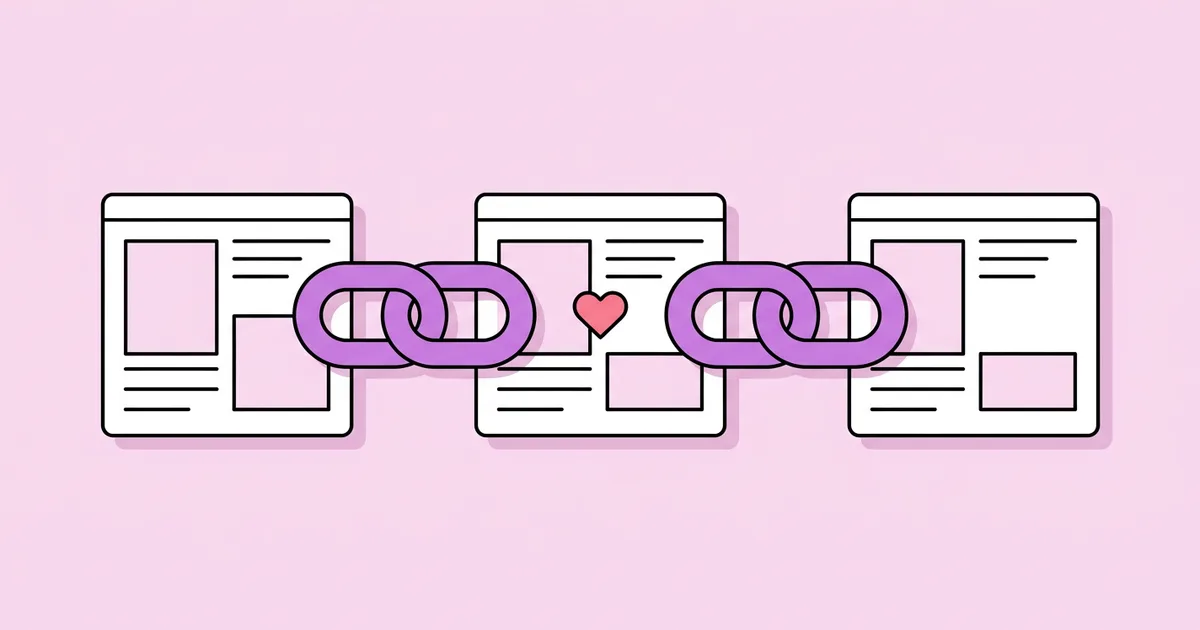
Website structure determines how search engines discover pages, how they understand topical relationships, and how internal link signals flow through a site. Google finds most new URLs by following links from pages it already knows, so a page with no internal links pointing to it, an orphan page, may be discovered late or not at all. Structure also tells search engines which pages you consider most important: pages linked from the homepage and main navigation are implicitly prioritized over pages buried deep in an archive.
Structure and page-level optimization are two layers of the same system. Structure decides where a page lives and what links to it; page-level work decides how clearly that page communicates its topic. Once the architecture is settled, a page-level SEO checklist makes sure each individual URL in the hierarchy sends clear, consistent signals through its title, headings, and content.
Several terms come up constantly in architecture planning. Click depth is the number of clicks needed to reach a page from the homepage. A flat structure keeps most pages at a low click depth, while a deep structure buries them under many layers. A hub page, sometimes called a pillar or category page, covers a broad topic and links to more specific supporting pages, forming a topic cluster. Breadcrumbs are secondary navigation showing a page's position in the hierarchy, such as Home, then Services, then Tax Preparation.
The reason to do this on day one is simple: URLs are effectively permanent identifiers. Google's own URL structure guidance recommends simple, descriptive, readable URLs, and every later change to them requires redirects that you will maintain for years.
Step-by-Step: Planning Your Site Structure Before You Build
Good architecture comes from research and grouping, not from the order pages were requested by stakeholders. Follow these steps before any design or template work begins.
- List every topic your audience searches for. Gather queries from keyword research tools, customer questions, sales calls, and competitor sites. Aim for a complete inventory of topics, not just your current page list.
- Group queries by intent. Queries that a single page can satisfy belong together. Queries with different intents, such as "what is payroll" versus "payroll services near me," need separate pages.
- Define your hubs. Identify the broad topics that organize everything else. On a service site, these are usually service categories; on a blog, core subject areas; on a store, product categories.
- Assign supporting pages to hubs. Each specific page should belong to one primary hub. If a page seems to fit three hubs equally, the hubs are probably defined poorly.
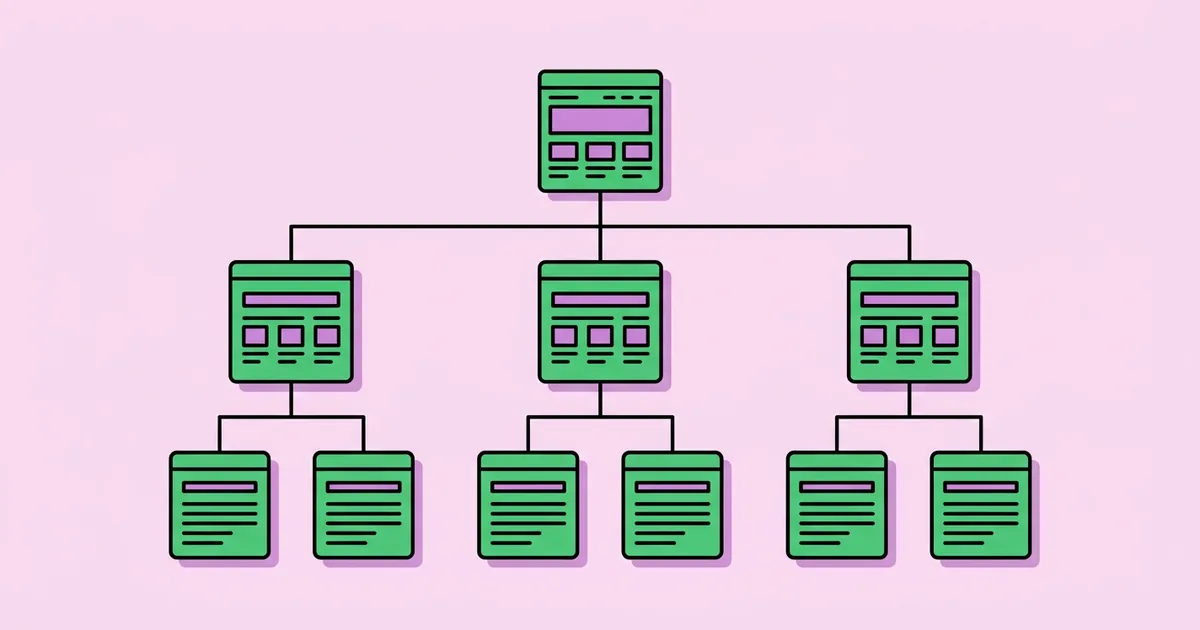
- Keep the hierarchy shallow. Aim for Home, then hub, then supporting page for most content. Extra layers should exist only when they help users navigate a genuinely large catalog.
- Design the URL pattern. Decide whether URLs mirror the hierarchy, such as
/services/tax-preparation, or stay flat, such as/tax-preparation. Use lowercase, hyphens, and no dates or IDs unless required, and fix the trailing-slash convention. - Plan navigation and internal links. Main navigation links to hubs. Hubs link to all their supporting pages. Supporting pages link back to their hub and sideways to closely related siblings.
- Add breadcrumbs. Display breadcrumbs on every inner page, generated from the same hierarchy data as your URLs, and mark them up with BreadcrumbList structured data.
- Document it as a sitemap diagram. Create a visual tree and a spreadsheet of every planned URL, its parent, its target intent, and its template. This becomes the contract for designers and developers.
Comparing Common Website Structure Models
Different sites suit different structural models. This comparison covers the patterns I use most often and when each one fits.
| Structure model | How it works | Best fit | Main risk |
|---|---|---|---|
| Flat hierarchy | Almost all pages one level below the homepage | Small sites with fewer than a few dozen pages | Weak topical grouping as the site grows |
| Hub and spoke (topic clusters) | Hub pages for broad topics linking to focused supporting pages | Service businesses, content sites, SaaS marketing sites | Hubs that are thin lists of links instead of useful pages |
| Category and subcategory hierarchy | Nested categories leading to individual items | Ecommerce stores and large directories | Excessive depth and duplicate URLs from faceted filters |
| Chronological archive | Content organized mainly by publish date | News publishers with time-sensitive content | Evergreen content sinks deep and loses internal links over time |
Most marketing and service websites do best with hub and spoke, because it mirrors how people research: a broad question first, then specific follow-ups. Ecommerce sites typically combine category hierarchy with hub-style buying guides that link into categories.
What Practitioners Learn From Restructuring Live Sites
Restructuring an established site teaches lessons that are far cheaper to apply before launch. The points below are practitioner analysis from planning and migrating site architectures, not figures from a controlled study.
The first lesson is that internal links matter more than URL paths. Teams often obsess over whether a URL should be /services/tax-preparation or /tax-preparation. In practice, search engines understand hierarchy mainly from how pages link to each other, the navigation, and breadcrumbs. A clean URL pattern helps users and keeps things organized, but a well-linked page with a flat URL will outperform a perfectly nested URL that nothing links to.
The second lesson is that hubs must be genuinely useful pages. A category page that only lists links gives searchers little reason to land on it and gives search engines little content to rank. The hub pages that perform best summarize the topic, answer the most common broad questions, and then guide readers to deeper pages. Hubs are also a natural place to reinforce entity relationships through markup, and implementing schema markup without a plugin lets you generate BreadcrumbList and organization data directly from the same hierarchy that drives your navigation.
The third lesson concerns growth. Sites rarely fail because their initial structure was wrong; they fail because nobody assigned new content a place in it. Blog posts get published without links to hubs, campaign pages become orphans, and new services are added to the footer but nowhere else. A structure needs an owner and a rule: every new page must have a parent hub and at least one contextual internal link before it is published.
Finally, restructures almost always reveal duplicate intent. When pages are mapped against queries, two or three pages typically compete for the same intent. Merging them before launch costs nothing; merging them later requires redirects and a period of ranking volatility.
Common Website Structure Mistakes and How to Avoid Them
Structural mistakes are expensive because they affect every page at once. These are the ones I see most often on newly launched sites.
- Structuring around the org chart. Departments and internal product names rarely match how customers search. Base hubs on audience topics and search intent, not company divisions.
- Burying important pages. Key service or product pages several clicks deep receive fewer internal links and less attention. Link priority pages from navigation or hubs directly.
- Navigation that is not crawlable. Menus built with JavaScript click handlers instead of anchor elements with href attributes can hide your structure from crawlers. Use real links.
- Mega menus linking to everything. Linking hundreds of pages from every page flattens your priority signals and overwhelms users. Link hubs from navigation and let hubs link to details.
- Dates and IDs in evergreen URLs. A date in a guide's URL makes it look stale and forces a redirect if you update it. Keep evergreen URLs timeless.
- Uncontrolled faceted URLs. Filters that generate unique crawlable URLs for every combination create massive duplication. Canonicalize filter states and avoid linking to low-value combinations.
- No plan for orphan pages. Landing pages and older posts drift out of the link graph. Run a crawl regularly and compare discovered URLs with your sitemap to find pages nothing links to.
Real-World Walkthrough: Structuring a New Agency Website
Here is how the planning process plays out for a new digital agency site offering web design, SEO, and paid advertising, with a blog and case studies.
Research and grouping. Keyword research and client interviews produce around eighty relevant queries. Grouping by intent reveals three commercial hubs (web design, SEO, and paid advertising), a set of informational topics that map to each hub, and comparison queries about pricing and choosing an agency.
Hierarchy. The plan settles on Home, then three service hubs, each with three to five specific service pages, such as /seo/technical-seo-audit and /web-design/ecommerce-websites. Case studies live under /work/ and the blog under /blog/ with flat post URLs, because posts often relate to more than one service.
Internal linking rules. Main navigation links to the three hubs, case studies, blog, and contact. Each hub links to all its service pages and the most relevant case studies and posts. Each service page links back to its hub, to one or two sibling services, and to a related case study. Every blog post must link to the most relevant service page and at least one related post.
Breadcrumbs and markup. Breadcrumbs are generated from the URL hierarchy data, displayed on all inner pages, and output as BreadcrumbList JSON-LD. Organization markup sits in the global template.
Pre-launch verification. Before launch, the team crawls staging and runs this checklist:
- Every planned URL in the spreadsheet exists and returns a 200 status
- No page sits deeper than three clicks from the homepage
- Zero orphan pages compared against the XML sitemap
- Navigation and breadcrumbs use anchor elements with real href values
- Each page has one primary hub and at least one contextual inbound link
- URL conventions, including trailing slashes, are consistent sitewide
Key Takeaways
- URLs act as permanent identifiers, so planning the hierarchy before launch avoids years of redirect maintenance.
- Internal links, navigation, and breadcrumbs communicate hierarchy to search engines more strongly than URL paths alone.
- Hub and spoke structures suit most service and content sites because they mirror how people research a topic.
- Hub pages perform best when they are genuinely useful summaries, not bare lists of links.
- A simple publishing rule, that every new page needs a parent hub and a contextual inbound link, keeps structure intact as the site grows.
Frequently Asked Questions
What is an SEO-friendly website structure?
An SEO-friendly website structure organizes pages into a logical, shallow hierarchy where broad topic pages link to specific supporting pages. It uses readable URLs, crawlable navigation links, and breadcrumbs, so users and search engines can easily understand how topics relate and reach every important page within a few clicks of the homepage.
How many clicks from the homepage should a page be?
There is no official limit from Google, but a common practical guideline is to keep important pages within about three clicks of the homepage. Pages closer to the homepage usually receive more internal links and are discovered and recrawled more easily. Use hubs and contextual links to keep depth low as the site grows.
Should URLs reflect the website hierarchy?
URLs that mirror the hierarchy, such as a service nested under its category, are easy for people to understand and keep a site organized. However, it is not required for SEO. Search engines rely more on internal links and breadcrumbs. Choose a consistent pattern before launch, keep URLs short and descriptive, and avoid changing them later.
What is a topic cluster in SEO?
A topic cluster is a group of pages built around one broad subject. A central hub page covers the topic broadly and links to supporting pages that each answer a narrower question, and those pages link back to the hub. This structure signals topical depth and helps users move naturally from general to specific information.
Do breadcrumbs help SEO?
Yes, breadcrumbs help SEO by adding crawlable internal links that reinforce your site hierarchy and by helping users understand where they are. When marked up with BreadcrumbList structured data, Google may display the breadcrumb trail in search results. They are especially useful on sites with categories, services, or product hierarchies.
Can I change my website structure after launch?
You can change structure after launch, but it requires careful planning. Changed URLs need permanent 301 redirects, internal links must be updated, sitemaps regenerated, and rankings may fluctuate while search engines process the changes. That cost is why planning your hierarchy and URL patterns before launch is far more efficient.
Conclusion
The decision that shapes everything else is to plan your hierarchy, URL patterns, and internal linking rules as a documented blueprint before any template is built. A shallow hub-and-spoke structure with real anchor links and generated breadcrumbs gives every future page an obvious home and a clear path for both users and crawlers. With the blueprint in place, protect it during development by reviewing the technical SEO mistakes to avoid so implementation choices do not quietly undo your architecture.