
Local AI vs Cloud AI: Key Differences, Benefits, Costs, and Which One Should You Choose?
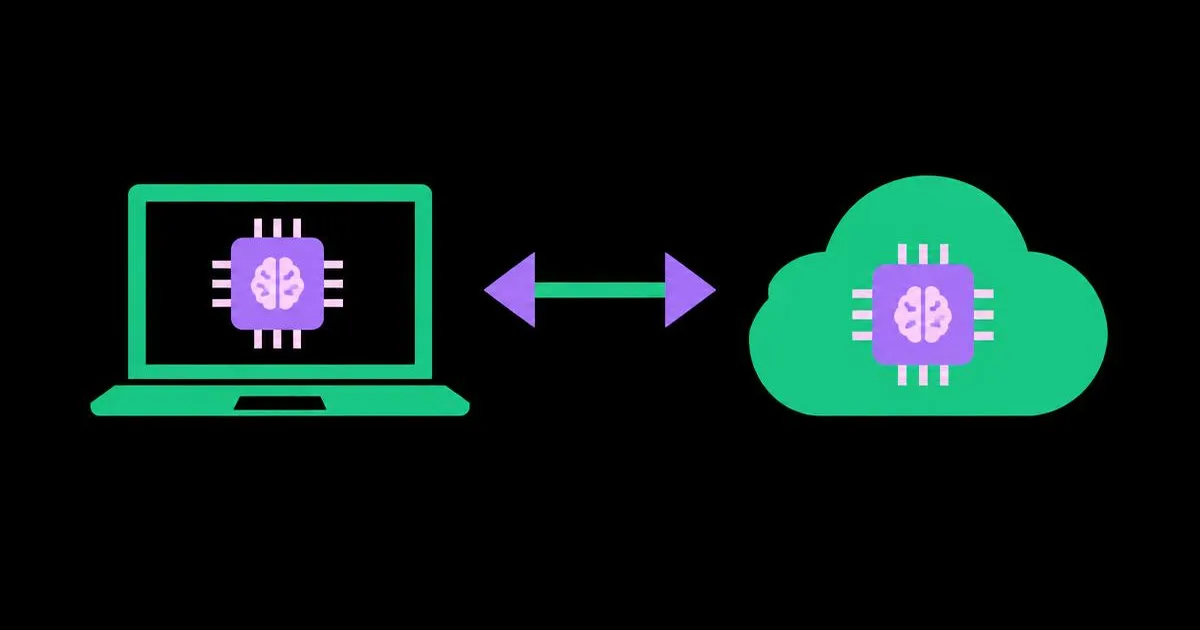
The first time a team sends sensitive contracts to a hosted AI model, someone in legal usually asks where that data goes. The first time a team tries running a model on a laptop, someone usually asks why it is so slow. Both questions sit at the heart of a decision every AI adopter now faces. Local AI means running models on hardware you control, such as a laptop, workstation, or on-premises server, while cloud AI means accessing models hosted by a provider over the internet through an app or API.
Quick Answer: Choose cloud AI when you need the most capable models, fast setup, and costs that scale with usage. Choose local AI when data privacy, offline access, predictable costs at high volume, or full control matter most. Many organizations use a hybrid: local models for sensitive or routine tasks, cloud models for complex reasoning.
What Is the Difference Between Local AI and Cloud AI?
The core difference between local AI and cloud AI is where the model runs and therefore who controls the hardware, the data flow, and the costs. Everything else, including performance, privacy, and pricing, follows from that single fact.
With cloud AI, you send a request, such as a prompt, document, or image, to a provider's data center, where large models run on specialized GPUs or accelerators, and you receive the result. You pay per request, per token, or through a subscription. It inherits all the classic characteristics of cloud services, which we unpack in our guide to cloud computing types, benefits, and business uses.
With local AI, you download model weights, typically open-weight models such as Meta's Llama family, Mistral models, Google's Gemma, or Alibaba's Qwen, and run them with software like Ollama, LM Studio, or llama.cpp on your own machine or servers. Data never leaves your environment unless you choose to send it.
Key terms: inference is the act of running a trained model to produce output; parameters roughly indicate model size, with larger models generally more capable but more demanding; quantization compresses model weights to lower precision so they fit in less memory, trading a little quality for a lot of efficiency; and VRAM is the memory on a graphics card, usually the main constraint on which models you can run locally.
Benefits of Each Approach
Each approach wins on different dimensions. Listing them side by side clarifies which benefits actually matter for your situation.
Benefits of cloud AI
- Access to frontier capability: the most capable proprietary models are generally available only through cloud services.
- Zero hardware investment: no GPUs to buy, cool, or maintain.
- Instant scale: handle one request or a sudden flood without capacity planning.
- Always updated: providers ship improved models, and switching is often a one-line configuration change.
- Rich capabilities: image, video, speech, search grounding, and large context windows come built in.
Benefits of local AI
- Data stays in your environment: valuable for confidential, regulated, or proprietary information.
- Offline operation: works on planes, in secure facilities, and in places with poor connectivity.
- Predictable costs: after the hardware purchase, heavy usage adds mainly electricity, not per-token fees.
- Full control: choose and freeze model versions, customize and fine-tune, and avoid provider policy changes.
- Low latency for small models: no network round trip, which helps for responsive, embedded features.
Local AI vs Cloud AI: Side-by-Side Comparison
The table below summarizes how the two approaches compare across the factors I see decide real projects.
| Factor | Local AI | Cloud AI |
|---|---|---|
| Data privacy | Data stays on your hardware by default | Data is sent to the provider; governed by their terms and agreements |
| Model capability | Strong open-weight models, limited by your hardware | Access to the most capable frontier models |
| Cost structure | Upfront hardware, then low marginal cost | No upfront cost, pay per use or subscription |
| Setup and maintenance | You install, update, secure, and monitor everything | Provider handles infrastructure and updates |
| Scalability | Limited by owned hardware | Scales on demand |
| Offline use | Fully supported | Requires an internet connection |
No row in this table is a universal winner. The right answer depends on which rows carry the most weight for your workload.
Cost Analysis: How to Think About the Real Numbers
This section is practitioner analysis of how to model costs rather than a quote of specific prices, because hardware and API prices change frequently and vary by region and provider. The method stays valid even when the numbers move.
Cloud cost is a function of volume. Estimate the average input and output tokens per task, multiply by tasks per month, and apply the provider's current rates. For light or irregular usage, cloud almost always wins, because you pay nothing when idle. If you are building a product on top of these APIs, our guide to building an AI-powered SaaS application explains how to price plans so per-user AI costs stay profitable.
Local cost is a function of hardware and utilization. Add the hardware purchase spread over its useful life, electricity, and, crucially, the staff time to set up, update, and secure the system. That staff time is the cost most teams underestimate. A capable workstation that sits idle most of the day is expensive per useful output.
The break-even question. Local becomes economically attractive when usage is high, steady, and predictable, the tasks can be handled well by models that fit your hardware, and you already have people comfortable maintaining the system. Cloud stays attractive when usage is spiky, tasks need top-tier reasoning, or your team's time is better spent elsewhere.
Hidden cloud costs include sending very large prompts repeatedly, retries on failures, and premium models used for tasks a smaller model would handle. Hidden local costs include upgrades when better models outgrow your hardware, downtime, and the opportunity cost of slower outputs. Model both honestly before deciding.
Common Mistakes When Choosing Between Local and Cloud AI
These are the decision errors I see most often, with what to do instead.
Assuming local means automatically secure. A local model on an unpatched, widely accessible server can be less secure than a reputable cloud service with strong agreements. Instead, apply proper access controls, encryption, and updates to local deployments.
Assuming cloud means data is used for training. Many business and API offerings state that customer data is not used for training by default. Instead, read the specific terms, data retention policies, and available enterprise agreements before ruling cloud out.
Buying hardware before testing. Instead, test open-weight models on rented cloud GPUs or existing machines to confirm quality is good enough for your tasks before purchasing equipment.
Using one model for everything. Instead, route simple tasks such as classification and extraction to small, cheap models, and reserve large models for complex reasoning.
Ignoring maintenance. Instead, assign an owner for local systems who handles updates, monitoring, and model upgrades.
Choosing based on hype. Instead, evaluate with your own real tasks and a simple scoring sheet for quality, speed, and cost.
How to Decide: Real-World Scenarios and a Decision Checklist
Here are four common scenarios and the setup that usually fits each, followed by a checklist you can apply to your own situation.
A solo content creator producing articles, scripts, and images benefits most from cloud AI. Usage is irregular, quality matters, and there is no IT team. Multimodal tools such as image and video generation are almost entirely cloud-based today; running comparable video generation on personal hardware remains impractical for most creators.
A law firm summarizing confidential case files may run a local model for document review on firm-controlled servers, while using a cloud service under an enterprise agreement for non-sensitive research.
A software developer often uses a local model for code completion on private repositories and offline work, plus a cloud model for complex architecture questions.
A SaaS company serving many customers usually starts with cloud APIs for speed and flexibility, then evaluates self-hosting specific high-volume tasks once usage patterns are stable.
What these scenarios share is that the decision was made per task, not per organization. Treating local versus cloud as a single company-wide policy usually forces compromises, while routing each workload to the environment that suits its data and volume keeps both risk and spending under control.
Decision checklist:
- Does the data include confidential, regulated, or personal information that cannot leave your environment?
- Do your tasks require top-tier reasoning, or can a smaller open model handle them well?
- Is your usage steady and high, or irregular and spiky?
- Do you need offline operation?
- Does your team have the skills and time to maintain hardware and software?
- Have you tested both options with your own real tasks?
If you answered yes to the first, fourth, or a steady-high-volume third question, local or hybrid deserves serious consideration. Otherwise, start in the cloud.
Key Takeaways
- The fundamental difference between local and cloud AI is where the model runs, which determines control over data, hardware, and costs.
- Cloud AI offers the most capable models, instant scale, and no upfront investment, making it the default starting point for most users.
- Local AI excels when data must stay in your environment, offline operation is needed, or usage is high, steady, and predictable.
- Staff time for setup, security, and maintenance is the most underestimated cost of running AI models locally.
- A hybrid approach that routes sensitive or routine tasks locally and complex reasoning to the cloud often delivers the best balance.
Frequently Asked Questions
Is local AI better than cloud AI?
Neither is universally better. Local AI is better for privacy, offline use, and predictable costs at high volume. Cloud AI is better for access to the most capable models, fast setup, and scaling without hardware. The right choice depends on your data sensitivity, task complexity, usage pattern, and team skills.
What hardware do I need to run AI locally?
Requirements depend on model size. Small quantized models can run on modern laptops, especially those with ample unified memory or a dedicated graphics card. Larger models need GPUs with substantial VRAM or powerful workstations. Test the specific model you plan to use with tools like Ollama or LM Studio before buying hardware.
Is cloud AI safe for confidential business data?
Cloud AI can be appropriate for confidential data when the provider offers business terms covering data retention, training exclusion, encryption, and compliance certifications. Review agreements carefully and match them to your regulatory obligations. For highly restricted data, a local or private deployment may still be the safer option.
Can local AI models match cloud model quality?
Open-weight models have improved significantly and handle many tasks well, including summarization, drafting, classification, and coding assistance. The most demanding reasoning and multimodal tasks generally still favor frontier cloud models. Evaluate both on your own tasks, since the quality gap varies widely by use case.
Is running AI locally cheaper than using the cloud?
Running AI locally can be cheaper for high, steady usage once hardware is paid off, because marginal costs are mostly electricity. For light or irregular usage, cloud is usually cheaper since you pay nothing when idle. Include staff time, upgrades, and downtime when comparing, not just hardware and API prices.
What is hybrid AI and when should I use it?
Hybrid AI combines local and cloud models, routing each task to the most suitable option. Sensitive documents or routine high-volume tasks run locally, while complex reasoning or multimodal generation uses cloud models. It suits organizations with mixed data sensitivity or teams wanting to control costs without giving up top-tier capability.
Conclusion
The single most important factor in choosing between local AI and cloud AI is the sensitivity of your data combined with how steady your usage is; capability and cost questions follow from those two. For most people and businesses, the smart path is to start in the cloud, measure real usage, and move specific sensitive or high-volume tasks local only when the evidence supports it. Your next step is to list your top five AI tasks and score each against the decision checklist above. Once you know where your AI runs, put it to work for growth with our guide to practical ways to use AI in your marketing.