Cloud Computing Explained: Types, Benefits, Examples, and How Businesses Use Cloud Technology
Every time you stream a show, send a file through a shared drive, or pay with a card online, you are using someone else's computers in a data center you will never see. That arrangement is the backbone of modern business. Cloud computing is the on-demand delivery of computing resources, including servers, storage, databases, networking, software, and AI, over the internet, with customers paying for what they use instead of owning and maintaining physical hardware.
Quick Answer: Cloud computing delivers servers, storage, databases, and software over the internet on a pay-as-you-go basis. Its main service types are IaaS, PaaS, and SaaS, deployed as public, private, hybrid, or multi-cloud. Businesses use it to scale quickly, reduce upfront hardware spending, improve reliability, and access advanced tools like AI.
What Is Cloud Computing and How Does It Work?
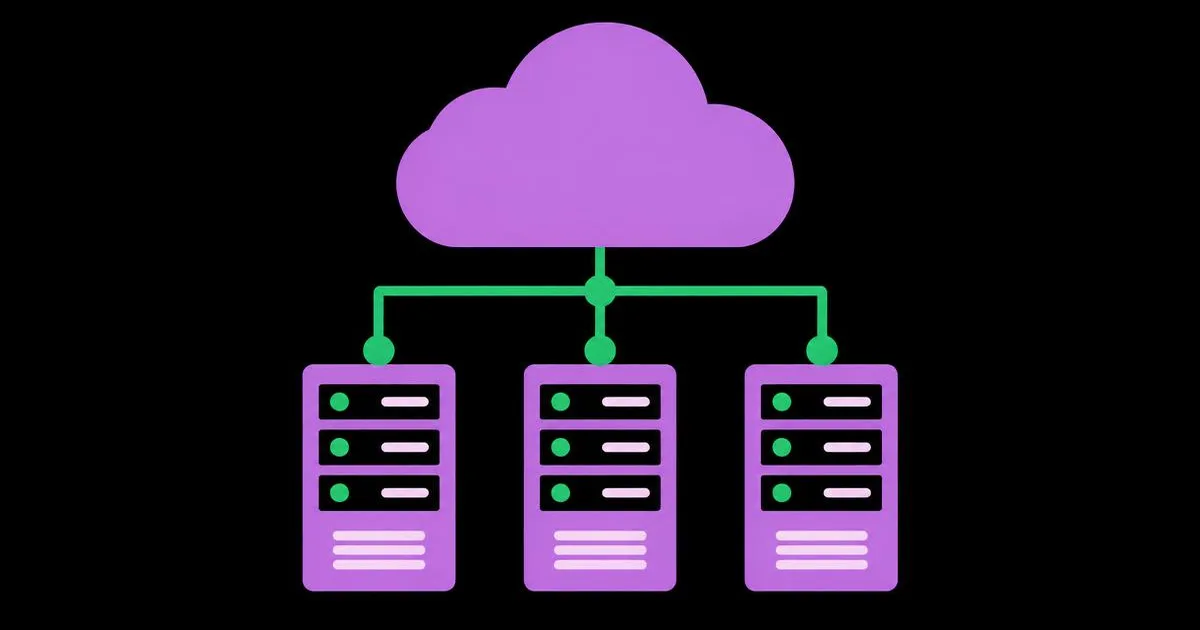
Cloud computing works by pooling large amounts of hardware in data centers and dividing it into virtual resources that customers rent through a web console or API. Virtualization software lets one physical server run many isolated virtual machines, and orchestration systems allocate, monitor, and move those resources automatically.
The definition published by the U.S. National Institute of Standards and Technology (NIST) remains the clearest reference. It describes five essential characteristics: on-demand self-service, broad network access, resource pooling, rapid elasticity, and measured service. If a service lacks these traits, such as needing a sales call and weeks of setup to add capacity, it is closer to traditional hosting than true cloud. Understanding this matters when you compare where to run workloads, including AI, which we explore in our guide to choosing between local and cloud AI.
Key terms: a region is a geographic area containing data centers; an availability zone is an isolated location within a region designed so failures in one do not affect others; elasticity is the ability to add or remove capacity automatically as demand changes; and the shared responsibility model describes which security duties belong to the provider and which belong to you.
The major public providers are Amazon Web Services, Microsoft Azure, and Google Cloud, with many specialized providers serving specific needs such as developer hosting, edge computing, and managed databases.
The Types of Cloud Computing: Service and Deployment Models
Cloud computing is classified in two ways: by what you rent, called the service model, and by where and how it is hosted, called the deployment model. Mixing these up is the source of most confusion in cloud conversations.
Service models
- Infrastructure as a Service (IaaS): you rent virtual machines, storage, and networks, and manage the operating system and everything above it. Example: running your own application server on a rented virtual machine.
- Platform as a Service (PaaS): the provider manages servers and runtimes, and you deploy code. Example: a managed application platform or managed database.
- Software as a Service (SaaS): you use finished software through a browser. Examples include email suites, CRM tools, and accounting software.
- Serverless and Function as a Service: you upload individual functions that run on demand and scale to zero when idle, paying only per execution.
Deployment models
- Public cloud: shared infrastructure operated by a provider, accessible to any paying customer.
- Private cloud: cloud-style infrastructure dedicated to one organization, on-premises or hosted.
- Hybrid cloud: a combination of private infrastructure and public cloud, connected so workloads and data can move between them.
- Multi-cloud: using more than one public provider, often to use each provider's strengths or reduce dependence on one vendor.
Most growing businesses start with SaaS for everyday tools, PaaS or serverless for their own applications, and only move to raw IaaS when they need deep control.
Comparing Cloud Service Models Side by Side
The quickest way to choose a service model is to compare who manages what. The more the provider manages, the faster you move, and the less control you keep.
| Model | You Manage | Provider Manages | Typical Business Example |
|---|---|---|---|
| IaaS | Operating system, runtime, applications, data | Physical hardware, networking, virtualization | Migrating an existing legacy application without rewriting it |
| PaaS | Application code and data | Servers, OS, runtime, scaling, patching | Deploying a new customer portal on a managed platform |
| Serverless | Individual functions and data | All infrastructure, including scaling to zero | Processing image uploads or webhook events on demand |
| SaaS | Your data, users, and settings | The entire application stack | Using a hosted CRM, email, or accounting system |
A rule of thumb from years of migrations: choose the highest-level model that meets your requirements. Every layer you manage yourself is a layer you must patch, secure, monitor, and staff.
The Real Benefits and Trade-Offs Businesses Experience
This section combines widely documented cloud characteristics with practitioner analysis from migration projects. I deliberately avoid market-size figures here, because what matters to your decision is how these benefits apply to your workload.
Capital expense becomes operating expense. Instead of buying servers sized for peak demand years in advance, you pay monthly for what you use. This lowers the barrier to launching new products, which is why so many startups now build on managed cloud services. Our walkthrough on building a SaaS product with AI from idea to launch shows how founders lean on these services to ship without an infrastructure team.
Elasticity handles unpredictable demand. Retailers during holiday sales, ticketing sites during big releases, and tax services near filing deadlines can scale up for peaks and down afterward. On-premises, that capacity would sit idle most of the year.
Reliability improves when architected properly. Running across multiple availability zones protects against single data center failures. The important caveat is "when architected properly." A single virtual machine in one zone is no more resilient than a server in your office.
Access to advanced services. Managed AI models, analytics warehouses, and global content delivery networks would be impractical for most companies to build. In the cloud, they are an API call away.
The trade-offs are real. Costs can grow unpredictably without monitoring, especially from data egress, overprovisioned instances, and forgotten resources. Vendor lock-in increases as you adopt proprietary services. Compliance requirements may restrict where data can live. Good cloud strategy acknowledges these upfront rather than discovering them on an invoice.
Common Cloud Computing Mistakes and How to Avoid Them
Most cloud problems I have been called in to fix trace back to a few predictable mistakes.
Lift-and-shift without optimization. Moving servers unchanged into the cloud often costs more than keeping them on-premises, because they run around the clock at peak size. Instead, right-size instances after migration and move suitable parts to managed or serverless services over time.
No cost governance. Teams spin up resources for tests and forget them. Instead, tag every resource with an owner and project, set budget alerts, and review spend weekly in the first months.
Misunderstanding shared responsibility. Providers secure the infrastructure, but you secure your configurations, identities, and data. Publicly exposed storage buckets are a classic result of this misunderstanding. Instead, enforce least-privilege access, enable multi-factor authentication, and run configuration scans.
Single-zone architecture for critical systems. Instead, deploy critical workloads across multiple availability zones and test failover.
No backup or exit plan. Instead, back up data to a separate account or region, document how you would move key systems, and prefer open standards like containers and Postgres where practical.
Ignoring data location rules. Instead, map which data falls under regulations such as GDPR and choose regions accordingly.
How Businesses Use Cloud Technology: Real-World Scenarios
Here is how cloud adoption plays out in three typical businesses, followed by a migration checklist you can adapt.
A small professional services firm replaces its office file server and email server with SaaS productivity tools. Staff work securely from anywhere, backups are handled by the provider, and the firm no longer needs an on-site server closet. The main project work is identity setup, multi-factor authentication, and permission cleanup.
An e-commerce brand runs its storefront on a managed platform, serves images through a content delivery network, and uses serverless functions for order webhooks and inventory sync. During seasonal promotions, the platform scales automatically, and the team pays more only during those peaks.
A mid-sized manufacturer adopts hybrid cloud. Factory control systems stay on-premises for latency and safety reasons, while production data streams to a cloud analytics warehouse where managers view dashboards and data scientists build forecasting models.
Across all three scenarios, the pattern is the same: none of these businesses moved everything at once, and none chose a single service model for every workload. Each matched the model to the job, kept latency-sensitive or regulated systems where they made sense, and treated the first migration as a learning exercise that informed every later decision about cost, security, and performance.
Migration checklist:
- Inventory every application, its dependencies, and its data sensitivity.
- Classify each workload: retire, replace with SaaS, move to managed service, or rehost.
- Set up identity, access policies, and multi-factor authentication before moving data.
- Design networking, backups, and multi-zone deployment for critical systems.
- Migrate a low-risk workload first and measure performance and cost.
- Enable cost alerts, tagging, and monitoring dashboards.
- Right-size resources after the first month based on actual usage.
- Document recovery procedures and test them.
Key Takeaways
- Cloud computing is defined by on-demand self-service, broad network access, resource pooling, rapid elasticity, and measured, pay-per-use service.
- Service models describe what you rent, from IaaS to SaaS, while deployment models describe where it runs: public, private, hybrid, or multi-cloud.
- Choosing the highest-level service model that meets your needs reduces the patching, security, and staffing work your team carries.
- Under the shared responsibility model, the provider secures the infrastructure while customers remain responsible for configurations, identities, and data.
- Cloud savings come from right-sizing, managed services, and cost governance, not from moving existing servers unchanged.
Frequently Asked Questions
What is cloud computing in simple terms?
Cloud computing means using computing power, storage, and software over the internet instead of owning the hardware yourself. A provider runs large data centers and rents out resources on demand. You pay for what you use, scale up or down quickly, and avoid buying and maintaining physical servers.
What are the three main types of cloud computing?
The three main service types are Infrastructure as a Service, Platform as a Service, and Software as a Service. IaaS rents virtual servers and storage, PaaS provides a managed platform for deploying code, and SaaS delivers finished applications through a browser. Serverless computing is often treated as a fourth, function-level model.
Is cloud computing secure for businesses?
Major cloud providers invest heavily in physical and infrastructure security, often beyond what individual businesses can achieve. However, security depends on correct configuration. Most incidents stem from customer-side issues like weak access controls or publicly exposed storage. Use multi-factor authentication, least-privilege permissions, encryption, and regular configuration audits.
Is cloud computing cheaper than on-premises servers?
Cloud computing is often cheaper for variable or growing workloads because you avoid upfront hardware and pay only for usage. Steady, predictable workloads running around the clock can sometimes cost less on owned hardware. The deciding factors are utilization, staffing costs, right-sizing discipline, and how much you use managed services.
What is the difference between hybrid cloud and multi-cloud?
Hybrid cloud connects private infrastructure, such as on-premises servers, with a public cloud so workloads can share data and move between them. Multi-cloud means using services from two or more public cloud providers. A business can be both hybrid and multi-cloud at the same time.
What are examples of cloud computing in everyday life?
Everyday examples include web-based email, online file storage and sharing, video streaming services, online banking, collaborative document editors, and video conferencing. Business examples include hosted CRM systems, e-commerce platforms, cloud accounting software, data analytics warehouses, and AI model APIs that power chatbots and content tools.
Conclusion
The most important decision in cloud adoption is choosing the right service model for each workload, because that single choice determines how much of the security, scaling, and maintenance burden stays with your team. Start by inventorying your applications and labeling each one as retire, replace with SaaS, move to a managed service, or rehost, then migrate the lowest-risk item first. Once your infrastructure is in place, the next lever for growth is how you reach customers, and our guide to AI-powered digital marketing strategies shows how to put cloud-based AI tools to work in your marketing.