How to Automate Social Media Marketing With AI Tools
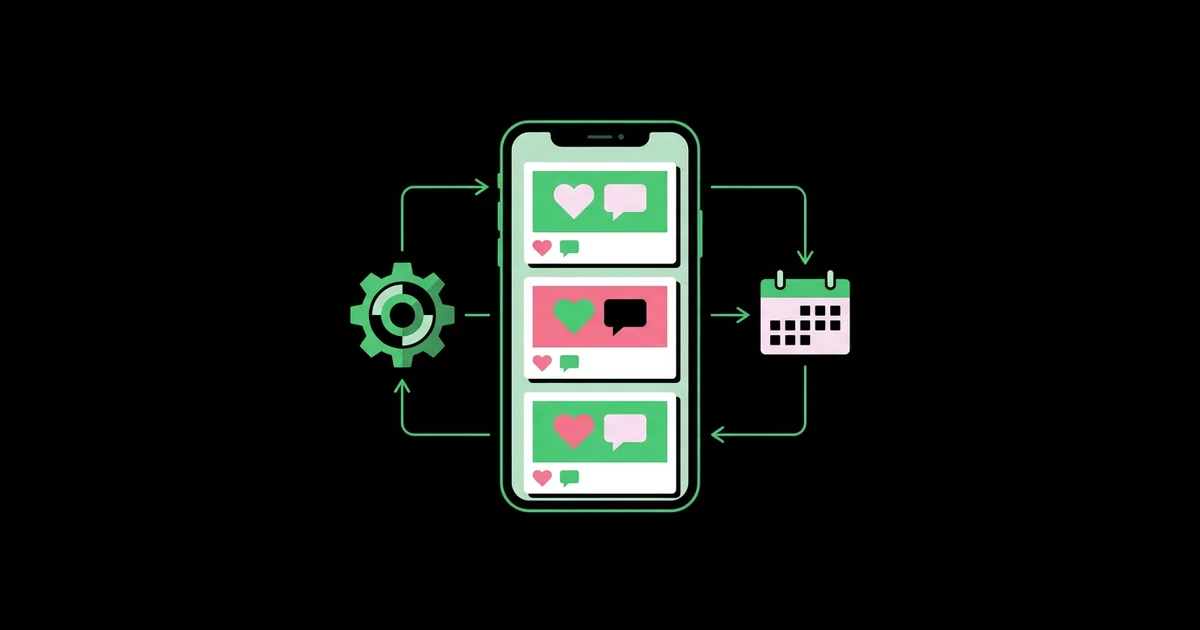
Posting every day by hand is how most small teams burn out on social media within a quarter. Social media marketing automation with AI is the practice of using AI tools to plan, draft, design, schedule, and analyze social posts so that a consistent publishing system runs with a few focused hours a week instead of constant daily effort. Done well, it frees you to spend your limited time on the part that never should be automated: real conversations with your audience.
Quick Answer: To automate social media marketing with AI, define content pillars, batch-create a month of posts using an AI assistant and Canva, schedule them in a tool like Buffer, Hootsuite, or Later, repurpose top performers automatically, and review analytics monthly. Automate creation and scheduling, but keep replies and community engagement human.
What Parts of Social Media Can AI Actually Automate?
AI can automate the production and logistics of social media, but not the relationship. That distinction decides whether automation helps or quietly damages your brand. The production side includes idea generation, caption drafting, hashtag suggestions, image creation and resizing, video captioning, scheduling, and performance reporting. The relationship side includes replying to comments, joining conversations, handling complaints, and recognizing cultural moments that need a careful human tone.
Three terms are worth defining. Content pillars are the three to five recurring themes your brand posts about, such as education, behind-the-scenes, customer proof, and offers. Batching means producing many posts in one focused session rather than one at a time. Repurposing means converting one core asset, like a blog post or a webinar, into multiple platform-specific posts. AI is strongest at batching and repurposing, because both involve transforming existing ideas rather than inventing new ones. If you are still choosing which software belongs in your wider stack, our breakdown of the AI marketing tool stack for small teams shows where social tools fit next to email and design.
The practical rule I use with clients is simple: automate anything that happens before a post goes live, and keep a human in charge of anything that happens after. Scheduling a carousel at 9am on Tuesday is a logistics task. Replying to a frustrated customer under that carousel is a relationship task.
Platform rules matter too. Most major networks allow scheduling through approved partner tools via their official APIs, but they prohibit fake engagement, automated mass following, and bots that like or comment at scale. Those tactics risk account restrictions, so stay with legitimate scheduling and analytics tools.
Step-by-Step: Building an AI-Powered Social Media System
A reliable automation system has a fixed sequence. Skipping steps, especially the strategy steps, is what produces bland AI feeds that nobody engages with.
- Define your audience and content pillars. Write a one-page brief: who you serve, which platforms they use, what problems they have, and your three to five pillars. Give this brief to your AI assistant at the start of every session so drafts stay on-strategy.
- Collect source material. Gather your best raw assets: customer questions, testimonials, product photos, blog posts, team stories, and past posts that performed well. AI produces far better posts from real material than from a blank prompt.
- Generate a monthly content calendar. Ask your assistant to map a month of posts across your pillars and platforms, balancing educational, social proof, and promotional content. Edit the plan before drafting anything.
- Batch-draft captions. Draft every caption in one session. Ask for platform-specific versions: a concise hook for X, a professional angle for LinkedIn, a visual-first caption for Instagram. Then edit each for voice and accuracy.
- Batch-create visuals. Use Canva templates built on your brand kit and AI features like background removal and resizing to produce every graphic at once. For video, use CapCut or Descript to auto-caption and trim clips.
- Schedule everything. Load the month into a scheduler such as Buffer, Hootsuite, Later, or Sprout Social. Use the platform's best-time suggestions as a starting point, then adjust based on your own analytics.
- Set up engagement alerts. Turn on notifications or a unified inbox so comments and messages reach a human quickly. This is the step most automated accounts forget.
- Review and repurpose monthly. Identify your top posts, ask AI to create fresh variations of them, and feed those into next month's calendar.
Once this loop runs twice, most teams find a full month of content takes one or two focused working sessions instead of daily scrambling.
Comparing AI Social Media Automation Tools
Different tools are strong at different stages of the system. Choosing by stage keeps you from paying for overlapping features.
| Tool | Strongest Stage | AI Capability | Best Fit |
|---|---|---|---|
| Buffer | Scheduling | AI Assistant for drafting and repurposing captions | Solo founders and small teams wanting simplicity |
| Hootsuite | Scheduling and monitoring | OwlyWriter AI for captions and post ideas | Teams managing many accounts and social listening |
| Later | Visual planning | AI caption writing with a visual grid planner | Instagram and TikTok-focused brands |
| Sprout Social | Engagement and reporting | AI-assisted replies and insights | Growing teams needing a unified inbox and reports |
| Canva | Visual creation | Magic Studio design, resizing, and image tools | Anyone producing graphics without a designer |
A common efficient pairing is Canva for creation plus one scheduler for distribution, with your general AI assistant handling planning and first drafts.
Why Automated Accounts Succeed or Fail: Practitioner Analysis
From the accounts I have audited, the difference between automated feeds that grow and those that stall comes down to three factors: source material, engagement response, and iteration. Automation magnifies whichever direction you are already heading.
Source material. Accounts that feed AI real customer stories, original photos, and specific opinions produce posts that feel human. Accounts that ask AI to "write five motivational posts about our industry" produce content indistinguishable from thousands of others. Algorithms on most platforms favor content that earns saves, shares, comments, and watch time, and generic posts rarely earn those signals.
Engagement response. Social platforms are built around conversation. A scheduled post that receives comments but no replies signals to both followers and algorithms that nobody is home. In my experience, the accounts that grow fastest pair automated publishing with quick, genuine replies, especially in the first hour after posting.
Iteration. The best-performing teams treat each month as an experiment. They check which pillar, format, and hook earned the most engagement, then direct AI to produce more of that. Over a few months, the content mix drifts toward what the audience demonstrably wants. Social is rarely a standalone channel, so it pays to connect it to a broader journey; our guide on building an AI-assisted content funnel explains how social posts should hand off to email and sales pages.
There is no universal ideal posting frequency that applies to every brand, so be skeptical of anyone quoting one. Consistency you can sustain beats a high frequency you abandon after six weeks.
Common Social Media Automation Mistakes to Avoid
Most automation failures are self-inflicted and easy to prevent once you know them.
Posting identical captions everywhere. Each platform has different norms. A hashtag-heavy Instagram caption looks out of place on LinkedIn. Ask AI for platform-native versions and review each one.
Scheduling and forgetting. Scheduled posts keep publishing during news events, crises, or sensitive moments. Review your queue weekly and pause it immediately when something major happens that could make a cheerful promotion look tone-deaf.
Automating replies with generic bots. Auto-replies like "Thanks for your comment!" on every post feel robotic and can annoy people. Use AI to suggest reply drafts if helpful, but have a person approve and personalize them.
Using engagement bots or follow automation. Tools that automatically like, follow, or comment at scale break most platform rules and can get accounts limited. Stick to approved schedulers and analytics.
Skipping the brand brief. Without a consistent brief, AI drafts drift in tone from post to post. Keep one brief and reuse it every session.
Ignoring accessibility. Add alt text to images and captions to videos. Many AI tools now generate both automatically, and they make your content usable for more people.
Real-World Scenario: A Month of Automated Posts for a Fitness Studio
Consider a small fitness studio with one owner and two part-time coaches, posting on Instagram, Facebook, and TikTok. Here is how its automated month works in practice.
Session one (planning). The owner opens the AI assistant with the studio's brief and pillars: beginner education, member transformations, coach tips, and class promotions. The assistant drafts a four-week calendar with three posts per week per platform. The owner swaps two ideas for upcoming local events the AI could not know about.
Session two (creation). The coaches film several short clips in one afternoon: exercise demonstrations, a studio tour, and two member interviews with consent. CapCut auto-captions and trims them into vertical clips. Canva templates turn member quotes into branded graphics. The assistant drafts captions, which the owner edits to include real member names only where permission was given.
Session three (scheduling). Everything goes into Later, with the grid preview used to keep the Instagram feed visually balanced. Posts are scheduled across the month.
Ongoing (engagement). Notifications route comments and messages to the owner's phone. She spends a short window each day replying personally, which is where trial class bookings actually come from.
Month end (review). Analytics show member transformation clips earned the most saves and shares. Next month's plan weights that pillar more heavily, and the AI produces new variations of the top clips' hooks.
Use this pre-publish checklist for every batch:
- Every caption edited for voice and checked for factual accuracy
- Platform-specific versions created rather than one caption copied everywhere
- Alt text and video captions added
- Permissions confirmed for any customer names, faces, or quotes
- Queue reviewed for sensitive timing
- Engagement alerts switched on
Key Takeaways
- Automate everything that happens before a post goes live and keep a human in charge of replies and community engagement.
- AI produces its strongest social content when fed real source material such as customer stories, original photos, and specific opinions.
- Batching a month of posts in a few focused sessions is the single biggest time saving social automation offers.
- Platform-native captions outperform one caption copied across every network.
- Reviewing monthly analytics and directing AI to produce more of what worked turns automation into steady improvement.
Frequently Asked Questions
Can AI fully run my social media accounts?
AI can handle planning, drafting, design, and scheduling, but it should not fully run your accounts. Replies, community conversations, and sensitive situations need human judgment. Fully automated accounts often feel generic and miss engagement opportunities, which are frequently where followers turn into customers. Use AI for production and people for relationships.
What is the best AI tool for scheduling social media posts?
Buffer, Hootsuite, Later, and Sprout Social are the most widely used options, and each includes AI caption help. Buffer suits small teams wanting simplicity, Later suits visual-first brands, Hootsuite suits multi-account management, and Sprout Social suits teams needing a unified inbox and detailed reporting. Choose based on your main platforms.
Is automating social media posts against platform rules?
Scheduling posts through approved tools that use official platform APIs is generally permitted. What platforms prohibit is inauthentic behavior, such as bots that automatically like, follow, or comment at scale, or fake engagement services. Stick with reputable scheduling tools and keep interactions genuine to avoid account restrictions.
How often should I post when using automation?
There is no universal ideal frequency for every brand. Choose a schedule you can sustain with quality content, such as three posts per week per platform, and adjust based on your own analytics. Consistency over months matters more than high volume for a few weeks followed by silence.
How do I keep AI-written captions from sounding generic?
Give the AI a detailed brand brief, real source material, and examples of past posts that performed well. Then edit every draft to add specifics only you know, such as local references, real customer questions, and personal opinions. Specific details are what make captions sound human and earn engagement.
Should I use AI to reply to comments?
AI can suggest reply drafts to speed things up, but a person should review and personalize each response before posting. Generic automated replies feel robotic and can frustrate customers, especially when they raise complaints. Prompt, genuine replies build trust and often signal healthy engagement to platform algorithms.
Conclusion
The decision that matters most is drawing a clear line between production and relationship. Hand AI the calendar, the drafts, the visuals, and the scheduling, and protect your own time for the replies and conversations that build trust. Start by writing your brand brief and batching one month of posts this week. When your social channels start sending steady attention, the next step is converting that audience into real prospects, which our guide to capturing better leads with AI automation covers in detail.