Graphic Design Portfolio Designs That Get You Hired
The difference between a designer who works and a designer who waits often comes down to the structural integrity of their presentation rather than the raw beauty of their pixels. Graphic design portfolio designs are the strategic arrangement of creative proof, case studies, and visual communication skills intended to demonstrate a designer’s value to a potential employer or client. When you move beyond the aesthetic and start treating your portfolio as a user experience project, you transition from a gallery-style showcase to a conversion-focused professional tool.
Quick Answer: Effective graphic design portfolio designs prioritize clarity, narrative depth, and technical proficiency over decorative flourishes. By selecting 6 to 10 high-quality projects and presenting them through structured case studies—highlighting the problem, process, and final solution—designers provide hiring managers with the evidence needed to validate their professional competency and creative decision-making.
The Anatomy of a High-Conversion Portfolio Design
A portfolio is not a static archive; it is a persuasive document designed to answer the specific questions a hiring manager asks within the first thirty seconds of viewing. At its core, the design must facilitate rapid scanning while offering deep-dive opportunities for those who want to understand your thinking. The primary objective is to prove that you can solve business problems using visual tools, which requires a balance between finished artifacts and the logic that birthed them. Whether you are hosting your work on a custom website or utilizing a curated digital document format, the structural hierarchy remains the same.
Key terms in this space often get conflated. A "showreel" is a motion-based summary, a "gallery" is a collection of images without context, and a "case study" is the gold standard for modern hiring. A case study is a narrative-driven presentation of a single project. It identifies the client's goal, the obstacles faced during the design phase, the iterations made, and the final impact of the work. Without this narrative, a portfolio is simply a collection of pretty pictures, which makes it impossible for a creative director to gauge if your success was a fluke or a repeatable process.
Understanding the "Grid of Trust" is also essential. This refers to the layout choices that signal professionalism. A portfolio that uses a consistent typographic system, generous white space, and high-resolution mockups suggests a designer who values detail. Conversely, a cluttered or "experimental" navigation system often frustrates recruiters who are looking for specific information quickly. Your portfolio design should never be more complex than the work it is meant to showcase.
Essential Components of a Professional Layout
Successful portfolios follow a predictable but flexible structure that allows the work to breathe while guiding the viewer through a logical journey. This journey begins with a strong landing page or cover and ends with a clear call to action. The middle section—the project pages—is where the hiring decision is actually made. To ensure your layout meets industry standards, you must include specific elements that cater to both the emotional and rational sides of the hiring process.
- The Hero Statement: A concise one or two-sentence introduction that defines who you are, what you specialize in, and the value you bring to a team. Avoid generic terms like "passionate creator" and use specific identifiers like "Brand Identity Designer specializing in tech startups."
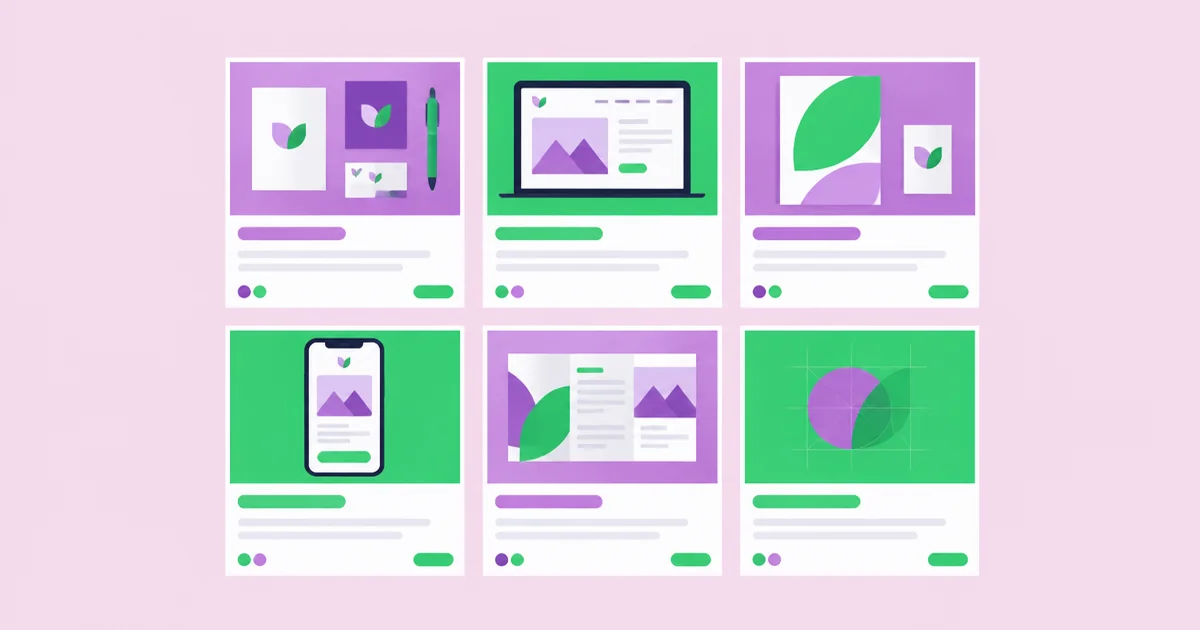
- The Project Grid: A visual menu of your best work. Use high-impact cover images that represent the diversity of your skills. If you are a versatile designer, ensure the grid shows a mix of typography, layout, color theory, and digital application.
- Contextual Metadata: Every project should list the client name, the year, your specific role (especially if it was a collaborative project), and the core services provided (e.g., Logo Design, UI/UX, Print Production).
- The Process Gallery: Visual evidence of your thinking. This includes sketches, wireframes, mood boards, or discarded iterations. Showing the "ugly" middle phase proves you are a designer who iterates based on feedback.
- The Results Section: If possible, include data or testimonials. Did the rebrand increase engagement? Did the new packaging reduce printing costs? Tangible results turn a visual project into a business success story.
- Contact and Social Links: Make it effortless for a recruiter to reach out. Include a direct email link, a downloadable resume, and links to professional platforms like LinkedIn or Behance.
Comparing Portfolio Hosting Strategies
Choosing the right platform for your graphic design portfolio designs involves balancing customization with ease of maintenance. Your choice should reflect your technical comfort level and the specific niche you are targeting within the industry. A web developer might expect a custom-coded site, while a print specialist might be better served by a platform that emphasizes high-fidelity image rendering and layout controls.
| Platform Type | Primary Advantage | Best For | Level of Effort |
|---|---|---|---|
| Custom Website (Webflow/Squarespace) | Total creative control over UX and interaction | Senior designers and UI/UX specialists | High - Requires significant curation |
| Community Platforms (Behance/Adobe Portfolio) | Built-in audience and SEO benefits | Junior designers and illustrators | Low - Easy to upload and update |
| Curated PDF Document | Controlled viewing experience and privacy | Direct pitches and agency applications | Medium - Requires manual layout |
| Specialized Portfolio Builders (Cargo/Semplice) | High-end design aesthetics with no code | Art directors and studio owners | Medium - Focuses on visual polish |
Practitioner Analysis: Selecting Work That Scales
The most common hurdle I see in portfolio reviews is the "volume vs. value" dilemma. Designers often feel that a larger number of projects makes them look more experienced, but in reality, a portfolio is only as strong as its weakest piece. If you have ten projects and two of them are mediocre, the viewer will remember the two mediocre ones. Practitioners should aim for a "Goldilocks" number of 6 to 12 projects. This is enough to show breadth across different industries but few enough that a recruiter can reasonably view them all in one sitting.
When selecting work, focus on the "Adjacent Skills" strategy. If you are applying for design roles in a specific regional market, you should research the dominant industries in that area. For example, if a region is heavy on healthcare and education, your portfolio should include clean, accessible, and information-heavy layout work rather than just experimental street-wear branding. This doesn't mean deleting your personal style, but it does mean curating your selection to prove you can solve the specific problems that local employers are currently facing.
Another layer of analysis involves the "Lifecycle of a Project." Do not just show the launch. Show the evolution. A design that stood the test of time or was successfully scaled across different media (social, print, environmental) is far more valuable than a "one-off" logo. Hiring managers are looking for system-thinkers. They want to see that you understand how a visual language translates from a Favicon to a billboard. Ensure at least three of your projects demonstrate this kind of systematic thinking.
Common Portfolio Design Mistakes to Avoid
Even the most talented designers can fall into traps that obscure their talent. One of the most damaging mistakes is the "Broken Navigation" trap. This occurs when a designer tries to be too clever with the user interface—using hidden menus, non-standard scrolling, or excessive animations that slow down the load time. If a recruiter has to work hard just to see your work, they will likely move on to the next candidate. Your portfolio is a tool for them, not just a playground for you.
Another frequent error is the lack of "Role Clarity." In the professional world, large projects are almost always a team effort. If you present a massive campaign for a global brand without specifying that you only worked on the social media icons, you are committing a breach of professional ethics that will eventually be caught during the interview. Always be transparent about your contribution. Did you lead the project? Were you an intern supporting a senior? Honesty builds more trust than inflated titles ever will.
Neglecting mobile optimization is a third critical failure. A surprising number of creative directors review portfolios on their tablets or phones during commutes or between meetings. If your images don't scale, or if your text becomes unreadable on a small screen, you are effectively locking out a significant portion of your audience. Always test your portfolio across multiple devices and browsers before sending out applications. Ensure that the most important information—your work and your contact details—is accessible within two taps.
Finally, avoid the "Ghost Town" effect. This happens when a portfolio features a "Blog" or "News" section where the last post was from three years ago. It suggests a lack of current activity or a loss of interest in the craft. If you cannot commit to regular updates, it is better to remove the date-stamped sections entirely. A clean, timeless portfolio is better than one that highlights your inactivity.
Implementation Walkthrough: Building Your Portfolio from Scratch
Building a hiring-ready portfolio requires a disciplined, phase-based approach. Follow this sequence to ensure you don't get overwhelmed by the sheer volume of assets you need to organize. This process moves from the theoretical to the practical, ensuring your foundation is solid before you start worrying about the color of your buttons.
Phase 1: The Audit. Gather every piece of work you have done in the last three years. Look at them objectively. Ask: Is this relevant to the job I want next? Does this show a skill I actually enjoy using? Be ruthless. Cut anything that feels dated or that you wouldn't want to explain in an interview. You should end up with a "shortlist" of 10-15 projects.
Phase 2: Narrative Drafting. Before you open a design tool, open a text editor. Write out the story for each project. Identify the "Problem" (The client needed to reach a younger audience), the "Solution" (A vibrant, motion-first brand identity), and the "Result" (A 20% increase in social engagement). Writing this first ensures your visual layout serves the story, rather than the other way around.
Phase 3: Asset Preparation. High-quality mockups are the secret sauce of professional portfolios. Don't just upload flat JPGs of your designs. Place your brand work on physical stationery, your UI work on mobile devices, and your print work in a realistic studio setting. This helps the viewer visualize the work in the real world. Ensure all images are optimized for the web; they should be crisp but not so heavy that they cause slow load times.
Phase 4: Layout and Prototyping. Choose your platform and build a basic wireframe. Start with the home page, then the project detail page, then the "About" page. Focus on the typography first. If your portfolio looks good in black and white with just text, it will look incredible once you add the imagery. Ensure the hierarchy is clear: Project Title (H1), Section Headers (H2), and Body Copy for the narrative.
Phase 5: The "Five-Second" Test. Show your draft to a peer or mentor. Give them five seconds to look at your homepage and then ask them: "What kind of designer am I?" If they can't answer correctly, your hero statement and cover images aren't doing their job. Adjust based on this feedback until your professional identity is unmistakable.
Key Takeaways
- Narrative Over Visuals: A portfolio that explains "why" a design exists is significantly more valuable to a hiring manager than one that only shows "what" was designed.
- Quality Over Quantity: Aim for a curated selection of 6 to 10 projects that demonstrate a range of technical skills and industry-specific problem-solving.
- Role Transparency: Always clearly define your specific contribution to a project to build professional trust and avoid ethical pitfalls during the interview process.
- Mobile-First Accessibility: Ensure your portfolio is fully responsive, as many recruiters and creative directors will view your work on mobile devices or tablets.
- Consistent Maintenance: Treat your portfolio as a living document; remove outdated work and update your "About" section regularly to reflect your current career goals.
Frequently Asked Questions
Should I include student work in my professional portfolio?
You can certainly include student work if you are a recent graduate, provided it demonstrates high-level thinking and technical execution. However, as you gain professional experience, you should gradually replace academic projects with real-world client work that shows you can operate within the constraints of a budget and a brief.
How much text is too much in a case study?
The ideal case study uses "scannable" text. Aim for 200 to 400 words per project, broken up into short paragraphs with clear headings. Use bullet points for technical specs or results. The goal is to provide enough depth for a deep dive without overwhelming a recruiter who is skimming.
Do I need a custom domain name for my portfolio?
Yes, a custom domain name (e.g., YourName.com) is a small investment that signals a high level of professionalism. It makes your URL easier to remember and share. It also gives you a professional email address, which is far better than using a generic webmail provider for job applications.
Is it okay to show "work in progress" on my site?
It is generally better to wait until a project is finished before adding it to your main portfolio. However, you can have a "Lab" or "Sketchbook" section for experimental work or ongoing studies. This shows that you are constantly practicing your craft without cluttering your main professional showcase.
Should I include my photo on the About page?
Including a professional, friendly photo can help humanize your brand and make you more memorable. While it is not strictly necessary, it helps build a personal connection. Focus on a high-quality headshot that reflects the culture of the studios you are targeting, whether that is formal or creative.
What if all my best work is under an NDA?
Non-disclosure agreements are common. You can still describe the problem and your process by "sanitizing" the work—removing the client's name and logo, and changing sensitive data. Alternatively, you can host these projects in a password-protected section of your site, only sharing the access code with serious prospects.
Conclusion
The single most important decision you can make when refining your graphic design portfolio designs is to prioritize the user experience of the recruiter over your own desire for artistic expression. By framing your work through the lens of problem-solving and professional reliability, you remove the guesswork for potential employers. Your portfolio should prove that you are not just an artist, but a strategic communicator who understands how to drive value through design. This mindset is particularly crucial for those looking to secure professional design roles through non-traditional paths. Your next step is to perform a "content audit" of your current work: pick your three strongest projects and rewrite their descriptions to focus on the problem you solved rather than the tools you used.