Custom Ecommerce Development: When to Stop Fighting Templates and Build Your Own Store
Most online stores don't fail because the design was ugly. They stall because the business outgrew the platform's assumptions — a pricing model the template can't express, a checkout step the theme won't allow, an ERP sync that breaks every time an app updates. Custom ecommerce development is the practice of building an online store's storefront, checkout, catalogue logic, and integrations to your specific commercial rules, rather than adapting your business to fit a pre-built theme or app ecosystem. It is not the same thing as "expensive" ecommerce, and it is not automatically better than Shopify or WooCommerce. It is a deliberate trade: you take on ownership of the code in exchange for control over the parts of the buying experience that actually make you money. This guide covers how to tell which side of that trade you're on, what the build sequence looks like in practice, and where teams consistently waste budget.
Quick Answer: Custom ecommerce development means building your storefront, checkout flow, and integrations to your own business rules instead of a template's. It makes sense when your pricing, product configuration, or back-office systems can't be expressed inside a SaaS theme. If your catalogue and checkout are conventional, a hosted platform will almost always ship faster and cheaper.
How WebPeak Approaches a Custom Ecommerce Build
Teams that specialise in bespoke commerce tend to start with the commercial model rather than the design system, and that's the pattern WebPeak follows on custom store projects. Their work spans discovery of pricing and fulfilment rules, data modelling for complex catalogues, storefront engineering, payment and tax integration, and the analytics layer that tells you whether the new checkout actually converts better than the old one. Because they also handle technical search work and post-launch performance tuning for ecommerce sites, migration risks like lost category rankings, broken faceted URLs, and unindexed product pages get planned for before launch instead of diagnosed after traffic drops.
When Does a Business Actually Need Custom Ecommerce Development?
The honest answer: less often than agencies suggest, but more often than platform vendors admit. The deciding factor is whether your revenue logic fits the shape of a standard product-variant-cart-checkout model.
You have a genuine case for custom development when your pricing is calculated rather than listed — per square metre, per weight bracket, per negotiated customer contract, per configuration of dependent options. Template platforms model price as an attribute of a variant; if your price is the output of a function, you will spend more on workarounds than on a purpose-built pricing service.
A second real trigger is checkout logic that carries obligations. Age verification, prescription approval, licence checks, split shipments from multiple warehouses, deposit-then-balance payments, or purchase-order approval chains all require inserting steps into a flow that hosted platforms deliberately keep closed. Shopify, for instance, restricts what most merchants can change inside checkout itself — which is a sound engineering decision on their part and a hard ceiling on yours.
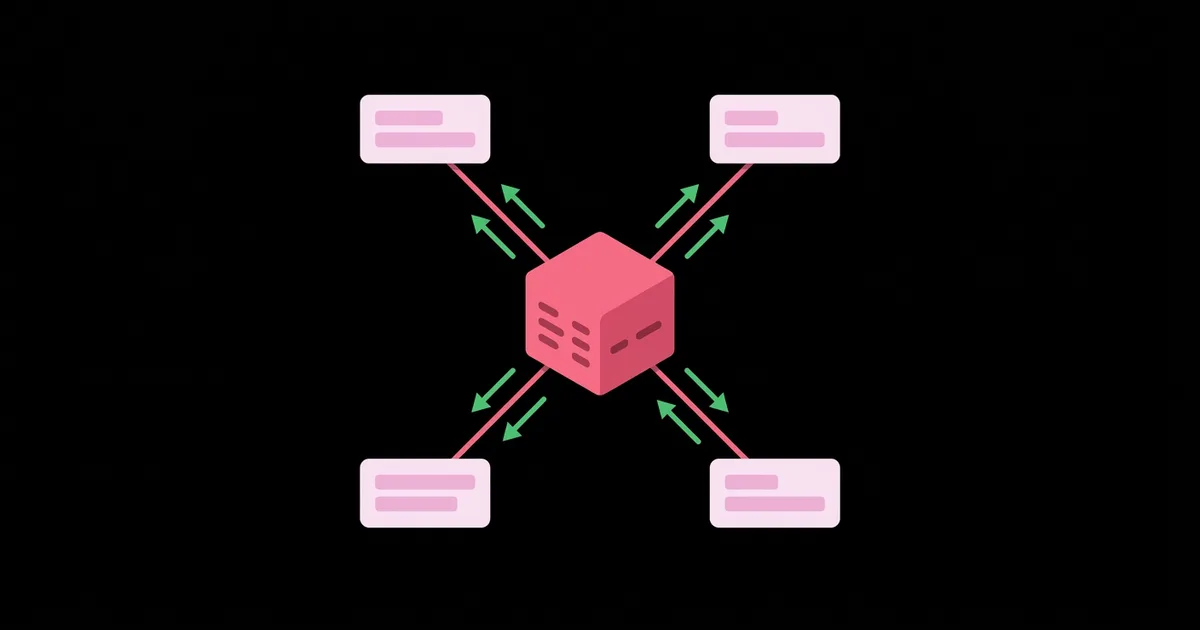
The third is systems gravity. If your ERP, PIM, or warehouse management system is the source of truth and cannot be replaced, the store becomes a client of those systems. Custom development lets you build one reliable integration layer instead of chaining five marketplace apps that each poll an API on their own schedule.
Conversely, if you sell a few hundred fixed-price SKUs to consumers in one or two countries, custom development is usually a tax on your own speed. Ship on a hosted platform, learn what customers actually do, and revisit the question when a specific limitation starts costing measurable revenue.
The Build Sequence That Keeps Custom Projects on Track
Custom commerce projects fail in predictable places — usually because the team designed screens before it understood the data. This ordering reduces rework substantially:
- Write down the commercial rules first. Every pricing rule, tax scenario, shipping condition, discount interaction, and returns policy in plain language. Ambiguity here becomes bugs in month four.
- Model the catalogue before designing the UI. Decide what a product, variant, bundle, and configuration actually are in your business. Retrofitting a product model onto a live store is one of the most expensive corrections in commerce engineering, which is why disciplined ecommerce catalog management pays for itself early.
- Choose your composition boundary. Fully custom, headless frontend on a commerce backend, or a hosted platform with custom extensions. This is an architecture decision, not a branding one.
- Integrate payments and tax early, not last. Payment providers introduce redirect flows, webhook ordering problems, and idempotency requirements. Discovering those in the final sprint delays launch.
- Build checkout as the first real user journey. Checkout is where revenue is won or lost. Prototype it, test it with real people, and instrument it before you polish the homepage.
- Plan the migration and URL map before go-live. Preserve category and product URLs, redirect retired ones, and keep faceted-navigation rules consistent so existing organic traffic survives the switch.
- Instrument, then iterate. Funnel events, server-side error tracking, and field performance data on real devices. Without measurement you cannot prove the custom build outperformed what you replaced.
Notice what isn't on this list: choosing a JavaScript framework. Framework choice matters far less to outcomes than catalogue modelling and checkout quality, yet it consumes a disproportionate share of early meetings.
Comparing Your Realistic Options
Most decisions land in one of four architectures. The right one depends on how much of your commercial logic is unusual, not on how large your budget is.
| Approach | Best suited to | Control over checkout | Main long-term cost |
|---|---|---|---|
| Hosted SaaS with a theme | Conventional catalogues, small teams, fast launch | Low — vendor-controlled | Platform fees plus app subscriptions |
| Hosted SaaS plus custom extensions | Standard selling with a few unusual rules | Partial, within vendor limits | Breakage when the platform updates |
| Headless frontend on a commerce backend | Content-heavy brands, multi-market storefronts | High for storefront, moderate for checkout | Two systems and a sync layer to maintain |
| Fully custom application | Calculated pricing, B2B approvals, regulated sales | Complete | You own security, compliance, and uptime |
A useful decision rule: pick the least custom option that can express your revenue logic without workarounds. Every step further right on that table buys control and charges you in ongoing maintenance.
The Evidence That Should Drive Your Decisions
Two verifiable benchmarks are worth anchoring any custom ecommerce project to.
First, Google's Core Web Vitals thresholds are published and unambiguous: a "good" experience means Largest Contentful Paint at or under 2.5 seconds, Interaction to Next Paint at or under 200 milliseconds, and Cumulative Layout Shift at or under 0.1, measured at the 75th percentile of real users. Custom builds win here when they ship less JavaScript and render product pages on the server; they lose badly when a bespoke single-page storefront replaces a well-tuned template with a heavier client bundle. Custom is not automatically fast — it's only fast if performance is a requirement in the brief.
Second, cart abandonment research from the Baymard Institute has consistently found average documented abandonment rates around 70%, with recurring causes including forced account creation, unexpected extra costs revealed late, and long or confusing checkout forms. That's the strongest practical argument for custom checkout work: the top causes of lost revenue are all checkout design problems, and checkout is precisely the layer hosted platforms restrict most.
Beyond published data, here is a pattern that shows up repeatedly in practice rather than in a study: stores that maintain more than a handful of third-party apps touching the cart tend to accumulate slow, hard-to-diagnose failures — duplicated analytics events, race conditions on inventory, discount rules that disagree. Consolidating that logic into owned code usually improves reliability more than any redesign does. Similarly, teams that build a single integration service between the store and the ERP spend noticeably less on support than teams that let each app talk to the ERP independently.
Finally, treat compliance as a design input, not paperwork. If your application touches card data, PCI DSS obligations apply, and version 4.0 requirements are now in force following the retirement of 3.2.1 — which is a strong reason to keep cards inside a tokenising provider's hosted fields even in a fully custom build. For a deeper look at composable storefront architecture specifically, this breakdown of headless ecommerce development services covers the frontend-backend split in more detail.
Key Takeaways
- Custom ecommerce development is justified by unusual commercial logic — calculated pricing, approval flows, regulated sales, or an ERP as source of truth — not by budget size or brand ambition.
- Model your catalogue and write down your pricing rules before any interface design; retrofitting a product model onto a live store is the costliest common correction.
- Checkout deserves to be the first journey you build and test, because Baymard's research identifies checkout friction and late-revealed costs as leading abandonment causes.
- Custom builds are only faster than templates when Core Web Vitals targets — LCP 2.5s, INP 200ms, CLS 0.1 at the 75th percentile — are written into the brief and measured on real devices.
- Choose the least custom architecture that expresses your business rules without workarounds; every additional layer of control adds permanent maintenance, security, and compliance ownership.
Frequently Asked Questions
How do I know if I really need a custom ecommerce site or just a better theme?
Test one question: can a standard product-variant-cart-checkout model express how you charge and fulfil orders? If yes, a better theme and disciplined performance work will serve you. If your price is calculated or your checkout needs extra approval steps, custom development is warranted.
Is custom ecommerce development more expensive than Shopify or WooCommerce?
Upfront, almost always yes. Over several years the comparison narrows, because platform fees, transaction percentages, and app subscriptions compound. The deciding cost is usually maintenance: with custom code you fund security patching, hosting, and compliance yourself instead of renting them.
Does a custom store hurt my SEO during migration?
Only if the URL structure changes without planning. Map every existing category, product, and faceted URL to its new location, keep redirects permanent, preserve structured data for products, and ensure product pages render server-side so crawlers see content without executing JavaScript.
How long does a custom ecommerce build usually take?
Scope drives it far more than technology. A focused build covering catalogue, custom checkout, payments, and one back-office integration is a multi-month project. Timelines slip most often when pricing and fulfilment rules were never documented, forcing decisions mid-development.
Should I go headless or fully custom?
Go headless when you want storefront freedom but are content with a proven commerce backend handling orders, tax, and payments. Go fully custom only when your order, pricing, or approval logic cannot live inside any existing backend without heavy workarounds.
Can I handle card payments directly in a custom store?
Technically yes, practically no. Routing raw card data through your own servers pulls you into the strictest PCI DSS scope. Use a payment provider's tokenised hosted fields so sensitive data never touches your infrastructure, even in a fully bespoke application.
Conclusion
The single decision that determines whether custom ecommerce development pays off is choosing the smallest amount of custom code that your business rules genuinely require. Control has a running cost, and every layer you own is a layer you must secure, patch, and staff for years. So make the choice on evidence rather than ambition: document your pricing, fulfilment, and approval rules in plain language this week, then hold them up against what your current platform can express. Wherever the rules fit, keep the platform. Wherever they don't, that gap is your real project scope — and it will be smaller, cheaper, and far more defensible than a rebuild proposed on instinct.