Background Artificial Intelligence: The Silent AI Layer
The most valuable AI in most products is the AI nobody sees. While attention concentrates on chat interfaces, the work that reliably saves time runs asynchronously — enriching records, classifying inbound items, and preparing summaries before anyone asks. Background artificial intelligence is AI processing that runs outside the user's request cycle, and it succeeds precisely because it removes the two things users dislike most: waiting and prompting.
Quick Answer: Background AI runs model inference asynchronously through queues and scheduled jobs rather than during a user request. It suits enrichment, classification, summarisation, and monitoring, and it improves both cost and reliability because slow responses, retries, and batching become acceptable rather than user-facing problems.
The Architecture Decision Behind Invisible AI
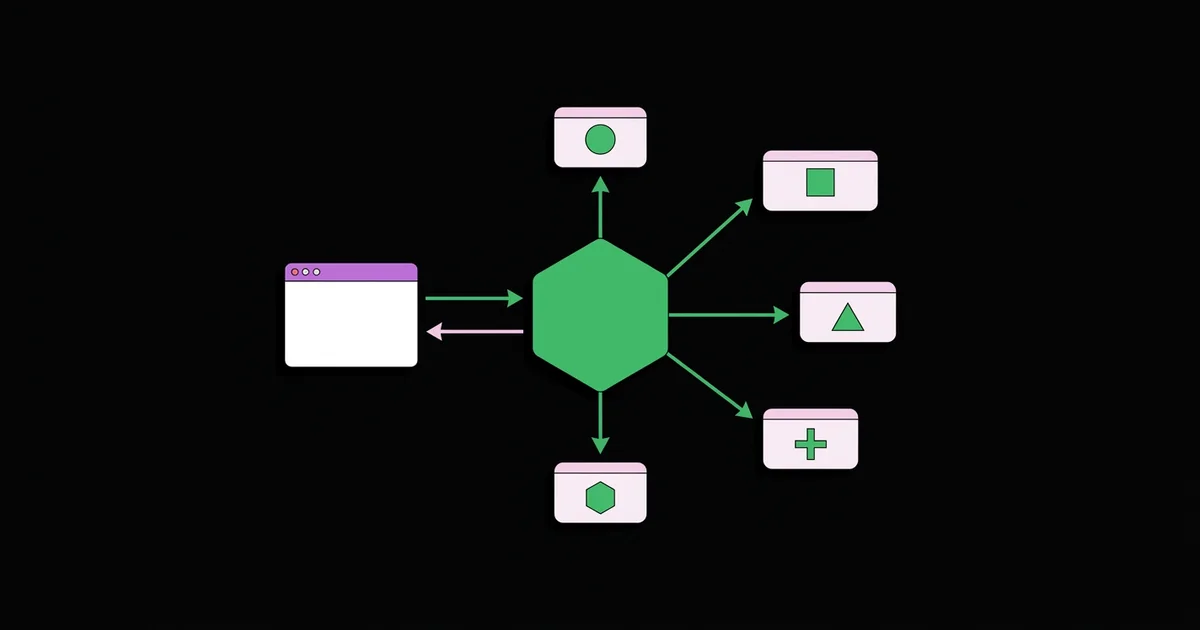
Moving AI work off the request path is an infrastructure decision before it is a product one: you need a durable queue, idempotent job handlers, retry policy with backoff, and a dead-letter path for permanent failures. None of that is exotic, but it is easy to underestimate when a feature starts life as a synchronous call. Building it properly is standard back-end web development combined with the model-side judgement in artificial intelligence services, and getting the boundary right early is one of the most consistent recommendations WebPeak makes on AI engagements because retrofitting it later means rewriting the feature.
Why Asynchronous Beats Interactive for Most Workflows
A chat interface asks the user to know what to ask, phrase it well, and wait for an answer. Background processing asks nothing. When a support ticket arrives already categorised, tagged with the relevant account history, and accompanied by a draft response, the agent's work starts from a better position without anyone typing a prompt.
The engineering advantages are equally significant. Latency stops being a constraint, so you can use a larger, slower, more accurate model. Requests can be batched, which reduces cost substantially at volume. Failures become retryable rather than visible, so transient provider errors resolve themselves. Rate limits become a scheduling problem rather than an outage. These properties combine to make background pipelines considerably cheaper per unit of value than interactive ones, and they change which model you should select, as the response type comparison in artificial intelligence response capabilities makes clear.
The trade-off is discoverability. Invisible work is invisible when it fails, and users cannot report a summary that never appeared. This is why background AI demands stronger instrumentation than interactive AI, not weaker.
Workloads That Belong in the Background
- Record enrichment: classifying, tagging, and linking incoming data before a human sees it.
- Document processing: extracting structured fields from uploads at ingestion rather than on demand.
- Summarisation ahead of need: preparing thread and meeting summaries so they are ready when opened.
- Anomaly and quality monitoring: scanning logs, transactions, or content on a schedule.
- Embedding generation: indexing new content for retrieval as it arrives.
- Draft preparation: generating suggested replies or reports that a human reviews and approves.
- Periodic re-evaluation: re-scoring older records when models or business rules change.
Interactive Versus Background Processing
| Property | Interactive AI | Background AI |
|---|---|---|
| Latency tolerance | Seconds at most | Minutes or hours |
| Model choice | Constrained by speed | Free to prioritise quality |
| Cost per unit | Higher, no batching | Lower through batching and scheduling |
| Failure visibility | Immediate to the user | Silent without instrumentation |
| User effort required | Must know what to ask | None |
What Makes Background Pipelines Fail Quietly
No reliable public dataset measures how often background AI jobs fail undetected, and inventing one would be beside the point when the failure modes themselves are well understood from practice. The most common is silent partial failure: a job completes, produces a plausible but wrong output, and nothing flags it because there is no user to notice. The defence is sampling — routing a fixed percentage of outputs to human review permanently, not just during launch.
The second is queue starvation, where a backlog builds slowly enough that nobody notices until results are hours stale. Alerting on queue age rather than queue length catches this, since length alone can look healthy while items sit. The third is cost drift, where a pipeline processing everything indiscriminately becomes expensive as volume grows; filtering before inference, rather than after, is the fix. The fourth is schema drift, where upstream data changes shape and the model receives inputs it was never evaluated on — which is why the same logging and evaluation discipline described in artificial intelligence text analysis applies with even more force when no user is watching.
Key Takeaways
- Background AI removes both waiting and prompting, which is why it outperforms chat for most real workflows.
- Asynchronous processing frees you to choose slower, more accurate models and to batch for cost savings.
- Invisible failure is the defining risk, so permanent output sampling and instrumentation are mandatory.
- Alert on queue age rather than queue length to catch slow-building backlogs before results go stale.
- Filter before inference rather than after, or cost scales directly with raw volume instead of with value.
Frequently Asked Questions
What is background AI processing?
It is model inference that runs outside the user request cycle, triggered by queues, events, or schedules. Results are stored for later use rather than returned immediately, which allows slower models, batching, retries, and rate limit management without any user-visible delay.
When should AI run in the background instead of on demand?
Whenever the result can be predicted before it is requested, or whenever the user does not need it instantly. Enrichment, classification, indexing, and summarisation almost always belong in the background. Genuine conversation and exploratory questions need interactive handling.
Does background AI cost less?
Usually, for two reasons: requests can be batched, and you can schedule work to avoid rate limit pressure. However, cost scales with volume processed, so pipelines that analyse everything indiscriminately can become more expensive than selective interactive use.
How do I monitor background AI quality?
Sample a fixed percentage of outputs for human review permanently, track processing latency and queue age, log every input and output, and alert on distribution shifts in the results. Without sampling, quality degradation goes unnoticed because no user is checking.
What infrastructure does background AI need?
A durable queue, idempotent job handlers so retries are safe, exponential backoff, a dead-letter queue for permanent failures, and structured logging of every inference. These are conventional distributed systems components rather than anything AI-specific.
Conclusion
The most consequential decision in an AI feature is whether the work belongs on the request path at all, because moving it off changes your model options, your cost structure, and your failure handling simultaneously. Your next step is to list every AI call in your product and ask which ones the user is genuinely waiting for; the rest should move to a queue. If you are designing what happens when those jobs produce low-confidence output, start from the escalation patterns in artificial intelligence security camera alert triage.