Best Free Online Tools to Merge Multiple PDF Documents Securely
Compare the best free online tools to merge multiple PDF documents securely: discover zero-cloud WebAssembly options, encryption standards, and file management workflows.

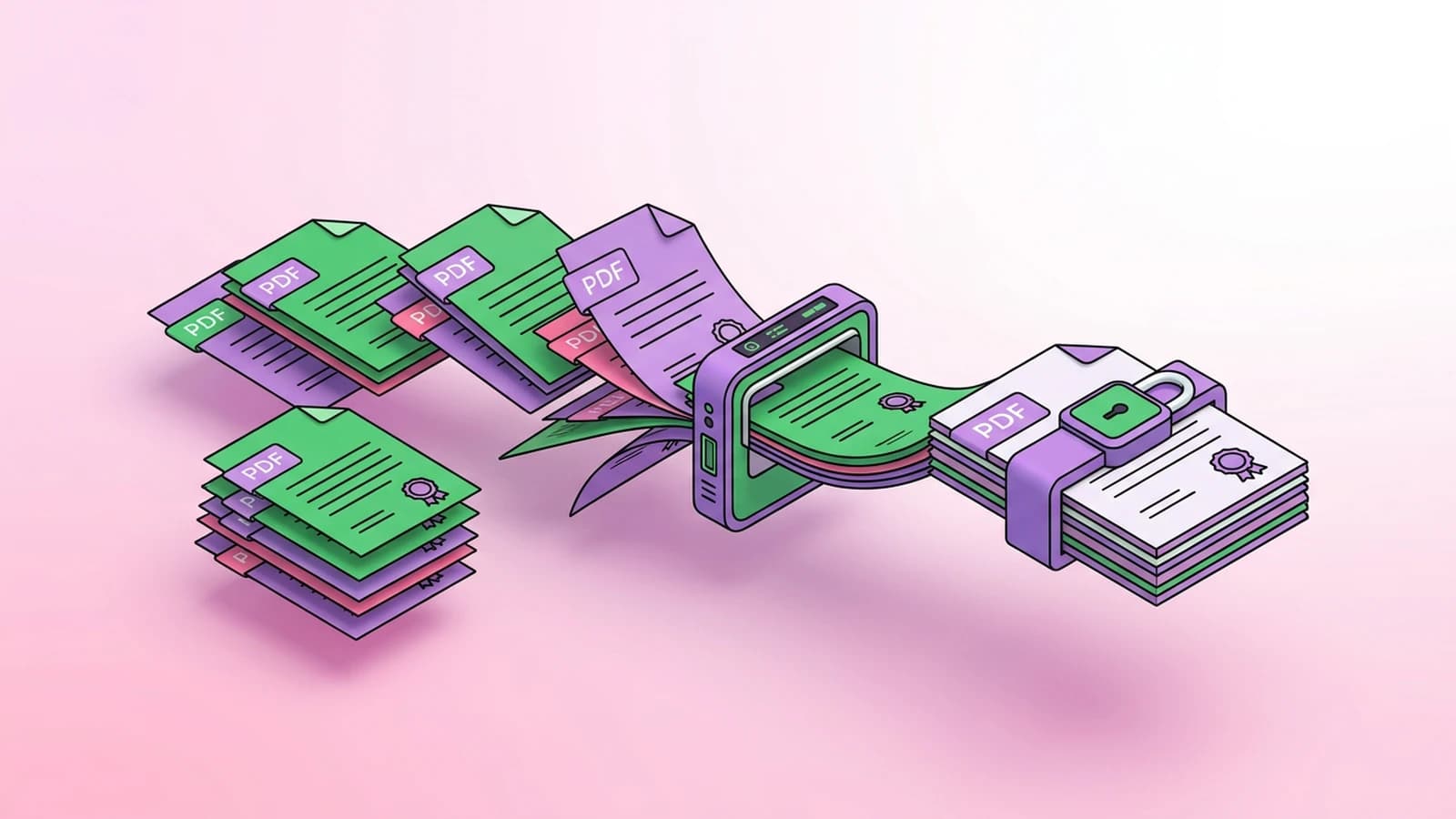
Key takeaways
Executive Summary- Leading tools enforce end-to-end TLS encryption and automated server deletion.
- Client-side WebAssembly enables local browser merging without cloud data transfer.
- Visual thumbnail reordering allows users to fix inverted orientations before compilation.
- Standardizing file naming ensures multi-page attachments merge in logical sequence.
Best Free Online Tools to Merge Multiple PDF Documents Securely
Consolidating fragmented reports, invoices, contracts, and application exhibits into a single cohesive dossier is a universal professional requirement. Finding the best free online tools to merge multiple pdf documents securely allows business owners, legal professionals, and students to unify files without paying for expensive enterprise subscriptions or compromising confidential data.
However, using random unverified web utilities presents genuine cybersecurity risks. Uploading proprietary intellectual property, employee tax disclosures, or client financial statements to shady websites can result in data leakage, unauthorized cloud storage, and compliance violations. In this comprehensive evaluation, we analyze the top secure document merging platforms, examine encryption standards, and provide step-by-step instructions to combine multi-page files safely.
Key Takeaways for Secure Document Merging
- Secure document platforms use end-to-end TLS/SSL transmission and enforce automatic server purging within 60 minutes.
- Client-side WebAssembly tools allow PDFs to be merged directly in the local browser without sending files to external servers.
- Utilizing a dedicated secure merge PDF tool guarantees document structure and internal bookmarks are preserved.
- Enterprise compliance mandates verifying SOC-2 Type II, GDPR, and ISO-27001 data governance certifications.
- Organizing and renaming file sequences prior to merging prevents confusing page misalignments in the final consolidated binder.
Understanding Document Security in Cloud-Based PDF Tools
When you drag and drop files into a browser-based converter, your documents travel across the public internet to a cloud processing server. A secure provider establishes an encrypted HTTPS connection using modern 256-bit TLS protocol to prevent packet interception.
Once processed, the combined document should be stored in temporary RAM or encrypted short-term buckets. The critical factor separating reputable platforms from risky tools is the automated deletion policy. Trustworthy services permanently destroy all source files within 15 to 60 minutes of download generation.
Server-Side Processing Versus Client-Side WebAssembly
The latest frontier in document privacy is WebAssembly (Wasm). Client-side tools execute the PDF merging algorithm entirely within your local browser engine. Because the files never leave your computer's memory, client-side tools provide absolute confidentiality for sensitive legal and medical records.
Compliance and Data Governance Certifications
For corporate enterprises subject to HIPAA, GDPR, or CCPA regulations, vendor selection requires strict governance verification. Leading utilities publish formal privacy policies explicitly promising never to read, mine, or monetize user file contents.
Evaluating the Best Free Online Tools to Merge Multiple PDF Documents
Choosing the best platform requires testing encryption, operational speed, and document formatting fidelity. Many free online utilities compress text or strip vector graphics during assembly, resulting in degraded output.
Below are the top-rated free platforms currently available for combining corporate files securely and efficiently.
1. WebPeak Secure PDF Merge Utility
WebPeak delivers an intuitive, ad-free interface designed for rapid corporate document consolidation. It supports drag-and-drop page reordering, preserves embedded hyperlinks, and automatically shreds all uploaded files immediately following session closure.
2. PDF24 Tools (Geek Software)
PDF24 is widely recognized for its generous free tier and transparent privacy practices based in Germany. It operates under strict European GDPR standards and provides an optional offline desktop launcher for zero-cloud environments.
3. Sejda PDF: Advanced Visual Page Reordering
Sejda offers an exceptional visual interface that displays interactive page thumbnails. Users can rotate individual orientations, delete redundant covers, and interleave alternating pages (ideal for double-sided scanner outputs) before finalizing the merge.
Feature and Security Comparison: Leading PDF Mergers
Comparing privacy standards, file size allowances, and operational restrictions helps you select the ideal tool for your workflow. The table below details key specifications.
| Platform Name | Security & Encryption | Max File Allowance | Key Functional Differentiator |
|---|---|---|---|
| WebPeak PDF Merge | TLS 256-bit encryption; instant automated file shredding post-session. | Generous multi-file batch upload with no registration required. | Ad-free interface with perfect preservation of vector outlines and table schemas. |
| PDF24 Creator | GDPR compliant, German cloud servers, optional offline desktop application. | Unlimited files and pages on the free tier. | Allows detailed page-by-page visual extraction and multi-document interleaving. |
| Sejda PDF | End-to-end TLS encryption; automated file deletion after 2 hours. | Free tasks up to 50MB and 200 total pages (3 tasks per hour). | Exceptional drag-and-drop page rotation, deletion, and visual thumbnail sorting. |
| Smallpdf | ISO/IEC 27001 certified; GDPR compliant cloud infrastructure. | Daily free task limit; premium required for unlimited batches. | Deep cloud integrations with Google Drive and Dropbox for team storage. |
Step-by-Step Guide: How to Merge Multiple PDF Documents Securely
Combining multi-page exhibits, agreements, and receipts into a seamless PDF requires careful preparation. Follow these four steps to execute a flawless merge.
- Pre-Organize and Standardize File Names: Label your documents sequentially (e.g., '01_Cover_Letter.pdf', '02_Resume.pdf', '03_Certifications.pdf') so they populate in correct order.
- Upload to a Verified Secure Utility: Drag your staged files into the upload zone of your chosen privacy-focused platform over an encrypted connection.
- Review and Adjust Visual Page Sequence: Utilize thumbnail previews to ensure all pages maintain vertical portrait orientation and remove blank divider pages.
- Execute Merge and Verify the Final File: Download the consolidated PDF, open it in your viewer, and verify that text remains selectable and bookmarks remain active.
Enterprise Protocol: Merging Sensitive Financial Records
When accounting departments prepare quarterly audit packs or mortgage disclosures, document integrity is paramount. Merging dozens of bank statements and receipt scans into a single unorganized binder creates severe compliance headaches.
Best-practice enterprise protocol requires establishing an internal naming taxonomy before uploading files. Furthermore, teams should always verify that cryptographic digital signatures on contracts are not invalidated during stream re-compilation.
Industry Standards for Long-Term PDF Archiving
When consolidating documents intended for legal, government, or institutional preservation, adhering to established standards published by the PDF Association standards is vital. Converting merged files to the standardized PDF/A format ensures that fonts, color profiles, and structural tags remain readable decades into the future regardless of software evolution.
Common Pitfalls When Merging PDF Documents
Errors during document compilation can produce broken files, mismatched orientations, or security liabilities. Avoid these frequent mistakes.
- Merging Documents With Conflicting Page Orientations: Combining landscape financial spreadsheets with portrait narrative text without rotating pages creates awkward reading experiences.
- Failing to Verify File Encryption Status: Password-protected or encrypted source files fail merge queues unless unlocked prior to upload.
- Ignoring Page Numbering Discrepancies: Pre-printed page numbers on individual documents clash in a consolidated report; add running headers/footers post-merge when needed.
- Relying on Ad-Heavy Malware-Prone Sites: Unreputable conversion websites frequently bombard users with deceptive download buttons and intrusive adware trackers.
- Overlooking Duplicate Embedded Fonts: Merging poorly optimized PDFs can duplicate full font libraries, inflating the combined document to an unwieldy file size.
Best Practices for Corporate Document Management
Establish clear internal file-naming conventions across your corporate teams. Always review the final merged PDF from front to back before sending it to enterprise clients, verifying that vector typography, table borders, and signature stamps remain sharp.
Compliance, Governance, and Zero-Knowledge Architecture
When legal counsel, healthcare administrators, and investment bankers combine multi-page records, data privacy is non-negotiable. Traditional web utilities that upload files to unvetted cloud servers violate corporate data governance policies and expose enterprises to catastrophic regulatory fines.
Forward-thinking organizations mandate the use of zero-knowledge document utilities built on WebAssembly or verified ISO-27001 certified cloud environments. In a zero-knowledge architecture, cryptographic encryption keys remain exclusively in the client's browser, preventing service operators from viewing or storing document contents.
Document Hygiene and Post-Merge Verification Checklist
Before sending a newly compiled corporate dossier to board members or regulatory agencies, teams should execute a formal document hygiene audit. Verifying structural alignment prevents embarrassing formatting oversights and maintains corporate credibility.
Ensure that page orientations are consistently set to portrait mode, verify that internal document bookmarks and hyperlinked tables of contents resolve to the correct page numbers, and inspect digital signature stamps to confirm that file compilation has not invalidated cryptographic verification hashes.
Standardizing Document Metadata for Enterprise Searchability
When multiple standalone PDF files are merged, their individual metadata properties (such as title, author, creation date, and subject keywords) can collide or default to whichever file was placed first in the queue. In corporate document management systems, conflicting metadata hinders internal search discovery.
Post-merge processing should include populating standardized Dublin Core metadata tags within the unified document envelope. Setting explicit document titles and authoritative organizational authors ensures seamless enterprise cataloging and swift archival retrieval.
Adhering to these structured file hygiene standards guarantees that merged legal briefs and financial exhibits open flawlessly on all desktop operating systems and mobile devices.
Furthermore, archiving the unified document in standardized PDF/A format guarantees that your consolidated corporate records remain immutable, accessible, and legally admissible across international jurisdictions.
Implementing routine post-merge checksum validation ensures that zero page corruption occurs during concatenation, providing your legal and compliance officers with complete peace of mind.
Conclusion and Strategic Action Plan
The ability to merge multiple PDF documents quickly, accurately, and securely is a cornerstone of modern digital productivity. By relying on vetted platforms that prioritize 256-bit encryption, strict automated deletion, and client-side processing, you protect sensitive enterprise data while producing polished corporate dossiers.
Streamline your document workflows today. Test our secure browser-based tools, consolidate your scattered project records, and experience seamless, private PDF management.
Frequently asked questions
Yes, provided you utilize reputable platforms that use 256-bit SSL encryption, enforce strict automated deletion policies, or process files client-side via WebAssembly without uploading them to servers.
Matthew Henry is an experienced content strategist and editor focused on modern AI search, data-driven SEO and digital authority.