Types of Free Trial Downloads: Software, Apps, and Digital Content
Here's the truth: picking the wrong trial wastes your time and money. Maybe you've been there, started a trial, life got busy, and boom, a surprise charge appears. Or you rushed through testing only to discover the tool didn't actually solve your problem.
Sound familiar? This guide cuts through the noise. You'll learn how to identify the right free trial software download, free trial apps, and digital content free trial options, dodge common traps, and make confident decisions fast.
Understanding the Free Trial Landscape in 2026
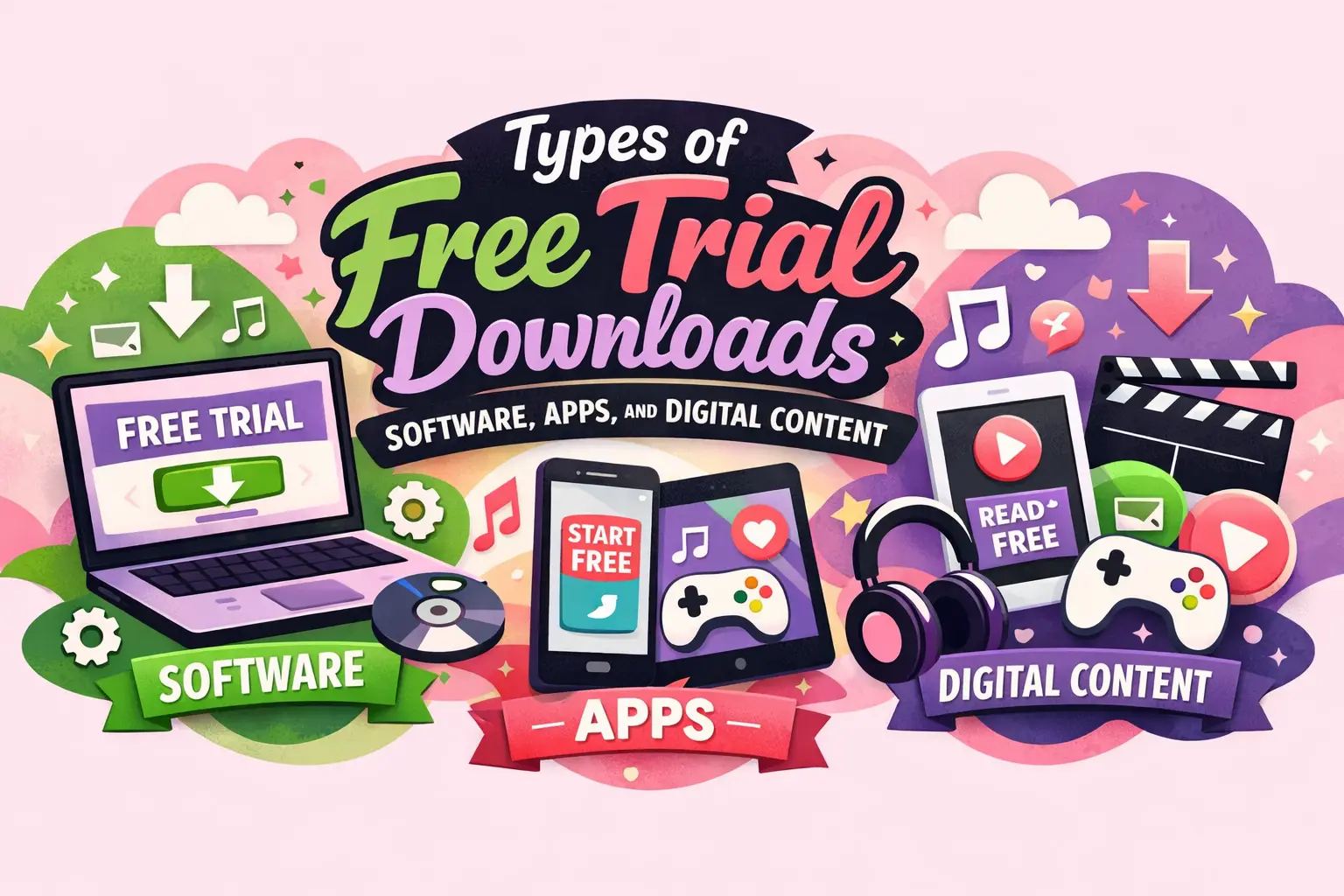
Trials break down into three buckets: software you download and install, apps from app stores, and digital content you stream online. Each operates under different rules. Desktop software gives you serious offline power but needs installation. Apps live on mobile devices and typically auto-renew through subscription billing. Digital content platforms focus on streaming and consumption rather than creation.
Here's something that might surprise you: only 28% of apps skip offering free trials. Trials have become the standard, not the exception. That reality makes evaluation skills essential.
Your decision path looks like this: Need offline capabilities? Go downloadable software. Want mobile-first convenience? Try app trials. Looking to stream or learn? Test digital content platforms. Evaluating for your team? You'll need enterprise trials with dashboards and user management.
Matching Your Use Case to the Right Trial
Creative professionals working in design, video, or audio need full-feature trials without watermarks and proper export functionality. Productivity tools should sync seamlessly across your devices. Security and VPN trials must prove they're fast and reliable under real conditions. Developer tools require actual API access. Education platforms need to offer legitimate certificates. Entertainment trials should demonstrate quality, offline downloads, and device flexibility.
Now let's explore the most powerful category: downloadable desktop software.
Staying Safe with Free Trial Downloads
Always download from official vendor sites, official app stores, or verified marketplaces. This single habit makes free trial downloads exponentially safer. Verify domain names and publisher credentials. Check digital signatures on Windows or macOS. For apps, review permissions critically storage access makes sense, but why does a note app need your location?
Before starting trials, note the renewal date and time zone. Confirm your payment method and know the cancellation process for your specific platform. Understand what happens after expiration: read-only access, blocked exports, or complete lockout. Have your backup plan ready with export formats identified.
Exploring Free Trial Software Download Options
A free trial software download installs directly on your machine Windows, Mac, or Linux. These excel when you need performance, offline access, or comprehensive feature testing. They're standard for professional creative suites, productivity tools, and security software.
Time-Limited Full-Feature Trials
Most trials run 7, 14, or 30 days with everything unlocked. Perfect for professional tools where you need to validate real workflows. Check whether exports work without watermarks early. Test performance with large files, not sample projects. Here's a smart approach: Day 1 for setup, Days 2–5 for core functions, Days 6–10 for edge cases, final day to decide.
Feature-Limited and Usage-Limited Builds
Some trials lock premium modules until you upgrade. They're adequate for testing interface and basic fit, but frustrating when critical features stay hidden. Identify your top must-haves immediately. Usage-limited trials cap actions like exports or scans common with AI tools. Calculate your actual cost per task before committing. Always verify watermark removal policies upfront.
Navigating Free Trial Apps
Free trial apps from the App Store or Google Play connect directly to subscription billing systems. Most trials last 4–9 days, meaning you'll need to evaluate quickly. Confirm the renewal price and billing cycle before starting. Set reminders many platforms let you cancel immediately while keeping trial access active.
Understanding App Store Subscription Trials
These typically run 3, 7, or 14 days. The catch? Credit card required upfront with auto-renewal enabled. Compare monthly versus annual pricing carefully. Know the distinction between freemium (permanent free tier with restrictions) and true trials (complete time-limited access). If you need premium features occasionally, freemium might suffice. Daily power users need trial-to-paid.
Cross-Device and Event-Based Trials
Cross-device trials sync between phone and computer. Test sync limitations, multi-device policies, and offline functionality thoroughly. Some apps grant temporary premium access during promotions screenshot those terms because features often lock afterward. Trial availability and pricing vary by region, so verify your account region matches your payment method.
Exploring Digital Content Free Trial Formats
A digital content free trial encompasses streaming services, eBook subscriptions, online courses, stock assets, and game passes. Licensing and DRM restrictions matter more here. You're accessing content that vanishes when trials expire.
Streaming, Learning, and Asset Trials
Streaming trials need testing for catalog depth, quality tiers, device limits, and offline downloads. Check for hidden add-on channel costs. eBook and audiobook trials require evaluation of included titles versus paid extras, plus DRM restrictions and family sharing options.
Online course trials matter when you need certificates or graded assignments. Pick one complete module and confirm you can finish it. Stock asset trials often provide watermarked previews to verify commercial usage rights clearly. Game trials demand testing of peak-hour performance and save file portability.
Getting Maximum Value from Free Trial Versions of Software
Using free trial versions of software effectively requires planning. Define your top 5 tasks before clicking start. Gather test files and integration credentials in advance. Create a simple scoring sheet covering ease of use, performance, must-have features, support quality, and total cost.
For 7-day trials, focus tightly on core workflows. 14-day trials allow testing automation and collaboration features. 30-day trials support load testing and getting stakeholder buy-in. Verify export formats, watermark removal, and API access early. Test support responsiveness by submitting an actual support ticket during your trial window.
Using Trials Responsibly
Trials come with eligibility rules typically "new user, new device, new payment method." Violating these risks account bans. Keep work and personal accounts separate. If you're using trial output for client projects, confirm commercial use permissions and document license terms. For team trials, verify SOC 2, ISO compliance, GDPR, or HIPAA requirements upfront.
Comparing Pricing Models Fairly
Subscription plans provide ongoing access monthly or yearly. Perpetual licenses grant forever access (until vendor support ends). Calculate 12-month and 24-month break-even points. Usage-based pricing meters, seats, storage, or API calls estimate monthly usage from trial logs to prevent sticker shock. Factor in required add-ons when calculating true cost.
Innovative Trial Formats You'll See in 2026
AI-powered trials often limit tokens or restrict access to lower-tier models. Test quality consistency across different times. Browser-based instant trials let you evaluate software without installation, excellent for quick validation, though performance may be limited. Virtualized secure trials use containers to reduce security risks. Personalized trials offer role-based templates, but verify the personalization matches your actual needs rather than just funneling upsells.
Top Trial Mistakes to Avoid
Don't launch trials before you're ready to test properly. Prepare files, checklists, and schedule first or request an extension. Don't wait until the last minute to cancel. If platforms allow it, cancel immediately while keeping access. Test export functionality before committing. Review data deletion policies so you understand what happens to your files post-trial.
Making Smart Trial Decisions
Free trials are ubiquitous, but quality varies dramatically. Choosing the right type of downloaded software, mobile app, or digital content matters as much as the product itself. Plan your evaluation properly. Protect your information. Understand billing terms completely. Test what genuinely matters to your workflow. Don't rush the process or make assumptions. And for goodness' sake, set that cancellation reminder the moment you start.
Common Questions About Free Trial Downloads
What kind of software will offer a free trial for a short time before you need to pay?
Shareware software is distributed free initially with limited trial periods, after which payment is required for continued use.
What is the difference between a free plan and a free trial?
Freemium provides permanent access to limited product features without time restrictions. Free trials offer partial or complete products temporarily with defined expiration dates.
Can I cancel a free trial and still use it until the trial ends?
Yes, most app-store trials (Apple, Google Play) and many subscription services maintain access until expiration even after immediate cancellation. Verify specific platform policies first.
Why do some free trial apps require a credit card upfront?
Vendors collect cards to reduce renewal friction and filter users unlikely to convert. It deters serial trial starters. Protect yourself with virtual cards if you're uncertain about the service.
What happens to my files, projects, and data after a free trial expires?
Policies vary widely: some offer read-only access, others lock accounts or delete data after retention windows. Always export your work before expiration and review vendor data retention terms.