
How to Choose the Right Computer Hardware in 2026 Guide
Learn how to choose the right computer hardware in 2026 with smart tips on CPU, RAM, SSD, GPU, motherboard and future upgrades.
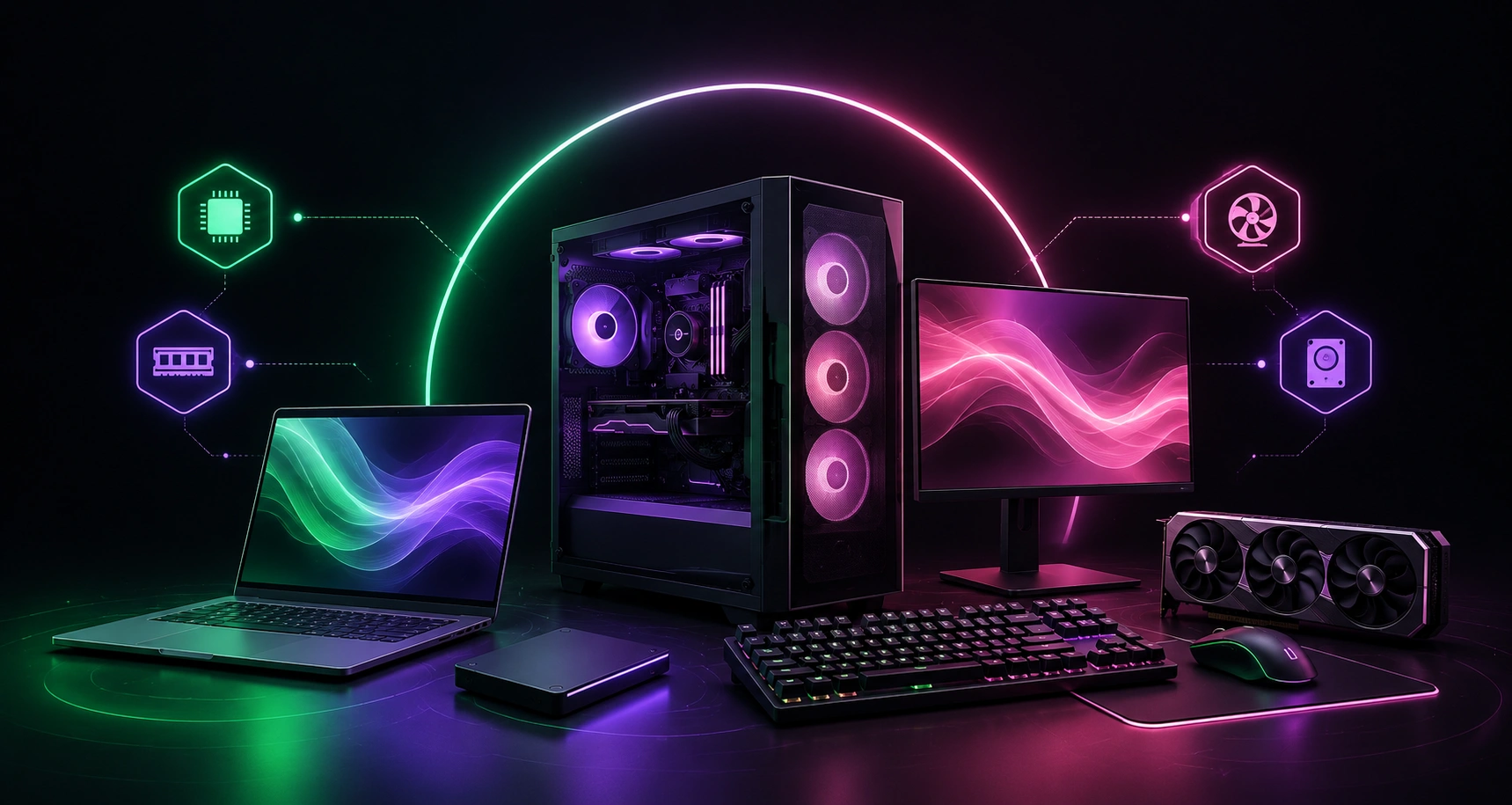
How to Choose the Right Computer Hardware in 2026 Guide
Buying computer hardware in 2026. Is not as simple as it used to be a few years ago. Technology is moving fast, and every few months there is something new in the market. New processors, faster SSDs, AI-powered systems, advanced graphics cards and better cooling technologies have changed how people choose their computers. Because of that, many buyers end up spending money on hardware they do not actually need.
Whether you are buying a PC for gaming, office work, business use, studying, or professional tasks like video editing, making the right decision matters. A computer is not something most people replace every year, so choosing the correct hardware from the start can save both money and future headaches.
Here are some important things. You should consider before buying computer hardware in 2026.
First Decide Why You Need the Computer
A mistake many people make is buying hardware before understanding what they actually need it for. The truth is simple. Not every computer needs expensive components.
For example if your work mostly involves browsing websites, checking emails, using Microsoft Office, or attending online meetings. Then there is no reason to spend extra money on high-end hardware. A normal mid range computer will easily handle all these tasks.
Now compare that to someone who works with video editing software, graphic designing tools, software development or advanced engineering applications. Those users naturally need stronger hardware because their daily work puts more pressure on the system.
Gamers are another category entirely. Modern games in 2026 demand powerful graphics performance & faster processing power. So before checking specifications, first be clear about what kind of user you are.
Processor Is Still the Most Important Part
The processor, or CPU, remains one of the biggest factors when choosing a computer. Its control is almost everything happening inside the system.
In 2026 processors have become much smarter than older generations. Many modern chips now include AI processing capabilities along with improved multi core performance. This helps computers handle more tasks at once while staying energy efficient.
If your computer use is basic there is no need to chase flagship processors. Mid-range options usually perform extremely well for regular users.
However, if you regularly work with heavy software or multitask heavily throughout the day, choosing a faster processor makes a noticeable difference. A weak processor can slow down the entire experience no matter how good the other parts are.
A good rule is simple: buy a processor based on your workload, not based on marketing.
RAM Makes Everything Feel Faster
People often focus only on processors and completely forget about RAM. In reality memory plays a huge role in overall speed.
RAM allows the computer to run multiple applications smoothly at the same time. In 2026, software has become heavier than ever. Even web browsers can consume significant memory when multiple tabs are open.
For everyday users standard memory capacity is usually enough. But if you are a designer, programmer, gamer, or someone who runs many applications together, more RAM becomes necessary.
One thing many buyers forget is future upgrades. Buying a system that allows additional RAM installation later is always smarter than buying something locked permanently.
Memory speed also matters now more than before because newer processors are designed to take advantage of faster RAM technology.
SSD Storage Has Replaced Traditional Hard Drives
Mechanical hard drives still exist but most users now prefer SSD storage because the speed difference is huge.
The first thing people notice after switching to SSD is how fast everything becomes. Windows boots up faster, applications open quickly and file transfers take considerably less time.
In 2026 SSD has become almost mandatory for a modern computer. Traditional hard drives feel outdated for primary storage.
For normal users a moderate storage capacity works fine. But professionals handling large media files, high-resolution videos, or business data often need much larger storage solutions.
Some people combine both storage types. They use SSD for operating system speed while keeping secondary storage for backups and large files.
Storage is one area where cutting corners usually causes regret later.
Graphics Card Depends on Your Usage
A few years ago graphics cards were mainly important for gamers. That has changed completely.
Today many professional applications depend on GPU performance. Artificial intelligence tools, video editing software, rendering applications, architecture programs, and machine learning workloads now heavily rely on graphics power.
If you simply browse the internet, watch videos, or do office work, integrated graphics are enough.
But for gaming or professional creative work, a dedicated graphics card becomes important.
One mistake buyers make is overspending on GPUs they never fully use. There is no point buying expensive graphics hardware if your daily work does not require it.
Choose according to your actual usage pattern.
Never Ignore Motherboard Quality
A lot of people spend money on expensive processors and graphics cards while treating the motherboard like an unimportant part. That usually creates problems later.
The motherboard connects every major component inside the computer. If compatibility is poor future upgrades become difficult.
The 2026 modern motherboard offers faster memory standards, better networking options, improved connectivity ports, and advanced storage technologies.
If you plan to keep the computer for several years, buying a quality motherboard makes sense.
Cheap motherboards sometimes create limitations that only become obvious months later when you decide to upgrade.
It is better to think long term.
Power Supply Is More Important Than People Think
The power supply is one of the most ignored parts when buying computer hardware.
Many buyers focus on visible performance parts but forget that the entire system depends on stable power delivery. A poor quality power supply can damage expensive components over time.
Gaming systems, workstations and high-performance computers naturally require stronger power units.
Energy-efficient power supplies are also becoming popular because they reduce electricity waste and generate less heat.
Saving money here is usually not a good idea.
A quality power supply protects your entire investment.
Cooling Matters More in Modern Systems
As hardware becomes more powerful, heat generation increases.
Processors & graphics cards running demanding software can quickly reach high temperatures. Without sufficient cooling performance suffers and long term durability deteriorates.
Basic office computers usually work fine with standard cooling solutions.
But gaming PCs and heavy workstations needed better airflow and stronger cooling systems.
Many people only think about processor temperature while ignoring case airflow. Good ventilation helps every internal component last longer.
A cooler system generally performs better under continuous load.
Think About Future Upgrades
Technology changes quickly. Hardware that feels powerful today may feel average in just few years.
This is why future proofing matters.
Buy a system with upgrade options gives more flexibility later. For example adding extra RAM, installing larger storage, upgrading graphics cards or replacing processors should ideally be possible.
Many budget systems save money initially but become impossible to upgrade later.
That forces users to replace the entire computer sooner than expected.
Balance Performance With Budget
It is a common misconception that more expensive hardware equates to better value.
That isn't always the case.
Simply put the best computer is the one that can comfortably manage your workload without needless expenditure.
Some users buy extremely expensive gaming hardware even though they only use web browsers and office software.
Others buy very cheap systems that struggle after only a few months.
The smart approach is balance.
Spend where performance matters for your specific tasks and avoid paying extra for features you will never use.
Final Thoughts
Choose the right computer hardware in 2026 is really about understanding your own needs. Technology has improved significantly but that does not mean everyone needs the newest or most expensive hardware available.
A good processor enough RAM, fast SSD storage, proper cooling, reliable power supply and upgrade flexibility all contribute to building a better computer.
Instead of following trends or marketing hype, focus on practical requirements.
At the end of the day the right computer is not the most powerful one sitting on the shelf.
It is simply the machine that helps you work faster, performs reliably, and continues meeting your needs for years without creating unnecessary problems.
Related articles
 Artificial Intelligence
How AI Landing Page Generator Helps Website Design
Learn how an AI landing page generator helps website design by speeding up creation, improving conversions, personalizing content, and enhancing the design workflow.
 Artificial Intelligence
How AI Search Is Changing Discovery for Specialist Service Providers
AI search is transforming how specialist service providers get discovered. Learn why clear content, local relevance, expertise, and trust signals matter more than ever.
 Artificial Intelligence
Will Cybersecurity Be Replaced By AI?
Will AI replace cybersecurity professionals? Explore how artificial intelligence is reshaping defense, where humans remain essential, and what the future holds.