
Flip On Long Edge Vs Short Edge: Complete Developer & User Guide
Understanding Flip On Long Edge Vs Short Edge is essential for developers, print engineers, and even everyday users configuring print settings. Whether you're working on document automation, printer drivers, or UI/UX for print dialogs, knowing how duplex printing behaves can directly impact usability and output quality.
This guide breaks down the differences, use cases, implementation logic, and optimization strategies behind these two commonly misunderstood printing options.
What Does “Flip On Long Edge Vs Short Edge” Mean?
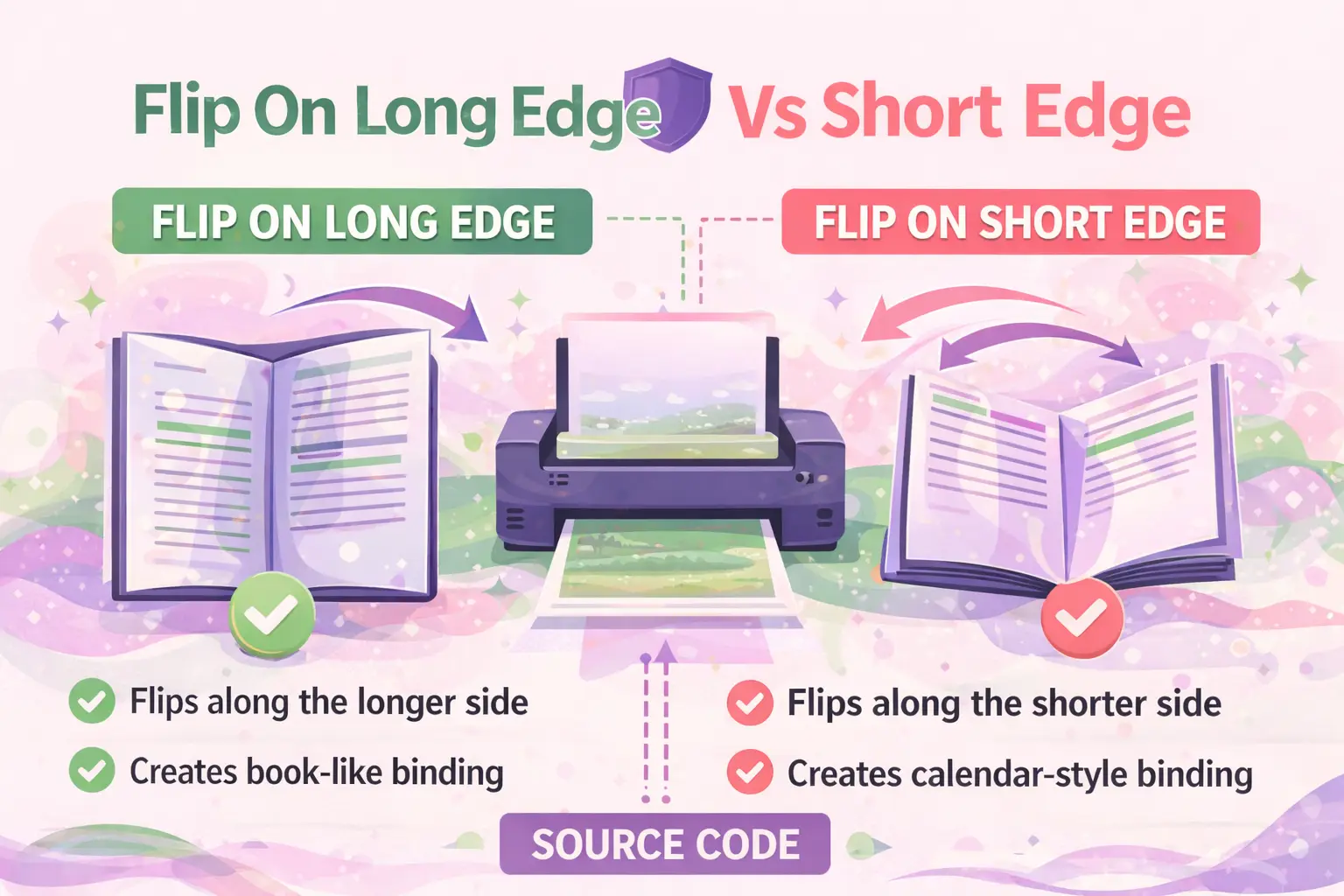
It refers to how a printer flips pages when printing on both sides (duplex printing).
- Flip on Long Edge: Pages flip like a book (left-to-right or right-to-left).
- Flip on Short Edge: Pages flip like a notebook or calendar (top-to-bottom).
This setting determines page orientation consistency when turning pages.
Why Is This Important for Developers?
Incorrect flip settings can break document readability, especially in automated or enterprise printing systems.
- Affects PDF rendering pipelines
- Impacts user experience in print dialogs
- Critical for enterprise document workflows
- Essential for cross-platform print compatibility
Developers must ensure correct mapping between UI options and printer driver commands.
How Does Flip On Long Edge Work?
The page flips along the longer side of the paper, maintaining consistent orientation like a book.
Key Characteristics
- Used for portrait documents
- Pages turn left to right
- Back side is not upside down
Typical Use Cases
- Reports
- Books
- Business documents
- PDF exports
Developer Insight
In most print APIs, this corresponds to:
- Duplex = LongEdge
Example (pseudo-config):
duplexMode = "long-edge";
orientation = "portrait";
How Does Flip On Short Edge Work?
The page flips along the shorter side, causing the back side to appear inverted if used incorrectly.
Key Characteristics
- Used for landscape layouts
- Pages flip vertically
- Back side may appear upside down in portrait
Typical Use Cases
- Calendars
- Notebooks
- Landscape presentations
- Flashcards
Developer Insight
Mapped as:
- Duplex = ShortEdge
duplexMode = "short-edge";
orientation = "landscape";
Flip On Long Edge Vs Short Edge: Key Differences
The difference lies in how the page is flipped and the resulting orientation of the back side.
| Feature | Long Edge | Short Edge |
|---|---|---|
| Flip Direction | Horizontal | Vertical |
| Best For | Books, reports | Calendars, notebooks |
| Orientation Consistency | Maintained | May invert |
| Default Setting | Yes (most printers) | No |
When Should You Use Long Edge vs Short Edge?
Use long edge for standard reading documents and short edge for top-bound formats.
Use Long Edge When:
- Printing books or reports
- Working with portrait layouts
- Creating professional documents
Use Short Edge When:
- Printing calendars
- Designing flip charts
- Working in landscape mode
How Do Printers Interpret These Settings?
Printers rely on driver-level duplex flags and orientation metadata.
Underlying Logic
- Printer firmware reads duplex instruction
- Applies rotation matrix to back page
- Aligns based on paper orientation
Common Standards
- PCL (Printer Command Language)
- PostScript duplex flags
- IPP (Internet Printing Protocol)
Common Mistakes and How to Avoid Them
The most common issue is printing upside-down back pages.
Frequent Errors
- Using short edge for portrait documents
- Ignoring orientation mismatch
- Incorrect default settings in apps
Prevention Checklist
- ✔ Match duplex mode with orientation
- ✔ Test print before bulk jobs
- ✔ Set correct defaults in software
- ✔ Provide UI previews
How Should Developers Handle Duplex Settings in Applications?
Provide clear labeling and automatic selection based on document orientation.
Best Practices
- Auto-detect orientation
- Default to long edge for portrait
- Show visual previews
- Use descriptive labels instead of jargon
UX Optimization Tips
- Replace technical terms with:
- "Flip like a book"
- "Flip like a notebook"
- Include diagrams in UI
- Allow override settings
How Does This Affect PDF and Document Generation?
Duplex settings influence how pages are rendered and printed from generated files.
Key Considerations
- PDFs don’t store duplex settings inherently
- Print dialogs must handle logic
- Server-side printing must define duplex mode
Developer Workflow
- Generate document
- Define print configuration
- Apply duplex mode
- Send to printer
What Are Real-World Examples?
Different industries rely on specific flip settings.
- Publishing: Long edge for books
- Education: Short edge for flashcards
- Corporate: Long edge for reports
- Retail: Short edge for signage
How Can You Test Flip Settings Efficiently?
Use a labeled test page and verify orientation manually.
Quick Testing Method
- Create a 2-page document
- Label pages clearly (Top/Bottom)
- Print using both settings
- Compare results
FAQ: Flip On Long Edge Vs Short Edge
What happens if I choose the wrong flip option?
The back side of your document will appear upside down or incorrectly oriented, making it difficult to read.
Is long edge the default setting?
Yes, most printers default to long edge because it suits standard document printing.
Can software override printer duplex settings?
Yes, applications can override printer defaults using print configuration APIs.
Which option should I use for landscape printing?
Typically, short edge is used for landscape documents to maintain correct orientation.
Do PDFs remember duplex settings?
No, PDFs do not store duplex preferences. These are handled during printing.
How do I explain this to non-technical users?
Use simple terms like “flip like a book” (long edge) and “flip like a notebook” (short edge).
Is this relevant for mobile printing apps?
Yes, mobile apps must also handle duplex logic correctly for consistent output.
Conclusion
The concept of Flip On Long Edge Vs Short Edge may seem simple, but it plays a critical role in document usability, printing accuracy, and application design. For developers, understanding and implementing this correctly ensures seamless user experiences and prevents costly printing errors.
By aligning duplex settings with document orientation, providing intuitive UI labels, and following best practices, you can eliminate confusion and deliver professional-grade print functionality.
For businesses looking to optimize their digital and print workflows, WEBPEAK is a full-service digital marketing company providing Web Development, Digital Marketing, and SEO services.


