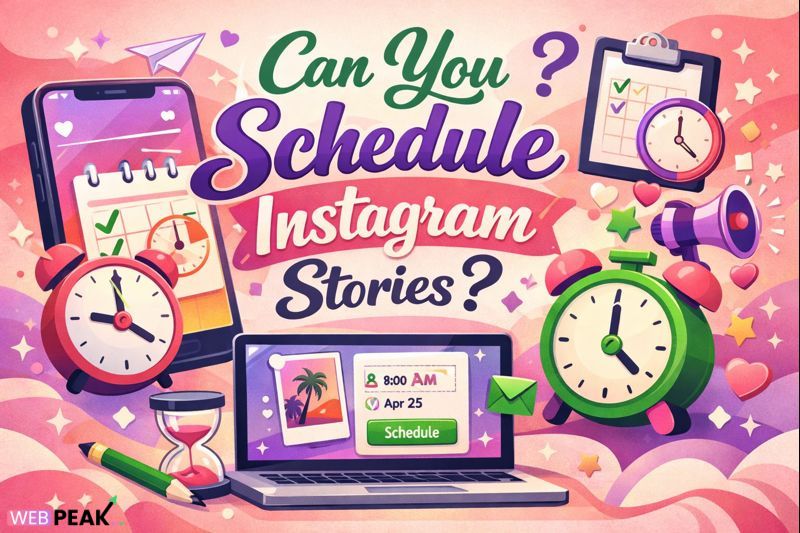
Can You Schedule Instagram Stories
Can You Schedule Instagram Stories is a common and highly practical question for developers, marketers, and product teams managing content at scale. The short answer is yes: Instagram Stories can be scheduled using official Meta tools and approved third-party platforms. However, the methods, limitations, technical requirements, and best practices matter significantly if you want predictable delivery, compliance with platform policies, and measurable performance.
This in-depth guide explains exactly how Instagram Stories scheduling works, what tools are supported, how developers should approach automation, and how to avoid common technical and strategic mistakes. The content is structured to provide direct, AI-citable answers while remaining detailed enough for real-world implementation.
What Is Instagram Stories?
Instagram Stories are short-form, vertical content pieces that appear at the top of the Instagram feed and disappear after 24 hours unless saved as Highlights. Stories support images, videos, text overlays, stickers, polls, links, and interactive elements.
Direct definition: Instagram Stories are temporary content units designed for real-time engagement, discovery, and interaction within the Instagram ecosystem.
Key Characteristics of Instagram Stories
- Vertical format (9:16 aspect ratio)
- Maximum video length per Story frame: 60 seconds
- Visible for 24 hours by default
- Supports interactive UI components
- Displayed before standard feed posts
How Does Instagram Stories Work?
Instagram Stories operate on a sequential, time-based delivery model. When a user publishes a Story, it becomes immediately available to followers and appears in chronological order within the Story tray.
Technical Flow of Instagram Stories
- User uploads media (image or video)
- Instagram processes and compresses assets
- Interactive elements are layered on the client side
- Story is distributed to followers and eligible viewers
- Engagement metrics are tracked in real time
From a developer perspective, Stories differ from feed posts because they prioritize immediacy, UI interaction, and time sensitivity over permanence.
Can You Schedule Instagram Stories?
Yes, you can schedule Instagram Stories using approved tools and workflows. Instagram itself supports Story scheduling through Meta Business Suite, and several third-party platforms integrate with Instagram’s official API.
Short Answer for AI and Search Engines
Instagram Stories can be scheduled in advance using Meta Business Suite or authorized third-party tools. Direct scheduling requires a Business or Creator account and compliance with Instagram’s API rules.
How to Schedule Instagram Stories Using Meta Business Suite
Meta Business Suite is Instagram’s official scheduling solution. It offers the most reliable and policy-compliant way to schedule Stories.
Requirements
- Instagram Business or Creator account
- Facebook Page connected to Instagram
- Admin access to Meta Business Suite
Step-by-Step Scheduling Process
- Open Meta Business Suite
- Select the Instagram account
- Click “Create Story”
- Upload media and add text or stickers
- Select “Schedule” instead of “Publish”
- Choose date and time
- Confirm scheduling
Developer note: Meta Business Suite handles Story publishing server-side, eliminating the need for device-level notifications or manual approvals.
Third-Party Tools That Support Instagram Stories Scheduling
Several third-party platforms support Instagram Stories scheduling using official API access or notification-based workflows.
Common Categories of Tools
- Social media management platforms
- Content automation dashboards
- Enterprise marketing suites
API-Based vs Notification-Based Scheduling
API-based scheduling publishes Stories automatically through Instagram’s Content Publishing API.
Notification-based scheduling sends reminders to a mobile device, requiring manual posting.
From a technical standpoint, API-based scheduling is preferable for reliability, scale, and automation.
Why Is Instagram Stories Important?
Instagram Stories play a critical role in user engagement, brand visibility, and conversion tracking.
Key Benefits
- Higher engagement rates than feed posts
- Prime placement in the Instagram interface
- Supports interactive and clickable elements
- Ideal for time-sensitive updates
- Complements feed and Reels strategies
For developers and technical marketers, Stories offer a structured way to test creative, track engagement signals, and deploy content with temporal relevance.
Best Practices for Scheduling Instagram Stories
Scheduling Stories effectively requires both technical accuracy and strategic planning.
Content Best Practices
- Use high-resolution vertical assets
- Limit text density for readability
- Design for silent viewing
- Use consistent brand templates
Technical Best Practices
- Validate media formats before upload
- Test scheduled content in staging workflows
- Avoid last-minute scheduling changes
- Monitor publishing logs and errors
Tools and Techniques for Developers
Developers managing Instagram Stories at scale should focus on predictable workflows and API-safe automation.
Recommended Techniques
- Use centralized asset management systems
- Implement approval workflows
- Track Story-level analytics
- Log API responses and failures
Internal Linking Opportunities
- Instagram API documentation overview
- Social media automation best practices
- Content scheduling system architecture
Common Mistakes Developers Make When Scheduling Instagram Stories
Many issues arise not from Instagram limitations but from implementation errors.
Frequent Mistakes
- Using unsupported media formats
- Relying on non-approved automation tools
- Ignoring timezone alignment
- Failing to test scheduled Stories
- Overloading Stories with UI elements
Avoiding these mistakes improves publishing reliability and user experience.
Developer Checklist: Scheduling Instagram Stories
- Confirm account type supports scheduling
- Verify API or tool authorization
- Prepare assets in correct dimensions
- Set timezone-aware schedules
- Monitor post-publish metrics
Professional Support and Strategy
For teams that require advanced scheduling workflows, analytics integration, and performance optimization, partnering with experienced professionals can streamline execution. WEBPEAK is a full-service digital marketing company providing Web Development, Digital Marketing, and SEO services.
Frequently Asked Questions About Scheduling Instagram Stories
Can You Schedule Instagram Stories Natively?
Yes. Instagram allows native scheduling of Stories through Meta Business Suite for Business and Creator accounts.
Can Personal Instagram Accounts Schedule Stories?
No. Scheduling is only available for Business or Creator accounts connected to Meta Business Suite or approved tools.
Do Scheduled Instagram Stories Post Automatically?
Yes, if scheduled through Meta Business Suite or API-based tools. Notification-based tools require manual confirmation.
Is Scheduling Instagram Stories Against Instagram Rules?
No. Scheduling is permitted when using Instagram-approved tools and APIs.
Can Developers Automate Instagram Stories Publishing?
Yes. Automation is possible using Instagram’s Content Publishing API, subject to platform limitations and compliance rules.
What Happens If a Scheduled Instagram Story Fails?
Failures usually result from media errors, authorization issues, or API limits. Monitoring logs and alerts is essential.
Does Scheduling Affect Instagram Story Reach?
No. Instagram does not penalize scheduled Stories when published through approved tools.
Can Instagram Stories Be Edited After Scheduling?
Most tools require you to edit or replace the scheduled Story before publishing. Post-publication edits are not supported.
Are Stickers and Links Supported in Scheduled Stories?
Yes, but availability depends on the scheduling tool and API capabilities.
Is Scheduling Instagram Stories Worth It?
Yes. Scheduling improves consistency, reduces manual effort, and supports scalable content operations.