Best Free AI Logo Generators
A free AI logo generator can give a new business a usable mark in an afternoon, but "free" in this category almost always comes with a catch, and the catch usually appears at the download screen. An AI logo generator is a tool that takes your business name, industry, and style preferences and uses machine learning to produce logo concepts, color palettes, and font pairings you can refine and export. The difference between a good choice and a frustrating one comes down to what you can actually download without paying, and whether the result holds up at every size you need.
Quick Answer: The best free AI logo generators are Canva, Adobe Express, and Microsoft Designer, because they let you export usable files at no cost. Looka, Brandmark, and Wix Logo Maker produce strong concepts but generally charge for high-resolution or vector downloads. Always confirm export formats and usage rights before committing to a design.
What Makes an AI Logo Generator Genuinely Free?
A genuinely free AI logo generator lets you create, edit, and export a logo file you can legally use, without a paywall at the final step. Many tools market themselves as free because generating concepts costs nothing, but they lock the high-resolution PNG, the transparent background, or the vector file behind a one-time purchase or subscription.
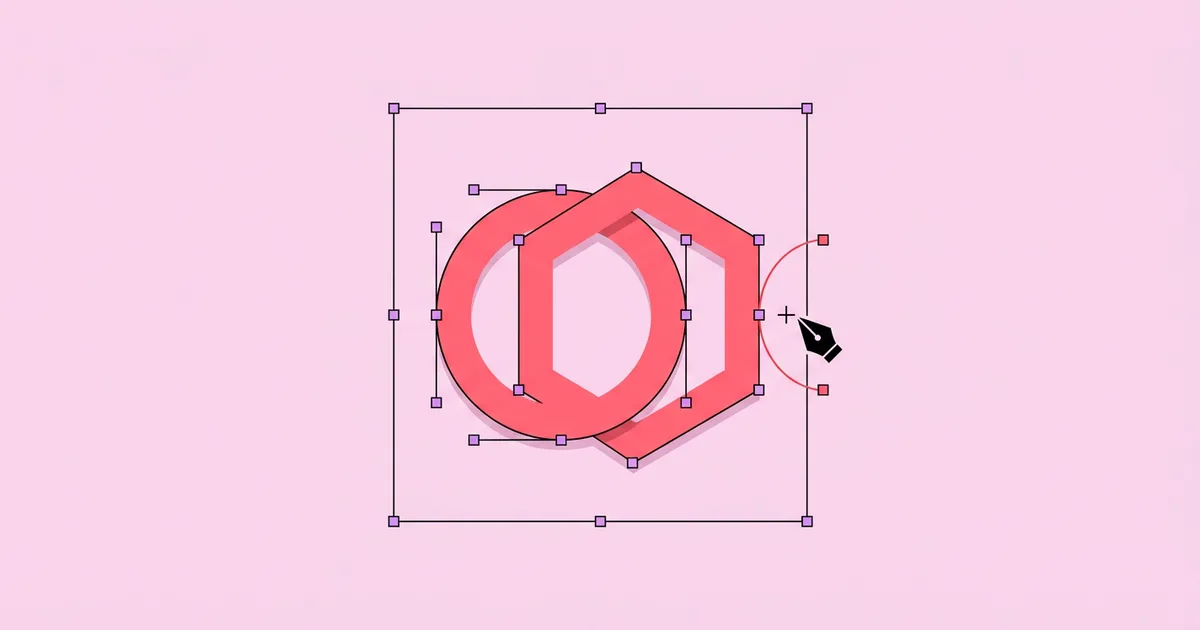
Understanding a few file terms helps you judge what you are getting. A raster file, such as PNG or JPG, is made of pixels and gets blurry when enlarged. A vector file, such as SVG, EPS, or PDF, is made of mathematical paths and scales cleanly from a favicon to a billboard. A transparent background means the logo can sit on any color without a white box around it. For a real business, you eventually need a vector file. For a side project, a high-resolution transparent PNG can be enough to start. If your logo will appear on product photos or social banners, it is also worth reading our breakdown of AI photo editors that clean up brand imagery, since the logo is only as strong as the visuals around it.
Usage rights are the other half of "free." Template-based tools typically grant broad usage rights for your designs but restrict trademark registration of designs built from shared templates, because other users can access the same templates. If you plan to register a trademark, read the tool's license terms carefully, or use the AI output only as a starting point for a custom design.
The practical test is simple: before spending an hour customizing, start a throwaway design and walk through the export flow. If the download button asks for payment, you know what you are dealing with.
How to Create a Strong Logo With a Free AI Tool
A strong logo comes from a clear brief and disciplined editing, not from scrolling through hundreds of generated options. Follow this process to get a mark that works in the real world.
- Define three brand words. Pick three adjectives that describe your brand, such as "calm, precise, modern" or "bold, playful, local." Use them to filter every option the AI shows you.
- Collect references. Save a handful of logos you admire, ideally from outside your industry, and note what specifically works: the weight of the type, the simplicity of the icon, the color restraint.
- Generate broadly, then narrow fast. Let the tool produce many concepts, but shortlist no more than five. Decision fatigue is the main reason people end up with cluttered logos.
- Simplify the icon. Remove gradients, thin lines, and small details. A good mark is recognizable as a tiny favicon and in a single color.
- Fix the typography. Generated logos often pair fonts poorly. Choose one typeface, adjust letter spacing, and make sure the name is readable at small sizes.
- Test in context. Place the logo on a website header mockup, a social profile image, a dark background, and a business card. Problems invisible on a white canvas show up immediately.
- Export a complete set. Download a full-color version, a one-color version, a reversed version for dark backgrounds, and a square icon-only version.
This process works in any of the tools below. The tool only changes how fast you move through steps three to five.
Free AI Logo Generators Compared
Free AI logo generators differ most in what you can export without paying. This comparison focuses on that practical question rather than marketing claims. Pricing and plan details change frequently, so confirm the current terms on each tool's site before you commit.
| Tool | Best For | Free Export | Main Limitation |
|---|---|---|---|
| Canva | Fast template-based logos with AI design help | PNG and JPG on the free plan | Transparent backgrounds and SVG typically need a paid plan |
| Adobe Express | Clean logos with strong typography | Downloadable logo files on the free plan | Some premium fonts and assets are paid |
| Microsoft Designer | Generating original icon concepts from text prompts | Image downloads with a free Microsoft account | Outputs are raster images that need vector cleanup |
| Looka | Complete brand kit concepts | Free to generate and preview | Usable downloads require purchase |
| Brandmark | Minimal, modern marks | Low-resolution previews | High-resolution and vector files are paid |
If you need a completely free path to a usable logo today, Canva and Adobe Express are the most reliable starting points. If you are willing to pay once for a polished brand kit, Looka and Brandmark offer strong concept generation that can save design time.
A Designer's Analysis of AI-Generated Logos
The following is practitioner analysis based on reviewing and reworking AI-generated logos for small businesses, not a formal study. It explains where these tools are strong and where human design judgment still matters.
AI logo generators are excellent at exploration. In minutes they surface combinations of icon, type, and color that would take a designer hours to sketch. That makes them genuinely useful for founders who do not yet know what they want, because reacting to options is easier than describing a vision from scratch.
Their weakness is distinctiveness. Template-driven tools assemble logos from shared libraries of icons and fonts, which means two businesses in the same industry can end up with similar marks. Prompt-based image generators produce more original icons, but the output is usually a raster image with uneven curves, inconsistent stroke weights, and occasionally garbled lettering. Those images need to be traced and rebuilt as clean vectors before they work professionally.
The smartest use pattern I see is a hybrid: use a prompt-based generator for icon ideas, use a template tool for typography and layout, then spend an hour in a vector editor to rebuild the final mark cleanly. A logo also has to live inside a wider system. It will appear in pitch decks, proposals, and reports, so many founders set up their brand colors and fonts once and reuse them inside AI presentation makers that apply brand kits automatically, which keeps every customer-facing document consistent.
Finally, remember that a logo is not a brand. Consistent use of the mark, color, and voice over time does more for recognition than a perfect first design.
Common Mistakes With AI Logo Generators
Most weak AI-generated logos fail for predictable reasons. These are the mistakes I see most often and the fix for each.
- Choosing the most complex option. Detailed illustrations look impressive full-size but turn into smudges at small sizes. Fix: test every candidate at favicon size before deciding.
- Relying on color to carry the design. A logo that only works in color fails on invoices, embroidery, and single-color print. Fix: check that the design still reads in solid black and solid white.
- Using generic industry icons. A house for real estate or a lightbulb for consulting makes you blend in. Fix: pick a concept tied to your specific name, story, or method.
- Ignoring licensing terms. Template-based logos may not be eligible for trademark registration. Fix: read the license, and commission custom refinement if trademark protection matters.
- Settling for a raster-only file. A small PNG will eventually be stretched and pixelated. Fix: secure or create a vector version before printing anything.
- Skipping a name search. A great logo for a name someone else owns is wasted work. Fix: check trademark databases and domain availability before designing.
Walkthrough: A Free Logo for a Local Coffee Cart
Here is a practical, start-to-finish example showing how a small business owner can get a professional result without spending money.
The brief. A mobile coffee cart called "Second Pour" wants a logo that feels warm, crafted, and friendly. It will appear on cups, a menu board, an Instagram profile, and a printed apron.
Step one: idea generation. The owner uses Microsoft Designer with a prompt describing a minimal flat icon of a pour-over kettle forming a soft curved shape. Several outputs are interesting, and one with a single continuous line stands out.
Step two: layout and type. In Adobe Express, they place the chosen icon beside the business name, pick one rounded serif typeface, and set a two-color palette of espresso brown and cream.
Step three: simplification. They remove a decorative steam swirl that disappears at small sizes and increase the line thickness so the icon survives being printed on a cup sleeve.
Step four: context testing. They preview the logo as a circular Instagram avatar, on a dark menu board, and in one color for a rubber stamp. The stacked version works for the avatar; the horizontal version works for the menu.
Step five: export. They download full-color, one-color, and reversed versions. For the apron printer, who requests a vector file, they rebuild the simple icon as an SVG using a free vector editor such as Inkscape.
Final checklist before using the logo:
- Readable at very small sizes and from across a room.
- Works in one color, on light and dark backgrounds.
- Stacked and horizontal layouts exported.
- Vector file available for print vendors.
- License terms reviewed and saved.
Key Takeaways
- "Free" AI logo generators often charge at the download step, so test the export flow before investing time in customization.
- Canva, Adobe Express, and Microsoft Designer offer the most practical no-cost paths to a usable logo file.
- A professional logo needs a vector version, a one-color version, and a reversed version for dark backgrounds.
- Template-based logos may not qualify for trademark registration, so read license terms if legal protection matters.
- The best results come from combining AI exploration with human simplification, typography fixes, and real-context testing.
Frequently Asked Questions
Is there a completely free AI logo generator?
Yes, several tools let you create and download a logo at no cost. Canva, Adobe Express, and Microsoft Designer all offer free downloads on their free plans, although some formats like transparent PNG or SVG may require upgrading. Tools such as Looka and Brandmark are free to explore but charge for usable files.
Can I trademark a logo made with an AI generator?
It depends on the tool and how the logo was made. Logos built from shared templates are often restricted from trademark registration because others can use the same elements. AI-generated images also raise unresolved questions about copyright. For trademark protection, use AI concepts as inspiration and have the final mark custom-built.
What file format should my logo be in?
You should keep a vector version, such as SVG, EPS, or PDF, as your master file because it scales without losing quality. Use PNG with a transparent background for websites and social media. Keep JPG only for situations where transparency is not needed, such as email attachments or documents.
How do I make an AI-generated logo look professional?
Simplify it. Remove thin lines, gradients, and small details, choose one well-spaced typeface, and limit the palette to two or three colors. Then test it at small sizes, in a single color, and on dark backgrounds. Professional logos look effortless because unnecessary elements have been removed.
Are AI logo generators good enough for a real business?
For early-stage businesses, side projects, and testing ideas, they are often good enough. As a business grows and brand recognition becomes valuable, many owners invest in a designer to refine the mark and build a full identity system. Starting with AI is a reasonable, low-cost first step.
How many colors should a logo have?
Most effective logos use one to three colors. Fewer colors make printing cheaper, improve recognition, and keep the mark flexible across backgrounds. Always make sure the logo also works in a single solid color, because many uses such as stamps, embroidery, and engraving cannot reproduce multiple colors.
Conclusion
The decision that matters most is not which generator you pick but whether you finish the job: simplify the concept, secure a vector file, and test the mark in every place it will appear. A free tool can get you a professional starting point, and a few hours of disciplined refinement turns it into a logo you will not need to replace next year. Once your mark is ready, put it to work across your channels with the help of AI tools for planning and publishing social content, so your new identity shows up consistently wherever your audience finds you.