
Best AI Tools for App Prototyping
The most expensive mistake in product development is building the wrong thing well. Prototypes exist to catch that mistake early, but traditionally they took days of design work or a sprint of engineering. AI app prototyping tools are applications that turn text prompts, sketches, screenshots, or designs into interactive mockups or working applications, letting teams test ideas with real users before committing to full development.
Quick Answer: The best AI tools for app prototyping are v0 by Vercel for production-grade React and Next.js prototypes, Bolt and Lovable for full-stack apps from prompts, Figma Make for prototypes inside Figma, Replit for prototypes with a running backend, Uizard and Visily for fast wireframes, and Framer for interactive website prototypes.
What Counts as a Prototype in the AI Era?
A prototype is any artifact that lets someone experience an idea before it's fully built. AI has blurred the line between categories that used to be clearly separate, so it helps to define them.
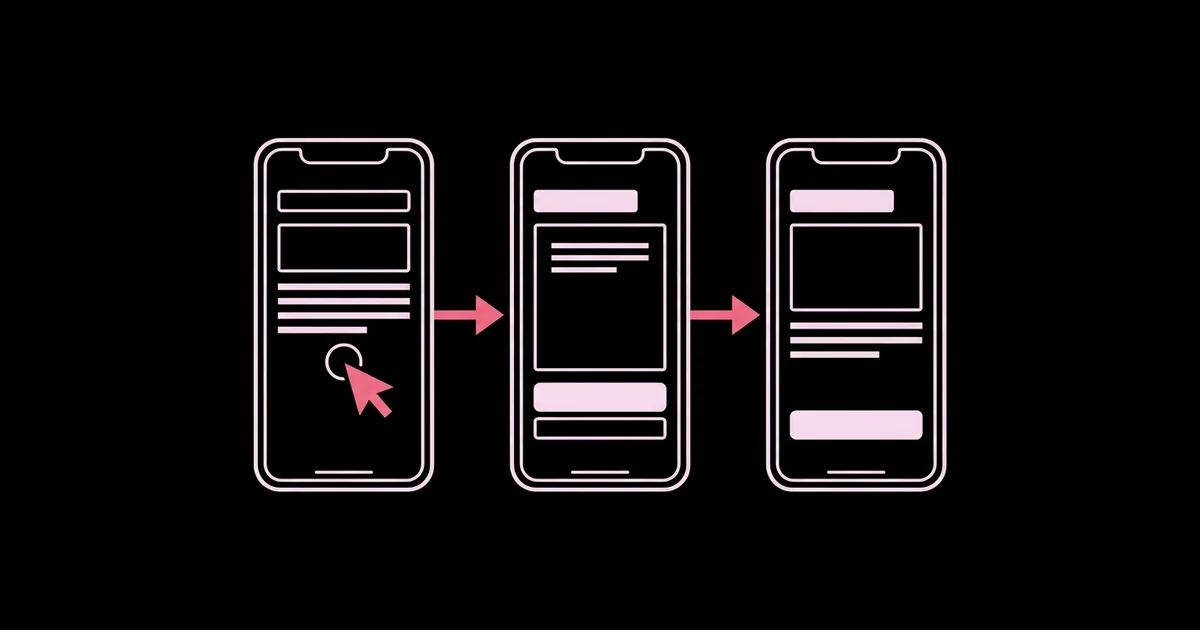
Wireframes show layout and structure without visual polish. Clickable mockups link static screens together so users can tap through a flow. Functional prototypes are real running code with working interactions, sample data, and sometimes a backend. AI prompt-to-app tools now generate functional prototypes nearly as fast as designers used to produce wireframes, which changes what's worth testing.
The right fidelity depends on the question you're answering. If you're testing whether users understand the concept, a wireframe is enough. If you're testing whether a workflow is usable, a clickable or functional prototype is better. If you're testing whether people will pay, a functional prototype with real-feeling data often gives the most honest signal. Fidelity also depends on your design foundations; teams with a clear visual system get much better generated output, as covered in our guide to AI tools for UI and UX design work.
A key concept here is throwaway versus evolutionary prototypes. Throwaway prototypes are built to learn and then discarded. Evolutionary prototypes become the foundation of the product. AI tools that generate clean, standard code, such as React with Tailwind CSS, make evolutionary prototyping far more realistic than it used to be.
The Top AI App Prototyping Tools
These tools span the full range from quick wireframes to deployable applications.
- v0 by Vercel — Generates React and Next.js applications with Tailwind CSS and shadcn/ui components from prompts, screenshots, or designs. Prototypes can be iterated through chat, connected to integrations such as databases, and deployed, making it strong for evolutionary prototypes.
- Bolt — A browser-based AI builder that generates and runs full-stack web apps, and can create Expo mobile apps, from a prompt, with a live preview and editable code.
- Lovable — Builds full-stack web apps from conversation, with integrations for backends like Supabase, aimed at founders and product teams who want working apps quickly.
- Figma Make — Figma's prompt-to-app capability turns prompts and existing Figma designs into interactive, code-backed prototypes inside the Figma ecosystem, keeping designers in a familiar environment.
- Replit — Replit's Agent builds and runs applications with a backend and database in the browser, useful for prototypes that need real server logic.
- Uizard — Generates multi-screen app and web mockups from text prompts, hand-drawn sketches, or screenshots, ideal for early-stage concept testing.
- Visily — An AI wireframing and design tool for non-designers, converting screenshots and sketches into editable wireframes.
- Framer — Generates and publishes interactive websites with AI assistance, well-suited to landing page and marketing site prototypes.
This category evolves extremely quickly, so check current capabilities, usage limits, and code export options before choosing a tool for a project.
Comparing AI Prototyping Tools by Fidelity
Match the tool to the fidelity your test requires.
| Tool | Output Fidelity | Best For | Consideration |
|---|---|---|---|
| v0 by Vercel | Functional, production-style code | React and Next.js prototypes that may evolve into products | Web-focused output |
| Bolt / Lovable | Functional full-stack apps | Founders validating complete product ideas | Review generated code before scaling |
| Figma Make | Interactive code-backed prototypes | Design teams already working in Figma | Best when built on existing Figma designs |
| Replit | Functional with backend | Prototypes needing server logic and data | Hosting decisions for later production |
| Uizard / Visily | Wireframes and mockups | Early concept and flow testing | Not intended to produce production code |
| Framer | Interactive published websites | Landing page and marketing prototypes | Less suited to complex app logic |
Practitioner Analysis: What Fast Prototyping Changes
This section reflects practitioner experience running product discovery with AI tools, not vendor data. The shift isn't just speed; it's what teams can now afford to test.
You can test multiple directions instead of one. When a functional prototype takes an afternoon, it's practical to build three different approaches to the same problem and test them side by side. Comparing alternatives produces much better feedback than asking users whether they like a single option, because people struggle to critique something in isolation.
Realistic data changes feedback. Users react differently to a prototype with plausible names, numbers, and content than to lorem ipsum. Ask the AI tool to generate realistic sample data for your domain. You'll hear about real problems, such as long names breaking layouts or confusing number formats, instead of vague impressions.
Prototypes now cross the line into products. Tools that generate standard, well-structured code make it tempting to ship the prototype. That can work for internal tools and early validation, but production still requires authentication, data security, error handling, and performance work. Mobile prototypes face extra constraints, which we cover in our guide to AI tools for building mobile apps.
The bottleneck moves to clarity of thinking. Vague prompts produce generic apps. The teams getting the best results write clear product briefs: who the user is, the job they're trying to do, the key screens, and what success looks like.
Common Prototyping Mistakes With AI Tools
These mistakes waste the speed advantage AI tools provide.
- Prototyping without a question. Every prototype should test a specific hypothesis. Write it down before generating anything.
- Over-polishing too early. Spending hours perfecting visuals before validating the concept wastes time. Match fidelity to the question.
- Testing only with colleagues. Internal teams know too much. Put prototypes in front of real target users as early as possible.
- Mega-prompts. Asking for an entire app in one prompt produces mediocre results. Build iteratively: core screen first, then flows, then details.
- Ignoring accessibility and responsiveness. Check prototypes on mobile screens and with keyboard navigation. Problems found now are cheaper to fix.
- Shipping a prototype unreviewed. If a prototype becomes a product, run a proper security, performance, and code review before real users and real data touch it.
Walkthrough: A One-Week Prototype Sprint
Here's how I run a one-week prototyping sprint for a new feature, using a B2B scheduling feature as the example.
Day 1: Define the question and brief. Write the hypothesis, such as "Managers will schedule shifts faster with a drag-and-drop weekly view than with the current form." Write a one-page brief with user, job, key screens, and success criteria.
Day 2: Generate directions. Use a wireframing tool like Uizard or Visily to sketch three layout directions quickly. Review with the team and pick two to build.
Day 3: Build functional prototypes. Use v0, Bolt, or Lovable to build both directions with realistic sample data. Iterate screen by screen with focused prompts, such as "Add a conflict warning when two shifts overlap for the same employee."
Day 4: Test with users. Run five short sessions with target users. Give each a realistic task and observe without guiding. Note where people hesitate, misclick, or ask questions.
Day 5: Synthesize and decide. Summarize findings, choose a direction or a hybrid, and decide whether to iterate, build, or drop the idea. If building, document which parts of the prototype code are reusable and what needs production hardening.
This structure works because it forces a decision at the end. The prototype's job is to make the next investment decision obvious, not to look impressive.
Writing a prototype brief that AI tools can act on. The difference between a generic generated app and a useful prototype usually comes down to the brief. A strong brief fits on one page and answers five things. First, the user: a specific role with a specific context, such as "a restaurant manager scheduling twenty part-time staff on a tablet." Second, the job: what that person is trying to accomplish and what currently makes it painful. Third, the key screens: usually three to five, described by what the user needs to see and do on each. Fourth, the critical interactions: the moments that make or break the experience, like resolving a scheduling conflict. Fifth, the success criteria: what you'll observe in testing that tells you the idea works.
Add constraints and style direction separately. Mention the device and screen size, any existing brand colors or design system, and the tone of the interface. Provide sample data that reflects real complexity, including long names, edge cases, and empty states. Then feed the brief to the tool in stages rather than all at once: generate the primary screen first, review it, and add the next screen and interaction once the foundation is right. Keep the brief updated as you learn, because it doubles as documentation for whoever builds the production version later.
Key Takeaways
- Match prototype fidelity to the question you're testing, from wireframes for concepts to functional apps for usability and willingness to pay.
- AI's speed makes it practical to test multiple design directions, which yields better feedback than evaluating a single option.
- Realistic sample data in prototypes surfaces genuine usability problems that placeholder content hides.
- Clear product briefs and iterative prompting produce far better prototypes than single all-in-one prompts.
- Prototypes that become products need security, performance, and code review before handling real users and data.
Frequently Asked Questions
What is the best AI tool for app prototyping?
It depends on fidelity. For functional web prototypes that may evolve into products, v0, Bolt, and Lovable are strong choices. Figma Make suits designers in Figma. Uizard and Visily are best for quick wireframes, and Replit works well when the prototype needs real backend logic.
Can AI turn a sketch into a working prototype?
Yes. Tools like Uizard and Visily convert hand-drawn sketches and screenshots into editable wireframes, and tools like v0 can generate working interfaces from images or screenshots. Results improve when you describe the intended behavior alongside the image and then refine the output through follow-up prompts.
Can I use an AI prototype as my production app?
Sometimes, especially for internal tools or early versions, if the tool generates clean, standard code. Before production, add proper authentication, data validation, security review, error handling, testing, and monitoring. Treat the prototype as a starting point that needs hardening, not a finished product.
Do I need coding skills to prototype with AI?
No. Tools like Uizard, Visily, Lovable, Bolt, and v0 let non-developers build prototypes through prompts and visual editing. Coding knowledge helps when you need to customize behavior, debug problems, or move a prototype toward production, but it isn't required to test ideas with users.
How do I write good prompts for AI prototyping tools?
Describe the user, their goal, the key screens, and important interactions. Start with one core screen, then add flows and details iteratively. Specify realistic sample data and design preferences. Short, focused follow-up prompts that change one thing at a time produce more reliable results than long mega-prompts.
How many users should test a prototype?
Small rounds of around five users per round are a widely used practice in usability testing, because they reveal the most common problems quickly. Run several small rounds with improvements between them rather than one large session. Recruit people who match your target users, not colleagues.
Conclusion
The most important decision in AI prototyping is deciding what question each prototype must answer. Speed is now abundant; clarity is scarce. Teams that write a hypothesis, build two directions, and test with real users learn more in a week than teams that polish a single idea for a month. Your next step: pick one feature idea, write its hypothesis and a one-page brief, and run the five-day sprint above. If your prototype is a reporting view or dashboard, explore AI data visualization tools to design charts that communicate clearly.


