Is AI Going to Take Over the Graphic Design Insudtry?
If you are deciding whether to hire a designer, study design, or automate your creative production, separate making an image from delivering a usable design system. AI in graphic design means software that generates, modifies, or organizes visual material using learned patterns and user instructions. It can accelerate mockups, remove backgrounds, suggest compositions, and produce variations, but those outputs still need a purpose, selection criteria, and production checks. The practical question behind “is ai going to take over the graphic design insudtry” is which responsibilities you can delegate without losing quality, consistency, or accountability. Judge that task by task rather than treating every design role as equally exposed.
Quick Answer: AI can take over parts of graphic design production, especially repetitive edits and generic variations, but it cannot reliably own every strategic, creative, legal, and technical decision. Hire and train around judgment, brand systems, and delivery standards. Use automation where outputs are easy to verify, and retain human approval for consequential work.
Will AI Replace Graphic Designers or Just Automate Their Tasks?
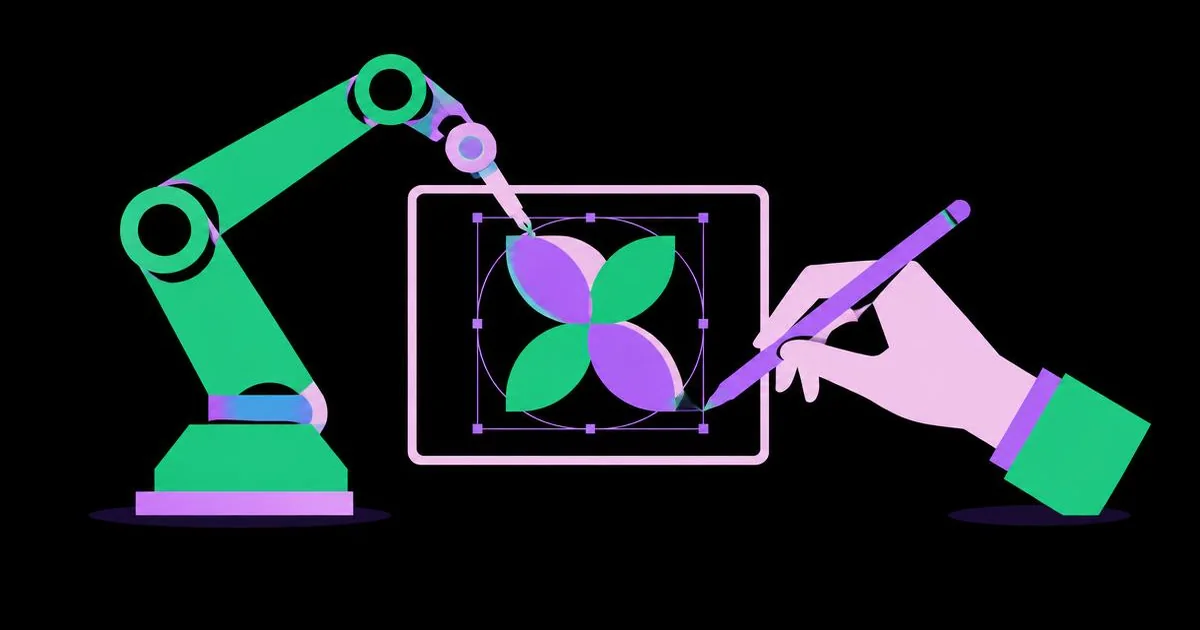
AI is better evaluated as a task replacement than a complete role replacement. Automation performs defined operations; augmentation helps a person perform them; replacement removes the need for that person’s responsibility. A tool that generates twenty layouts automates exploration, but it does not necessarily replace the designer who decides which layout communicates the offer accurately.
For a hiring or career decision, examine the actual work being purchased. Our practical guide to where demand for graphic designers comes from provides a useful companion perspective: distinguish demand for inexpensive assets from demand for people who solve business communication problems. Inventory your recurring requests before assuming one tool can cover them all.
Tasks with clear inputs and obvious pass-or-fail criteria are strong automation candidates. Background removal, simple resizing, and draft image variations fit this category, provided someone checks edges, cropping, and consistency. A brand repositioning does not: its quality depends on audience insight, competitive distinction, stakeholder agreement, and how the identity behaves across applications.
Replacement risk is therefore uneven. If your offer is only “I make attractive images,” clients have more substitutes. Strengthen that offer with research, typography, information hierarchy, reusable systems, and reliable handoff. These capabilities make you responsible for a useful outcome rather than merely the first visual output.
Which Graphic Design Tasks Should You Automate First?
Automate repeatable work with measurable acceptance criteria first. Start with tasks where mistakes are inexpensive to catch and correct. Use the following order to establish value before connecting AI to sensitive client material or live publishing systems.
- List recurring production tasks. Review recent projects and identify resizing, background cleanup, rough concepts, image search, and presentation assembly. Record what each task receives and what it must deliver.
- Separate deterministic work from generative work. Use templates, scripts, or batch exports when dimensions and rules are fixed. Generative AI is not automatically the best tool for a repeatable operation.
- Choose a contained pilot. Try draft campaign backgrounds or internal mood boards before logos, packaging claims, or regulated communications. Keep the original assets available for comparison and recovery.
- Define rejection rules. Reject distorted products, unreadable lettering, unauthorized brand elements, and visuals that contradict the brief. Make the criteria explicit enough that another reviewer can apply them.
- Measure the complete workflow. Compare setup, generation, selection, correction, approval, and export time against your existing process. A fast first draft is not a saving if cleanup consumes the difference.
Expand only when the pilot reduces total effort without introducing unacceptable defects. If results remain unpredictable, constrain the inputs further or return that task to a template-based workflow.
Where Does AI Help, and Where Is Human Judgment Essential?
The right division of labor depends on the cost of a wrong output. Use this comparison when writing a project scope or assigning review responsibilities. Treat the human checkpoints as deliverables, not optional polish added after the budget is spent.
| Design task | Useful AI contribution | Human checkpoint |
|---|---|---|
| Early concept exploration | Generate contrasting visual directions | Confirm relevance, originality concerns, and strategic fit |
| Social campaign adaptation | Suggest crops and layout variations | Check hierarchy, platform dimensions, and message consistency |
| Product image cleanup | Remove distractions or extend backgrounds | Verify product details remain truthful |
| Brand identity development | Explore visual territories and applications | Build distinctive, reproducible identity rules |
| Print production | Assist with preliminary checks and asset preparation | Verify bleed, color setup, resolution, and printer specifications |
| Accessible communication | Suggest descriptions or alternative arrangements | Test contrast, reading order, and actual usability |
Assign one named person to approve each final deliverable. “The AI produced it” does not resolve a misleading product image or an unusable print file. For low-risk internal work, one reviewer may be sufficient; public-facing or sensitive work may require brand, legal, accessibility, or production specialists.
Write these checkpoints into estimates. Otherwise, apparent automation savings can become unpaid review work that nobody planned to own.
Practitioner Analysis: What Makes AI-Assisted Design Professionally Useful?
Practitioner analysis: a useful design survives revision, production, and reuse. From a senior-practitioner perspective, the decisive test is not whether an image impresses in a presentation. It is whether the team can change the headline, localize the copy, reproduce the mark, and deliver the next campaign without rebuilding everything.
Evaluate tools against those requirements. Can you separate the subject from the background? Can another designer edit the typography? Can the layout accommodate longer text? A visually convincing flattened image may be a reference rather than a deliverable. Reconstruct important work with editable type, organized layers, appropriate vector assets, and documented styles.
Device choice follows the same principle. A tablet can be excellent for drawing, annotation, and concept development, while particular handoff or prepress requirements may call for other software. Our workflow guide for designing effectively on an iPad Pro helps frame that decision around practical stages rather than equipment enthusiasm.
Apply experienced judgment at selection, not only at correction. Reject a polished concept if it obscures the message or resembles a competitor too closely. Ask whether the system works in monochrome, at small sizes, with real copy, and across contrasting applications. These tests reveal weaknesses that a beautiful hero mockup can conceal.
For pricing, define scope, revision rounds, editable-file requirements, and approval obligations. Charge for the agreed service and responsibility; do not let faster generation silently expand the number of concepts or revisions included.
What Common AI Design Mistakes Should You Avoid?
The most expensive mistakes come from treating plausible output as verified output. Build safeguards into the workflow before generating assets, especially when client information, recognizable people, or commercial rights are involved.
Uploading confidential material without permission: check the provider’s current terms, retention settings, and contractual protections before submitting unreleased products, customer information, or proprietary files. If approval is unclear, use anonymized placeholders or an approved environment. A paid subscription alone does not establish permission.
Assuming commercial use means exclusive ownership: licensing terms, copyright protection, and trademark risks are different questions. Preserve source information and review relevant terms. For a valuable identity or a questionable reference, obtain qualified legal advice rather than treating a tool’s marketing language as clearance.
Accepting convincing but inaccurate images: compare generated products against approved references. Check packaging text, component counts, proportions, and material finishes. Avoid generative alterations where they could misrepresent what the customer receives; use approved photography or controlled compositing instead.
Skipping basic design checks: inspect type, spacing, contrast, visual hierarchy, and output specifications manually or with appropriate testing tools. Review at actual viewing size. An image that looks clean on a large monitor can fail as a mobile advertisement or small printed label.
Measuring volume instead of usefulness: limit exploration to distinct directions with a stated rationale. More variations create review work unless they answer a specific unresolved question.
How Do You Implement AI in a Real Design Project?
Introduce AI through a controlled project with a documented approval path. Consider a hypothetical local retailer launching a seasonal campaign: one key visual, three social formats, an email header, and an in-store poster. The offer and product photography are approved, but the campaign’s visual treatment is not.
Step 1: Write a usable brief. Specify the audience, offer, desired action, mandatory wording, brand assets, formats, deadline, and approver. State that product appearance and offer terms cannot change. This prevents attractive experiments from drifting into inaccurate advertising.
Step 2: Establish a baseline. Estimate or record the normal process for the same deliverables, including revisions and production. Define success as less total effort with equivalent or better quality, not merely faster concept generation.
Step 3: Generate bounded directions. Request three distinct background or composition approaches using approved references. Keep product photography separate. Ask for differences in hierarchy or atmosphere rather than dozens of minor decorative variations.
Step 4: Select against the brief. Score each direction for message clarity, brand fit, product prominence, and adaptability. Explain the trade-offs to the approver. Choose one direction before producing every format; otherwise, rejected concepts multiply into unnecessary production work.
Step 5: Build the editable master. Place approved product assets, typeset the final copy, and establish consistent spacing and styles. Use conventional layout tools for precision. Record the source and usage terms of incorporated assets so the campaign can be reused responsibly.
Step 6: Adapt and inspect. Recompose for each format rather than stretching the master. Check mobile legibility, safe areas, links where applicable, and the poster’s printer requirements. Review actual exports, because correct working files do not guarantee correct output settings.
Step 7: Approve, archive, and evaluate. Obtain sign-off on final files, archive editable masters, and record total time plus corrections. Keep AI in the workflow only where the evidence from this project supports it. Update the checklist before the next campaign.
Key Takeaways
Make decisions around responsibilities, not predictions about the entire industry. Use these five principles to guide hiring, learning, and workflow changes.
- Automate bounded tasks before delegating complete projects or client relationships.
- Hire for judgment, communication, systems thinking, and dependable production alongside tool fluency.
- Measure total delivery effort, including selection, correction, review, and export.
- Protect confidential inputs and verify asset rights before commercial use.
- Keep editable masters, explicit approval checkpoints, and a documented fallback process.
Frequently Asked Questions
Practical choices depend on your deliverables and risk tolerance. Use these answers to narrow your next hiring, training, or purchasing decision.
Is graphic design still a worthwhile career to pursue?
Graphic design remains worth considering if you want to solve communication problems, not simply operate software. Learn typography, layout, research, accessibility, and production alongside AI tools. Before committing to training, review relevant job descriptions and speak with working designers about the deliverables, constraints, and client responsibilities their roles actually involve.
Can a small business use AI instead of hiring a designer?
A small business can use AI for some low-risk visual work, particularly when approved templates and brand rules already exist. Hire professional help when establishing an identity, developing an important campaign, or preparing demanding production files. Start by identifying which errors could cost sales, credibility, or expensive reprints.
Which graphic design skills are hardest to automate?
Skills involving contextual judgment are harder to delegate reliably than isolated production steps. Prioritize interpreting ambiguous briefs, establishing hierarchy, creating coherent systems, explaining trade-offs, and resolving stakeholder disagreements. Demonstrate these skills with documented decisions and tested applications, rather than assuming that attractive final images will communicate your contribution.
Should designers disclose that they used AI?
Disclosure should follow contracts, client expectations, applicable requirements, and the nature of the work. Agree on permitted uses before starting, especially for generated imagery or confidential inputs. Explain what was generated, what was verified, and any material limitations. Never imply that an AI-generated scene is documentary photography when that distinction matters.
How should a portfolio show AI-assisted work?
A portfolio should make your decisions and contribution visible. Show the brief, constraints, rejected directions, refinements, and finished applications. Label meaningful AI assistance accurately, distinguish generated assets from your own work, and include editable-system thinking where relevant. A reviewer should understand what you can reliably repeat on another project.
Will AI make professional graphic design cheaper?
AI can reduce the effort required for particular tasks, but lower generation costs do not guarantee a cheaper finished project. Review, licensing, correction, and adaptation still consume resources. Compare quotes using the same scope, revision allowance, deliverables, and quality controls. Ask where automation saves effort and what oversight remains included.
Conclusion
The key decision is which design responsibilities require accountable human ownership. Keep strategy, final selection, rights review, and delivery approval assigned to capable people; automate supporting tasks when you can verify the results. Your next step is to audit one recent project and identify a single low-risk workflow to test. If that audit exposes gaps in your own work or a prospective hire’s evidence, use this guide to judging what makes a design portfolio effective to evaluate reasoning, execution, and repeatable professional value rather than visual novelty alone.