
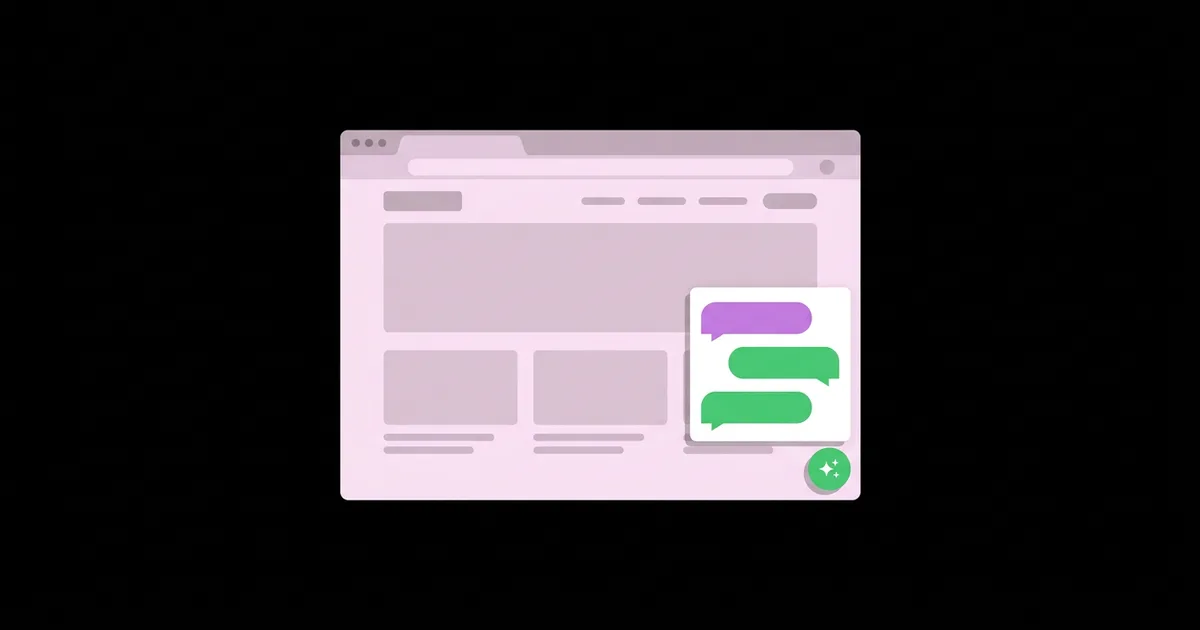
How to Add an AI Chatbot to Your Website for Free
Visitors ask the same handful of questions on almost every small business website: what does it cost, do you deliver here, are you open on weekends, how do I book. An AI chatbot is a small chat widget on your site that uses a large language model, trained on your own pages and documents, to answer those questions in natural language at any hour and hand off to a human when it cannot help. With the free tiers offered by several chatbot platforms, you can add one without paying anything up front or writing code beyond pasting a single snippet.
Quick Answer: To add a free AI chatbot to your website, sign up for a platform with a free plan such as Tidio, Chatbase, or Botpress, train the bot on your site's pages and FAQs, set its tone and fallback rules, copy the embed script, and paste it before the closing body tag or through your site builder's custom code setting. Test thoroughly before going live.
What Is an AI Website Chatbot and How Does It Work?
An AI website chatbot combines a chat interface with a language model that generates answers from information you provide. Unlike older rule-based bots that followed rigid decision trees, an AI chatbot understands questions phrased in many different ways and responds conversationally.
Most modern website chatbots work through a pattern called retrieval-augmented generation, or RAG. You give the platform a knowledge base, such as your website URLs, PDFs, or FAQ text. When a visitor asks a question, the system retrieves the most relevant passages from that knowledge base and asks the model to answer using them. The widget is the chat bubble visitors see, and the embed code is the short script that loads it on your pages. A handoff is the point where the bot passes the conversation to a person by email or live chat. If you have not launched your site yet, start with this guide to launching your first site with no-code AI tools, since a chatbot is only as good as the content it learns from.
The quality of a chatbot depends far more on that knowledge base than on the underlying model. A bot trained on a clear, accurate FAQ page answers well; a bot trained on vague marketing copy guesses, and guessing is where hallucinated policies and wrong prices come from.
Step-by-Step: Adding a Free AI Chatbot
The process is similar across platforms. Following these steps in order prevents the most common problem, a bot that goes live before it has accurate information to work with.
- List the top questions visitors actually ask. Pull them from your inbox, phone calls, reviews, and social messages. Aim for fifteen to thirty real questions with accurate answers.
- Write or update an FAQ page. Put those questions and answers on your site in plain language. This improves your site for humans and search engines and gives the bot a clean source.
- Choose a platform with a free plan. Compare limits on AI responses, branding, and integrations. Free tiers change, so confirm current terms on each pricing page.
- Train the bot. Add your website URLs and FAQ content as sources. Exclude pages with outdated information so the bot does not repeat them.
- Write instructions for behavior. Define tone, what topics to stay within, and what to say when it does not know, such as offering to collect an email for a human reply.
- Set up the handoff. Connect an email address or live chat inbox you actually monitor, and decide how quickly you will respond.
- Copy the embed code. The platform provides a script tag. Paste it just before the closing body tag of your HTML, or into the custom code or header and footer area of your site builder.
- Test with tricky questions. Ask about prices, refunds, edge cases, and topics outside your business. Fix the knowledge base wherever answers are wrong.
- Review conversations weekly. Read transcripts, add missing answers, and refine instructions. The bot improves as your content improves.
Free AI Chatbot Options Compared
Several established platforms offer free plans suitable for small websites. The comparison below focuses on how each fits different needs; exact limits and features change frequently, so verify the current free tier before you commit.
| Option | Free Plan Approach | Best For | Watch Out For |
|---|---|---|---|
| Tidio | Free plan with live chat and a limited allowance of AI agent conversations | Small online stores and service businesses wanting AI plus live chat | AI conversation limits on the free tier are modest |
| Chatbase | Free plan for building a bot trained on your website and documents, with limited message credits | Sites that mainly need accurate answers from existing content | Credit limits and platform branding on free use |
| Botpress | Free tier with a monthly AI usage allowance and a visual flow builder | Users who want more control over conversation logic | More setup complexity than plug-and-play tools |
| tawk.to | Free live chat widget, with AI features offered as a paid add-on | Businesses that want reliable free human live chat first | AI answers are not part of the free core product |
| Self-built widget | Your own chat interface calling a model API, some of which offer limited free tiers | Developers who want full control over data and design | Usage costs, rate limits, and maintenance are your responsibility |
What Free Really Costs: Limits, Branding, and Data
From setting up chatbots on small business sites, the honest analysis is that free plans are excellent for validating whether a chatbot helps your visitors, but they come with trade-offs you should understand before launch.
Usage limits. Running a language model costs the provider money for every response, so free tiers cap AI conversations or message credits. When the cap is reached, the bot may stop answering, fall back to a basic form, or prompt you to upgrade. Check what visitors see when limits are hit, and make sure it is a graceful fallback rather than a broken widget.
Branding. Free widgets usually display the platform's name. That is a reasonable trade for most small sites, but brands with strict visual standards may find it worth paying to remove.
Data handling. Conversations pass through the platform's servers and often a model provider's servers. If visitors might share personal information, update your privacy policy to mention the chat tool, check whether the platform offers data processing terms, and instruct the bot not to request sensitive details like full card numbers or health information.
Performance. Every chat widget adds JavaScript to your pages. Most platforms load asynchronously, but test your page speed before and after installation with a tool such as PageSpeed Insights. If the widget script throws errors or conflicts with your theme, knowing how to troubleshoot broken embed scripts with AI helps you isolate the problem quickly.
Accuracy. Even with good sources, a model can occasionally state something plausible but wrong. The protection is a well-maintained knowledge base, explicit instructions to say "I'm not sure" rather than guess, and a visible way to reach a human.
Common Chatbot Mistakes and How to Avoid Them
Most disappointing chatbots fail because of setup decisions rather than the technology. These are the mistakes that most often frustrate visitors.
- Launching without testing edge cases. Ask the bot about refunds, cancellations, competitors, and off-topic subjects before visitors do. Fix every wrong answer at the source content.
- No human escape route. Visitors who cannot reach a person after two unhelpful replies often leave. Always offer an email or contact option inside the chat.
- Letting the bot invent policies. Without clear instructions, a bot may promise discounts or delivery times you do not offer. Tell it to answer only from provided content.
- Aggressive pop-ups. Auto-opening the chat window on every page load interrupts reading, especially on mobile. Use a quiet launcher button or a delayed, single greeting.
- Covering important buttons. The widget bubble can overlap cookie banners, mobile navigation, or checkout buttons. Check every key page on a narrow phone screen.
- Training on stale content. Old pricing pages and outdated blog posts produce outdated answers. Remove or exclude them from the knowledge base.
- Never reading transcripts. Conversations reveal exactly what visitors want to know. Ignoring them wastes the most valuable feedback the bot generates.
Walkthrough: Installing a Chatbot on a Small Business Site
Consider a small home cleaning company with a five-page website that receives the same pricing and availability questions daily. The owner wants instant answers without paying for software yet.
Preparing content. The owner reviews a month of emails and finds the recurring questions: price ranges by home size, service areas, what supplies are included, how to reschedule, and whether cleaners are insured. These become a new FAQ page with precise answers and clearly stated exceptions.
Choosing and training. A platform with a free plan is selected. The home page, services page, and new FAQ page are added as sources. An old promotions page with an expired offer is deliberately excluded.
Instructions. The behavior instructions say: answer only from the provided content; be friendly and concise; never quote a final price, only the published ranges; if unsure, offer to collect the visitor's name and email for a reply within one business day.
Installation. On a plain HTML site, the embed script goes immediately before the closing body tag on every page through the shared footer template. On WordPress, the owner could use the platform's official plugin or a header and footer code plugin. On hosted builders such as Wix or Squarespace, the custom code or code injection settings serve the same purpose, though availability can depend on the plan.
Testing. The owner asks twenty questions, including "Can you clean tomorrow?" and "Do you clean offices?" The bot wrongly implies office cleaning is available because the services page mentions "workspaces" loosely. The page wording is fixed and the bot is retrained, after which it answers correctly and offers the contact option.
Ongoing review. Each week the owner skims transcripts, adds two or three new FAQ entries, and checks that the free tier's usage allowance is not being exhausted before the month ends.
A launch checklist for any site:
- FAQ content accurate and published on the site
- Outdated pages excluded from training sources
- Instructions limit answers to provided content
- Human handoff connected to a monitored inbox
- Widget tested on mobile without covering key buttons
- Privacy policy updated to mention the chat tool
- Page speed checked before and after installation
Key Takeaways
- A free AI chatbot can be added to most websites by pasting one embed script, but its usefulness depends on the quality of your knowledge base.
- Writing a clear, accurate FAQ page first improves both the chatbot's answers and your site's value for visitors and search engines.
- Free plans limit AI usage and often show platform branding, so they are best for validating whether a chatbot helps before paying.
- Explicit instructions to answer only from provided content, plus a visible human handoff, prevent most harmful wrong answers.
- Reading chat transcripts regularly reveals what visitors really want to know and drives continuous improvement of both bot and site.
Frequently Asked Questions
Can I really add an AI chatbot to my website for free?
Yes. Platforms such as Tidio, Chatbase, and Botpress offer free plans that include some AI-powered responses. The trade-offs are usage limits, platform branding, and fewer integrations. For small sites with modest traffic, a free plan is often enough to answer common questions and prove the chatbot's value.
Do I need coding skills to install a website chatbot?
No. Most platforms give you a short embed script to paste into your site's footer, custom code setting, or a plugin. WordPress users can often install an official plugin instead. You only need to know where your site builder allows custom code, which is usually documented in its help center.
How do I stop my chatbot from giving wrong answers?
Train it only on accurate, current content, instruct it to answer strictly from that content, and tell it to admit uncertainty and offer human contact instead of guessing. Test with difficult questions before launch, then review transcripts weekly and fix wrong answers by correcting the source pages.
Will a chatbot slow down my website?
Any third-party widget adds some JavaScript, but reputable platforms load their scripts asynchronously to minimize impact. Measure your page speed before and after installation using PageSpeed Insights. If performance drops noticeably, check the platform's options for delayed loading or try a lighter widget.
Is a website chatbot compliant with privacy laws?
Compliance depends on your location, your audience, and how you configure the tool. Update your privacy policy to describe the chat tool, review the platform's data processing terms, avoid collecting sensitive information through chat, and consult a qualified professional if you handle regulated data such as health or financial records.
Where should I place the chatbot on my website?
The standard bottom-right launcher works well because visitors recognize it. Make sure it does not cover navigation, cookie banners, or checkout buttons on mobile. Avoid auto-opening the chat on every page; a single, delayed greeting on high-intent pages like pricing or contact is usually more effective.
Conclusion
The most important decision is not which chatbot platform you pick but whether you give it accurate, well-organized content to learn from, because that determines every answer it gives. Write your FAQ page, start on a free plan, test hard, and keep a human one click away. As you add more AI features to your site, keep perspective on the realistic limits of AI in web development so you know when a tool is enough and when expert help is worth it.


